Skip to content
Key Programmer

    How to Calculate W204 EIS All Keys lost Key Password with VVDI MB Tool

    info
    (0)

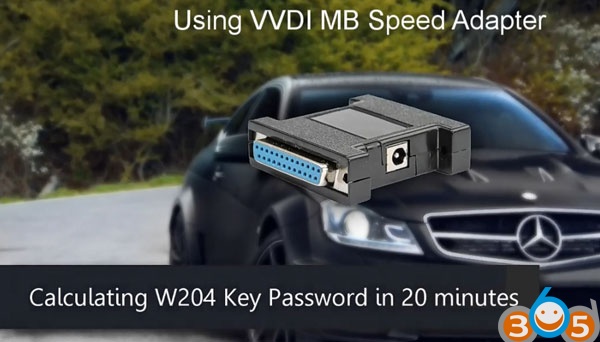
    Here’s the step-by-step guide to calculate MB W204 EIS all keys lost key password using VVDI MB BGA Tool and power adapter in 20 minutes.
    
			How to Calculate W204 EIS All Keys lost Key Password with VVDI MB Tool

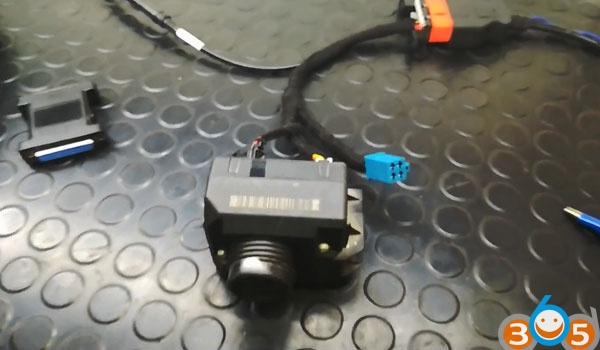
    Connect W204 EIS using VVDI MB EIS cables
    
			How to Calculate W204 EIS All Keys lost Key Password with VVDI MB Tool

    now follow the steps
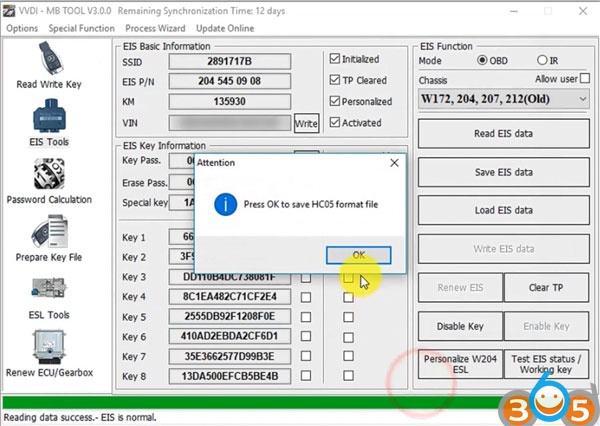
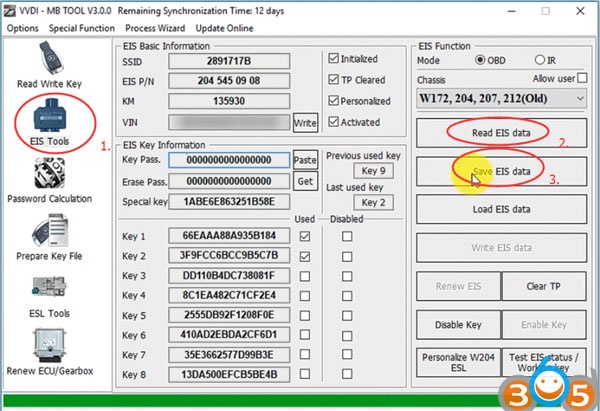
    Open VVDI MB software Select EIS Tools->Read EIS data->Save EIS data
    
			How to Calculate W204 EIS All Keys lost Key Password with VVDI MB Tool

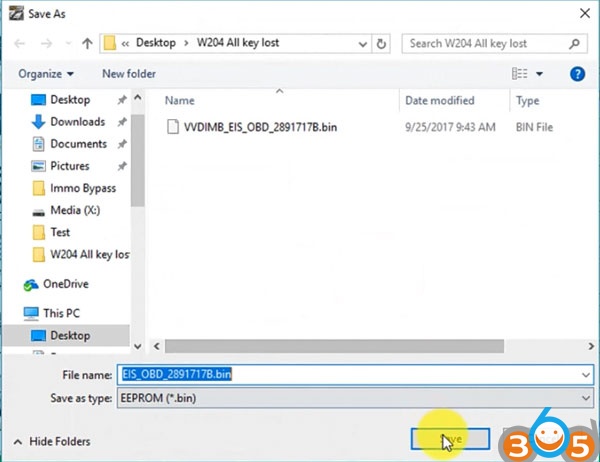
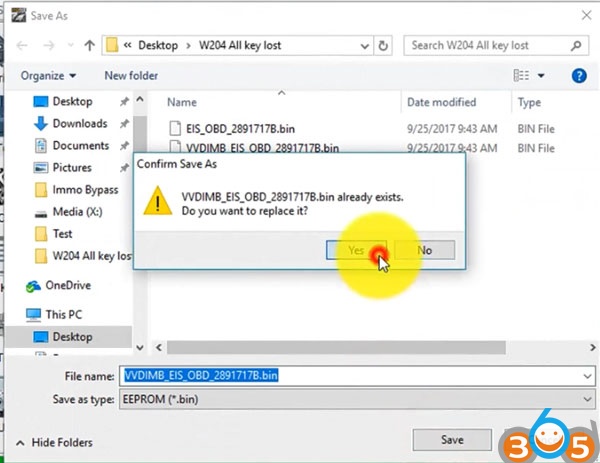
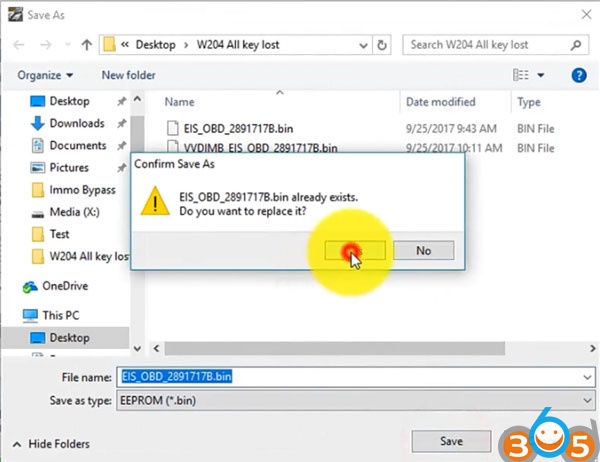
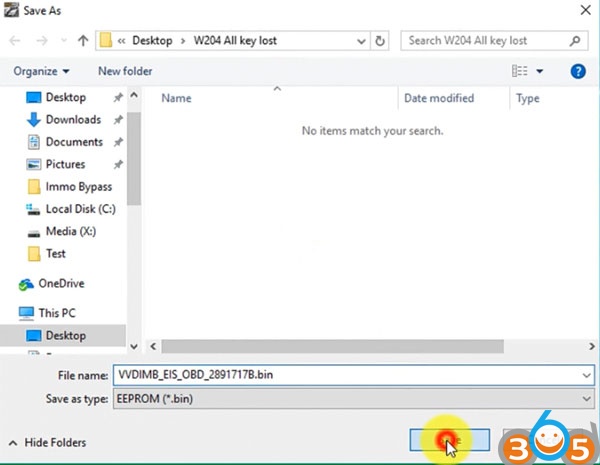
    Save eeprom bin file and HC05 format file
    
			How to Calculate W204 EIS All Keys lost Key Password with VVDI MB Tool

    
			How to Calculate W204 EIS All Keys lost Key Password with VVDI MB Tool

    
			How to Calculate W204 EIS All Keys lost Key Password with VVDI MB Tool

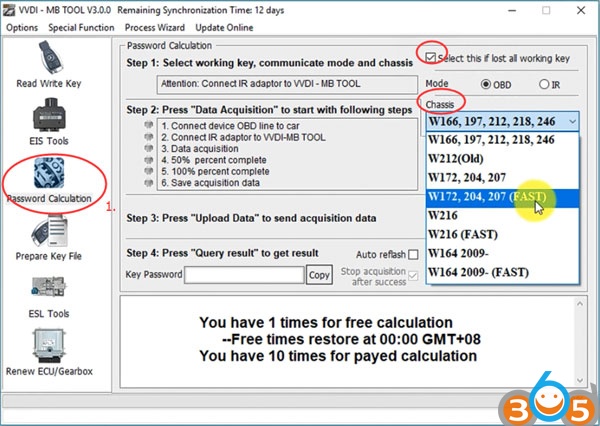
    Select Password Calculation Tick lost all working key Select chassis W204
    
			How to Calculate W204 EIS All Keys lost Key Password with VVDI MB Tool

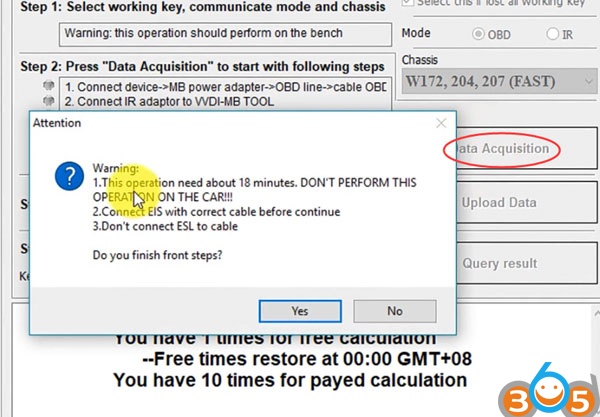
    Click on Data Acquisition 1. This opeation need about 18 minutes. DON’T perform this opeartion on the car!!!
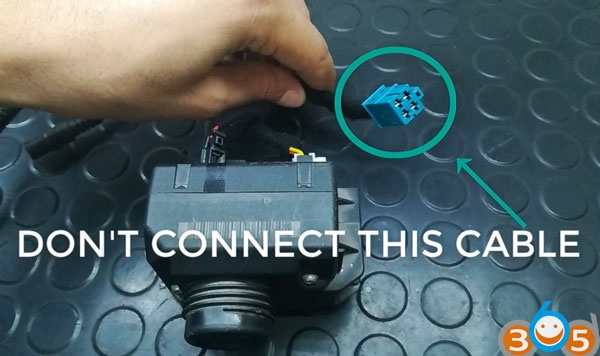
    2. Connect EIS with correct able before continue
    3. Don’t connect ESL to cable.
    
			How to Calculate W204 EIS All Keys lost Key Password with VVDI MB Tool

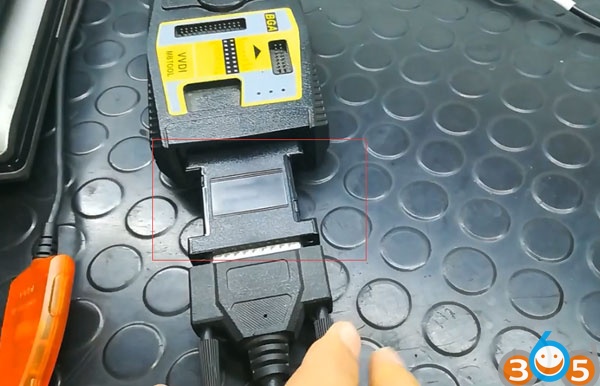
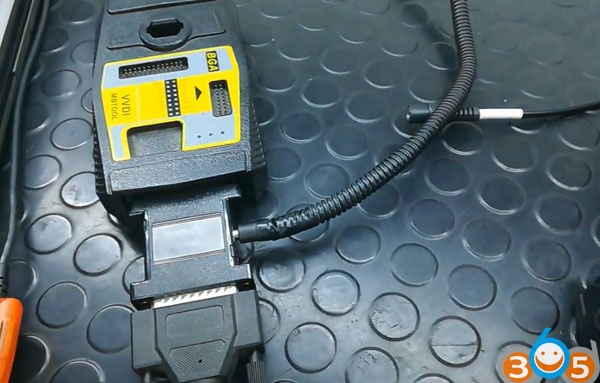
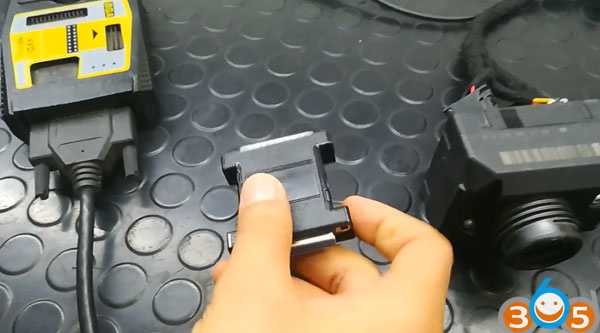
    Now we connect the adapter Connect MB power adapter (VVDI MB speed adapter) with VVDI MB
    
			How to Calculate W204 EIS All Keys lost Key Password with VVDI MB Tool

    
			How to Calculate W204 EIS All Keys lost Key Password with VVDI MB Tool

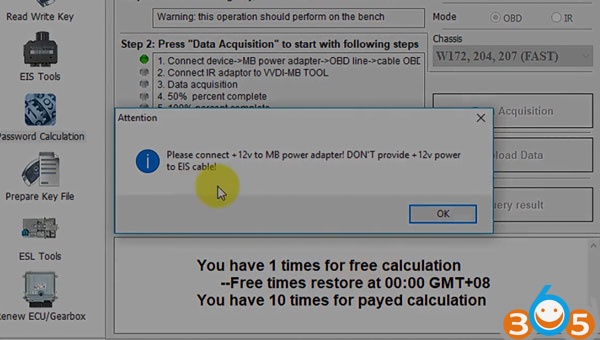
    Click YES to continue Please connect 12V to MB power adapter! DON’T provide 12V power to EIS
    
			How to Calculate W204 EIS All Keys lost Key Password with VVDI MB Tool

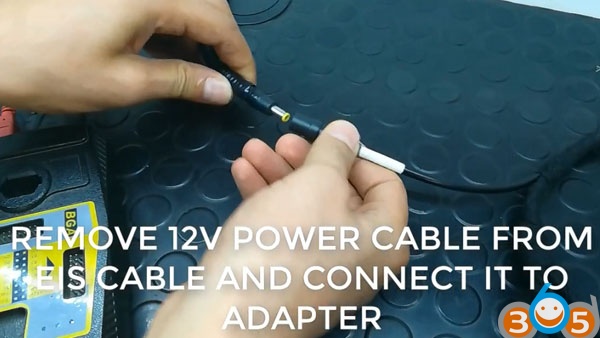
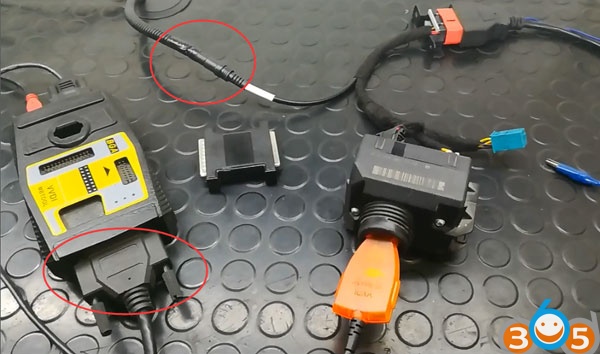
    Remove 12V power adapter from EIS cable and connect it to MB power adapter
    
			How to Calculate W204 EIS All Keys lost Key Password with VVDI MB Tool

    
			How to Calculate W204 EIS All Keys lost Key Password with VVDI MB Tool

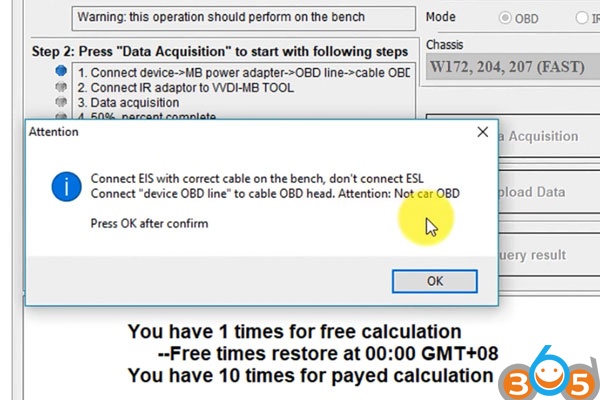
    Click YES Connect EIS with correct cable on the bench, don’t connect ESL.
    Connect “device OBD line” to cable OBD head. Attention: No car OBD
    
			How to Calculate W204 EIS All Keys lost Key Password with VVDI MB Tool

    
			How to Calculate W204 EIS All Keys lost Key Password with VVDI MB Tool

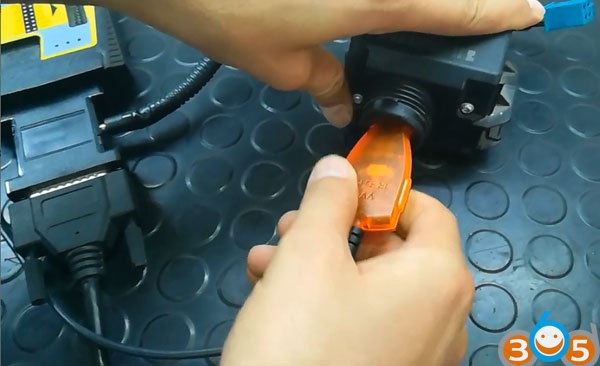
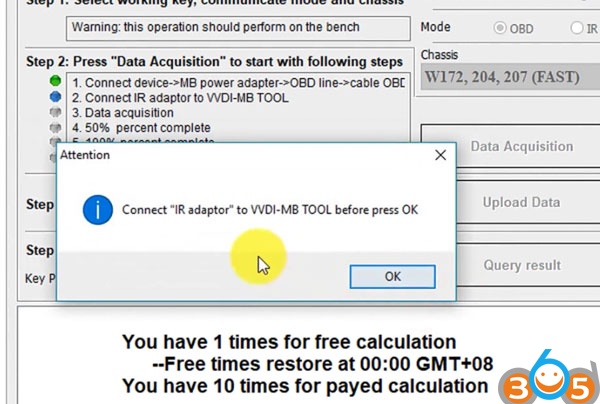
    Press OK after confirm Connect “IR adapter” to VVDI MB tool before press OK
    
			How to Calculate W204 EIS All Keys lost Key Password with VVDI MB Tool

    
			How to Calculate W204 EIS All Keys lost Key Password with VVDI MB Tool

    Press OK
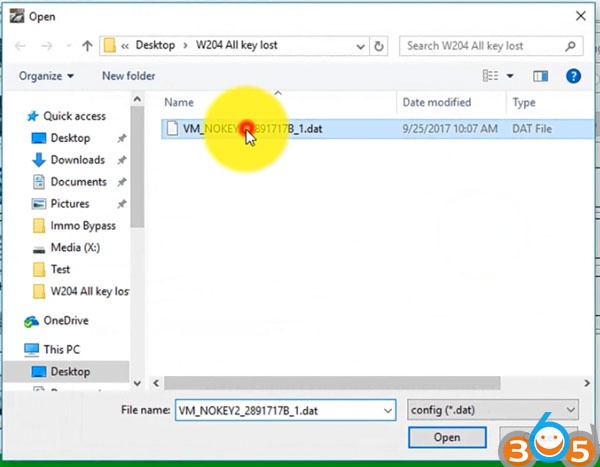
    Now you have to wait 18-25 minutes Save pass dat. file
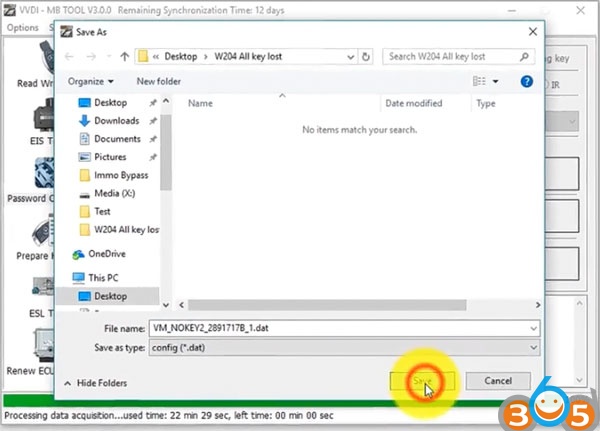
    
			How to Calculate W204 EIS All Keys lost Key Password with VVDI MB Tool

    Acquisition finished, update the saved data with “Upload data” for password
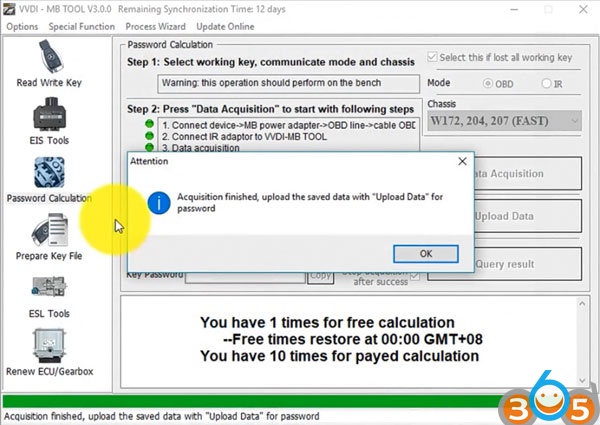
    
			How to Calculate W204 EIS All Keys lost Key Password with VVDI MB Tool

    
			How to Calculate W204 EIS All Keys lost Key Password with VVDI MB Tool

    Upload success. Quene number 1. require about 1 minute to finish
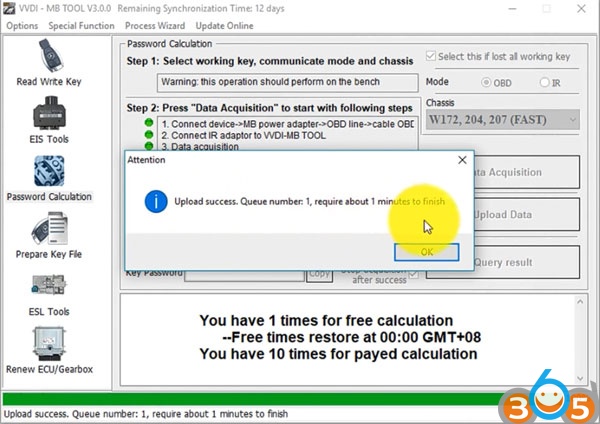
    
			How to Calculate W204 EIS All Keys lost Key Password with VVDI MB Tool

    Wait about 2 minutes and then press Query Result
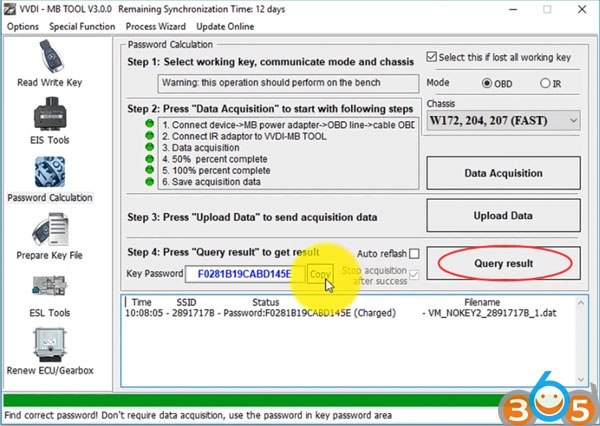
    
			How to Calculate W204 EIS All Keys lost Key Password with VVDI MB Tool

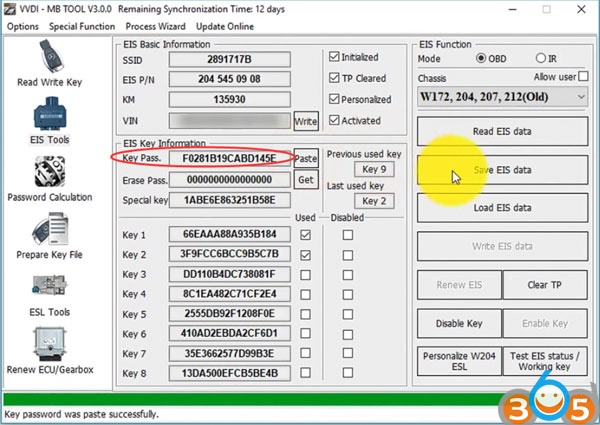
    Calculate password success. Paste the pass
    
			How to Calculate W204 EIS All Keys lost Key Password with VVDI MB Tool

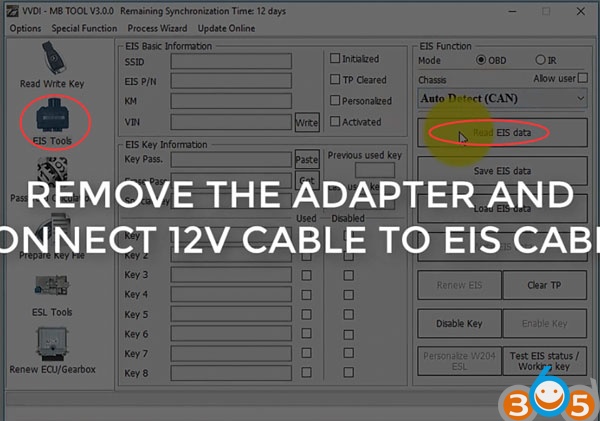
    Remove the adapter and then connect 12V cable to EIS cable
    
			How to Calculate W204 EIS All Keys lost Key Password with VVDI MB Tool

    Select EIS Tools->Read EIS data Paste key pass
    
			How to Calculate W204 EIS All Keys lost Key Password with VVDI MB Tool

    Save and replaced EIS data

    
			How to Calculate W204 EIS All Keys lost Key Password with VVDI MB Tool

    
			How to Calculate W204 EIS All Keys lost Key Password with VVDI MB Tool

    Success. www.obdii365.com

    Rate this article (0)