How to program a key for Iveco Daily for Bosch 41221184 immobox, all keys lost, with secured Eeprom 93S56:
Xhorse VVDI Key Tool plus fails to read eeprom 93S56 correctly and process it in Immo Data Tool.
Key Tool Plus does not read this chip sucessfully. It reads security bit and eeprom but the file is not correct and gets not loadet in immo data tool.
Here we have the solution!
Connect the Eeprom 93S56 to your Orange 5 with Soip 8 Clip adapter to STD Port.
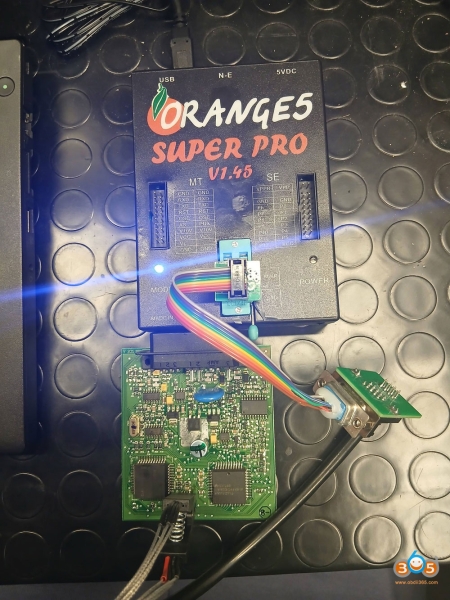
Open Orange 5:
1. Select eeprom Type. Search for MicroWire 93S56 Eeprom.
2. hit Test Insertion, check if all pins are connected well!
3. hit Read Protection
4. hit Clear Protection
5. hit READ EEPROM
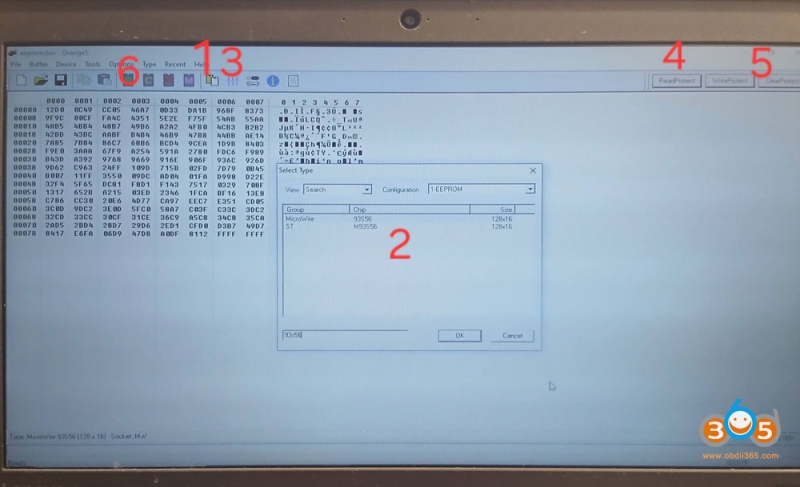
6. Load the read eeprom in to your key tool plus and open the file with Immo Data tool.
Here you have: Pin, key ID1, ID2, ID3.
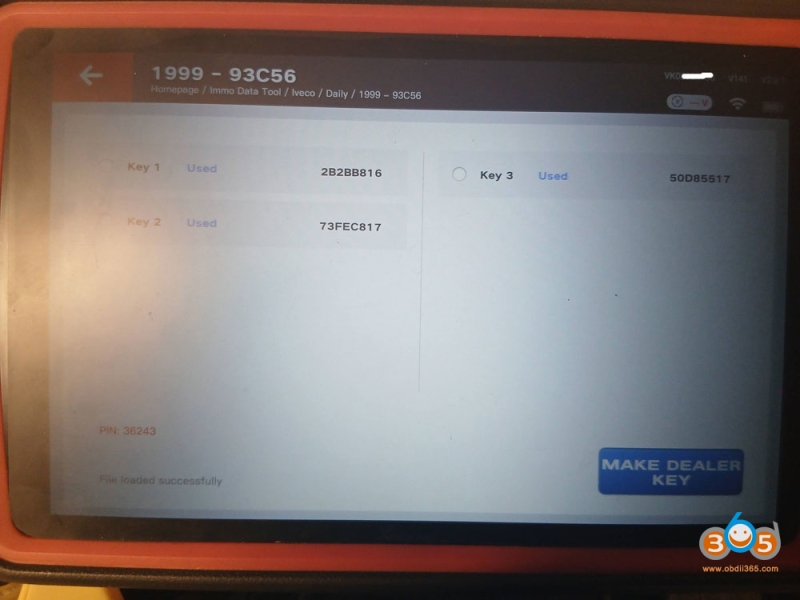
Then you can make dealer key with key tool plus.