How to update OBDSTAR X300 Pro3 Key Master
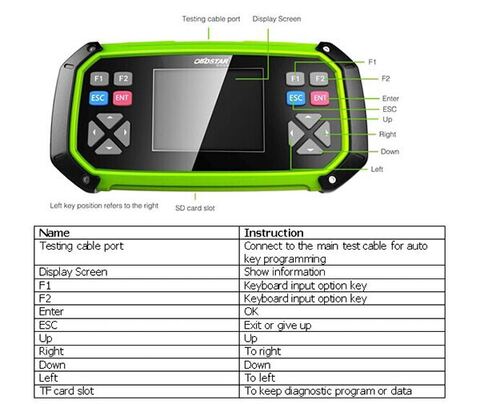
The SKP900 and OBDSTAR X100 Pro replacement-OBDSTAR X300 Pro3 Key Master key programmer software can be free updated online for 1 year. Here is the instruction on X300 Pro3 software upgrade.
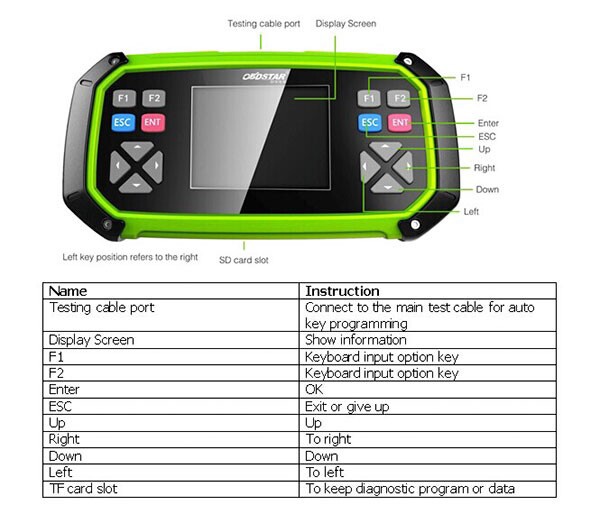
How to update OBDSTAR Key Master X-300 Pro3 software?
- Update Tool software installation
Download the update tool and diagnostic software on www.obdstar.com, double click , then go to the next step:
Step 1:Click “Next”
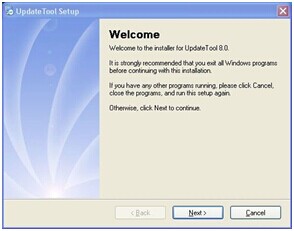
Step 2: Click “Next
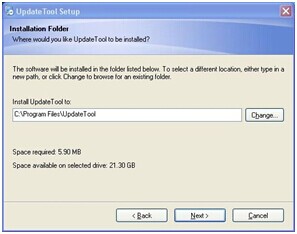
Step 3: Click “Next”
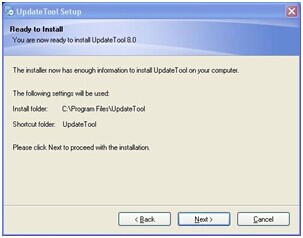
Step 4: Click “Finish”
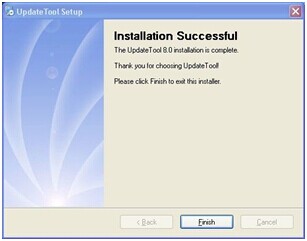
2. Software Updating
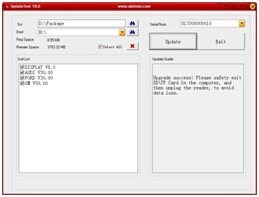
After Update Tool installation completed, click the Update Tool software icon on desktop to start the update tools. Operation steps as following:
Step 1:Open update tool
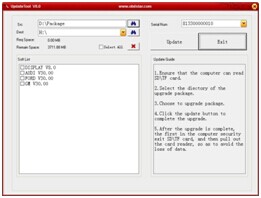
Step 2: Click the source menu, choose the program you want to update, click it and confirm
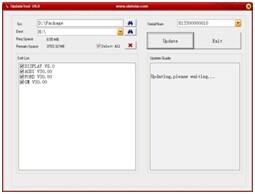
Step 3: Click and select all the software then click “update”
Step 4: Wait for several minutes then the updating finished
Note:For new update software and questions during updating, please contact obdii365.com customer service.