How to renew ESL for Mercedes W204 W207 W212
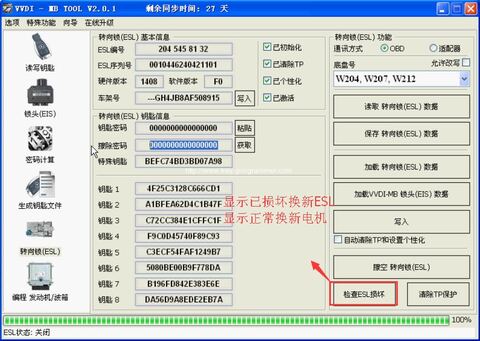
Generally, it’s often to see that something wrong with the ESL for Mercedes-Benz 204 207 212 models. Here, we offer an instruction on how to change a Mercedes W204, w207, W212 ESL, with the help of Xhorse VVDI MB BGA tool and Xhorse ELV Emulator for ESL renew.
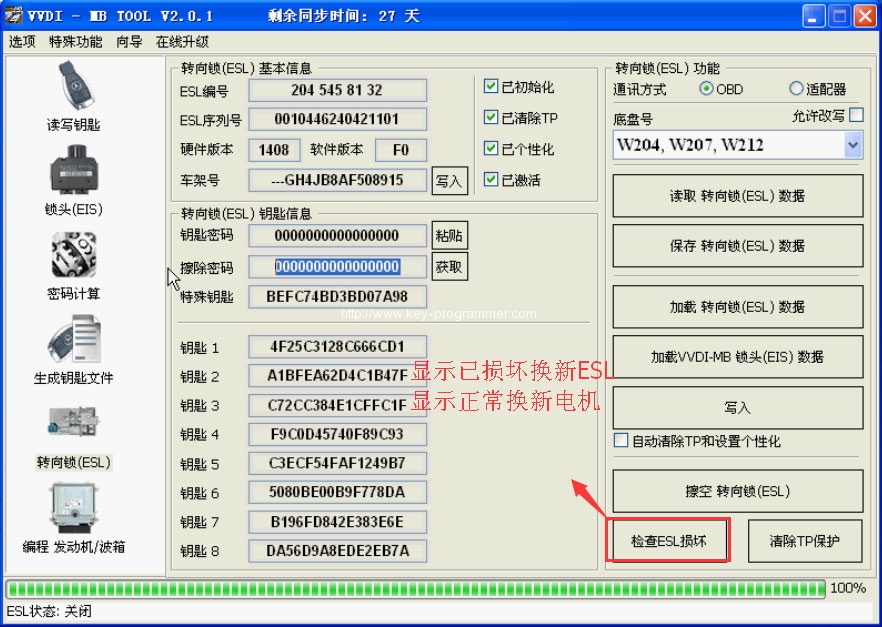
Usually, there are two occasions:
1- something wrong with ESL motor-> replace it with a new ESL motor
2- dead NEC chip in the ESL-> replace it with a new ESL
Step 1 – check if there is something wrong with ESL
You need: a genuine VVDI MB Tool
Enter VVDI Benz software
If display “ESL unavailable”, it is generally the motor issues; if it displays “ESL damaged”, please get a new ESL to replace it.
Step 2 – change a direction lock ESL
1- MUST erase ESL
2- re-write ESL
3- personalize ESL
4- ESL synchronization at the same time
No ESL synchronization but ESL personalization if not erase ESL first
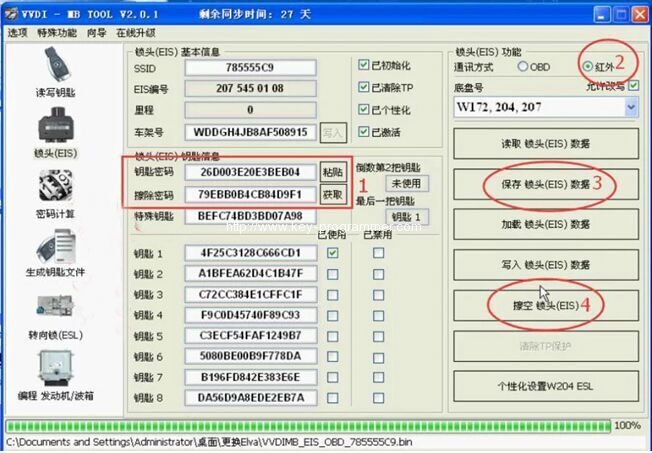
Step 3 – erase ESL
1- key pass
2- erase pass
3- select IR
4- save EIS data
5- renew EIS
to clear pass is aimed to directly read pass
VVDI MB Tool gets pass – successful probability: 90% +
Step 4 – Write Chassis number
Step 5 – Personalize W204 ESL
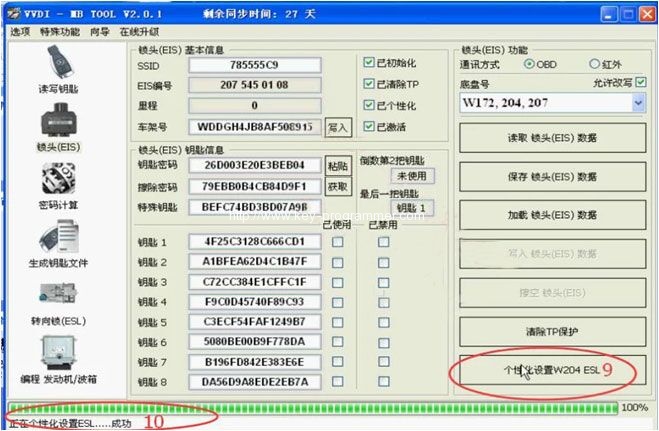
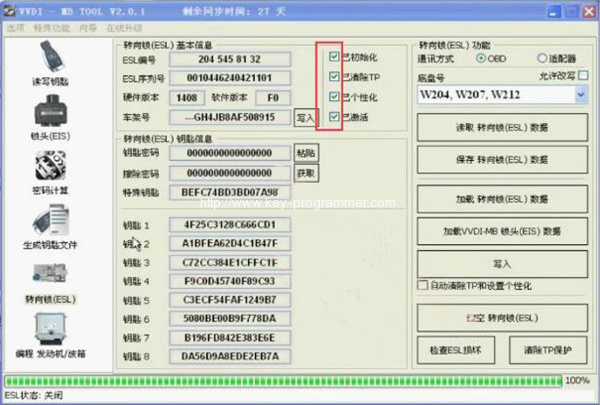
Step 6 – Initialize
No Tick on Initialized
(tick only on TP cleared, Personalized, Activated)
Insert the original key
Tick on Initialized (& TP cleared, Personalized, Activated)
Change Electronic Steering Lock (ESL) success!
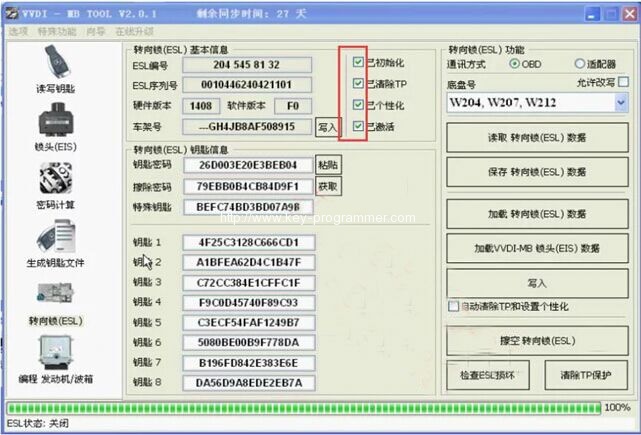
Note:
It’s hard to buy Mercedes 204/207 locks even if they are expensive. But you can disassemble the ESL and replace it with 212’s lock. So for Mercedes 204/207 locks, you can replace them with cheap 212 lock available.