How to Register and Update OBDSTAR Tools
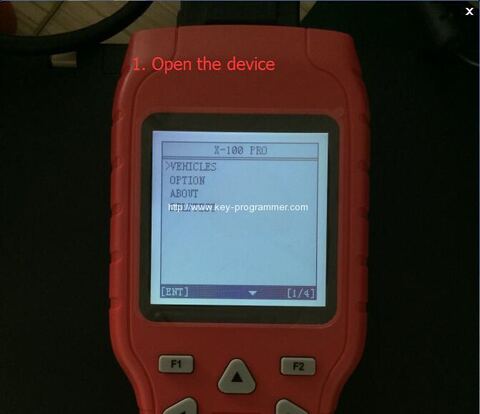
Original OBDSTAR Tools (OBDSTAR X100 Pro,X300 Pro3 Key Master,F-100,F108,VAG-PRO etc) software can be updated online. All OBDSTAR products share the same registration and upgrade procedure. Check step-by-step below.
How to register OBDSTAR Tools?
1. Power on the OBDSTAR device
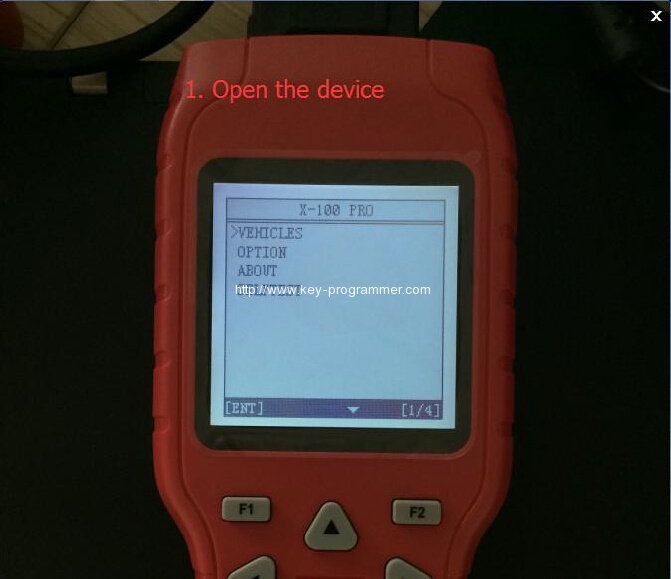
2.Go to “ABOUT” and press “ENTER”
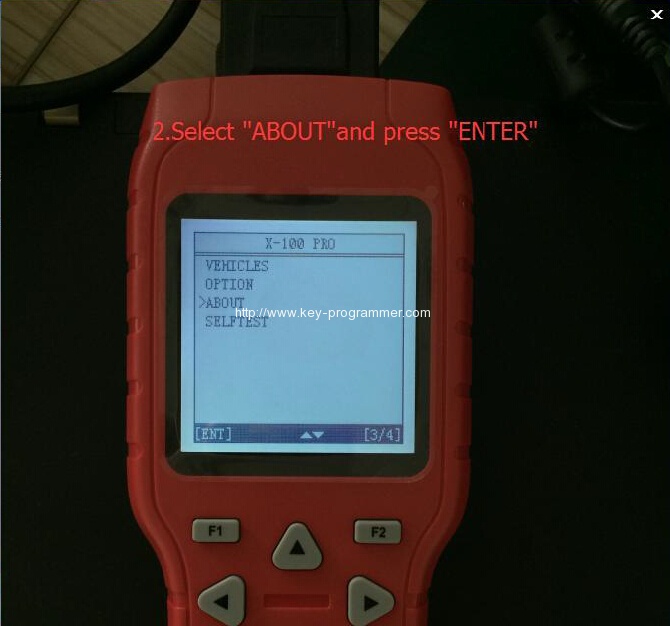
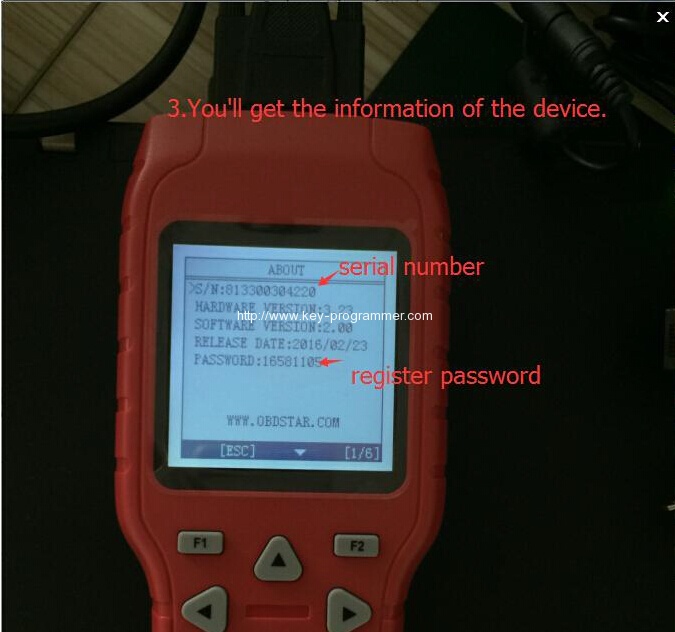
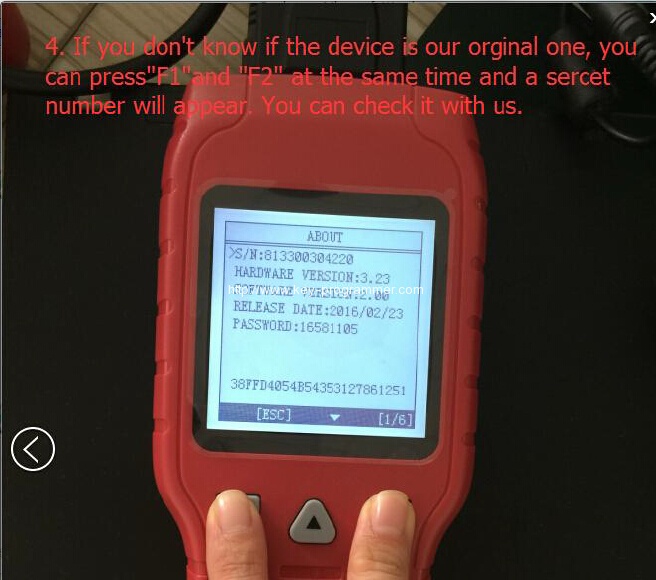
3. Check the device information (Serial Number, register password etc)
4.How to tell original OBDSTAR Tools from clone? You can press “F1” and “F2” buttons at the same time, the device will show a secret number. Send the number to factory or authorized dealer to confirm your device is real or fake.
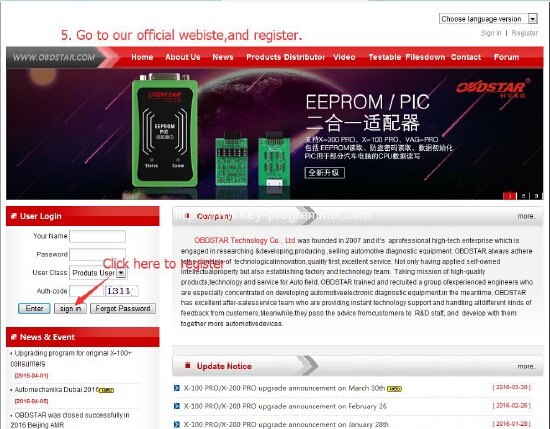
5.Go to OBDSTAR official website www.obdstar.com to register
Enter user information and sign in.
6. Enter product serial number & register password got from Step 4.
Enter the distributor code/dealer code software show you.
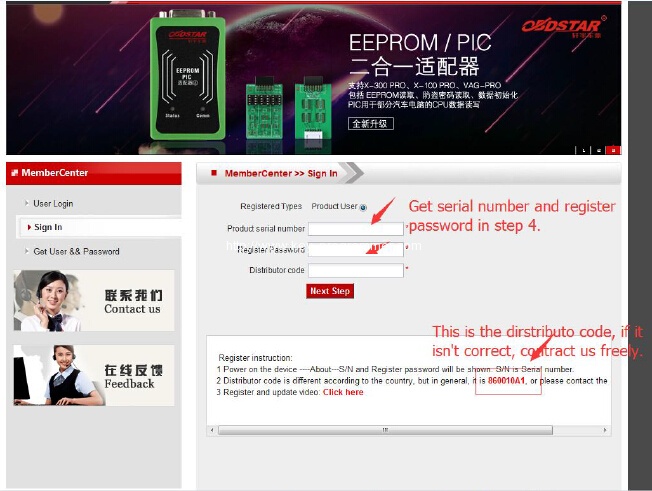
Finally, click”Next step” and type your own information.
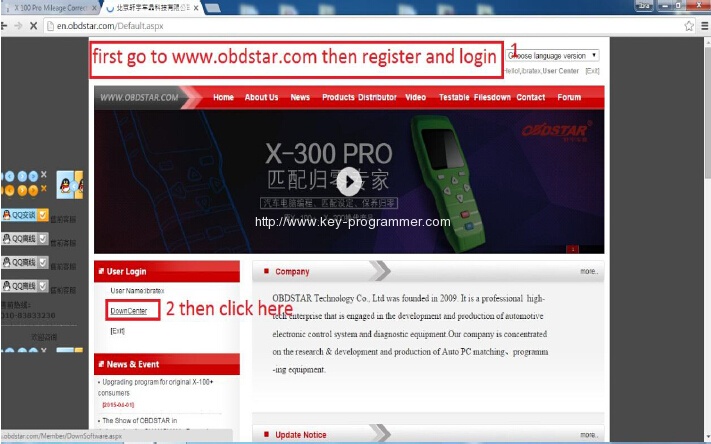
1. First register and login official website follow above procedure.
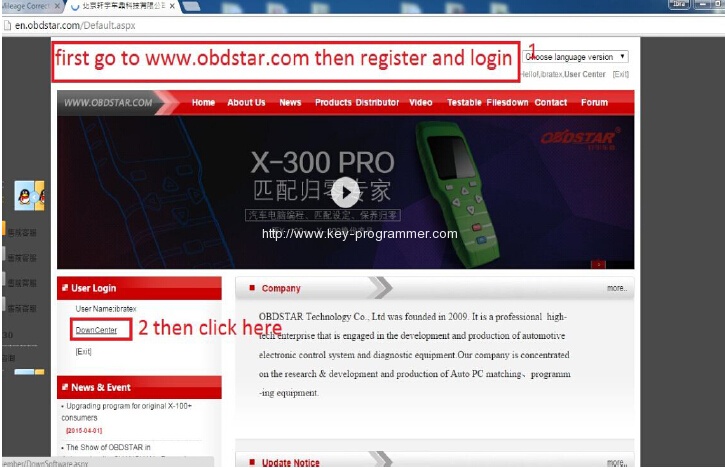
2. Select “DownCenter” menu
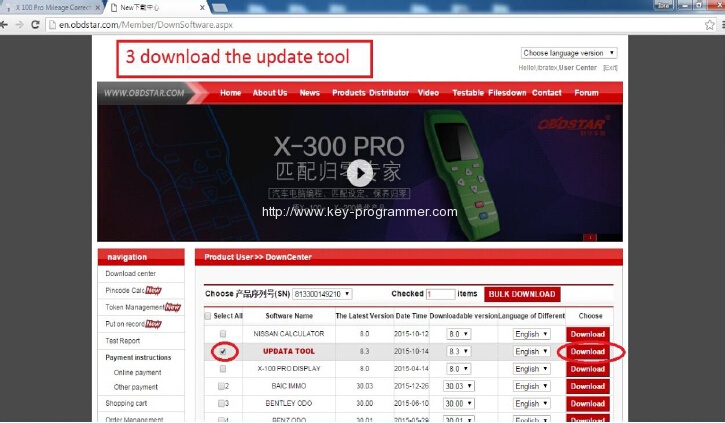
3. Download the obdstar update tool
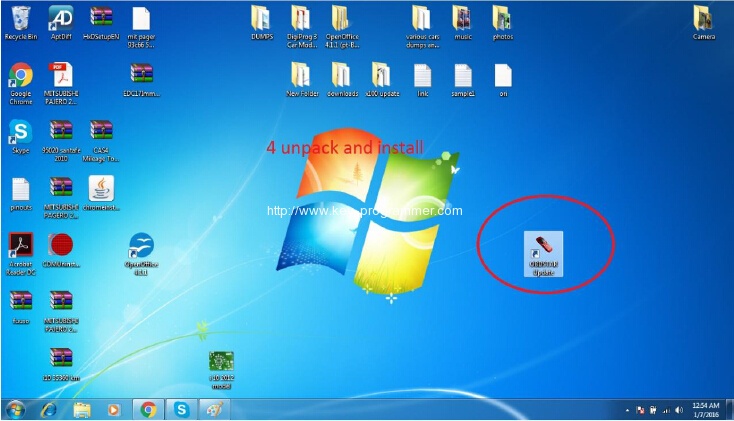
4.Upzip and install update tool
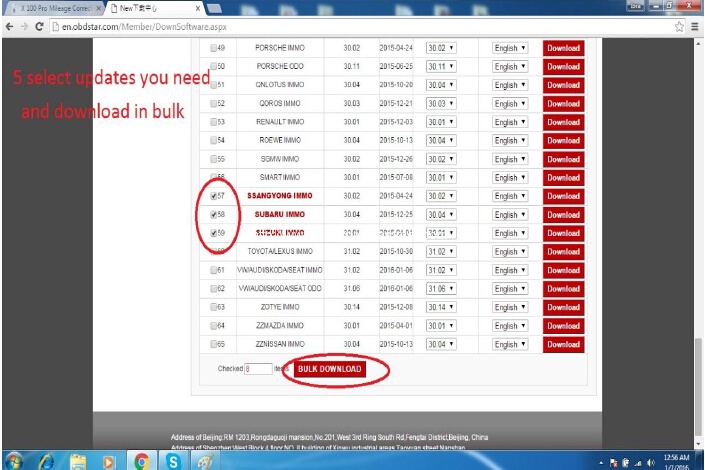
5.Select software you need to update and download in bulk
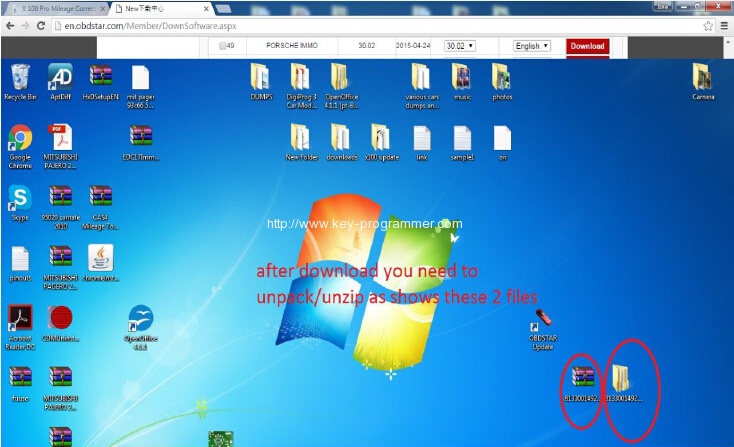
6.You need to unzip these 2 files shown is picture below:
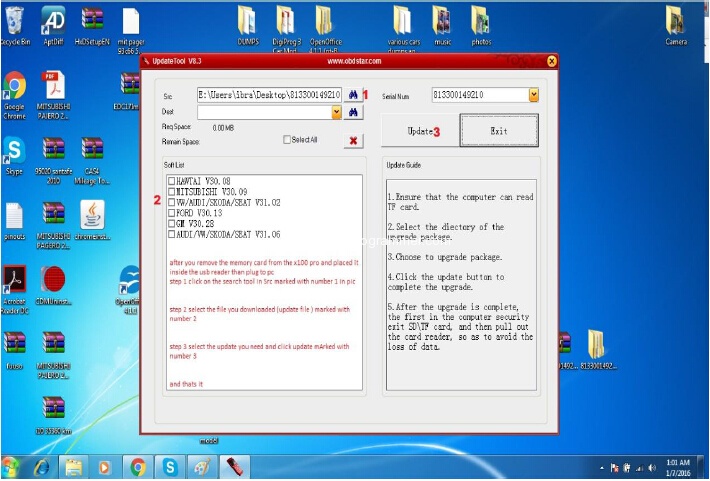
7. Update in progress
http://obdstar.blogspot.com/2016/06/how-to-update-obdstar-x300-pro3-key.html