This is the step-by-step instruction on programming and adding Mercedes-Benz W246 EIS BGA (79) keys by VVDI MB BGA Tool key programmer via OBD.
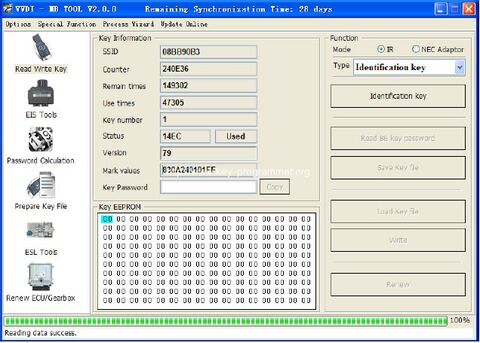
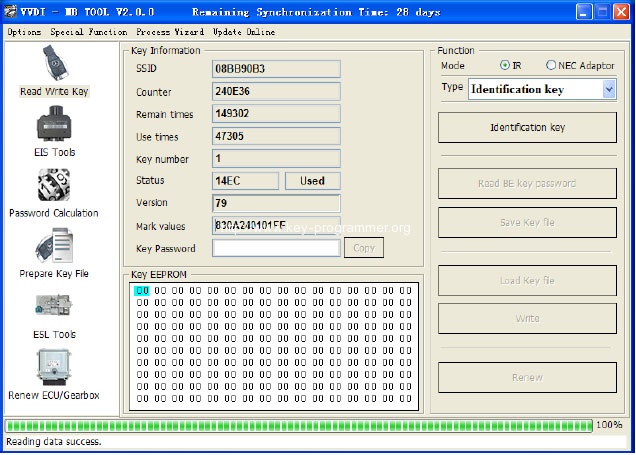
- Insert working key to the IR reader of vvdi mb tool, Press “Identification key”, check working key version
If key with BE version, you can read password via IR
If key with v51, v57 version, you can read password via NEC adaptor, or you can use password calculation
Here key version is 79, belong to BGA key. We use password calculation for key password
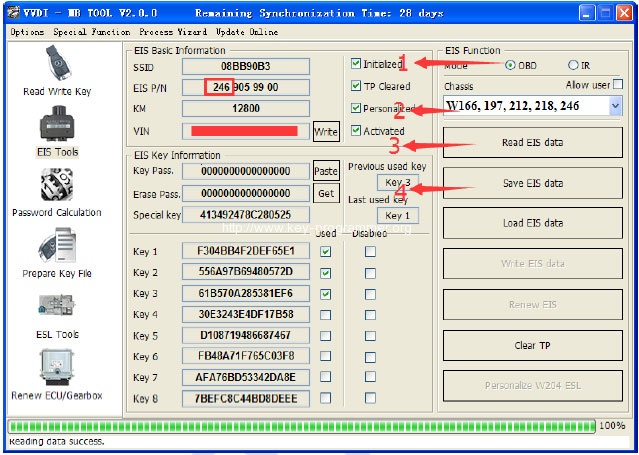
- Connect the OBD cable to the W246 car. Select OBD mode, chassis select AutoDetect (CAN)
Press Read EIS data. Chassis will turn to specify item after success read
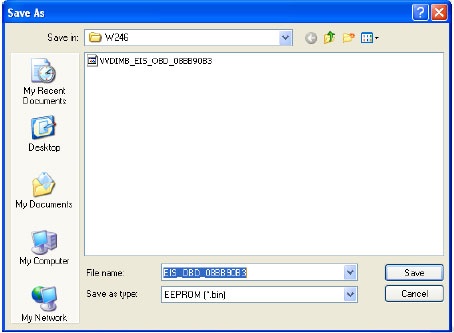
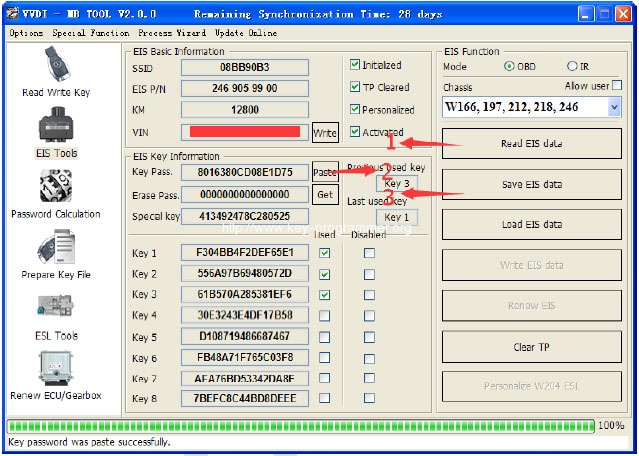
Follow steps 1->2->3->4 in picture and save EIS data
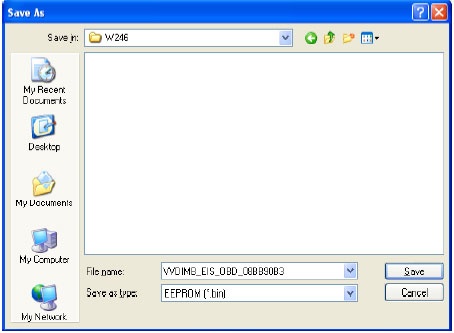
It will save 2 files, VVDI-MB type and HC05 type
There’s default file name when save EIS data. You’d better keep it
- Enter Password Calculation, calculate key password
Select OBD mode, chassis select W166, 197, 212, 218, 246
Press “Data Acquisition”, progress with following steps
Insert “working key” to “EIS” before press OK; only insert working key to EIS, don’t switch ignition ON
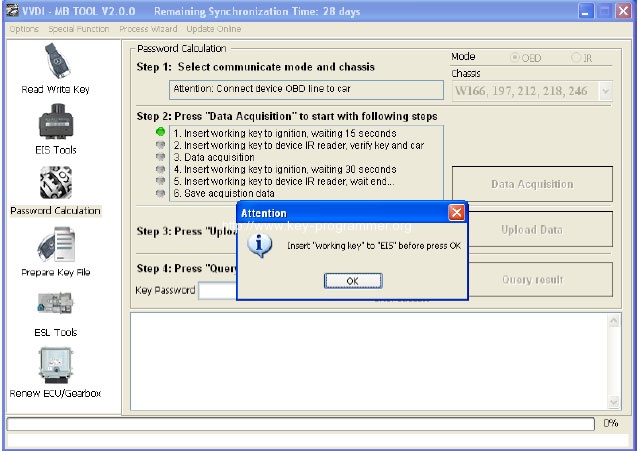
Waiting 15 seconds
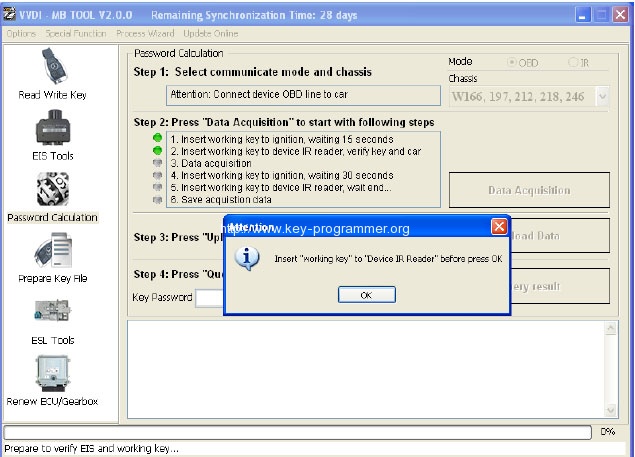
Insert “working key” to “Device IR Reader” before press OK; take off working key from EIS and insert to device IR Reader, then press OK
Data acquisition progress, just wait it finish. The left time will show on the bottom
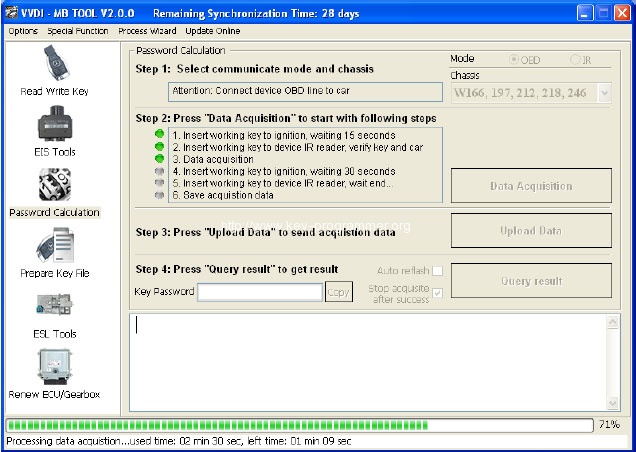
After 100%, Insert “working key” to “EIS” before press OK; only insert working key to EIS, don’t switch ignition ON
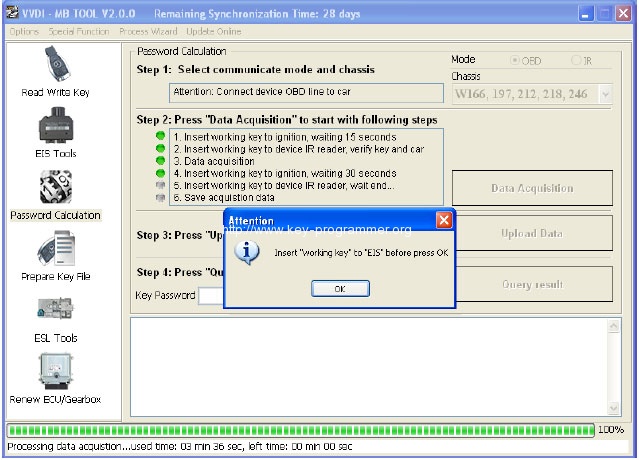
Waiting 30 seconds
Insert “working key” to “Device IR Reader” before press OK; take off working key from EIS and insert to device IR Reader, then press OK
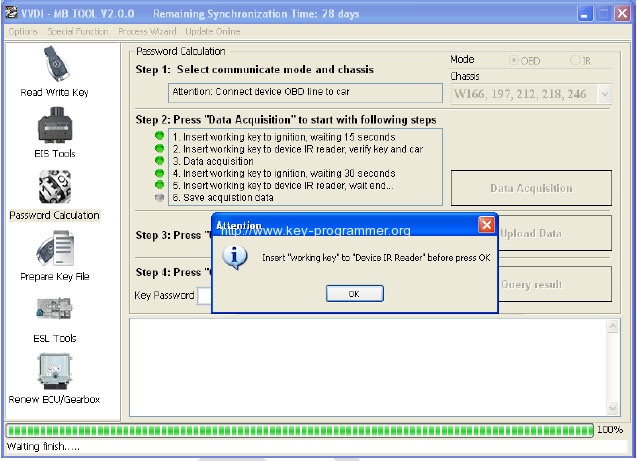
After save acquisition data you will get next window. Please keep the default file name when save acquisition data
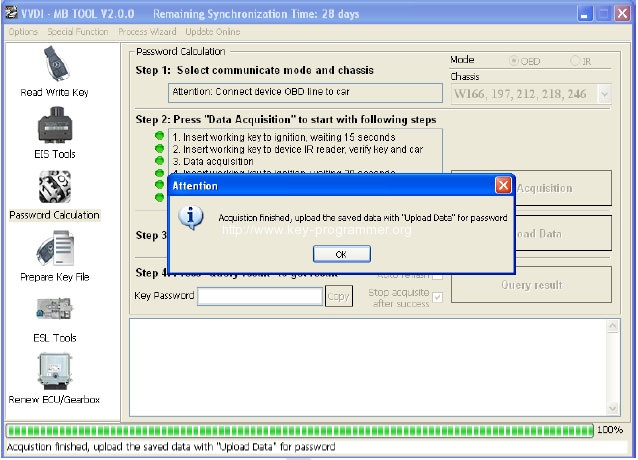
Press Upload Data to upload saved acquisition data to server
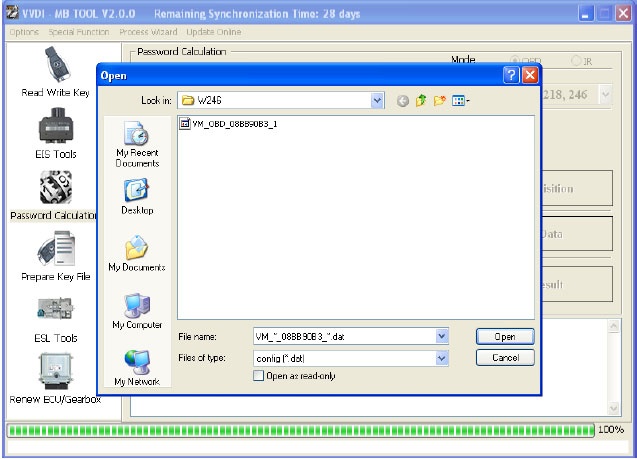
Press Query result to get result, you can select “Auto reflash”, it will query server result automatically, it need about 1 minute
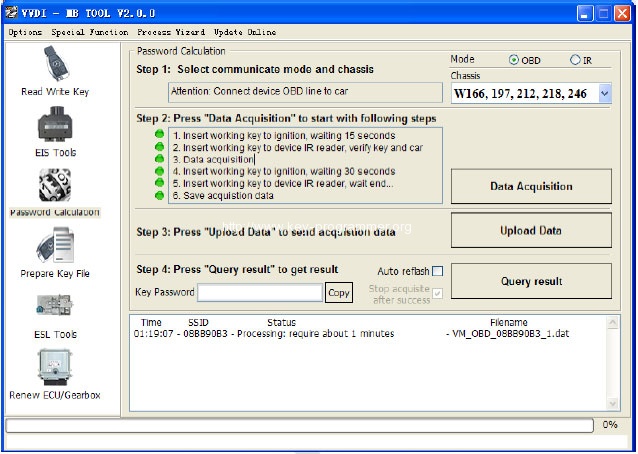
After calculate success, key password will display at key password area automatically, press “Copy” copy the password to clipboard
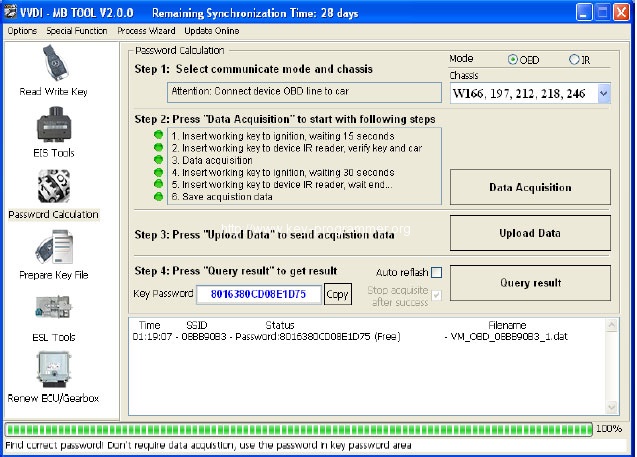
- Save EIS data with password
Enter EIS Tools again
Read EIS data
Use “Paste” paste the password to key password area
Then save EIS data again
Steps: 1->2->3
- Enter Prepare Key File
Press Load EIS file load EIS data with password
The file path will be shown at bottom
VVDI MB TOOL will auto detect load file type, here is VVDI-MB type
SSID and key password was shown
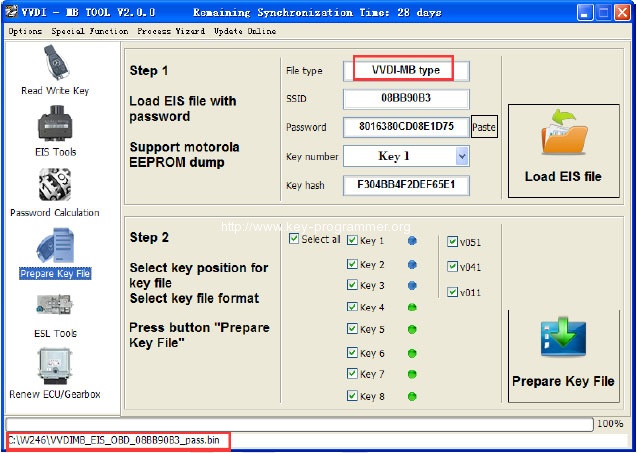
Select key position and format for key file, Press Prepare Key File (online)
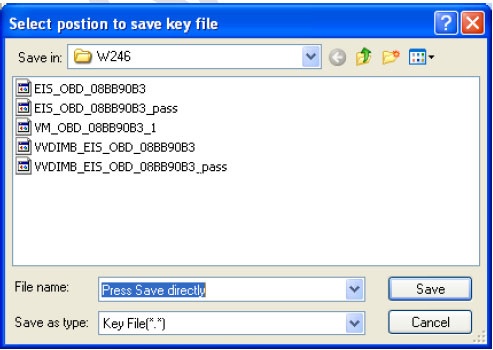
After server find success, select where you want to save the key file, press save directly
- Enter Read Write Key. If you want Keyless Go, please select NEC adaptor
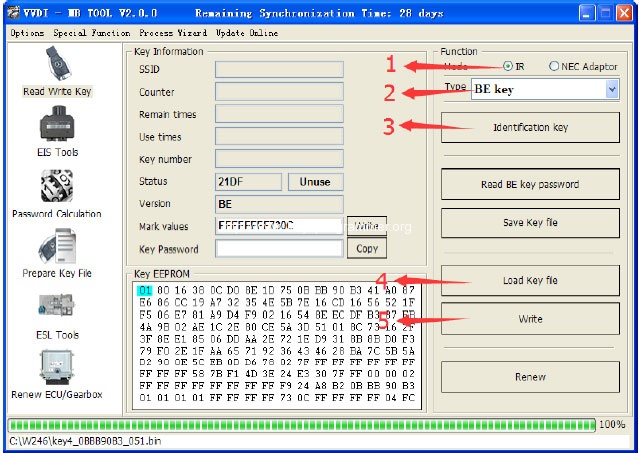
We make a BE key.
Input BE key to device IR reader, select IR mode and BE key
Press Identification key
Load Key file, we load key 4
Press Write
Steps:1->2->3->4->5
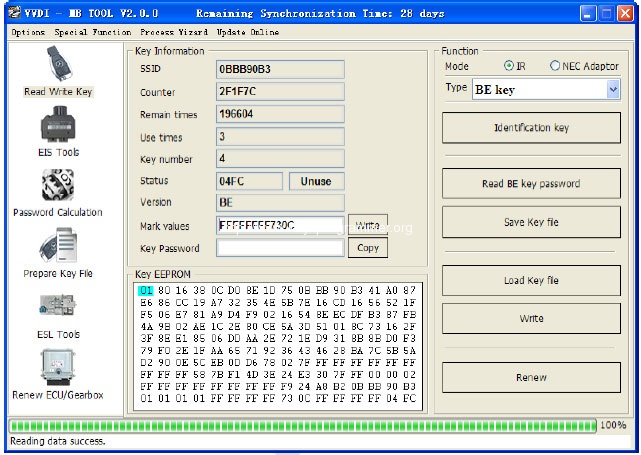
Press Identification key again after write key file. You can see key is prepared success
- Insert new key to EIS, the EIS will learn the new key
First the red light will ON , then OFF, means key learn success
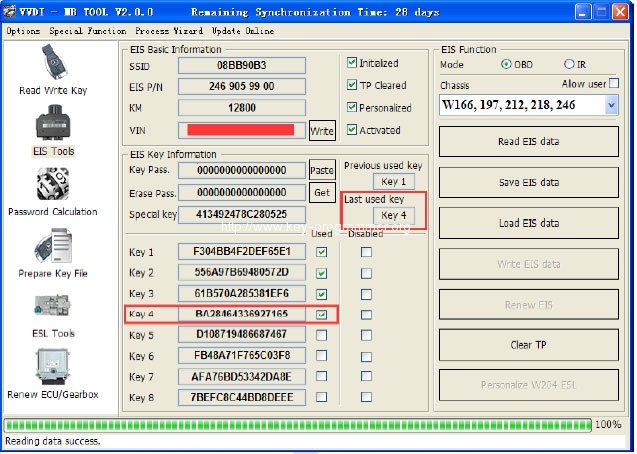
Read EIS data once more, you can find key 4 was selected
8. Done! Be happy with VVDI Benz MB BGA key programmer.
http://www.key-programmer.com/