Register and Update OBDSTAR X300 DP PAD Key Programmer

Here are the instructions on OBDSTAR X300 DP PAD key programmer registration and upgrade. OBDSAR X300 DP tablet full version will perform Immobilizer key programming+ odometer adjustment+ EEPROM/PIC adapter+ OBDII+ ABS+ TPS+ SRS reset+ TPMS(low tire)reset+ Steering angle reset+ CVT learning/Value reset+ EPB+ Oil/service reset+ Battery matching+ Diagnosis(Japanese and Korean serials) functions.
How to Register OBDSTAR X300 DP Key Programmer?
Step 1. Connect your VCI with the main cable and the 12V power as follows:
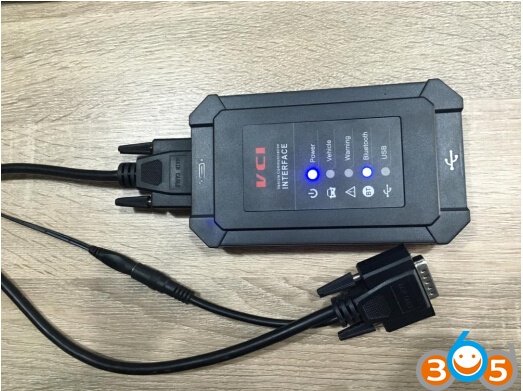
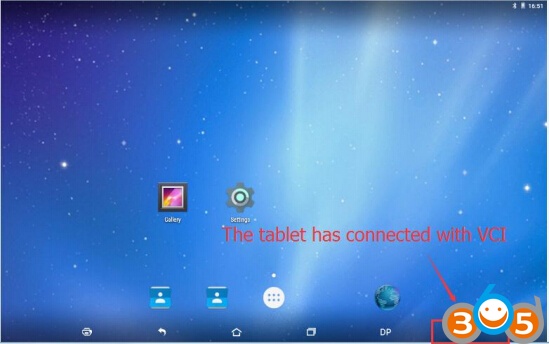
Step2. Turn on tablet and connect with VCI.
1. Situation 1— In general, it will connect with VCI automatically after turning on the tablet as follows:
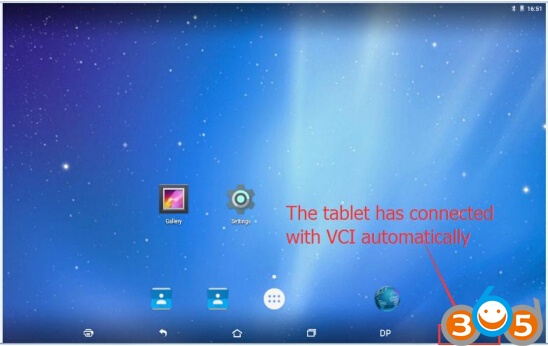
2. Situation 2—If your tablet didn’t connect with VCI automatically, please operate as follows:
Click “setting”—Enter “Bluetooth”—Click the Bluetooth name of VCI to connect

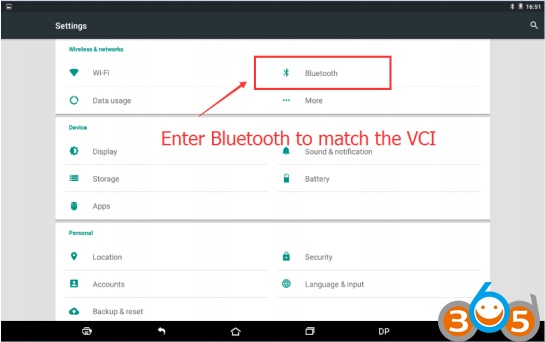
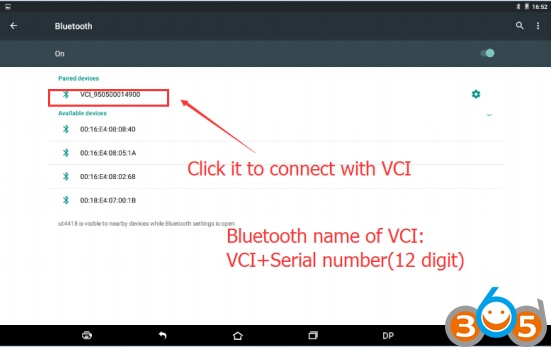
Step 3 Registration
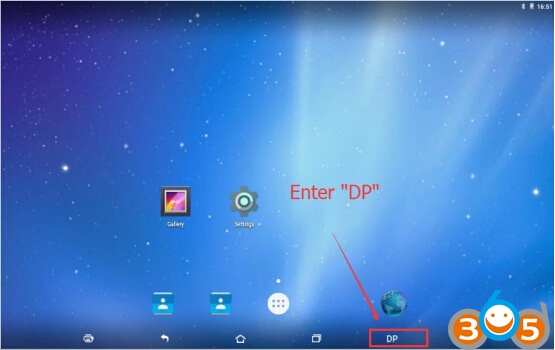
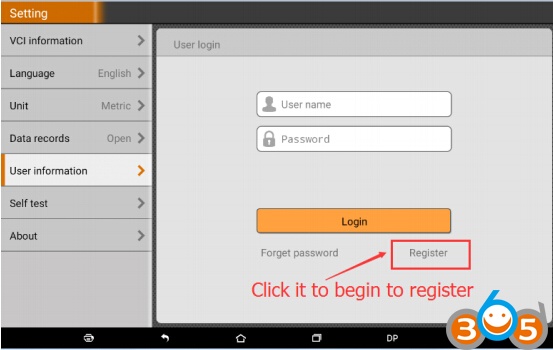
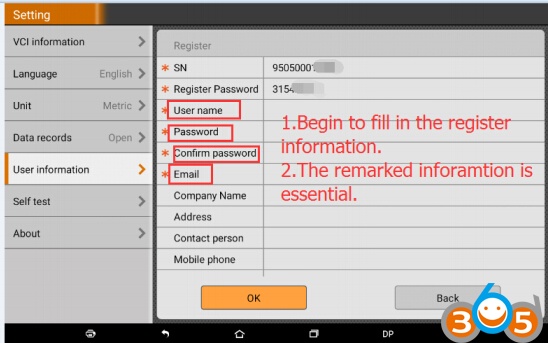
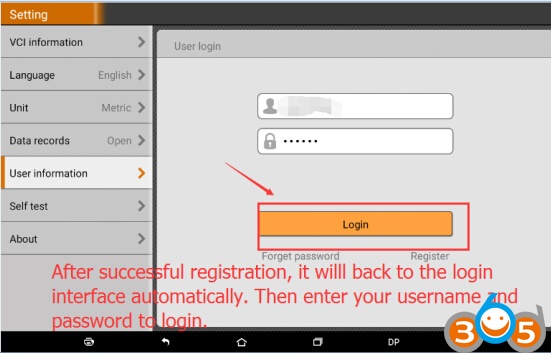
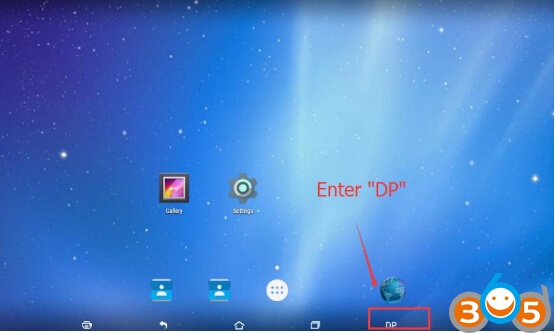
Enter ”DP”—Enter “Setting”—Begin to register—Fill in the registration information—Register succeddfully

How to Update OBDSTAR X300 DP Pad tablet software?
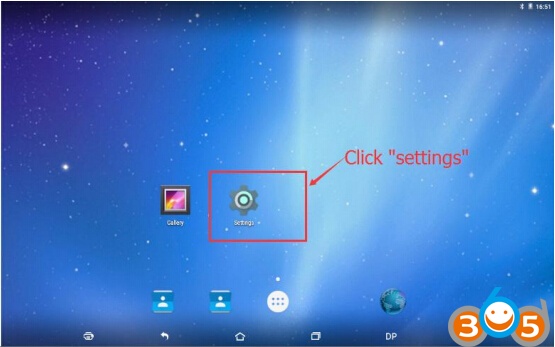
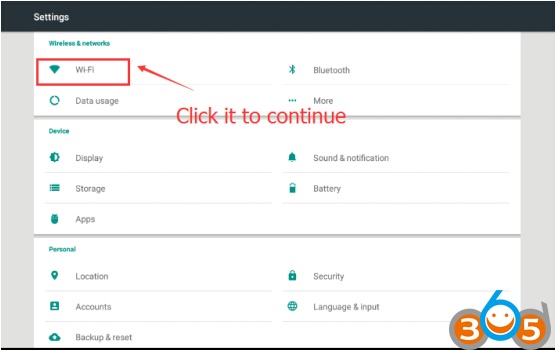
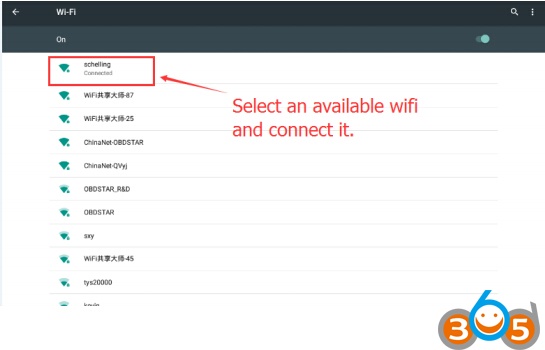
Step1. Connect WIFI as follows:
Select an available wifi and connect it
Step 2. Begin to update your device
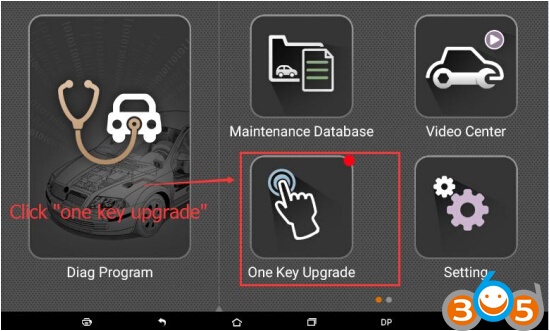
Click on “One Key Upgrade”
Select software name and click “Bulk update”
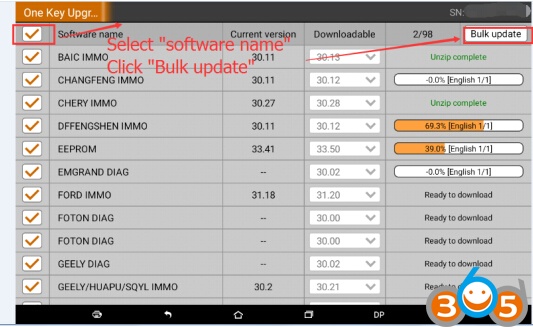
Step 3. The update will be finished once all the vehicles have been 100% updated.
Document download:
OBDSTAR X300 DP Registration Guide
How to Register and Update OBDSTAR X300 DP PAD Key Programmer