VVDI MB Tool Renew Mercedes 7G Tronic Gearbox Virgin Virgin (W164 / W221 / W219

Here is the guide to use VVDI MB BGA tool key programmer to renew Mercedes 7G Tronic Gearbox-Virgin (W164 / W221 / W219 etc).
Note: Update your VVDI Mercedes software to latest (current 2.1.7).
After well communication is built, open VVDI MB software,
Select Renew ECU/Gearbox function
Select module: Gearbox
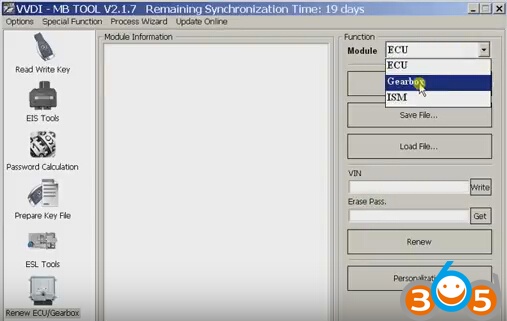
Click on Read
Reading data success
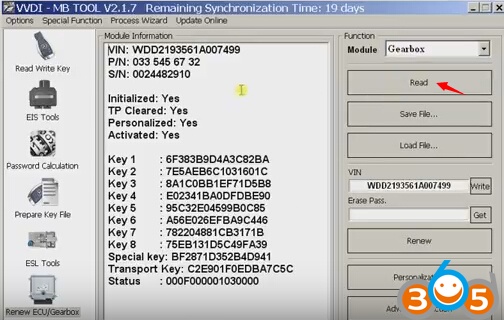
display VIN,P/N, S/N etc info.
Select Renew function
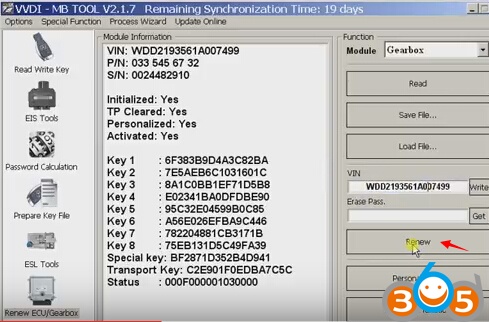
If VVDI MB Tool prompt “Erase password format not correct!!!
Input data error,only accept hexadmecimal data, 8 bytes!”
Click OK to continue
Press Get button to search erase password
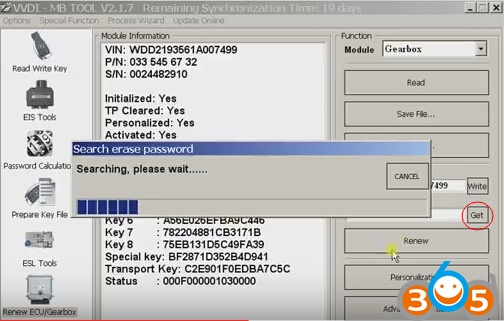
Display erase pass, click on Renew again
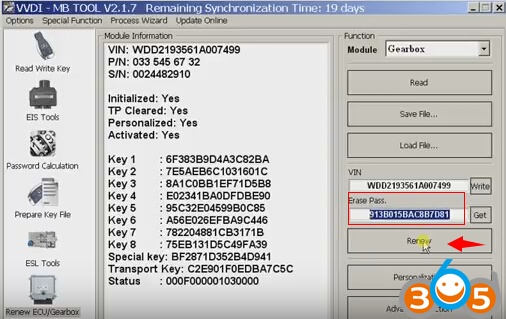
This time you can see info on the bottom of the left status bar “Erase target unit success”
Press Read again
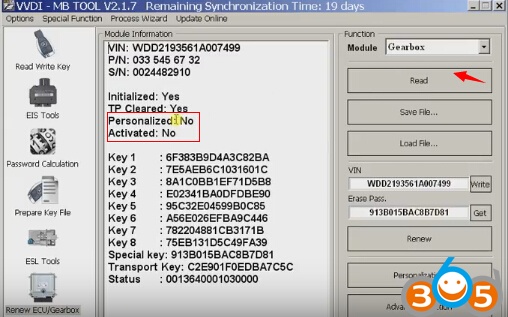
Mercedes 7G tronic renewal success!
http://blog.obdii365.com/2017/03/31/vvdi-mb-bga-tool-renew-mercedes-7g-tronic-gearbox/