How to Read VW Polo Pin Code by Xtool X100 Pad

With Xtool X100 Pad key programmer eeprom adapter, you are able to perform these features, 1. PIN Code Reading; 2. ECU Initializing and 3. Chip Programming. Here is the example on reading VW Polo pin code.
Step 1:
Connect the engine ECU Meganeti Mareli 4MV with Xtool X100 Pad
Connect Xtool X100 pad with VCI and eeprom adapter
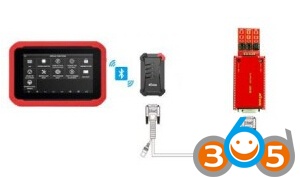
Connect Engine ECU->Xtool EEPROM IC board+Xtool EEPROM adapter ->Xtool Bluetooth VCI box->Xtool X100 Pad (Check connection picture below)

Power on X100 pad and make sure all connection is ready
Step 2:
Read Pin Code
Choose “EEPROM adapter” function to start
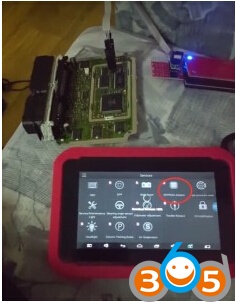
Click “EEPROM adapter” icon on the main menu
Come to EEPROM adapter menu
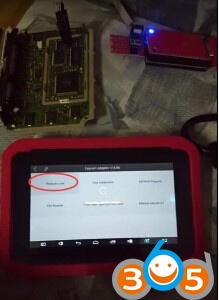
Select “Read pin code” function
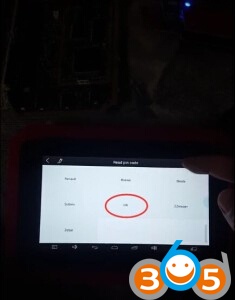
Select car brand “VW” and select “Polo” model
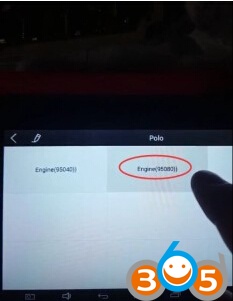
Select ECU type :95080

Processing…
Xtool X-100 Pad read VW Polo eeprom pin code successfully.