Here, 5 steps to add/program BMW FEM/BDC system key with Yanhua BMW FEM/BDC programmer by OBD.
Step 1: Backup (read) coding data
Step 2: Update/program ECU
Step 3: Add key
Step 4: Recover (write) coding data
Step 5: Delete(disable) key
Yanhua BMW FEM Key Programmer adds a BMW 1 series 2014 FEM key
Video 1: Software in Chinese with English explanation
Video 2: YH BMW FEM Key Programmer in English software
Step 1: Backup (read) coding data
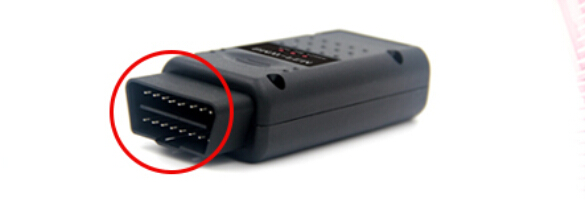
1.1: Connect the OBD socket of Yanhua BMW FEM/BDC key programmer with vehicle
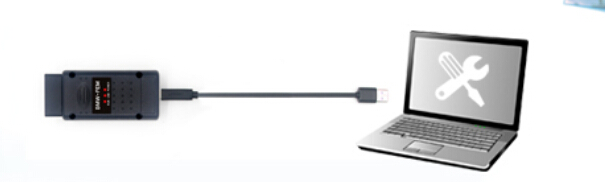
1.2: Connect the USB cable of BMW-FEM-BDC with PC
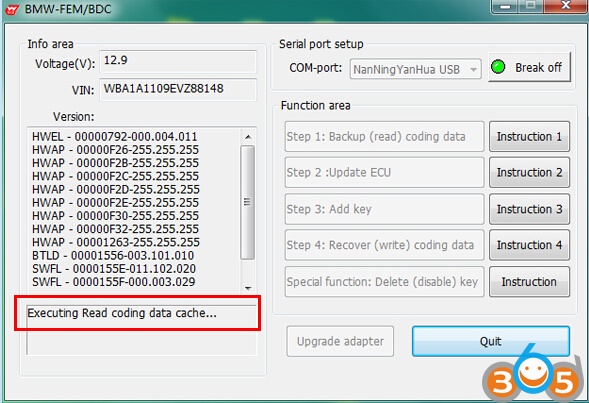
1.3: Please turn on the switch, keep the vehicle battery voltage no less than 13.0V.
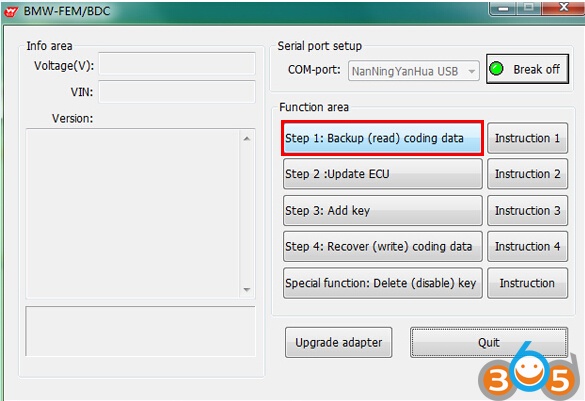
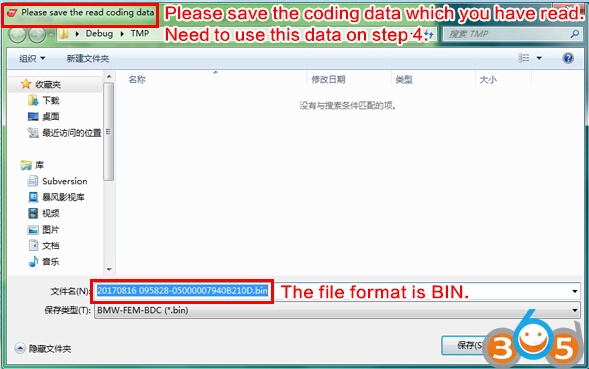
1.4: Perform “Backup (read) coding data”, and save the data for later use.
Step 2: Update/program ECU
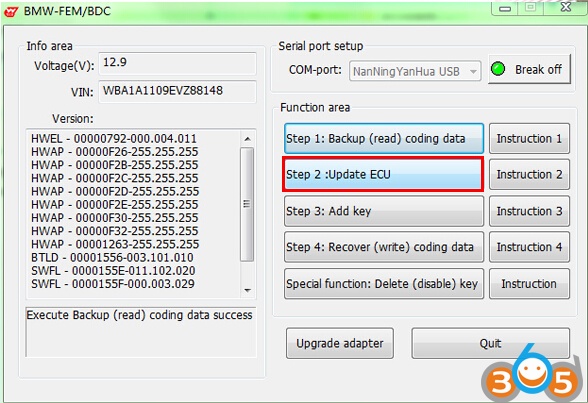
2.1: Turn ignition switch to ON position. click “Step 2:Update ECU”
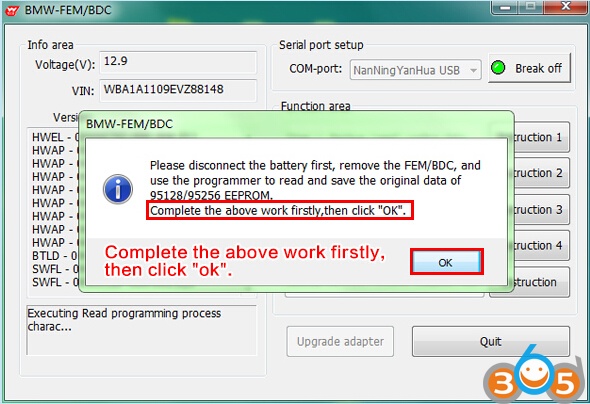
2.2: Software pop-up the following tips, please follow instructions to disconnect battery and other charging device, remove the FEM/BDC, use car universal programmer (e.g Yanhua CKM100) to read EEPROM data, save in BIN format in PC
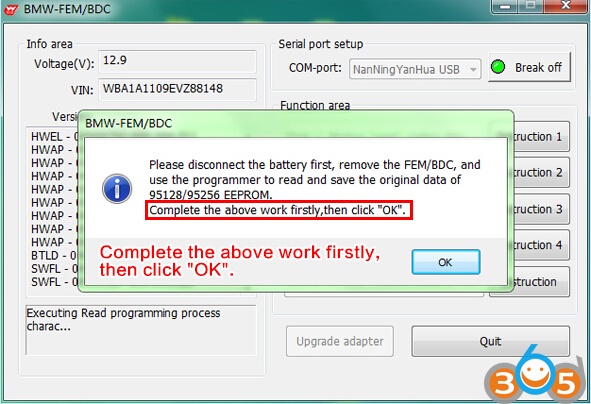
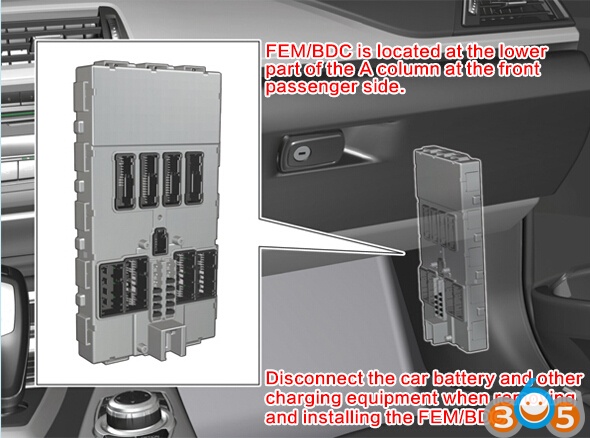
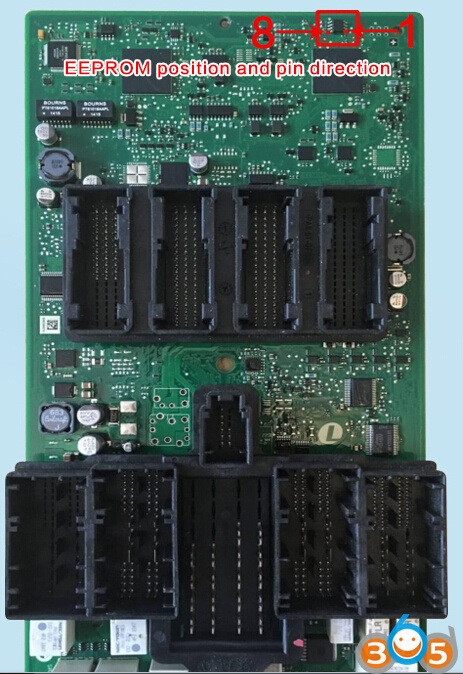
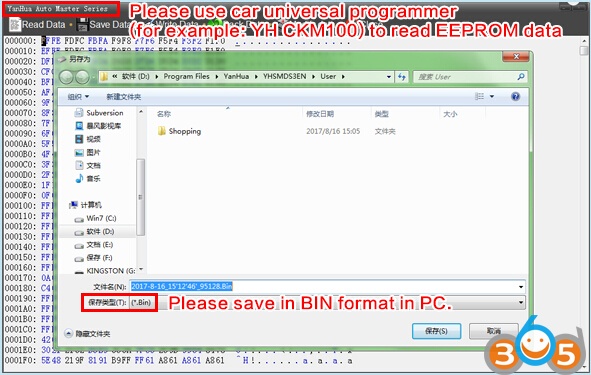
2.3: After complete above work, please go back to the BMW-FEM/BDC interface and click OK
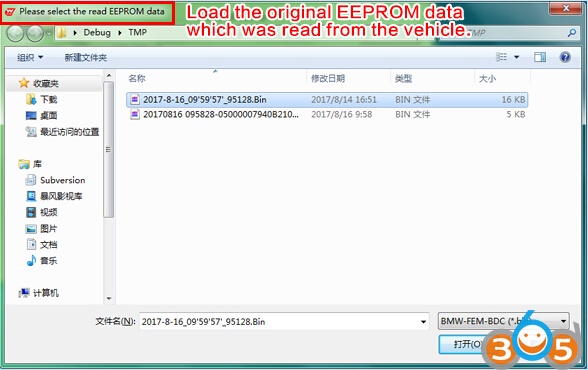
2.4: The software prompt to load the original EEPROM data which was read from the vehicle by programmer.
2.5: The software calculate the corresponding new EEPROM data and prompts the user to save it. (saved in BIN format as well)
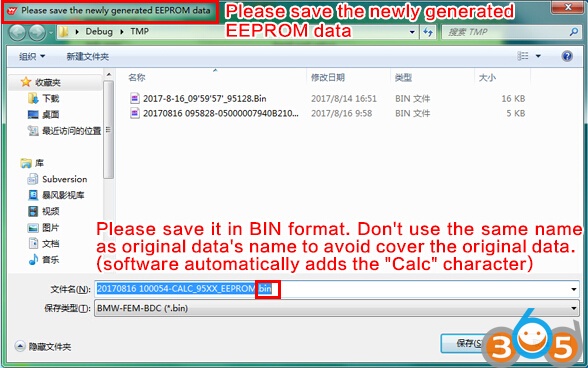
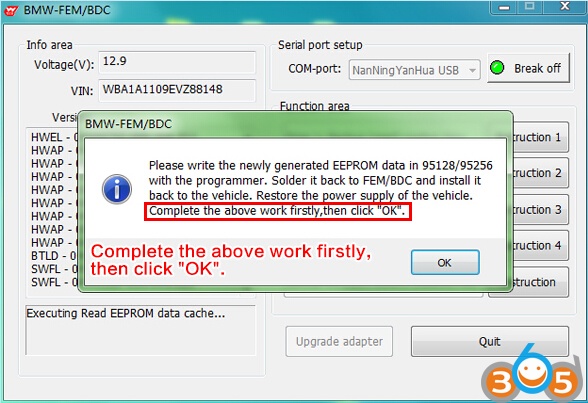
2.6: The software prompts to write the newly generated EEPROM data back to EEPROM chip, solder the EEPROM back to FEM/BDC.
Install the FEM/BDC back to vehicle. Recover normal power supply for vehicle and turn on ignition switch.
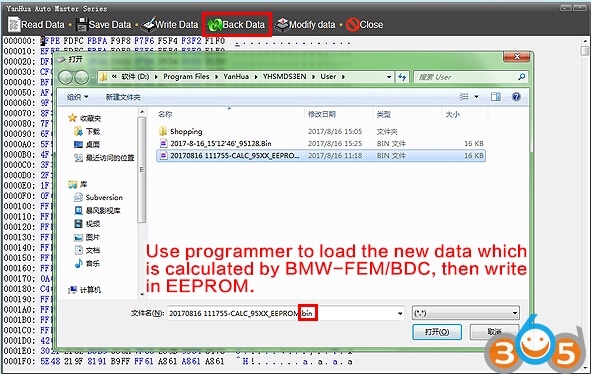
2.6.1: Use universal programmer (e.g Yanhua CKM100 Car Key Master) to load the new data which is calculated by BMW-FEM/BDC key programmer, then write in EEPROM.
2.6.2: Solder the EEPROM back to FEM/BDC. Install the FEM/BDC back to vehicle. Recover power supply for vehicle and turn on the switch. Go back to the BMW-FEM/BDC software and click OK.
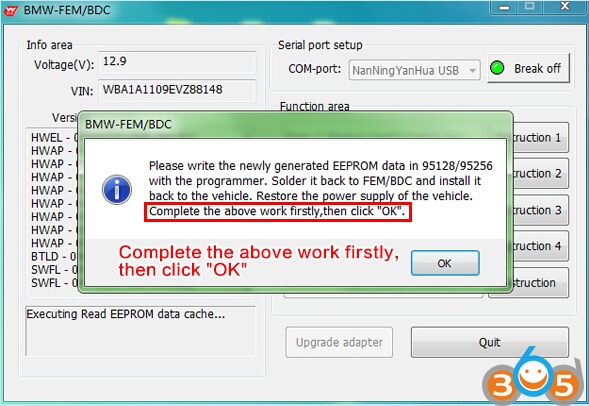
2.7: Software prompts to upgrade ECU. Please ensure the vehicle voltage no less than 13.0V.
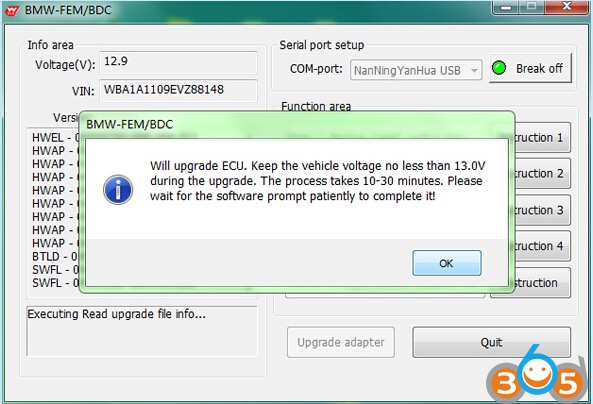
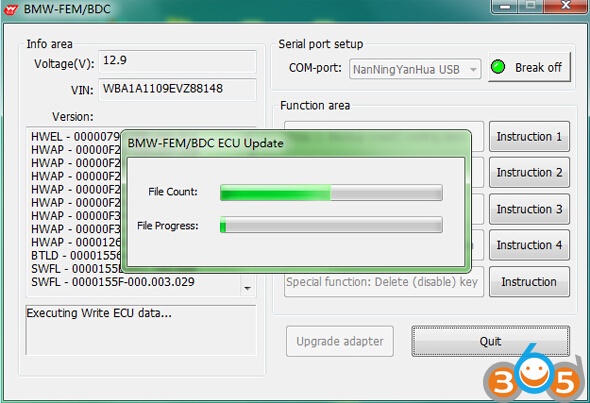
2.8: The software prompt that upgrading ECU. It will take 15-30 minutes. The software began to count down.
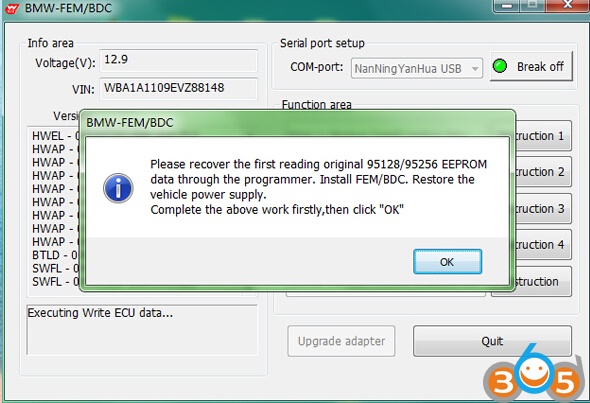
2.9: After completing ECU programming, the software prompts the user to recover the first reading original EEPROM data by programmer. And install the FEM/BDC and restore normal power supply for vehicle.
Step 3: program/learn (add) key
3.1: Turn on vehicle ignition switch, click “Step 3: Add key” button
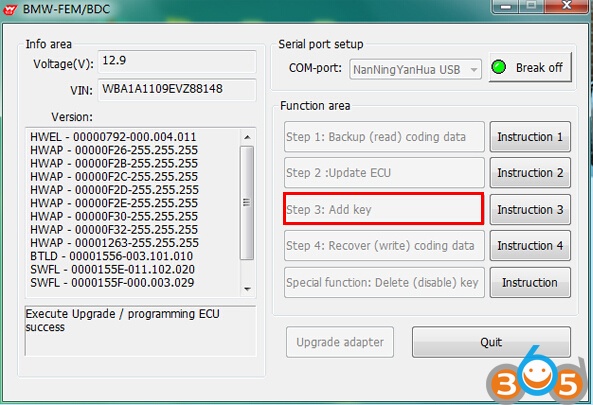
3.2: According to the YH BMW FEM/BDC key programmer software prompt, the working key is close to the emergency starting induction antenna (located on the lower right of the steering wheel)
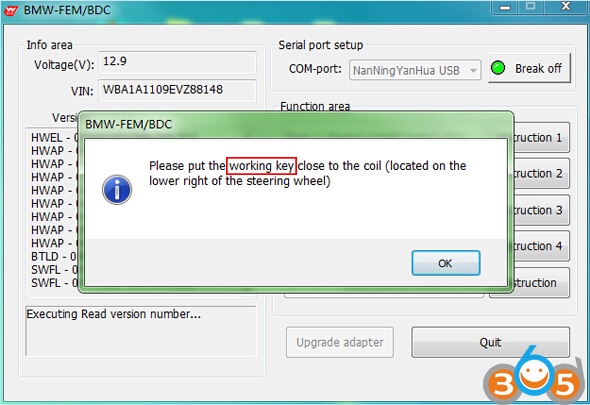
3.3: The software reads and displays the relevant information about the working key.
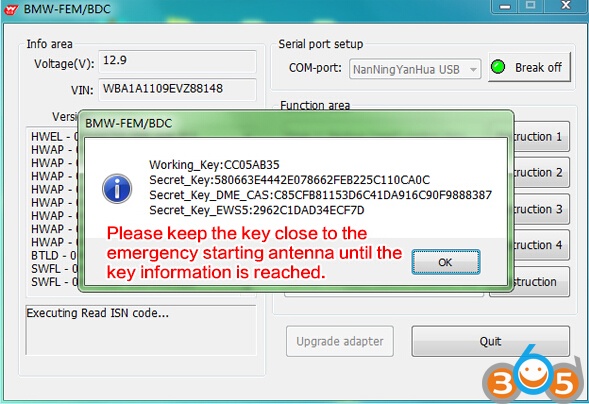
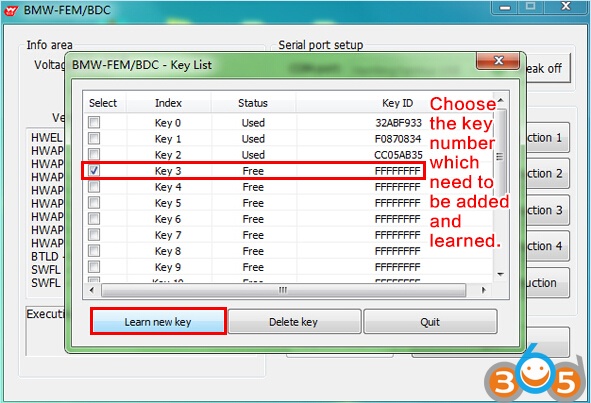
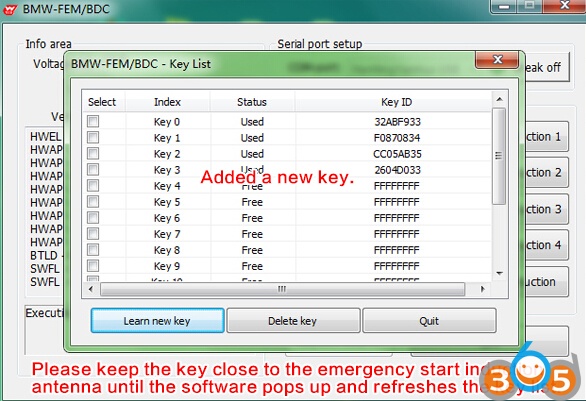
3.4: Software pop-up key list, the user can choose key which need to be added. Learn the key number and click “Learn new key” (Recommend to use the key number sequentially and in turn)
3.5: According to the software prompt, the new key is close to the emergency starting induction antenna (located on the lower right of the steering wheel)
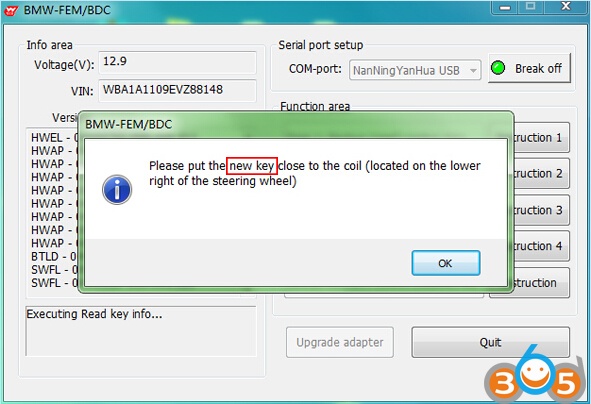
3.6: Key information will be shown after the new key is close to emergency start antenna
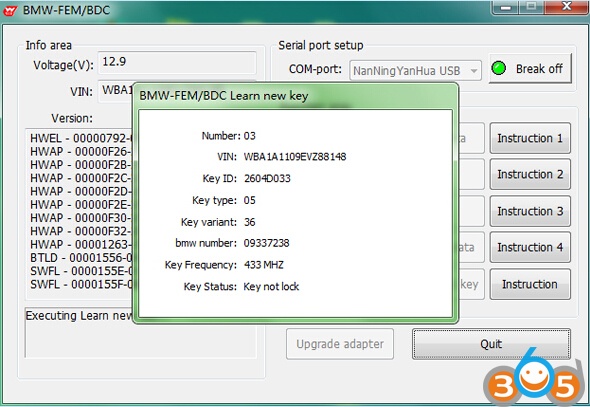
3.7: After adding the key and learning, the software returns and refleshes the key list. Users can continue to add and learn more keys at this interface. If completed, click “Quit”
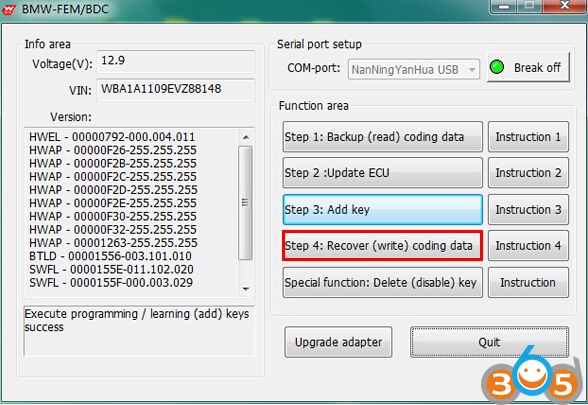
Step 4: Recover (write) coding data
4.1: Turn on ignition switch, click “Step 4: Recover (write) coding data” button
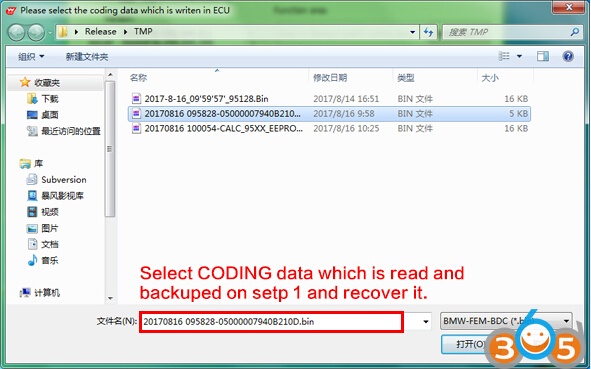
4.2: Select the first backup coding data of the vehicle, recover it
4.3: Successful recover coding data. Make full testing of vehicles and keys.
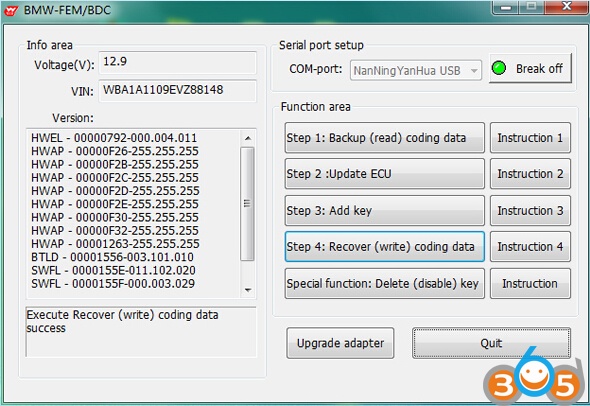
- Test the remote control function of the key.
- Test the switch, engine start function of the key.
- Test whether the vehicle is normal
Step 5: Delete (disable) keys
5.1: Turn on ignition switch, click “Delete (disable) key”
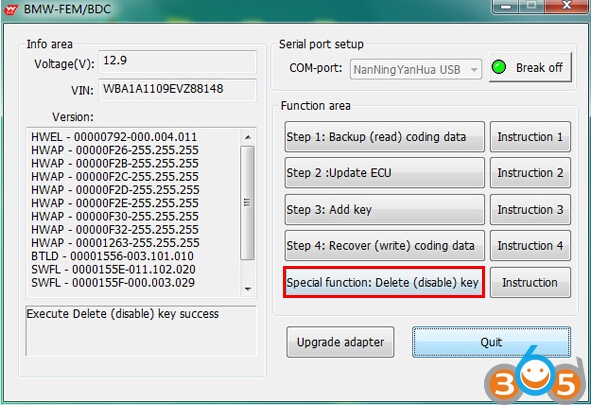
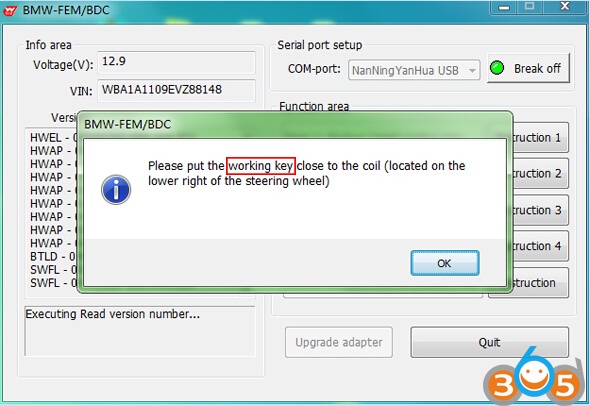
5.2: According to the software prompt, the working key is close to the emergency starting induction antenna (located on the lower right of the steering wheel)
5.3: The software reads and displays the relevant information about the working key.
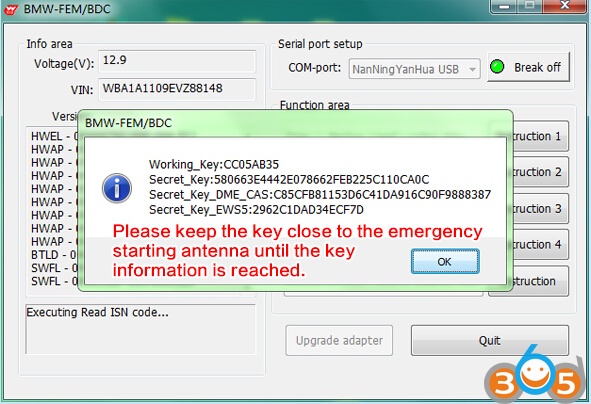
5.4: Software pop-up key list, the user can choose the key number which need to be deleted(disabled) and click “Delete key”
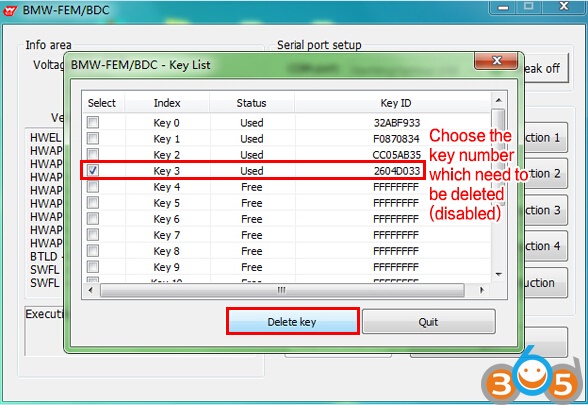
5.5: When the software completes the step of delete (disable) specified key number, it will return and reflesh the key list. Users can continue to delete (disable) more keys on this interface.
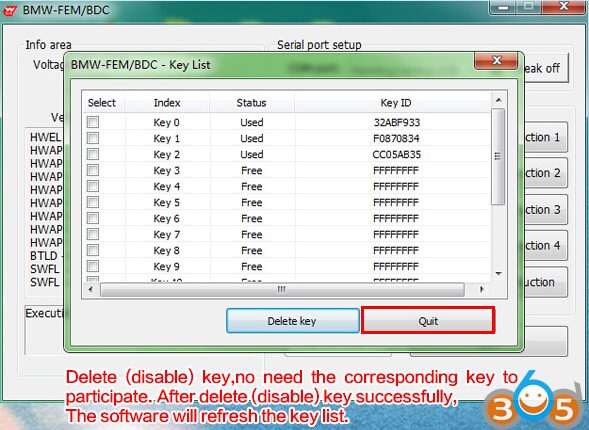
If completed, click “Quit”
Yanhua BMW FEM BDC Key Programmer User Manual