How to read BMW CAS3 ISN with CGDI Prog by OBD

Here is the easy steps to read BMW CAS3 ISN by using CGDI Prog BMW MSV80 key programmer via OBD.
Procedure:
Connect CGDI Prog key programmer with laptop and vehicle (shown as picture below)

Open CGDI Prog software on desktop
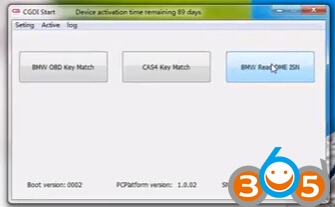
Select BMW Read DME ISN function
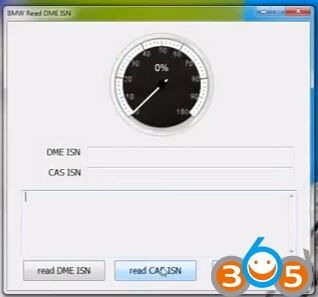
Click on Read CAS ISN

Reading data
Please remove the key from the ignition
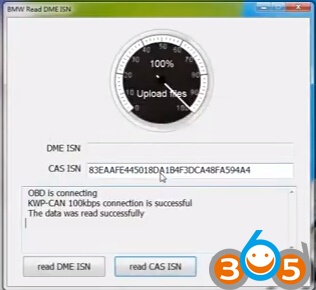
The CAS ISN data was read successfully.
Related article:
How to use CGDI Prog to Program BMW CAS3 key by OBD