Which tool is best for BMW FEM/BDC Key Programming?

Lonsdor K518ISE, CGDI Prog BMW, Xhorse VVDI2, Yanhua BMW FEM/BDC key programmer all are verified to program FEM/BDC key and all keys lost without issues. But which tool is best for BMW FEM BDC key programming?
Look here and you’ll know all:
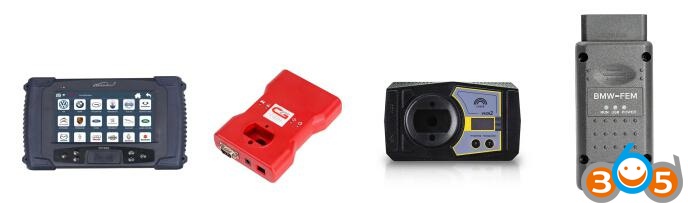
Lonsdor K518ISE program BMW FEM BDC key
CGDI Prog BMW OBD program FEM key
Xhorse VVDI2 BMW do coding/programming to FEM BDC
Yanhua BMW FEM key programmer add a new key
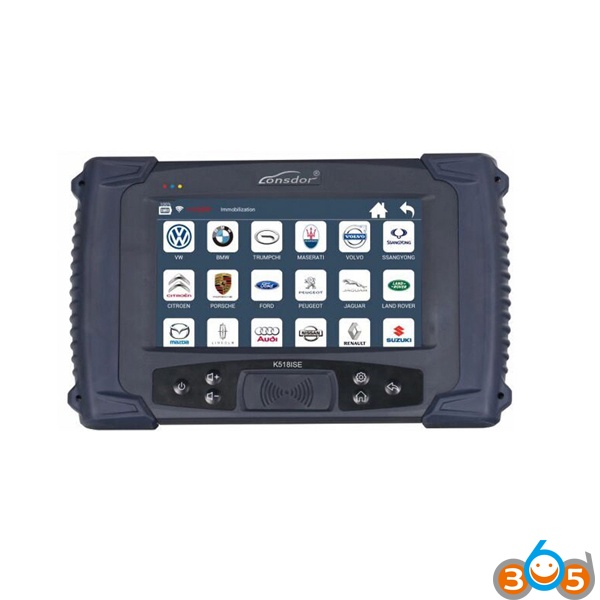
1 How to use Lonsdor K518ISE to program BMW FEM BDC key?
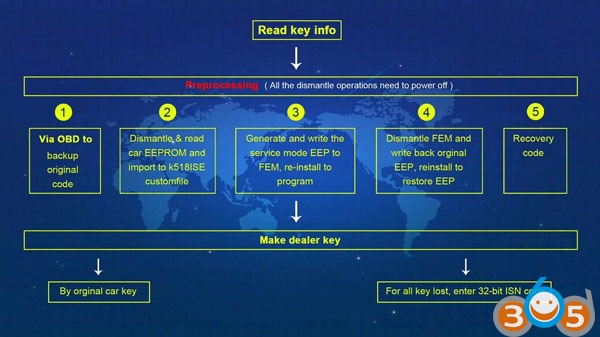
Three steps: read key info–>pre-process FEM/BDC system–>make a dealer key
In details…
Step 1: read key info
MUST read key information first
Step 2: pre-process FEM/BDC system
MUST DISCONNECT THE BATTERY
1: OBD back up original coding data:
On the car or test platform, connect to FEM/BDC system, then back up original back up coding files via OBD
2: read out EEPROM backup data & generate a service-mode EEPROM:
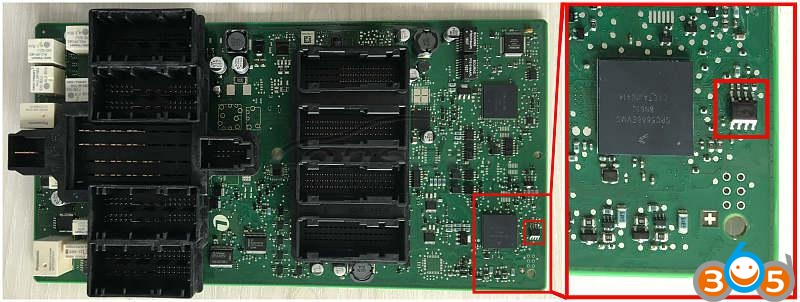
-> Disassemble FEM/BDC module, find out chip 95128 or 95256, read EEPROM data using a ECU programming tool: VVDI-Prog, Orange5 and the like;
-> Copy the EEPROM data into to the Lonsdor K518ISE customfile folder;
-> Run the program, read original EEPROM data and generate a service-mode EEPROM, upload data of the service-mode EEPROM, write it into chip 95128 or 95256 with help of a ECU programmer
-> Restore FEM/BDC system, supply battery to the car and connect via OBD
3: programming
-> This step need to be done on the BMW FEM/BDC test platform;
-> Make sure that Step 1 & 2 is finished
-> Connect FEM/BDC system to power supply and connect to the OBD port
4: restore EEPROM data
-> disassemble FEM/BDC module, write original EEPROM data (Step 2) into chip 95128/95256
-> restore FEM/BDC system, connect to OBD
5: restore coding data
-> load the backup coding files (Step 1), restore coding information via OBD
6: pre-processing is complete.
Step 3: make a dealer key
1: Lonsdor K518ISE read out data, select the will-be key position
2: a “used”key to make a dealer key
All keys lost: enter 32bit ISN codes to make a dealer key
3: put the key near the car immo induction loop
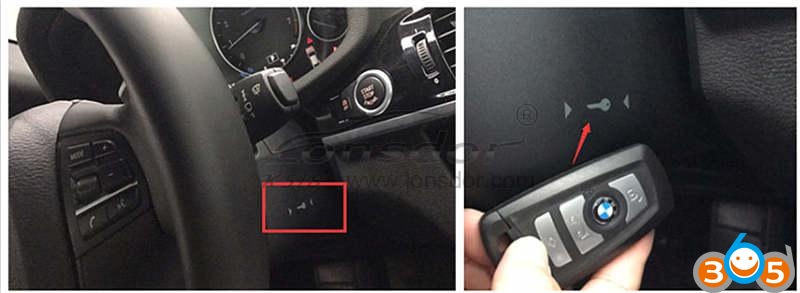
4: detect the original key, read out immo data
5: put a new key near the car immo induction loop
6: detect the key key, key learn (don’t move the key, keep stable)
7: key learn is complete
Step 4: disable the key
1: Lonsdor K518ISE read out data, select the key ID position to disable
2: put a “used” key near the car induction loop
3: K518ISE system tries to connect to CAS, disable the key with current ID position, disable key successfully
Step 5: enable the key
1: Lonsdor K518ISE read out data, select the key ID position to enable
2: put a “used” key near the car induction loop
3: K518ISE system tries to connect to CAS, enable the key with current ID position, enable key successfully
Step 6: delete the key
1: K518ISE read out data, select the key ID position to delete
2: read FEM/BDC key password
3: delete the key successfully; the key position is blank
THE MOST IMPOERTAN TIPS
1: You must read key info before everything you’ll do
2: to pre-process FEM/BDC, you should pay attention to:
– backup coding codes to continue
– disconnect to the power supply/battery, have a ECU programmer to read EEPROM data, up load data in K518 customfile folder, read new EEPROM data loaded just now, generate service-mode EEPROM data, read service-mode EEPROM data, write data into the chip, install CPU on the car
– ECU programming: need 6 min, with power supply connected
– disconnect to the power supply, disassemble CPU, write the original EEPROM data into the chip, install CPU on the car, connect to the power supply, make sure communicate is successful
– upload coding files (Step 1), restore original coding info to pre-process, then make a dealer key
3: 32bit ISN codes is required to program a new key when ALL KEYS ARE LOST
Note: If you want to program BMW FEM key when all keys lost, you are required to enter 32-digit ISN code.
Job’s done with Lonsdor K518ISE!
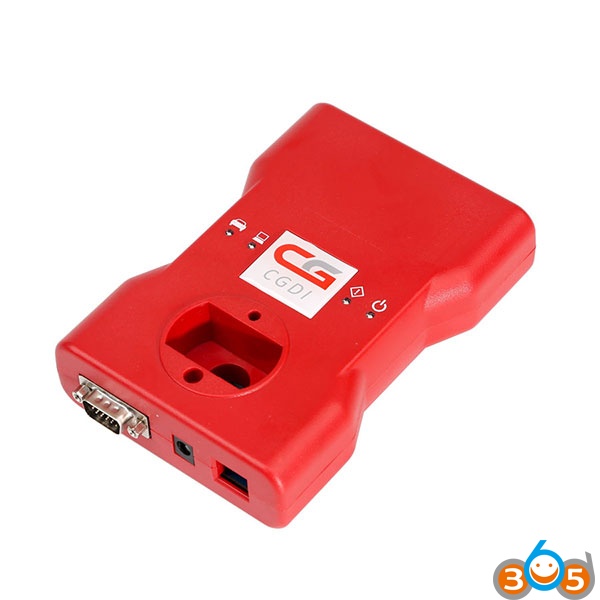
2 How to use CGDI Prog BMW to OBD program FEM key
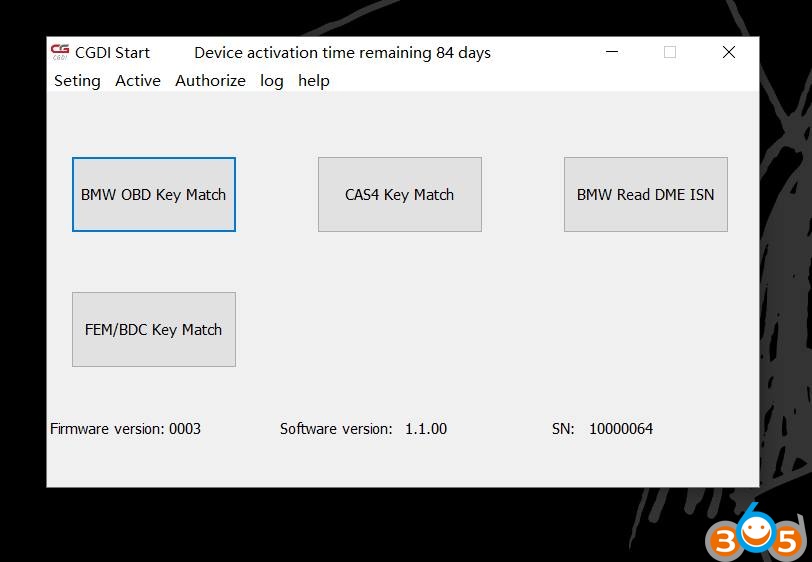
Go to BMW OBD Key Match
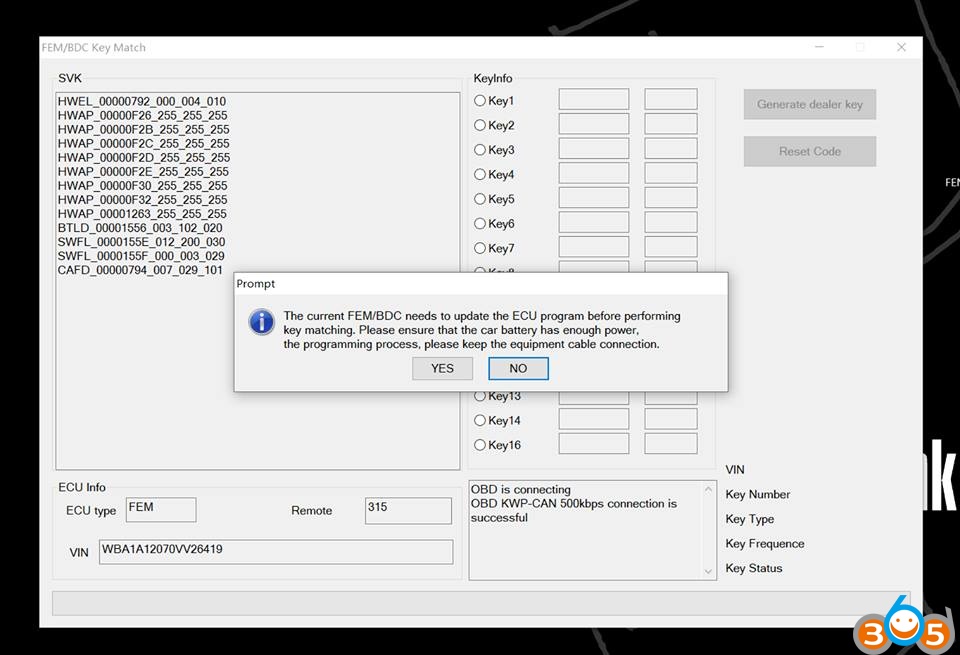
The current FEM/BDC needs to update the ECU program before performing key matching. Please ensure that the car battery has enough power, the programming process, please keep the equipment cable connection
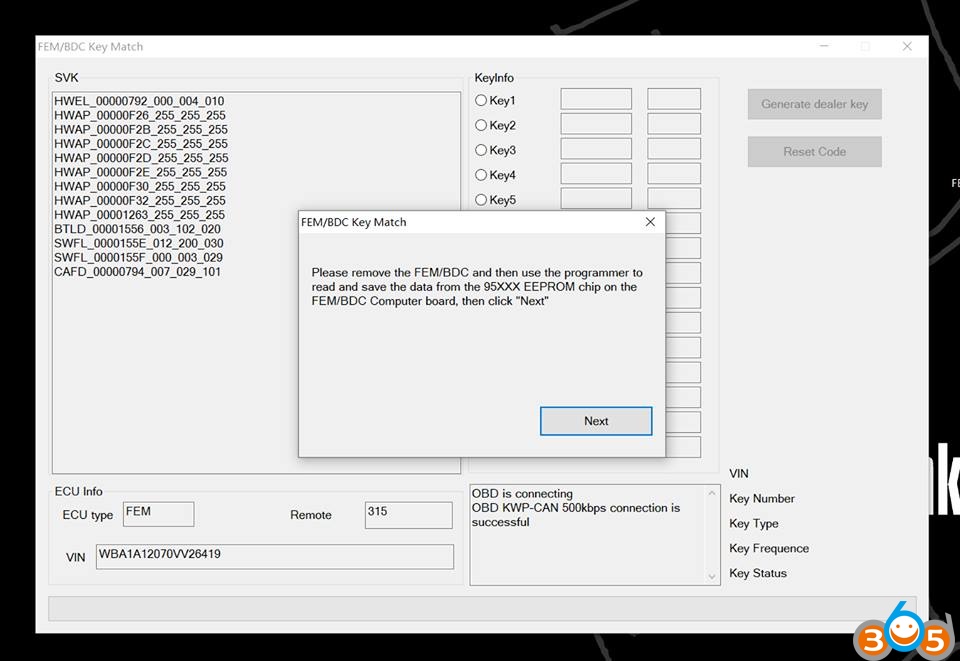
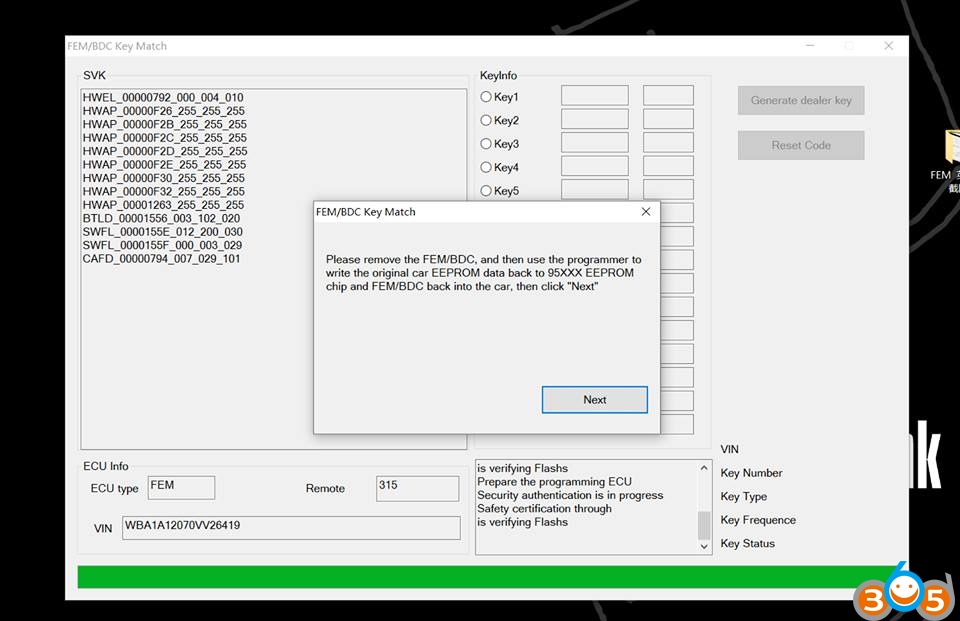
Please remove the FEM/BDC and then use the CGDI Prog programmer to read and save data from the P5XXX EEPROM chip on the FEM/BDC computer board, then click on Next
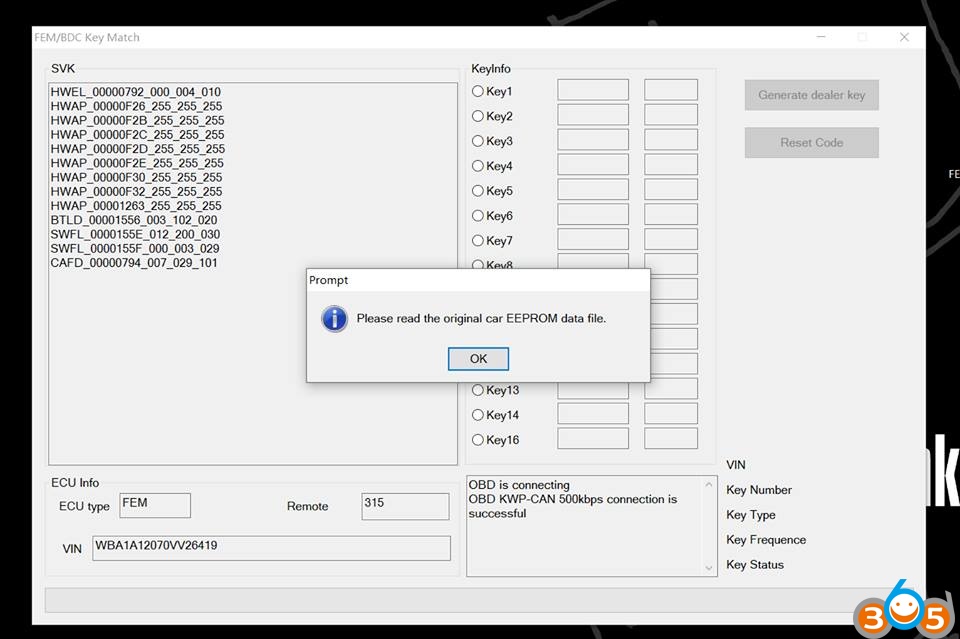
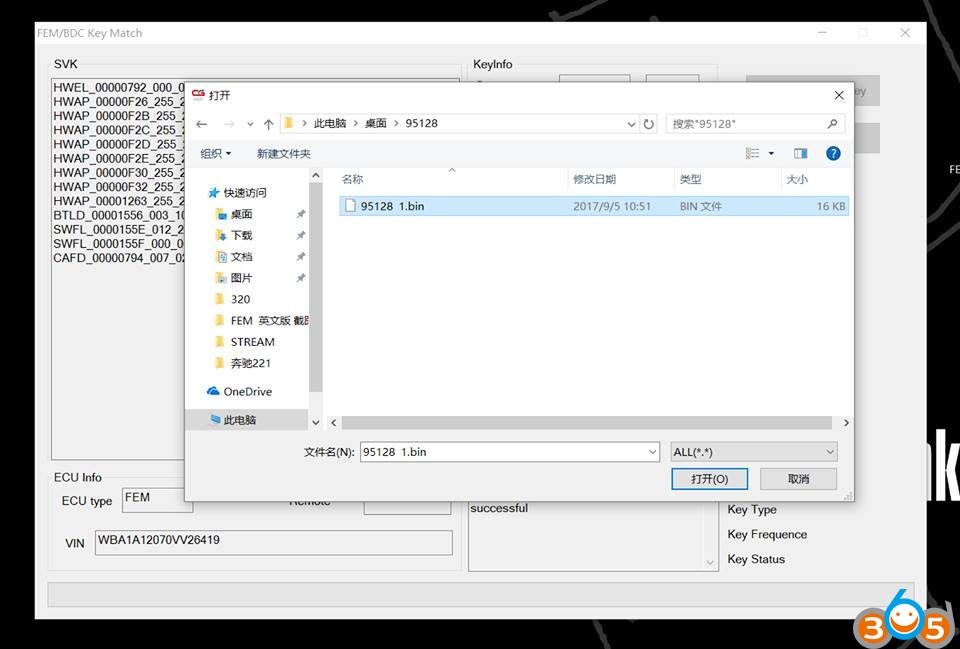
Read the original car EEPROM data file
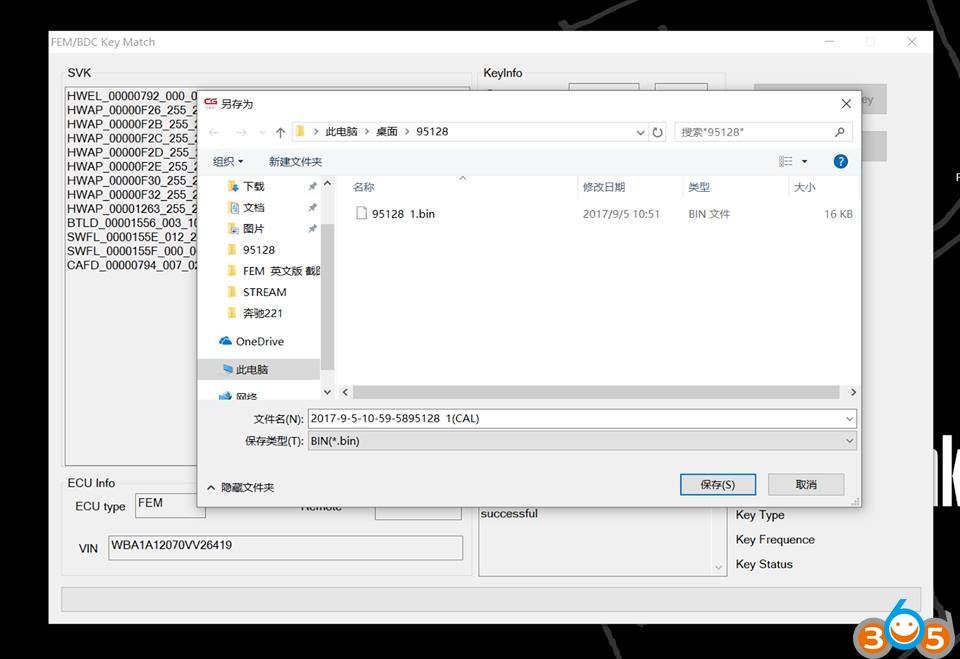
Use the CGDI Prog BMW to write the calculated new data to the 95XXX EEPROM chip, then put the FEM/BDC back into the car, thn click on Next

Car battery voltage: 11.93V
Prepare the programming ECU
Security authentication is in process
Safety certification through
The ECU is being programmed
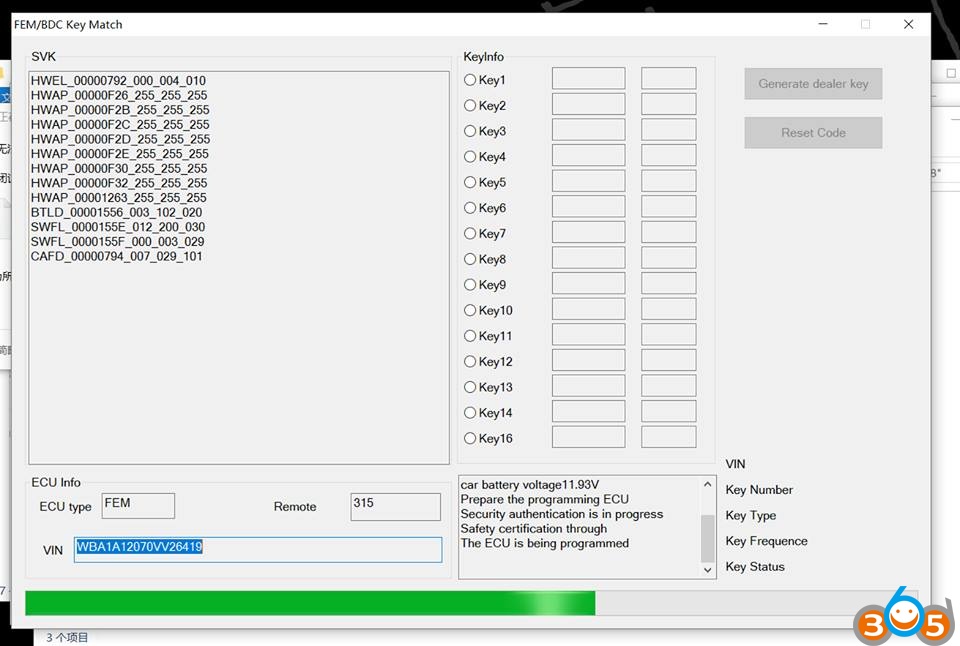
Please remove the FEM/BDC and then use the CGDI Prog programmer to read and save data from the P5XXX EEPROM chip on the FEM/BDC computer board, then click on Next
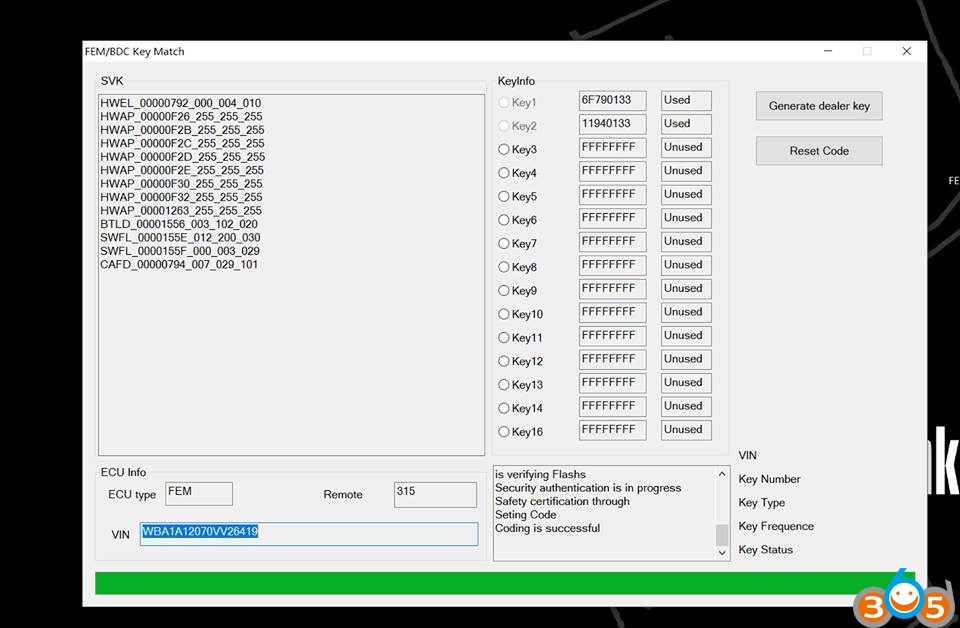
Setting code
Coding is successful

FEM/BDC key matching need to enter engine ISN, please select the way of input ISN code

OBD is connecting
OBD KWP-CAN 500kbps connection is successful

Loading the code data file
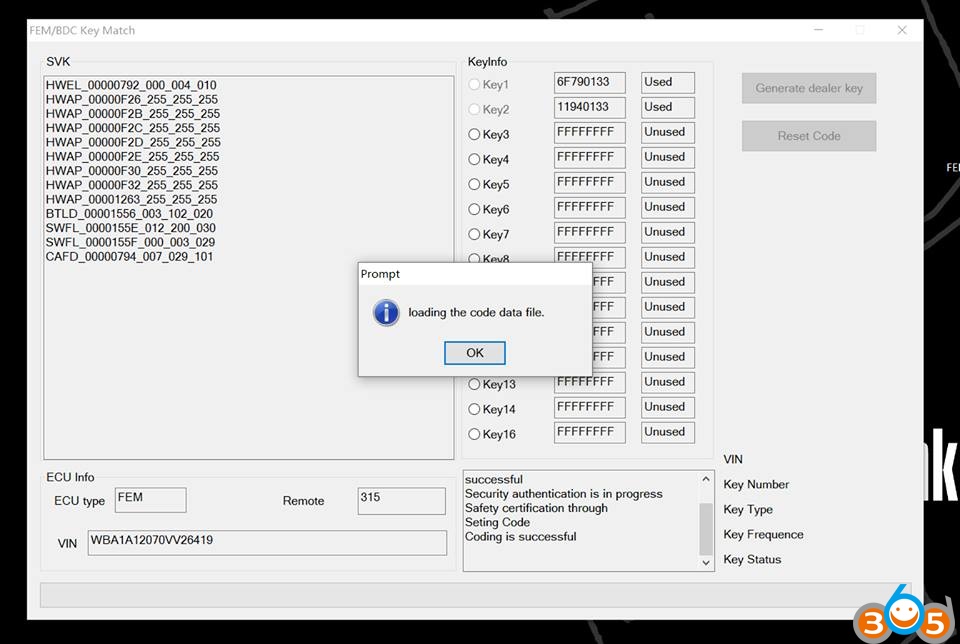
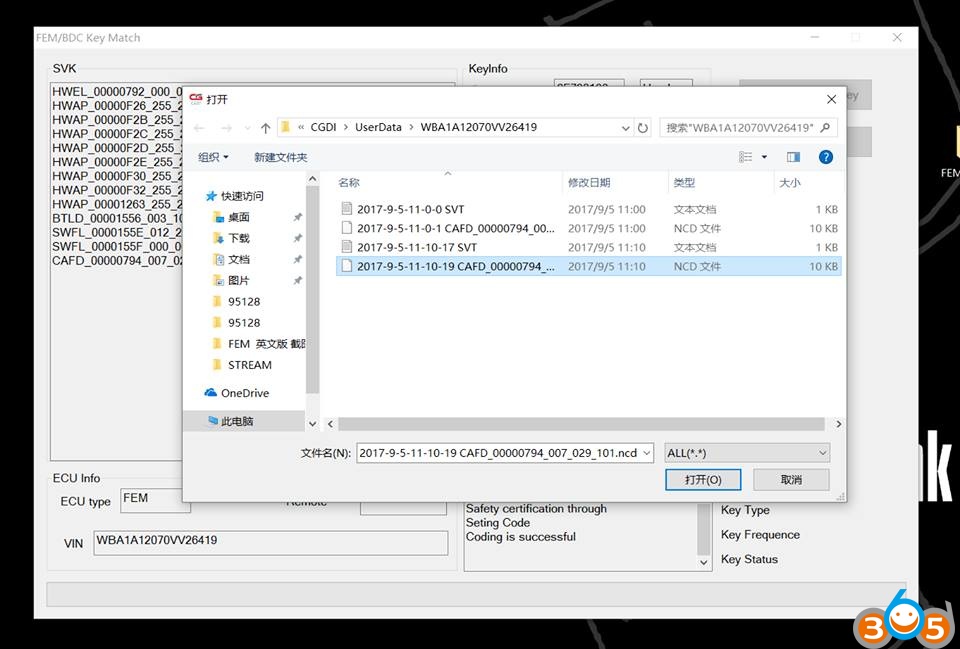
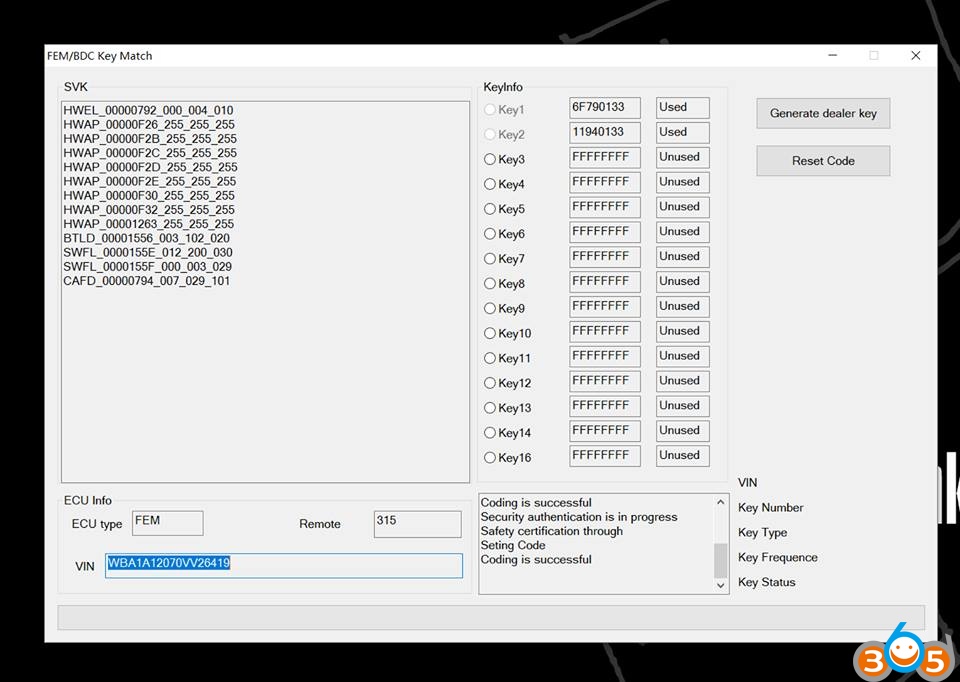
Coding is successful
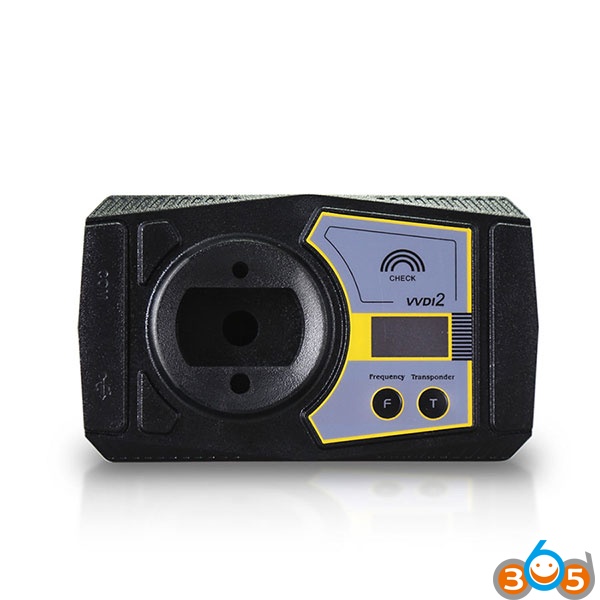
3 Xhorse VVDI2 BMW FEM/BDC coding/programming
BMW FEM/BDC Coding/Programming with VVDI2 full kit 4.3.0 above
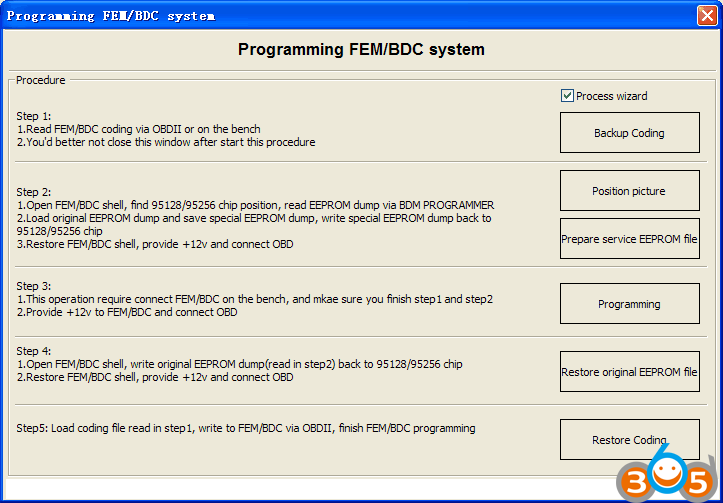
step 1:
- read FEM/BDC coding via OBDII or on the bench
- you’d better not close this window after starting this procedure
step 2:
- open FEM/BDC shell, find out where the 95128/95256 chip is, read EEPROM dump via BDM programmer
- load original EEPROM dump and save special EEPROM dump, write special EEPROM dump back to the 95128/95256 chip
- restore FEM/BDC shell, provide -12v and connect it via OBD
step 3:
- this operation requires connecting FEM/BDC on the bench, and make sure you finish step 1 ans step 2
- provide +12v to FEM.BDC and connect it via OBD
step 4:
- open FEM/BDC shell, write original EEPROM dump (read step 2) back to the 95128/95256 chip
- restore FEM/BDC shell and connect it via OBD
step 5:
loading coding file (read step 1), write to FEM/BDC via OBDII, finish FEM/BDC programming
Attention please!!!
– You can directly backup/restore coding
– You have to pre-setup the FEM/BDC module before deleting/adding keys or resetting keys
– You’ll be told other tools need to be used first to program the FEM/BDC system, then setup FEM/BDC via VVDI2. It happens when you do FEM/BDC key learning, and you don’t have a working software version
– You’d better not close the VVDI2 interface when you pre-setup FEM/BDC
– You need do with 95128(FEM) or 95256(BDC) chip when pre-setup FEM/BDC
Note: there are two 8-pin chips; do not disassemble the wrong chip; better refer to the wiring diagram
– You must restore original EEPROM data, restore coding when pre-setup FEM/BDC. If you fail to restore coding or the remote cannot start or something wrong with the window (or other failures probably) after coding restore and FEM/BDC installation, please use other tools to do re-coding FEM/BDC
– Ask tech support @obdii365 for help, if the replay sounds continuously after supplying power to the FEM/BDC. Usually, it needs programming.
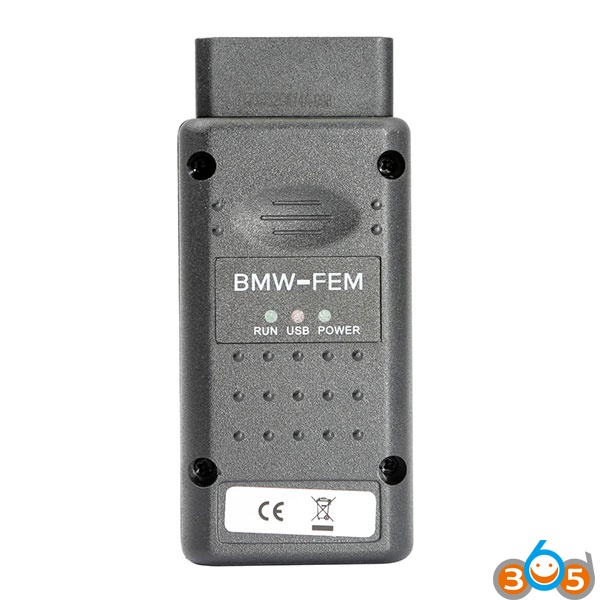
4 Yanhua BMW FEM key programmer add a new key
There are 5 steps for you to have Yanhua BMW FEM/BDC programmer add/program a new key.
Step 1: backup (read) coding data
Step 2: update/program ECU
Step 3: program/learn (add) key
Step 4: restore (write) coding data
Step 5: delete keys disabled
How to Program BMW FEM key with Yanhua BMW FEM/BDC programmer
In summary,
all tools above (Lonsdor K518ISE, CGDI BMW, VVDI2, Yanhua BMW FEM/BDC key programmer) can work good in FEM/BDC programming. So, Lonsdor K518ISE vs CGDI BMW vs Xhorse VVDI2 vs Yanhua tool, which best for OBD program BMW FEM/BDC? it depends on your budget and future use.
For BMW only: CGDI Prog BMW or Yanhua BMW FEM/BDC key programmer
For VAG+BMW: Xhorse VVDI2 is the best solution.
For universal key programming: Lonsdor K518ISE key programming machine never fails.
CGDI BMW price: us$629
Yanhua FEM/BDC programmer price: US$529
Lonsdor K518ISE price: US$1199
Xhorse VVDI2 BMW: US$1029