How to Install Yanhua Mini ACDP App and Export data to PC

How to install Yanhua Mini ACDP key programmer App on Android/iOS mobile phones (PC version is not yet released) and export/backup data from mobile phone to laptop.
For iOS devices
For Android devices
For iOS Mobile Phone/Tablet
I. Download App

Scan the Yanhua ACDP QR code here to download app
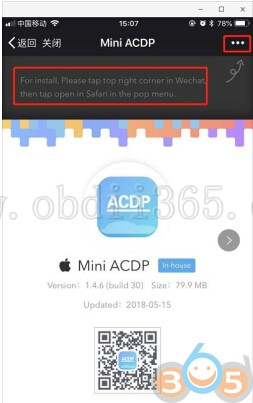
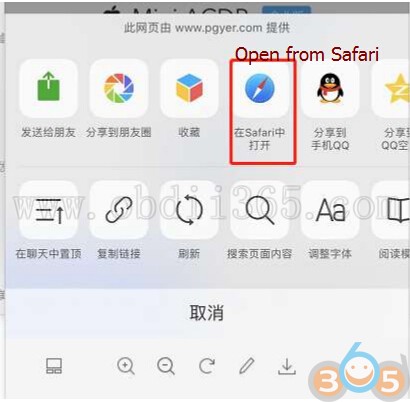
Click the icon in the top right corner showed in the picture and open it in the Safari browser.
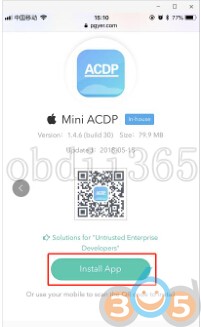
Click on Install
Select Setting->General ->Device Management
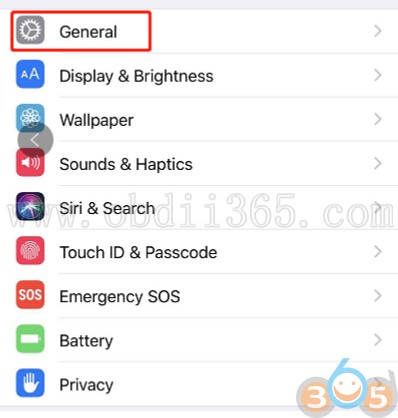
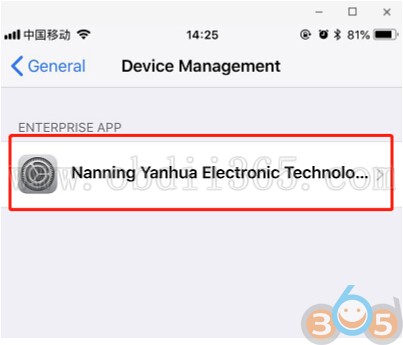
Search and find Nanning Yanhua Electronic Technology Co., Ltd.
Select the option shown below to add as a “trust device”
II. Import Data from iOS phone to PC
1 Install the iTunes from Apple’s official website.

Connect the iPhone by iTunes.
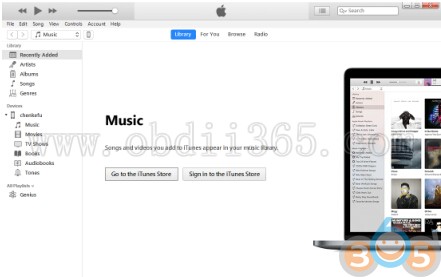
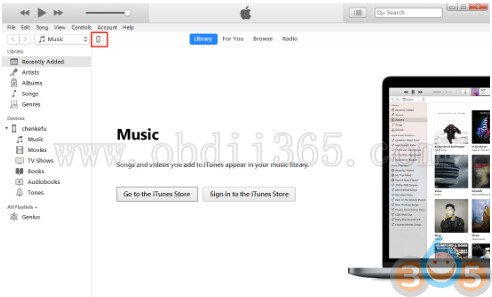
Click the following icon.
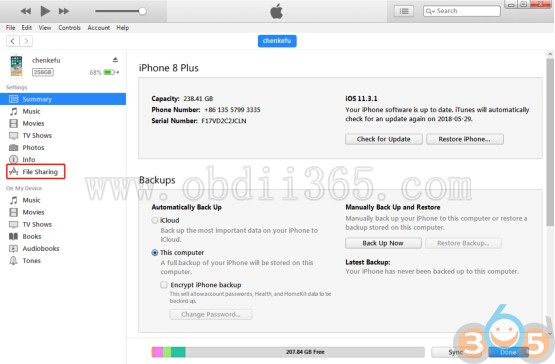
Open My applications->Mini ACDP->Home folder,then click “Save ”
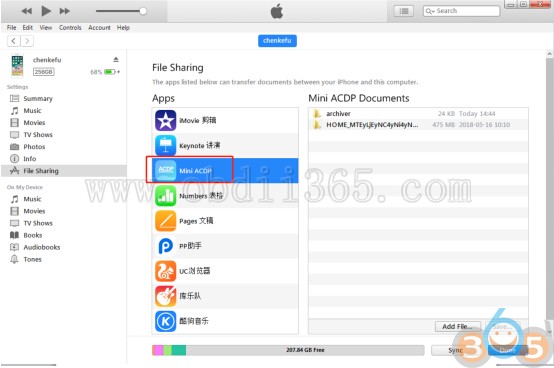
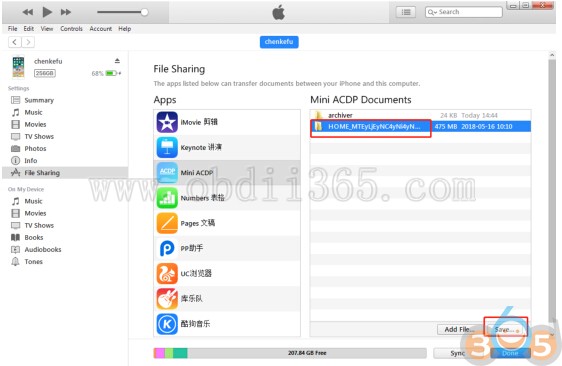
Choose a folder to save the data
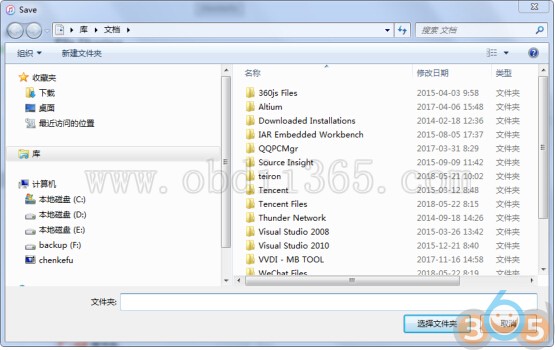
Find the “ACDP data” folder and open it.

Open the folder which save the data.

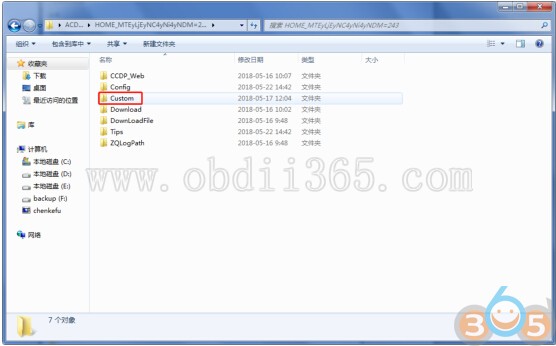
8-pin IC eeprom data is automatically saved in “ic ” folder
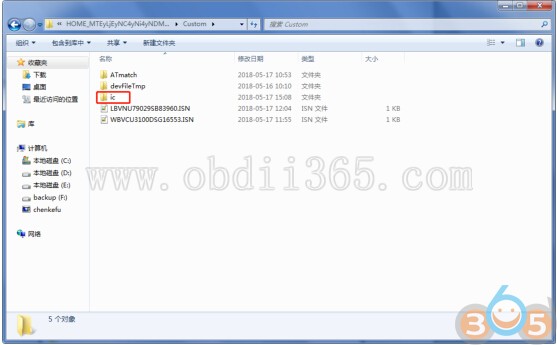
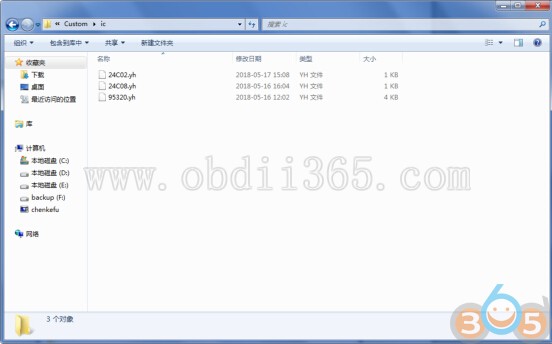
BMW and other data are automatically saved to “ATmatch” folder
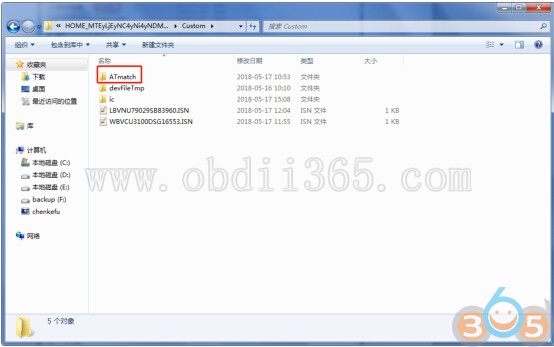
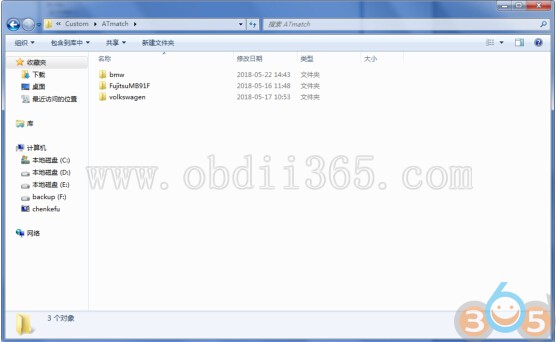
Select the file you need to import to laptop
Done.
For Android mobile phone/tablet
I. Download App
Scan the Yanhua Mini ACDP QR code here to download app
Click the icon in the top right corner showed in the picture and open it in the corresponding browser.
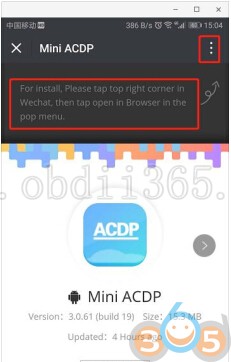
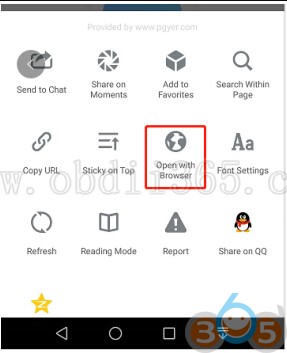

Click on Install.
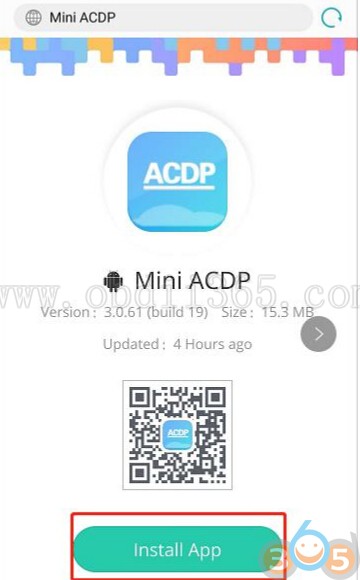
Install application.
II. Import/backup data from Android device to PC
1.Method I
Use the data cable to connect the phone and the computer, click “Computer”, open the icon as shown in the figure
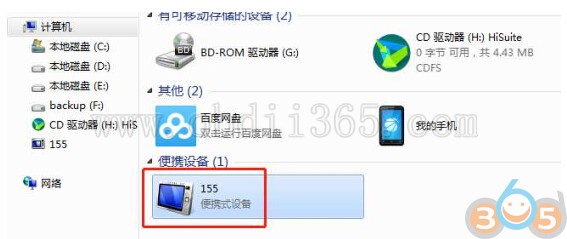
Open Internal storage and find out yanhua_online folder


The data is generally defaulted to the folder shown in the figure below, and the required data can be copied to the
desktop.
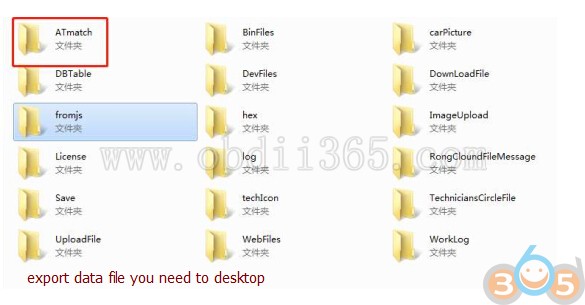
Finish data backup.
2. Method II
Download Android Mobile Assistant and export data to laptop (similar to iOS system)
How to Install Yanhua Mini ACDP iOS/Android App and Import data to PC