CGDI BMW Read and Write N13 ISN without Opening DME
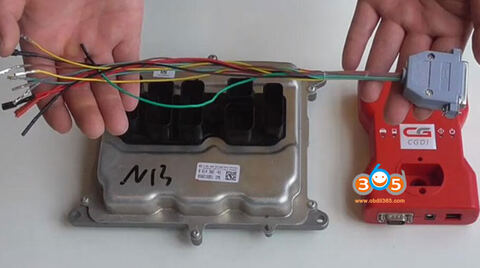
Here’s the guide to read and write BMW N13 ISN code using CGDI Prog BMW without opening DME shell. DME license and special DME cable from CG is required.
With the ISN DME cable, you don’t need to opening DME, drill a hole nor supply 12V power adapter.
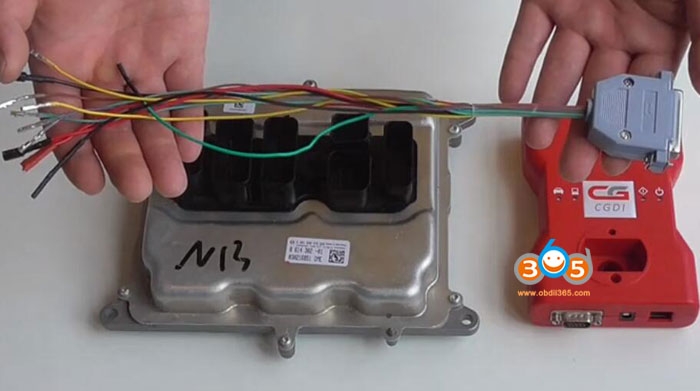
Follow wiring diagram below to connect DME with CGDI BMW
You can check wiring in software as well
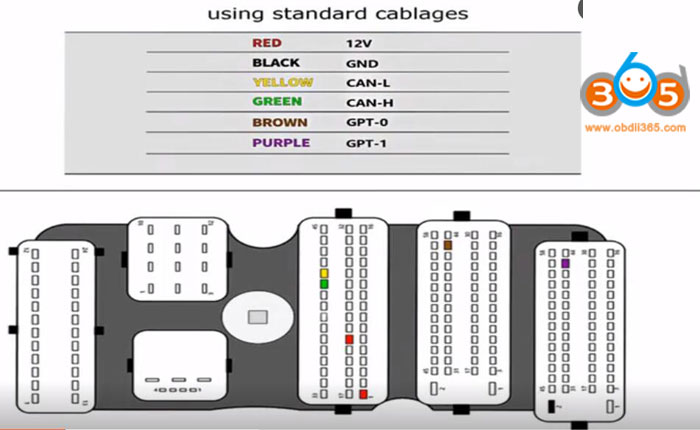
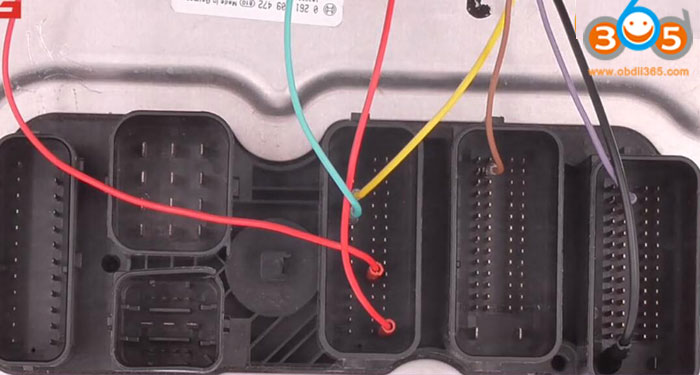
Open CGDI BMW software, choose N13/N20/N55/B38 Read ISN function and type N13
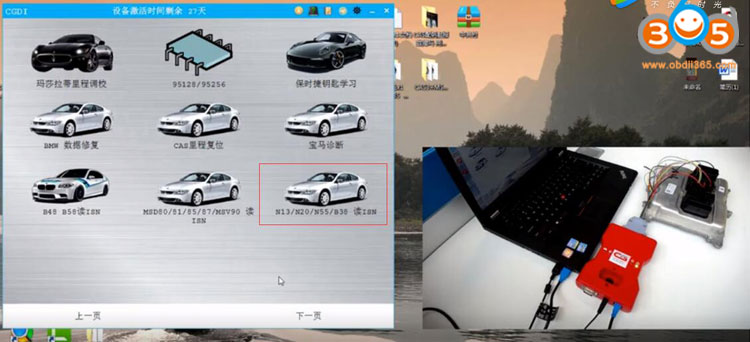
Check wiring and identify DME type
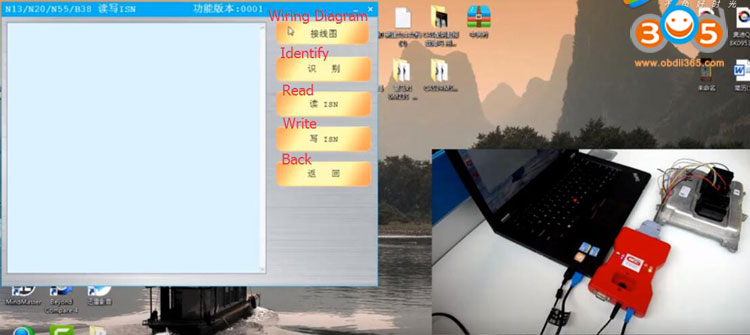
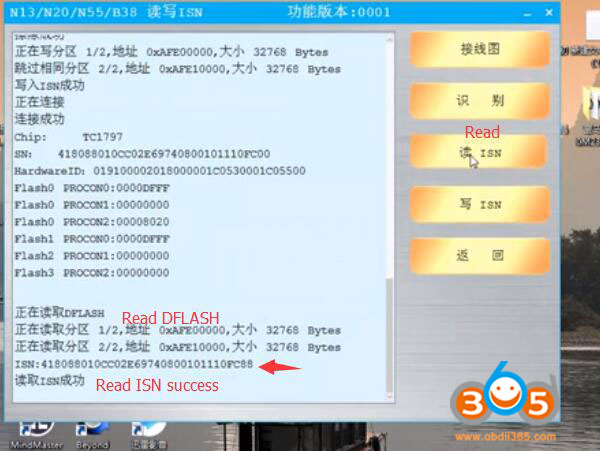
Read ISN till success
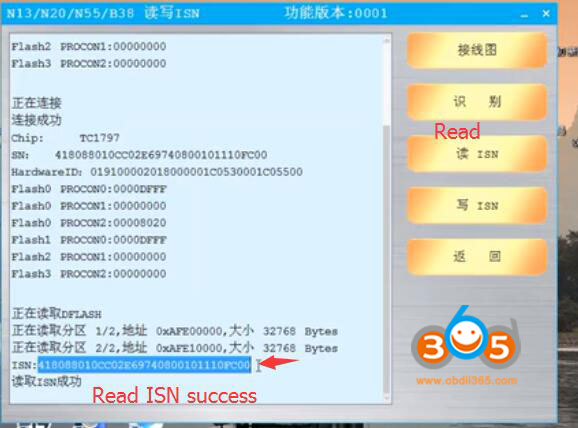
Copy the ISN code.
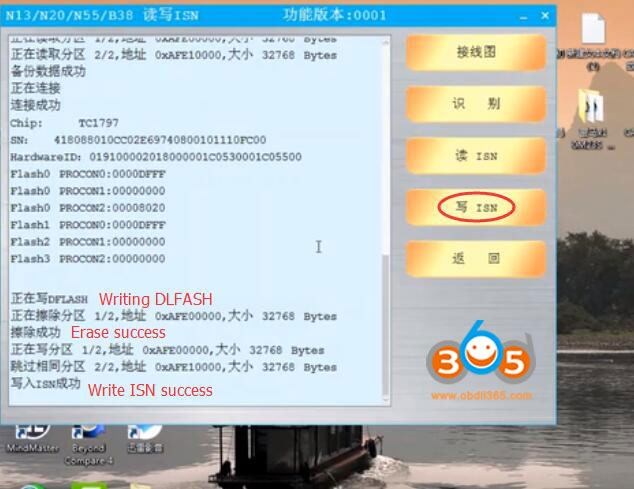
Press Write
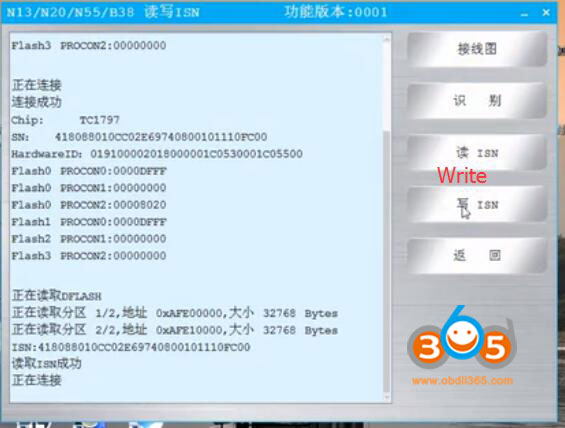
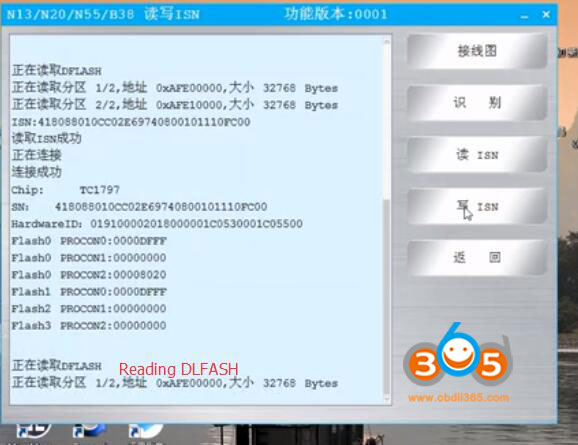
Reading DLFASH in process
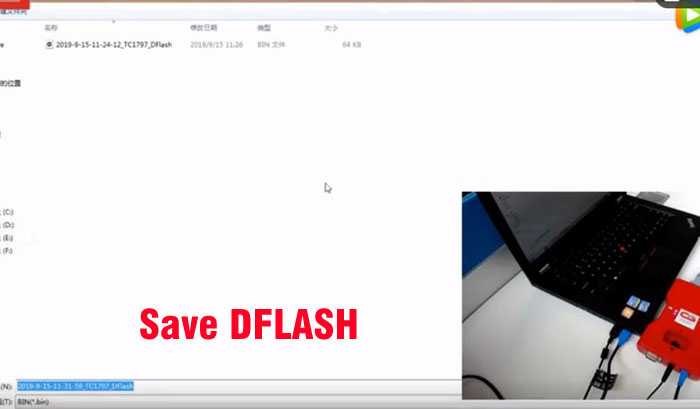
Save original DLFASH data
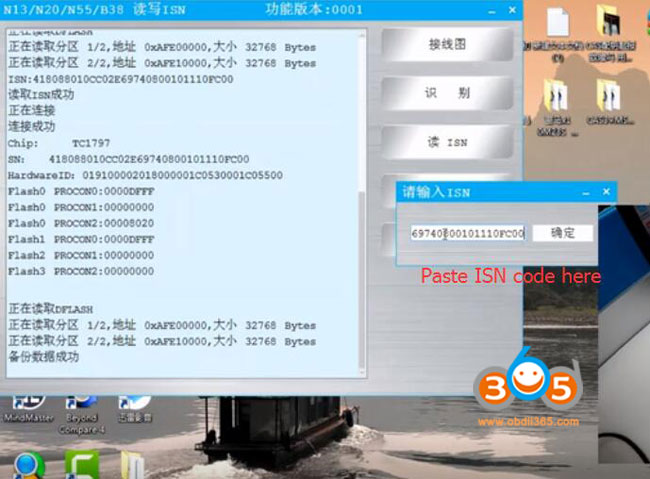
Paste the ISN code here
Write ISN success
Press Read ISN to check new ISN information
Done.