2M2 Tank Key Cutting Machine Cutter and PIN Lost Connection Solution

Follow 3 steps to solve the problem when breaking cutter and probe on the 2M2 Magic Tank key cutting machine.
Step 1:
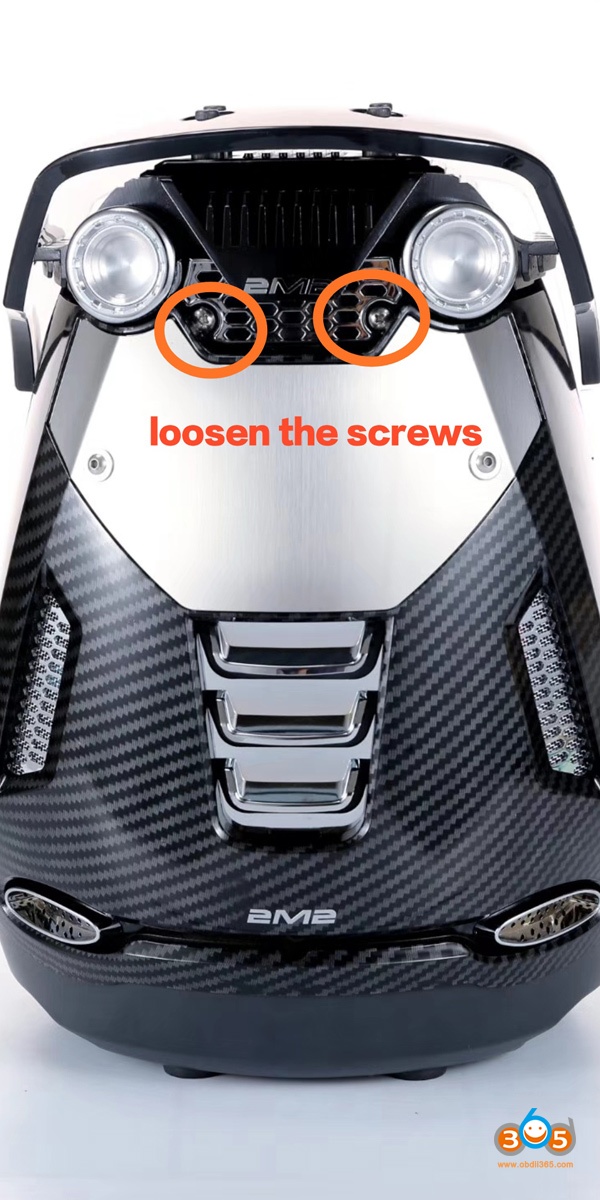
Loosen the screws and disassemble the cover of the 2m2 machine


Step 2:
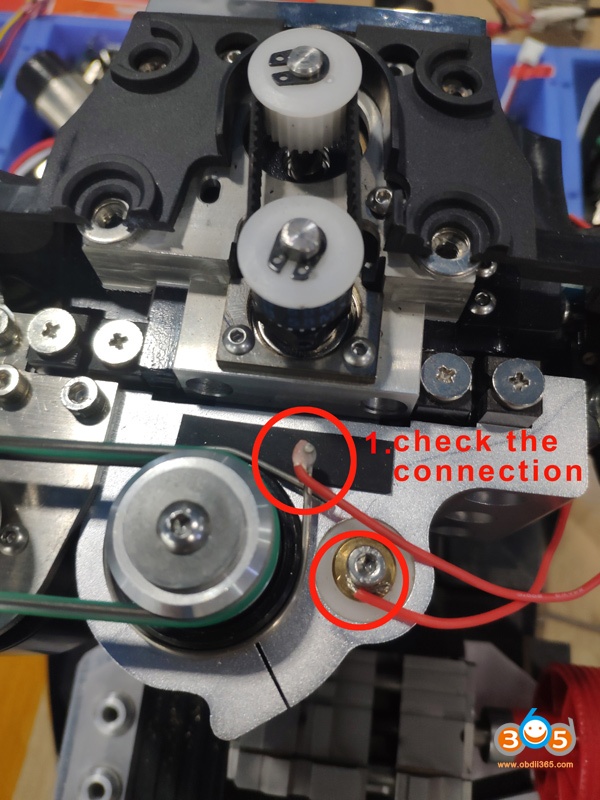
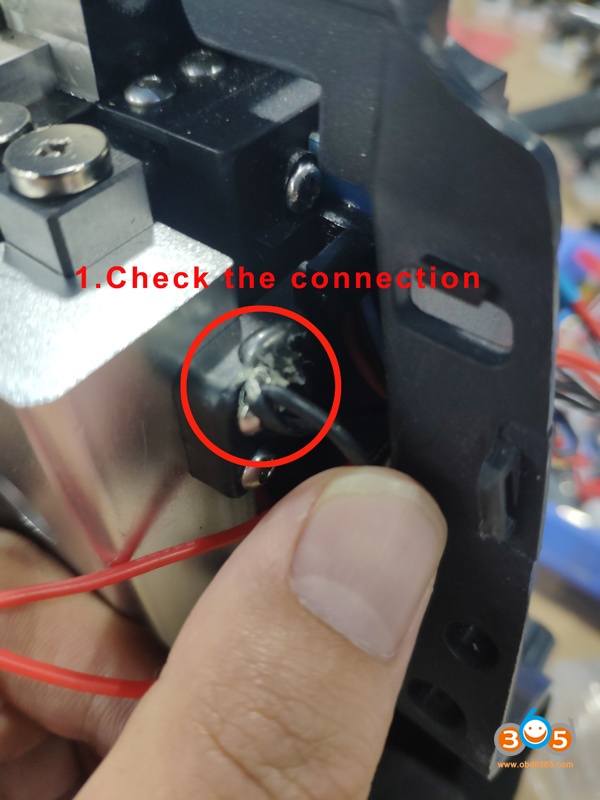
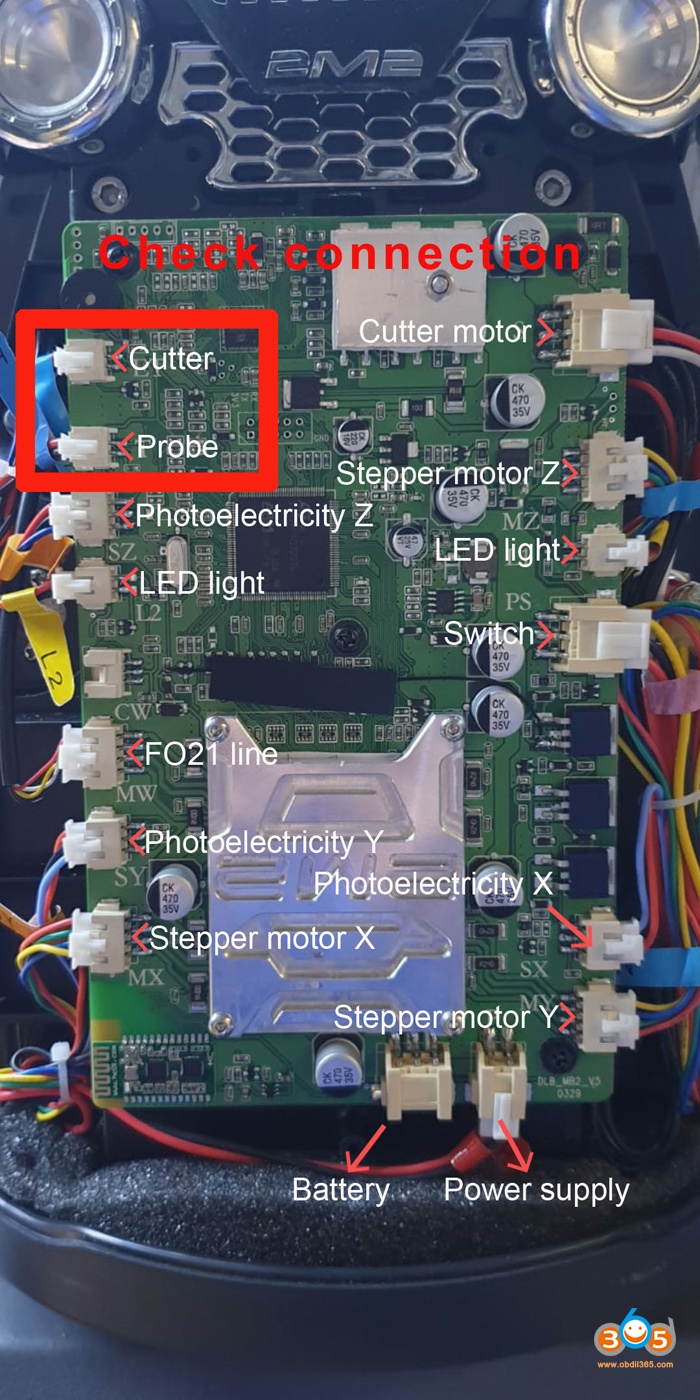
Check the line, plug and socket to see whether it is connected
Step 3: Conductivity test
Open 2M2 Tank app
Select Conductivity test
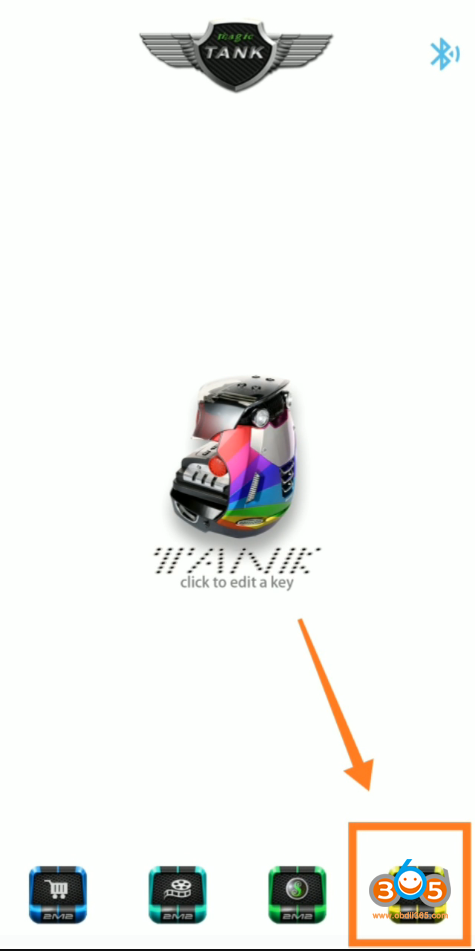
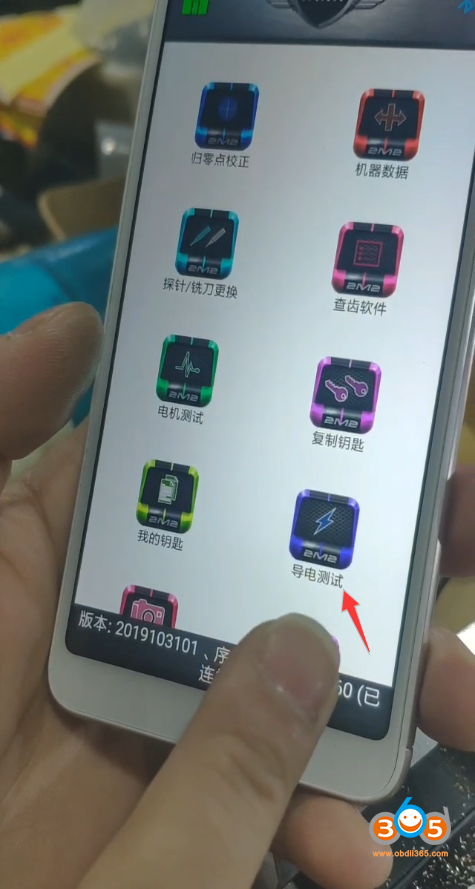
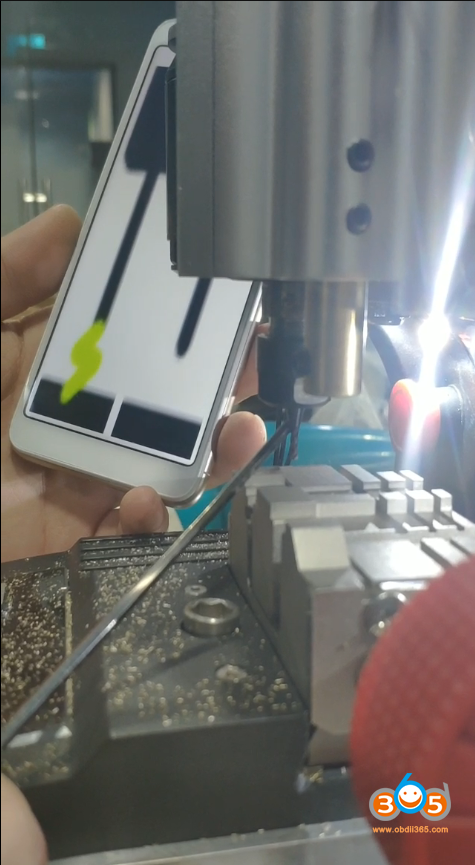
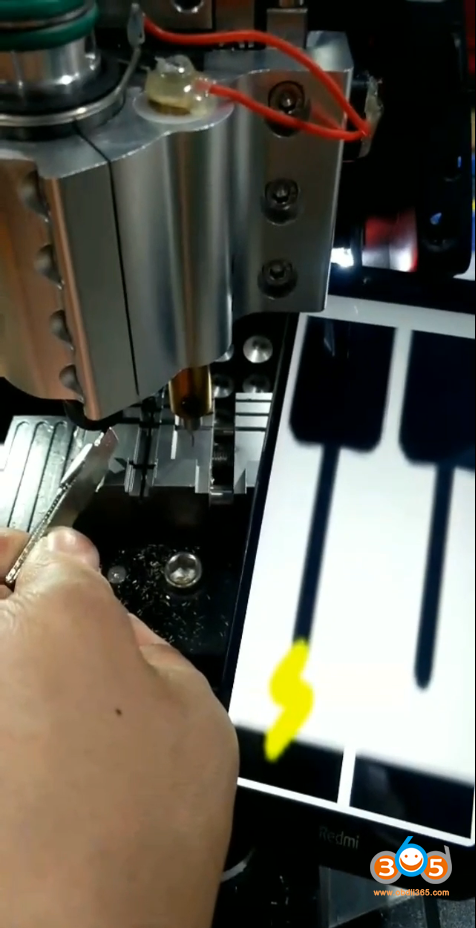
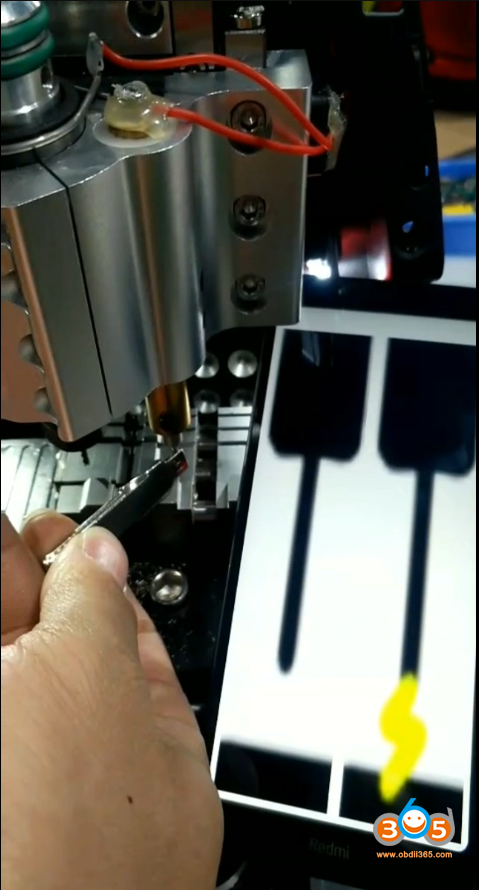
1). If the App shows lightning sign, sensor touch is OK
2). If lightning symbol does not appear, there is something with the sensor touch. Send an video to obdii365.com to analyze.
Whatsapp: +86 18259252285
Email: [email protected]
Skype: OBDII365.com
How to use 2M2 Tank Key Cutting Machine for the First Time?
1. Download Tank 1.3.4 apk or Scan the QR code here to download Android App:

2. Install 2M2 Magic Tank cutter & probe (Check video or App prompts)
3. Calibrate clamp (Check video or App prompts)
You have to calibrate clamp when:
1) Use the machine for the first time
2) After change the milling cutter and pin (i.e HU162T)
3) After change fixture/clamp (Ford FO21)