How to Reset Mercedes Benz 7G TCU with CGDI MB?
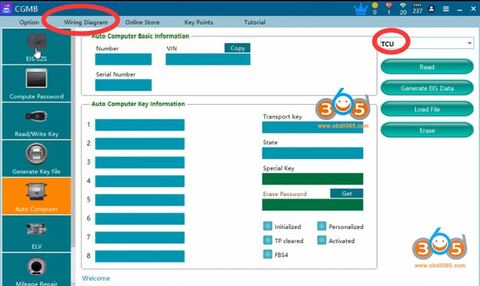
CGDI Prog MB is possible to reset/erase Mercedes-Benz 722.9 7g TCU Transmission Control Unit. Check step-by-step instructions below:
Run CGDI MB software
Select Auto Commuter function
Select engine type: TCU
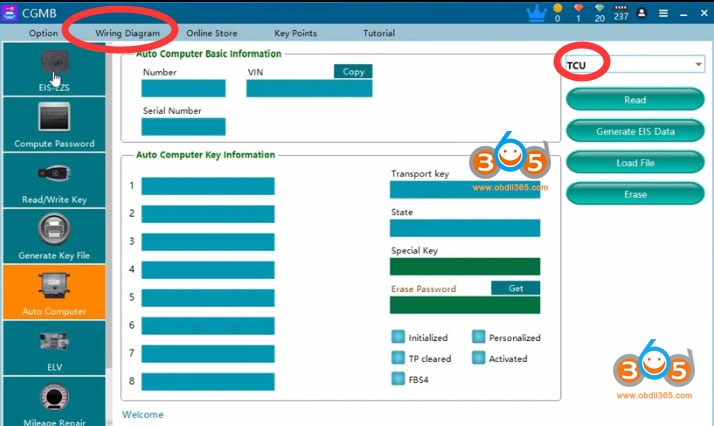
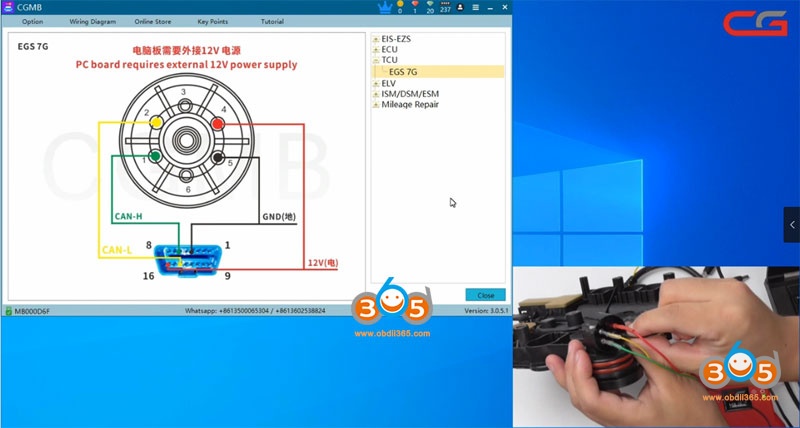
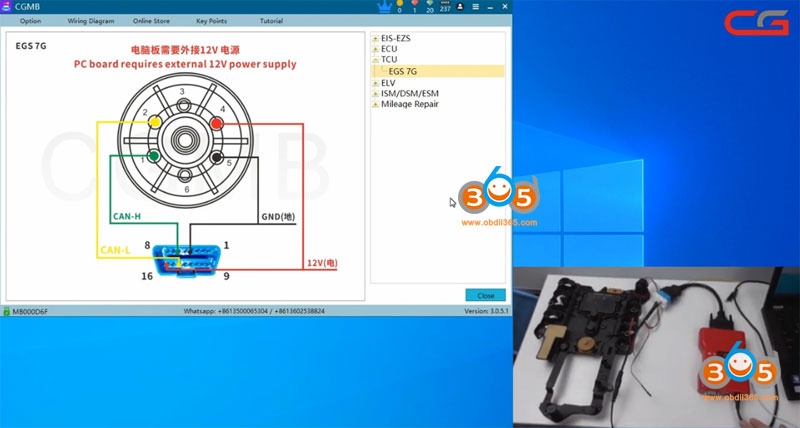
Check wiring diagram
Follow diagram to connect cgdi mb with TCU
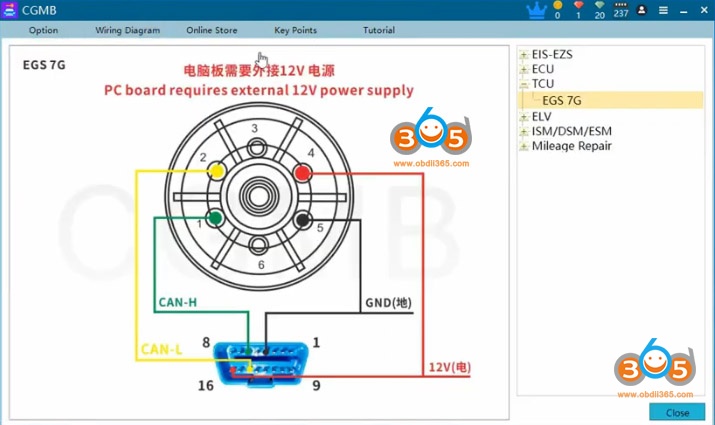
The diagram need external 12V power. must follow the diagram . Some EGS cable that customers buy from other website can not use with CGMB.
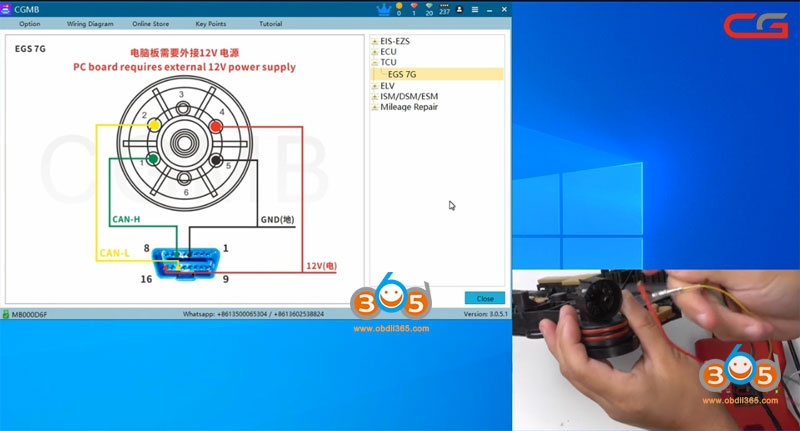
Read TCU information
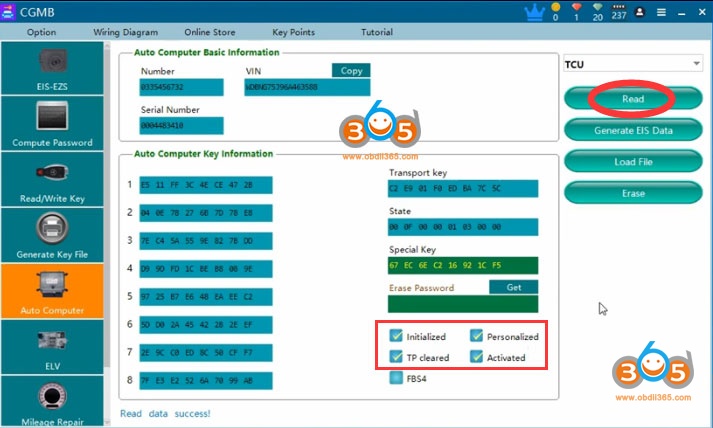
Read TCU info success
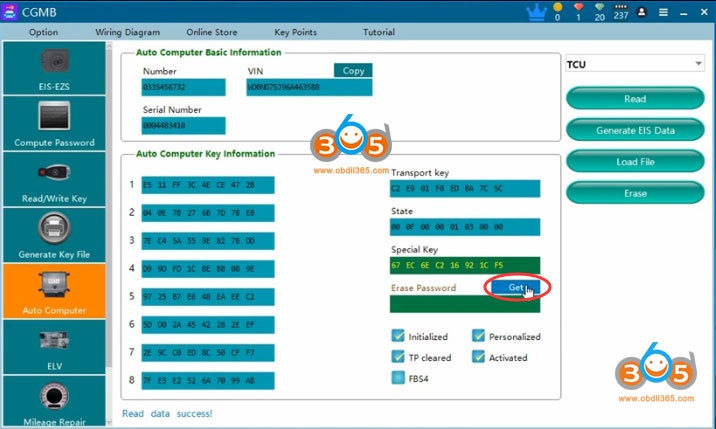
Press Get to get erase password
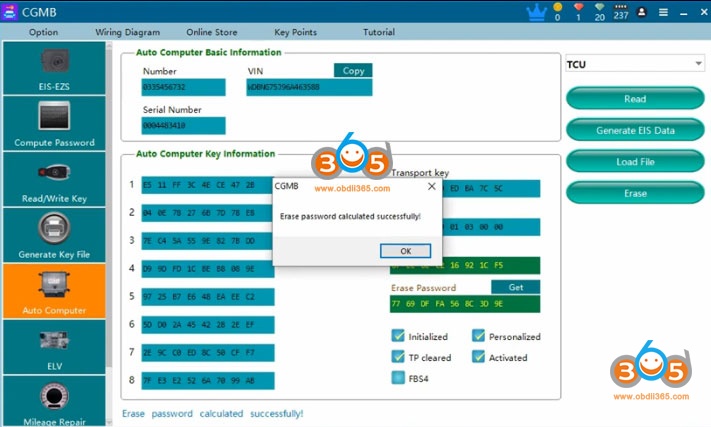
Calculate erase password successfully.
Press Erase to reset
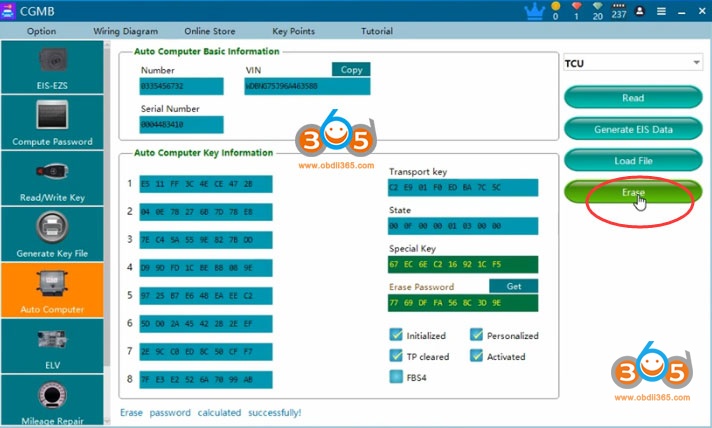
Erase TCU success
Read information again
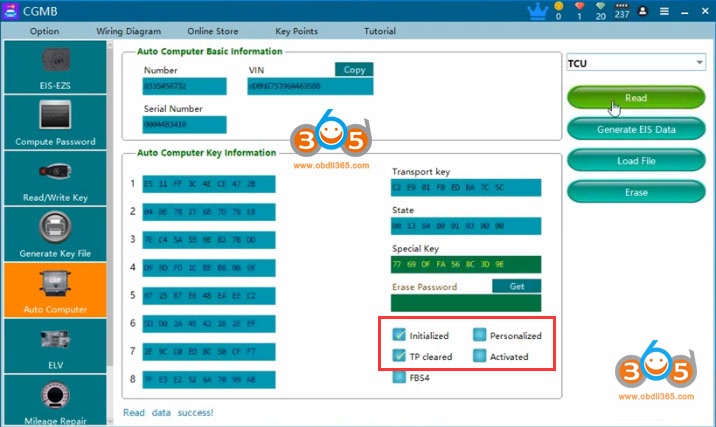
TCU has been reset.
Note:
The EGS status , if “personalized ” option not marked , “Activated ” option marked, the EGS has been erased by other tool . This status may will cause erase failure . you need to put it back to car to activate it first ,or use other tool to activate it . Then use CGMB to erase .
After software show you ”erased successfully ” , you need to read the EGS status to check if it correct erase . if not , reboot your cgdi ,do it again
If erase password can not calculate , send your file to CG tech support .They can help you to calculate
After you erased succeed , install TCU back to car, need synchronize with autel, mb star diagnosis etc