Skip to content
Key Programmer

    Yanhua Mini ACDP How to Export Data from iOS System?
    info
    (0)

    As titled, here is the detail operation on finding out where the data exists and how to export data when using Yanhua Mini ACDP on iOS systems.
    Yanhua Mini ACDP How to Export Data from iOS System?

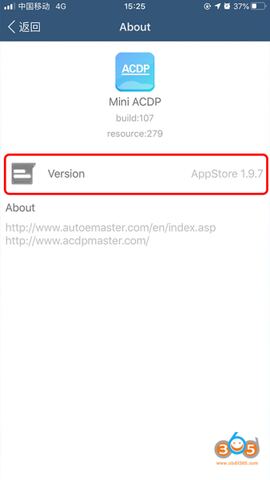
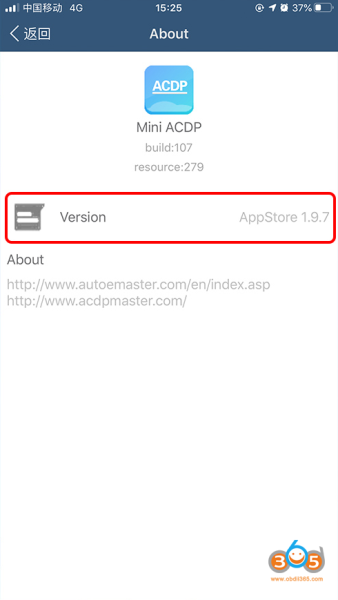
    Require ACDP software version 1.9.7 or above
    download app from acdpmaster.com official

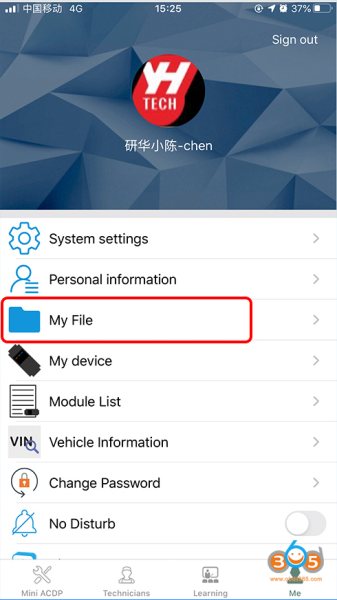
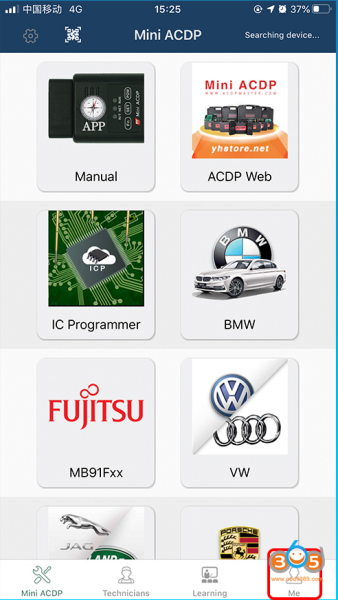
    Run ACDP software and click on Me
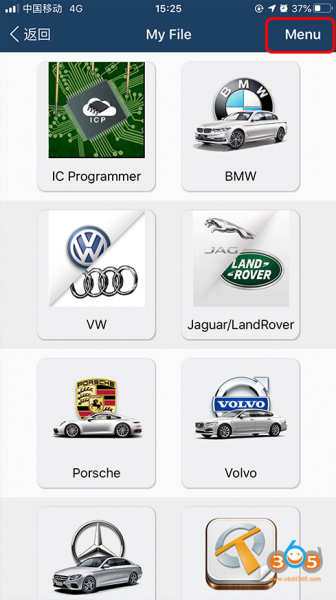
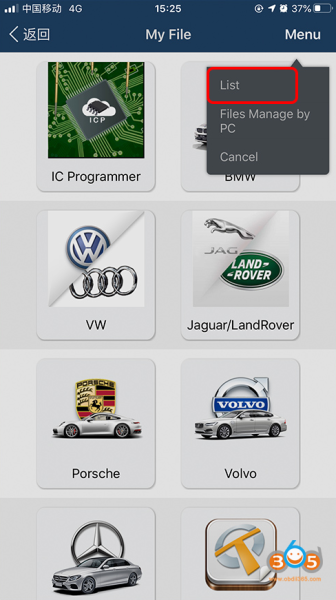
    Click on My File->Menu->List
    Yanhua Mini ACDP How to Export Data from iOS System?

    Yanhua Mini ACDP How to Export Data from iOS System?

    Yanhua Mini ACDP How to Export Data from iOS System?

    Yanhua Mini ACDP How to Export Data from iOS System?

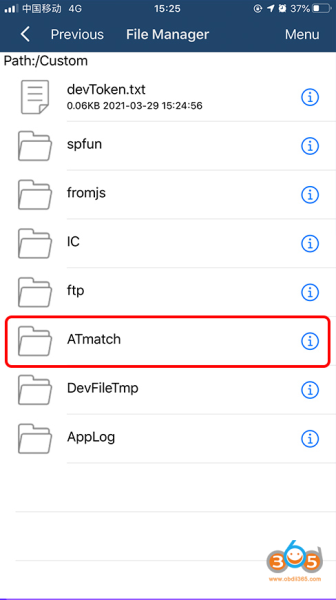
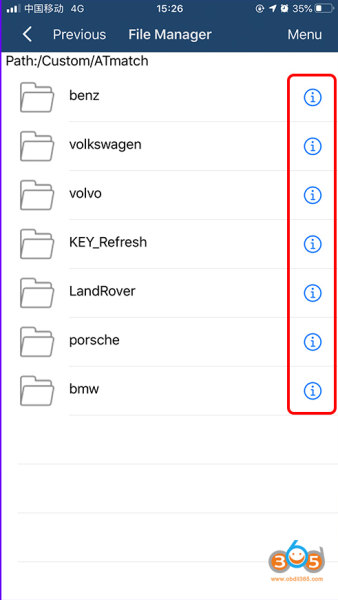
    click on ATMatch folder

    Yanhua Mini ACDP How to Export Data from iOS System?

    Select the data or folders you need to export

    Folders need to be compressed before they can be exported. Data can be exported directly.
    Yanhua Mini ACDP How to Export Data from iOS System?

    Click on the i icon on the right side of the folder you need to export
    Yanhua Mini ACDP How to Export Data from iOS System?

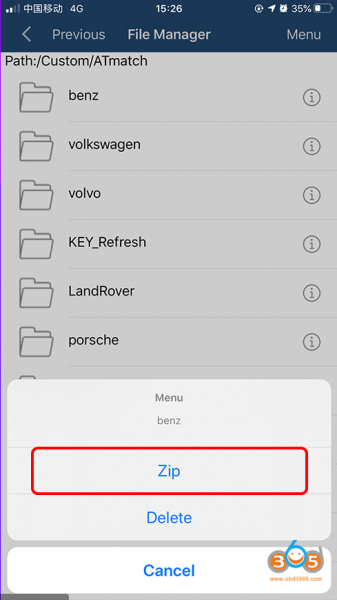
    Click on Zip

    Yanhua Mini ACDP How to Export Data from iOS System?

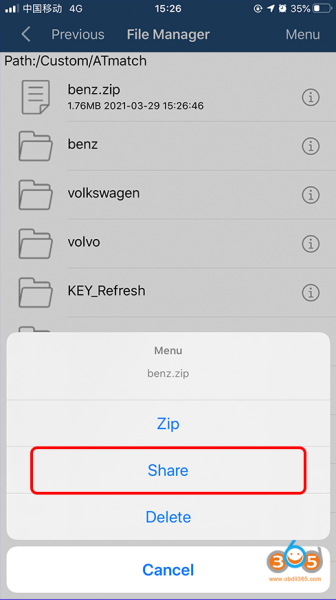
    Click on the i symbol on the right of the zip package
    Yanhua Mini ACDP How to Export Data from iOS System?

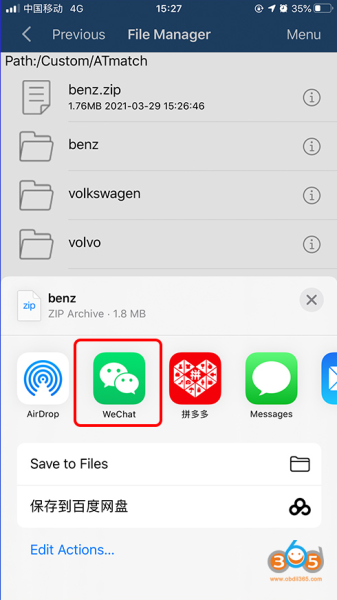
    Click on Share

    Yanhua Mini ACDP How to Export Data from iOS System?

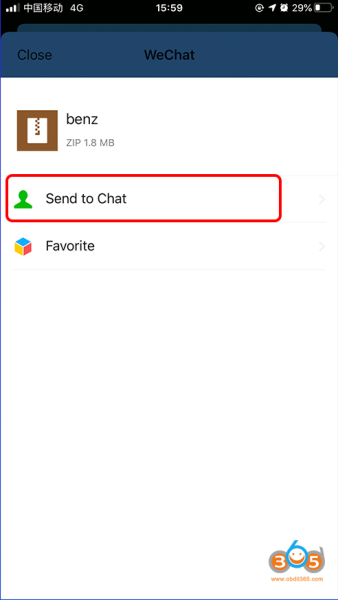
    Select the APP you want to share with, i.e WeChat, Whatsapp etc
    Yanhua Mini ACDP How to Export Data from iOS System?

    Click on Sent to chat

    Yanhua Mini ACDP How to Export Data from iOS System?

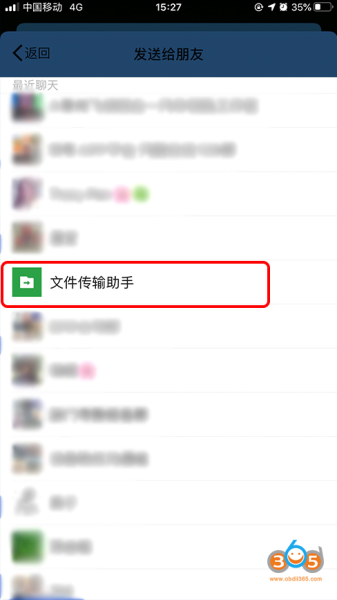
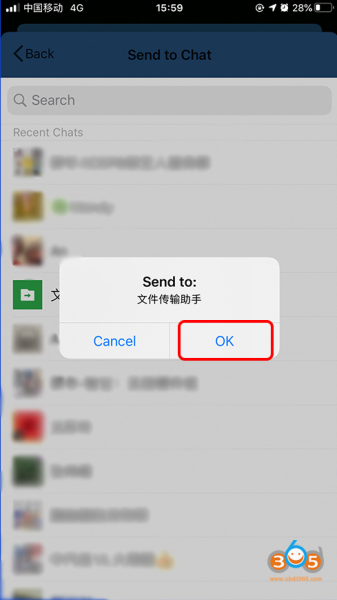
    Select the object going to share with
    Yanhua Mini ACDP How to Export Data from iOS System?

    Click on OK to complete sending.

    www.obdii365.com

    Rate this article (0)