How to Install and Delete OBDSTAR X300 DP Plus DiagProgram APK?
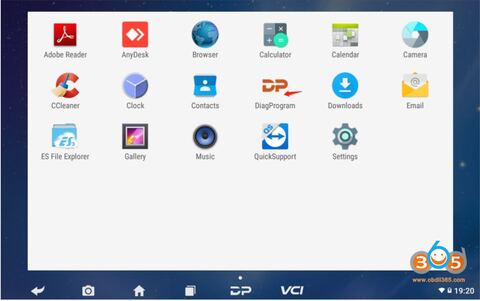
Here is the instruction to delete or install DiagProgram APK for OBDSTAR X300 DP or X300 DP Plus.
Free Download OBDSTAR X300 DP/DP PLUS DiagProgram V3.8.3 APK
https://mega.nz/file/6jhizSBB#VTW0dbcUelO7diwvoa74AhyAkH-t8x5U1HkKwqt1mfc
How to Uninstall APK?
1. Open the tablet to the main page and find the APK
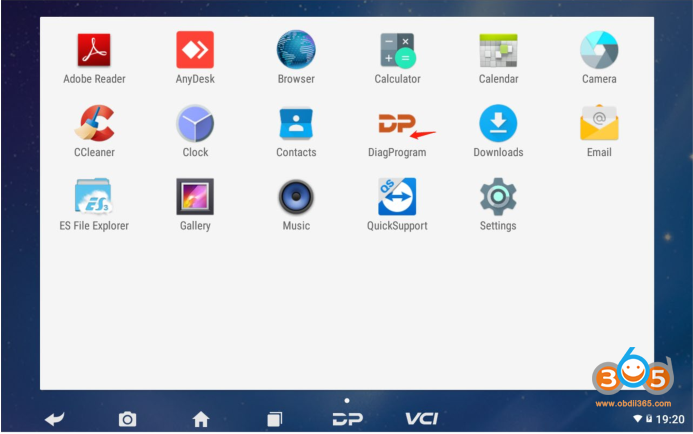
2. Long press the APK icon and drag it up to the application information to make
the font color blue
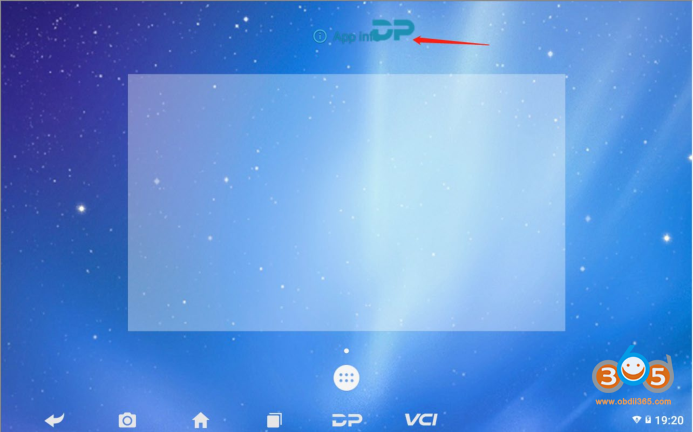
3. Release your hand, jump to the application information screen, click the
uninstall update button in the upper right corner
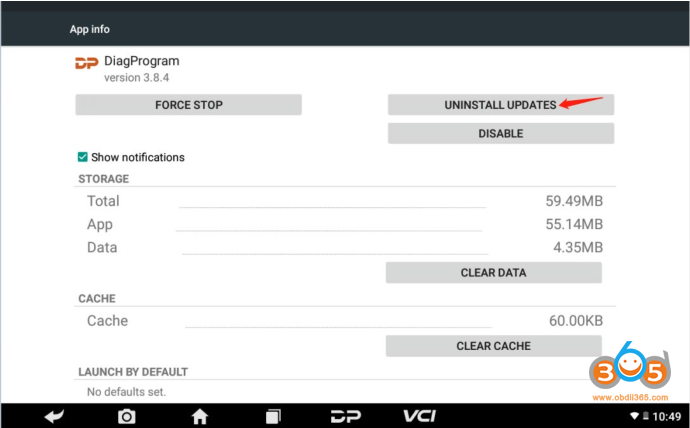
4. Two pop-up boxes will appear, both click the OK button
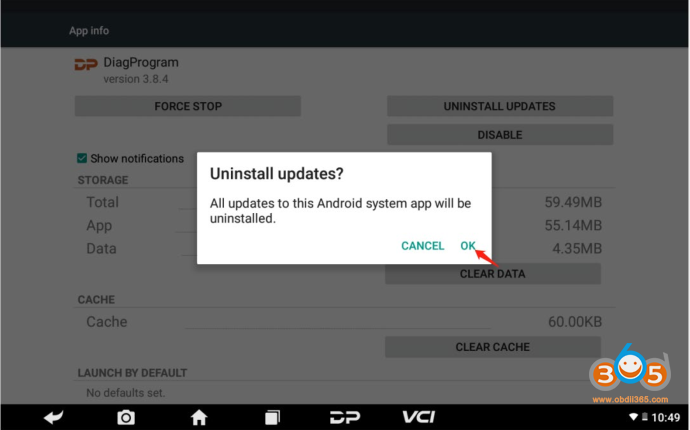
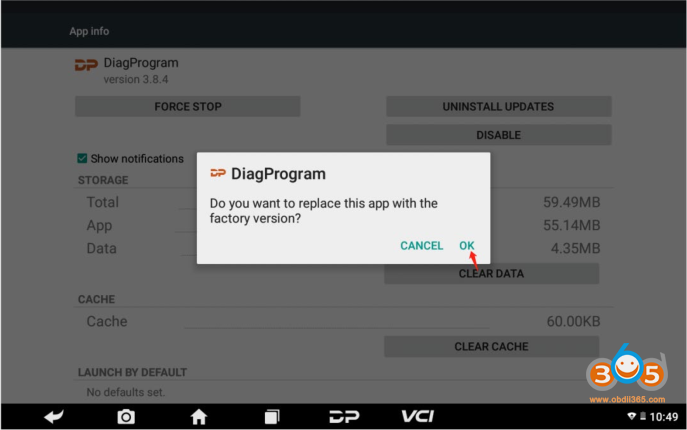
APK is successfully uninstalled
How to Install OBDSTAR APK?
1. Insert the TF card or U disk with Diagprogram_V3.8.3.apk into the card slot
of the machine
2. In the menu screen of the tablet, click ES File Explorer and open it, as shown
below
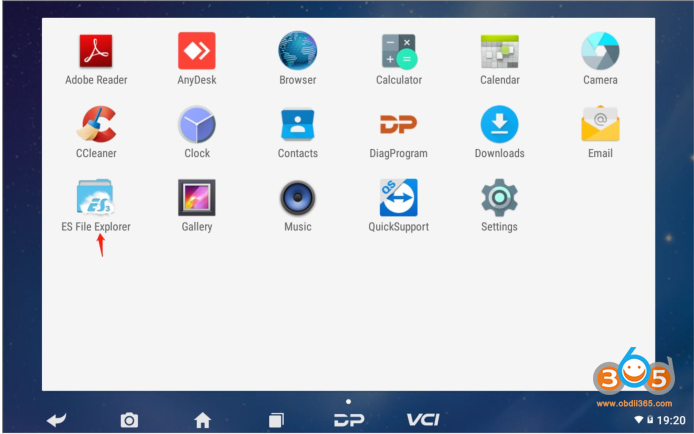
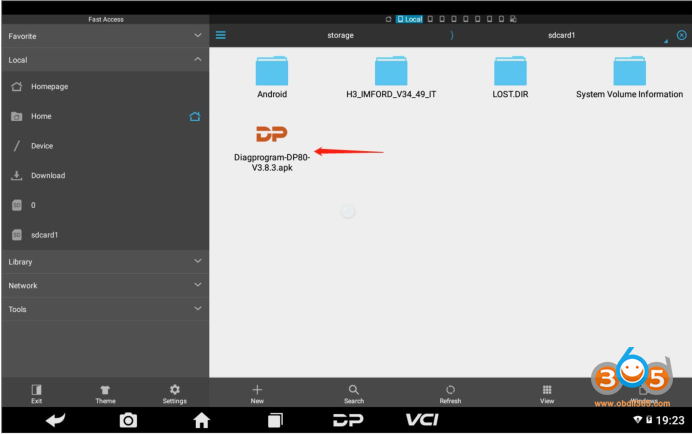
3. Open the file browser, click on the red arrow and select the SD card contents
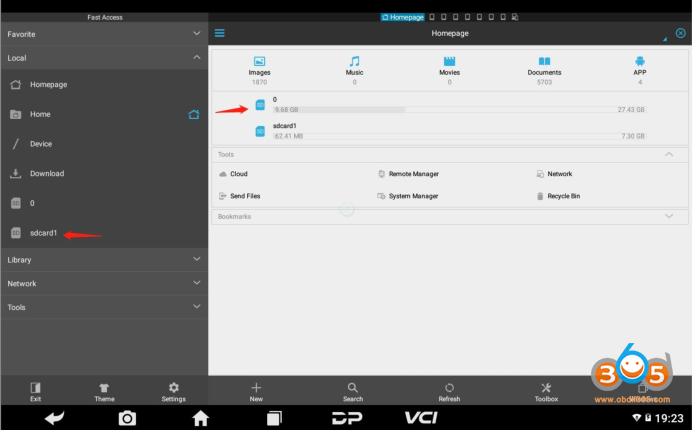
4. Click APK
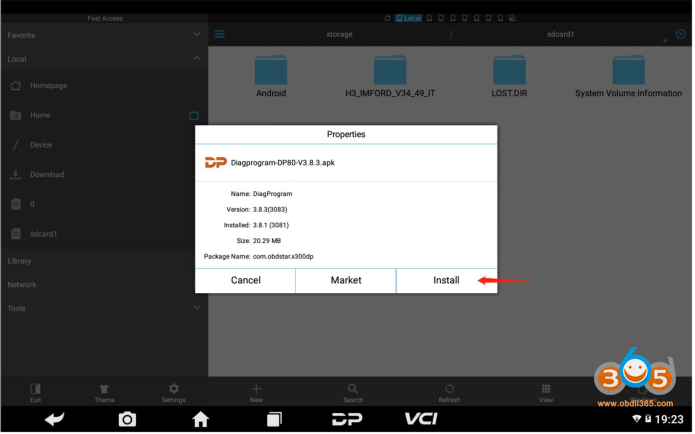
The pop-up window appears by clicking the Install button
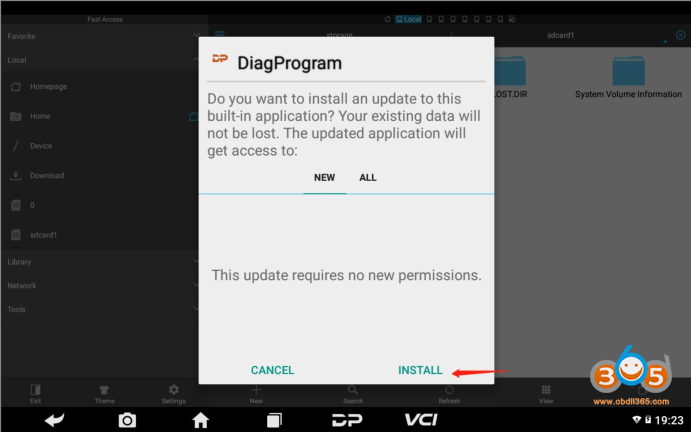
Click the Finish button to complete the installation of the APK.