How to Add Audi BCM2 Encrypted Key with Yanhua Mini ACDP?
Yanhua Mini ACDP released module 29 for Audi 5th generation BCM2 add key and all keys lost.
- Support add key and all keys lost for 2013-2018 Audi A4/A5/Q5 and other models. BCM2 Type: 0711,0650,0641
- Support add key and all keys lost for 2013-2019 Audi A6/A7/A8 and other models. The BCM2 IMMO data can be read when all keys lost. But the sync data needs to be obtained from a third party. BCM2 types: 0824,0825,0827 ETC
Here is an operation demo on how to add a spare key with Yanhua ACDP module 29 without soldering.
Main steps:
Step 1: OBD identify
Step 2: Read immo data
Step 3: Make dealer key
Step 4: OBD learn key
Procedure:
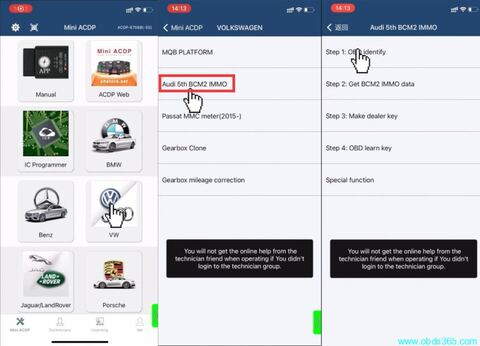
Run ACDP app
Select VW->Audi 5th BCM2 Immo-> Step 1: OBD identify
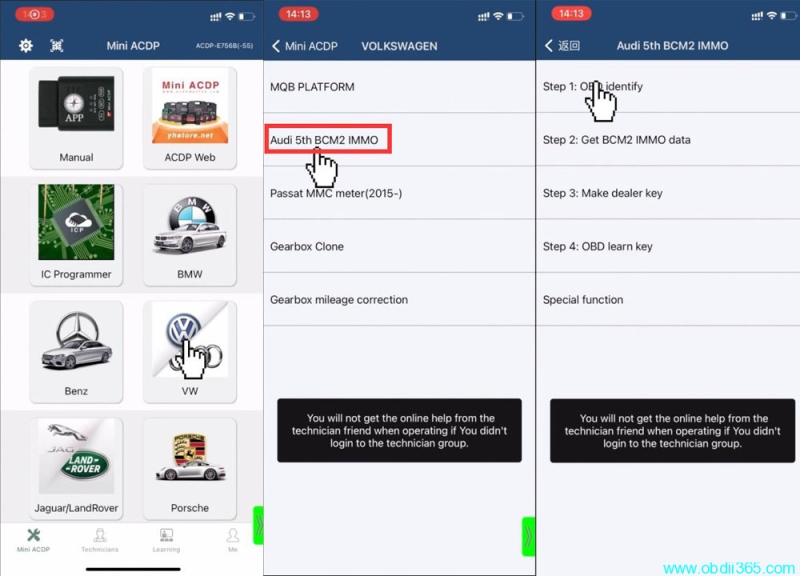
Read vehicle information
Connect ACDP to the vehicle via OBD
If have working key, insert to ignition switch to turn on dashboard
If all keys lost, open car light and press the brake for several times
Read and confirm vehicle information
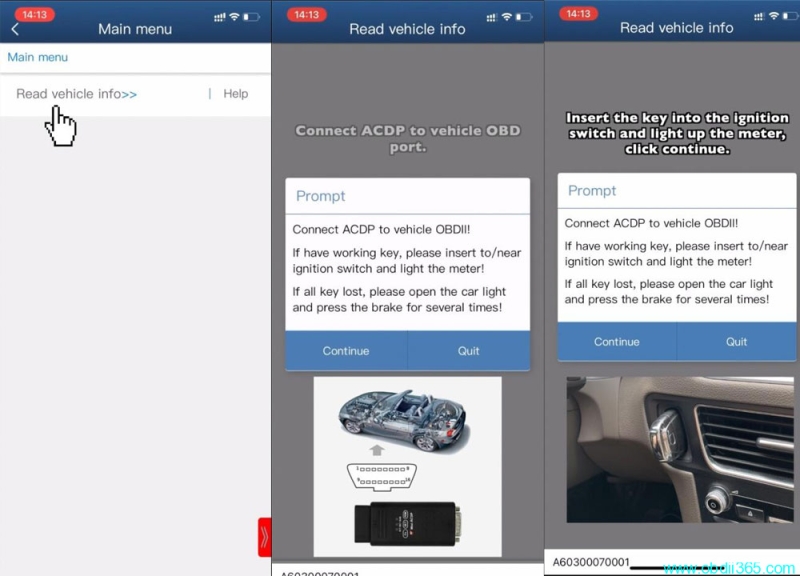
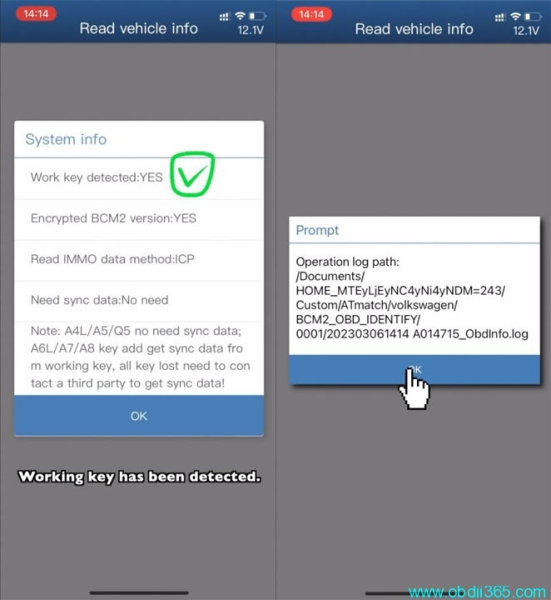
ACDP detected there is a working key. Need to Read Immo data by ICP.
No need sync data.
A4L A5 Q5 no need sync data. A6L, A7 A8 add key get sync data from working key, all keys lost need to contact 3rd party to get sync data.
Press OK
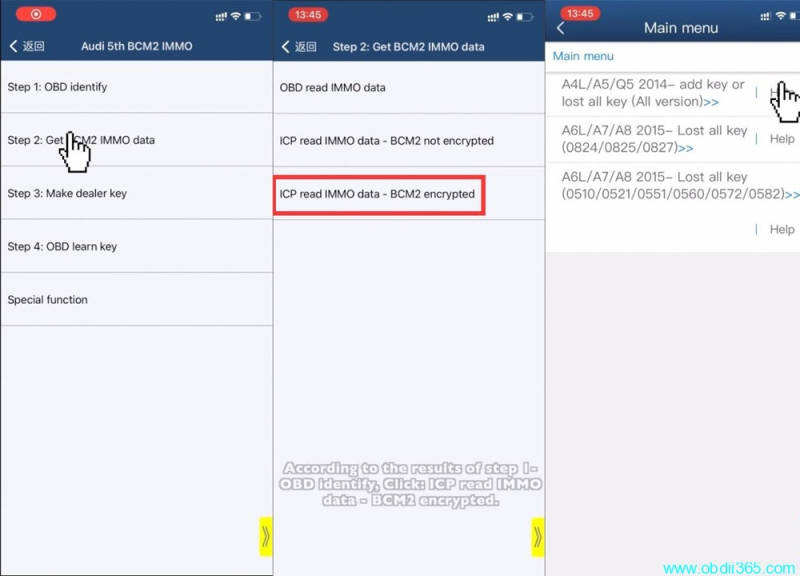
Select Step 2: Get BCM2 Immo data->ICP read immo data- BCM2 encrypted-> A4L/A5/Q5 2014- add key or lost all key (all version)
Please check Help for connection instruction
Remove BCM2 modulfe from trunk module
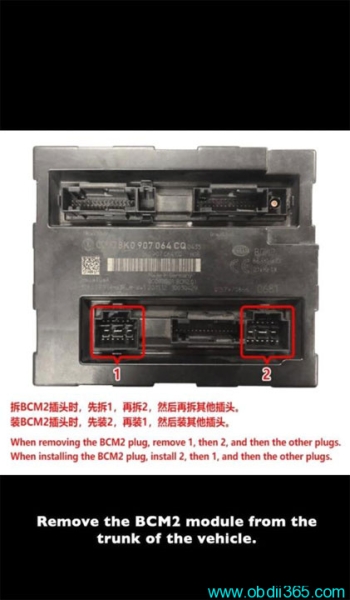
When removing the BCM2 plug, remove 1, then 1 and then the other plugs.
Then installing the BCM2 plug, install 2, then 1 and other plugs.
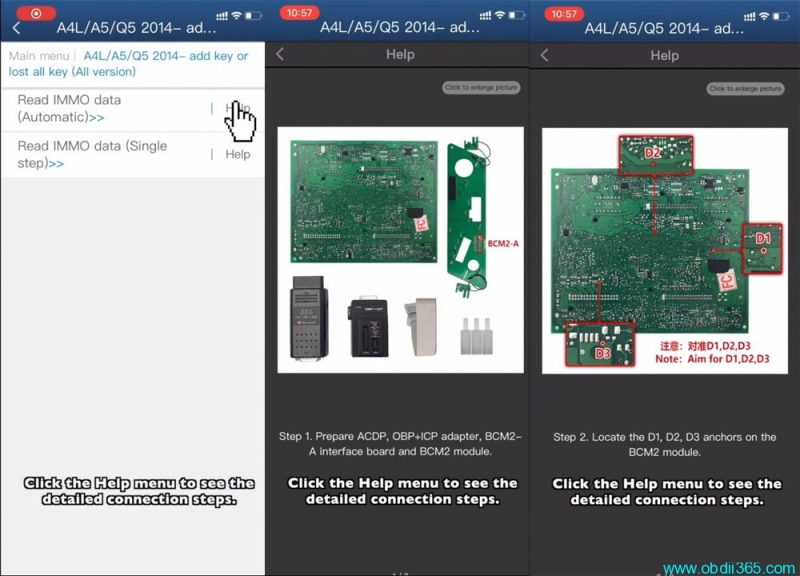
Then select Read IMMO data (Automatic)
click the Help menu to see the detailed connection steps
Prepare ACDP, OBP+ICP adapter, BCM2 A interface board and BCM2 module
Locate the D1, D2, D3 anchors on the BCM2 module
Locate the probe test point location on the BCM2 module
Install the interface board fixing studs
Install BCM2-A interface board based on the rsgistrtaion point D1/D2/D3
Lock the studs and clamp the PCB lock
Short the jumper cap to CAN-R-NC port according to the marked position
Connect ACDP, OBP+ICP adapter, BCM2 A interface board and BCM2 module
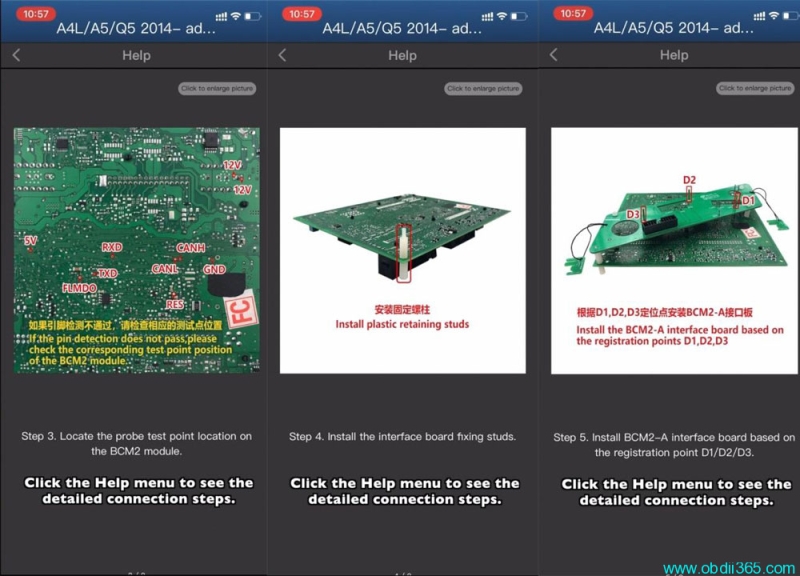
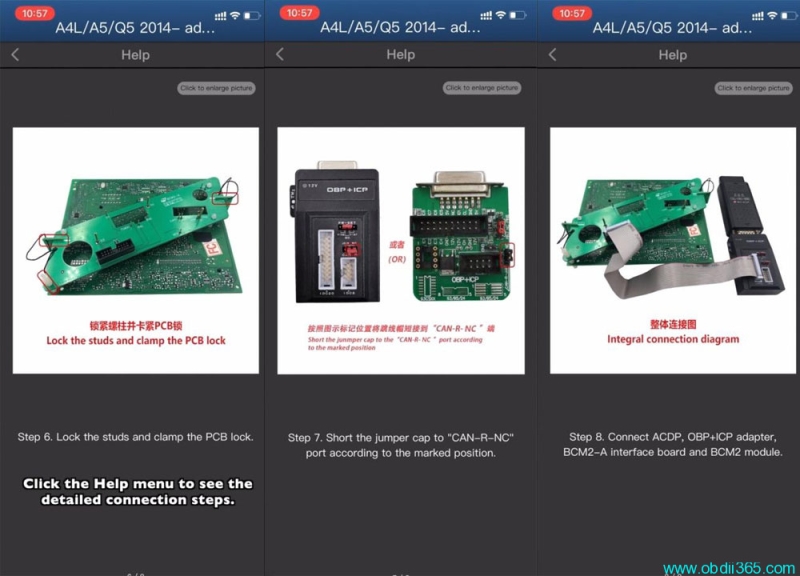
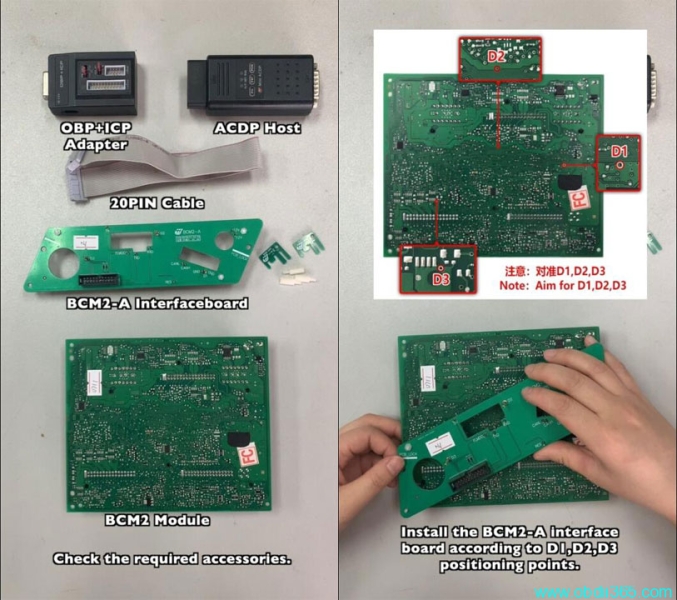
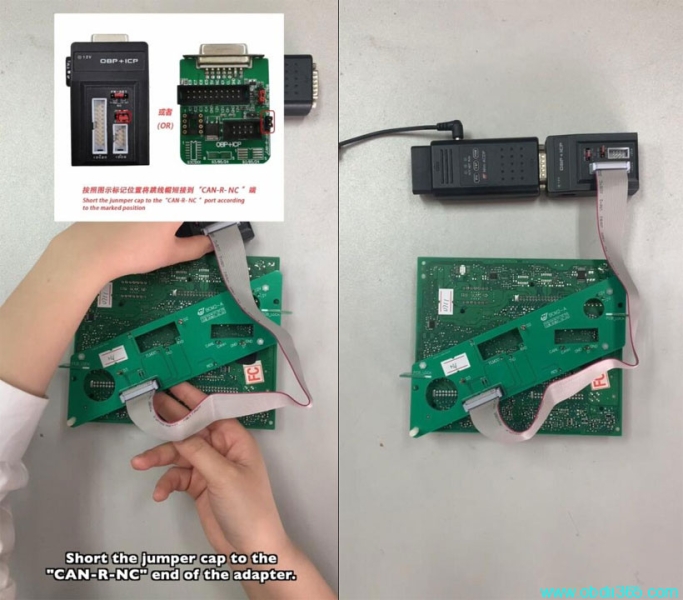
After built connection
Press Read Immo data
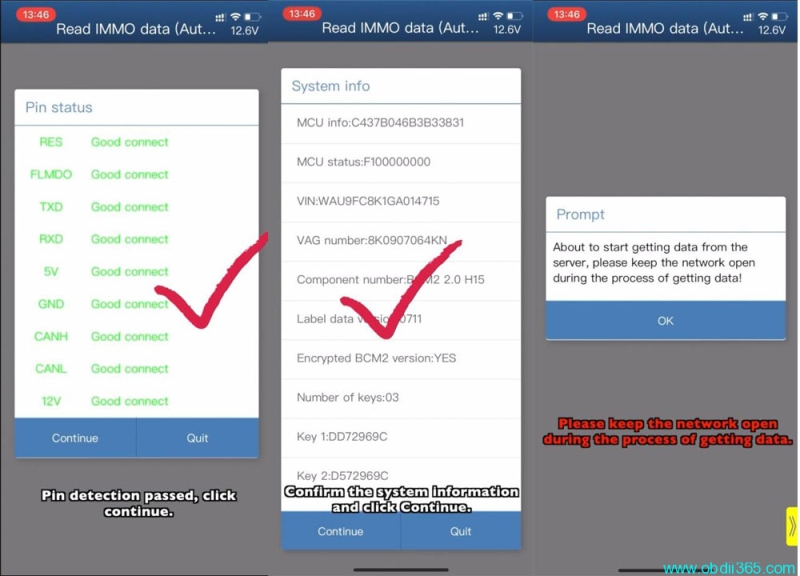
Check PIN
PIN detection password, click Continue
Keep the mnetwork stable
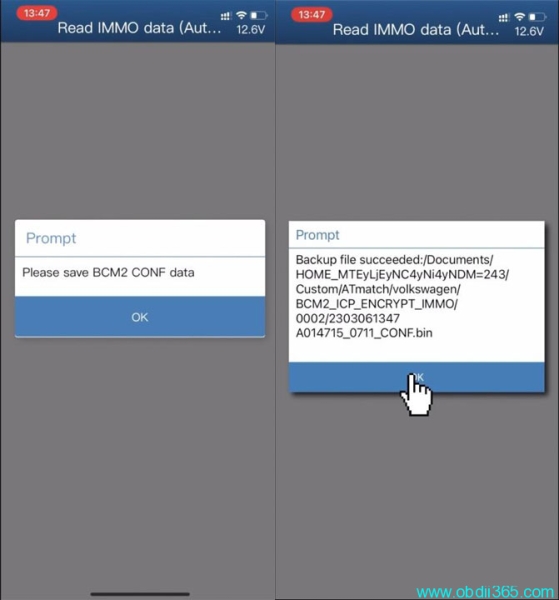
Save BCM2 CONF cdata
Save BCM2 Immo data
Save BCM2 serve data

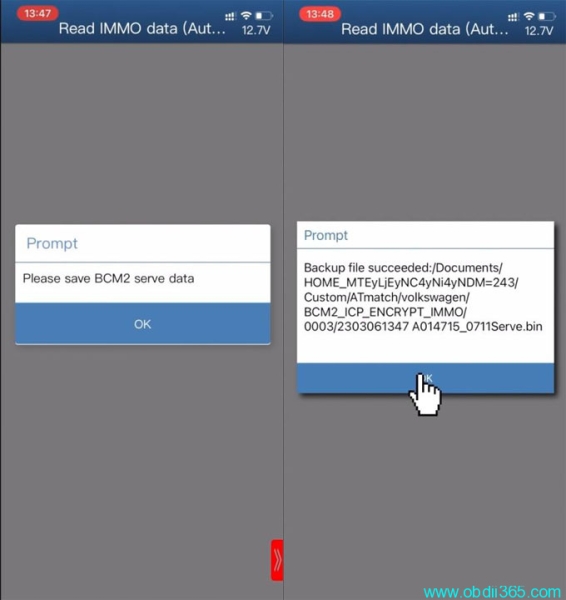
Confirm system information again
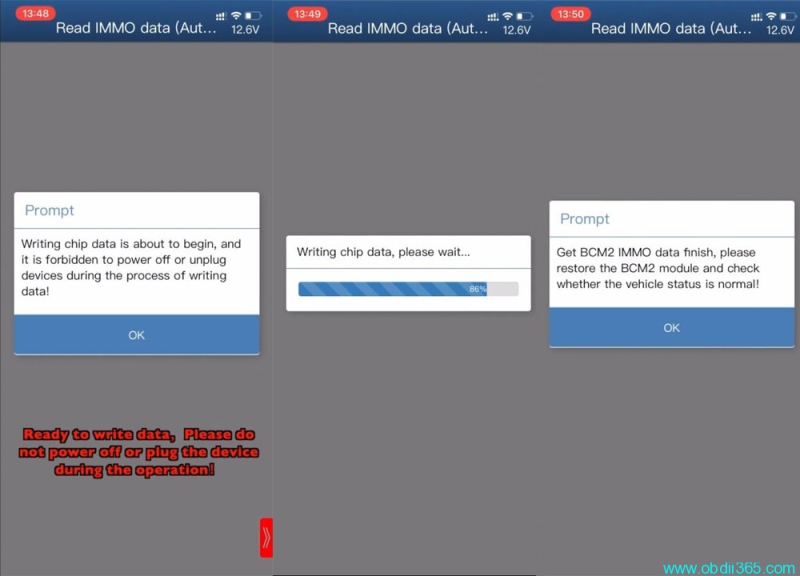
Ready to write chip data. Don’t power off or plug the device during operation.
Get BCM2 immo data finish, restore BCM2 module and check the vehicle status is normal.
Then installing the BCM2 plug, install 2, then 1 and other plugs.
Back to main menu
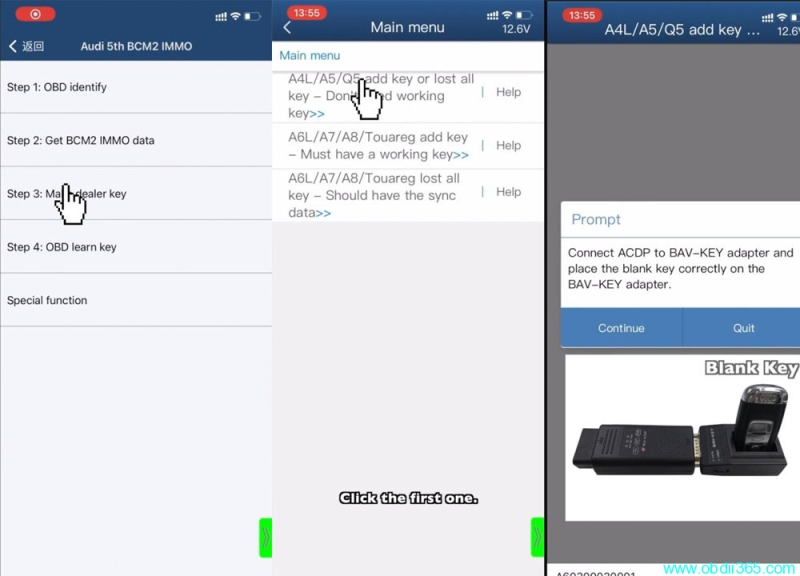
Select Step 3: Make dealer key
A4L/A5/Q5 2014- add key or lost all key
Connect ACDP to BAV-Key adapter and place the blank key corretcly on the BAV-Key adapter
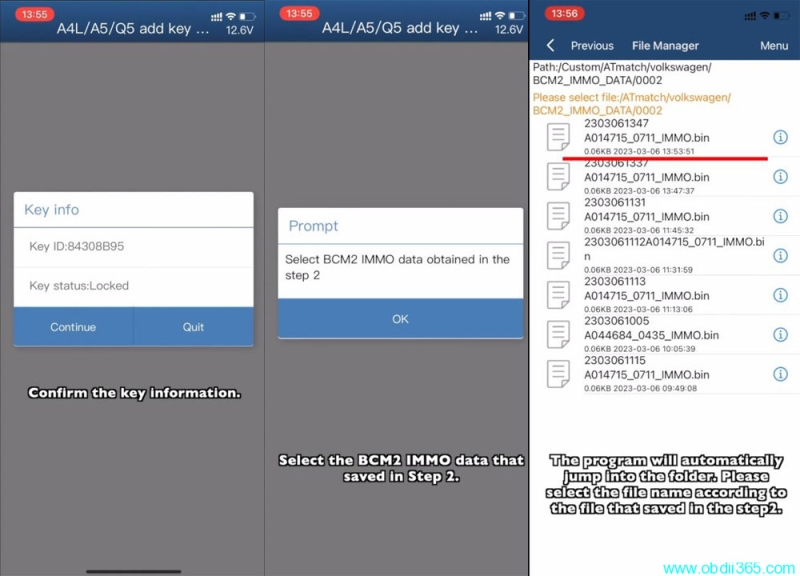
Confirm key information
Select BCM2 immo data obtained in the step 2
The program will automacaitlly jump into the folder. Select the file name accoridng to the file that saved in the step 2
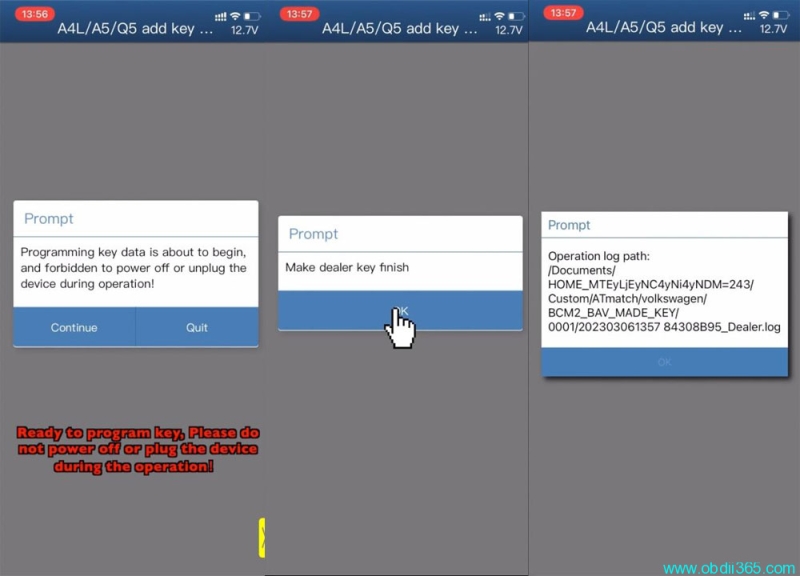
Read key data, write key data and make dealer key sinish
Auto save key data.
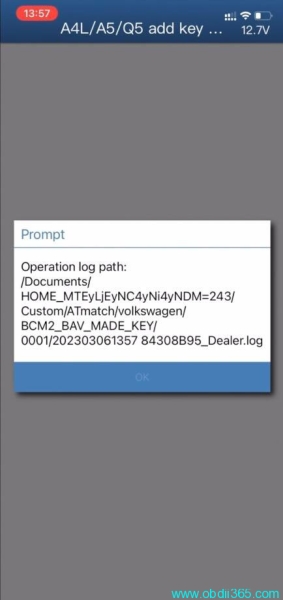
Go to Select 4 OBD learn key
Start learn key
Connect ACDP to vheicle via OBDII
Insert working key into ignision swicth to turn on dashboard
Confirm system information
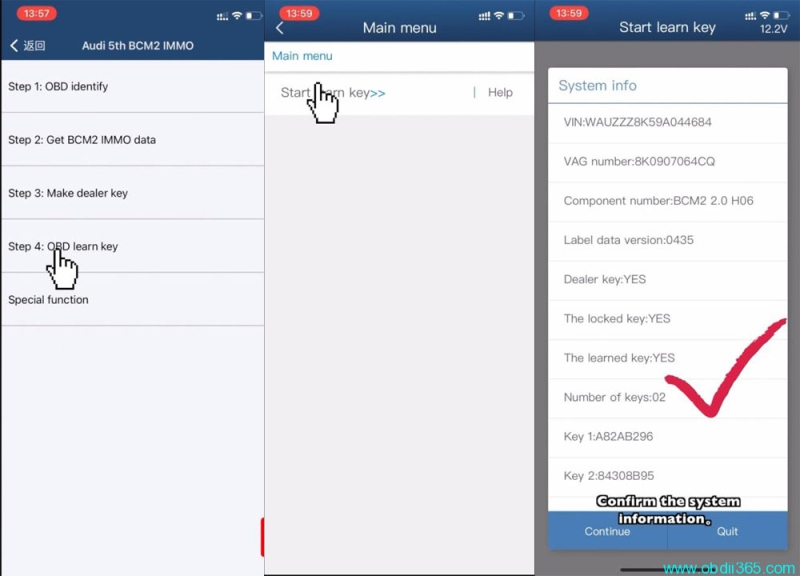
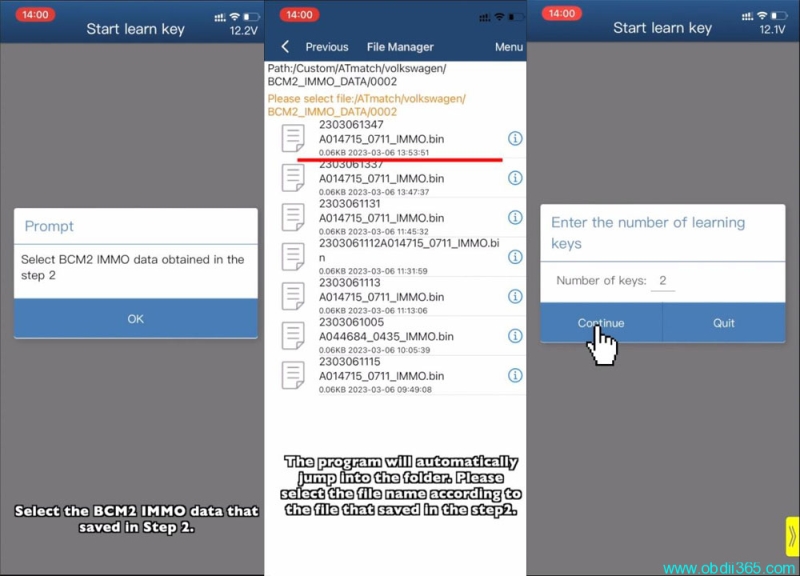
Select BCM2 immo data obtained in the step 2
The program will automacaitlly jump into the folder. Select the file name accoridng to the file that saved in the step 2
Enter the number of learning keys
2 keys need to learn
Prepare all the keys of the car, the unlearned keys will not be able to start car
When a key is successfully learned, the X of X/Y in the instrument screen will be added by I

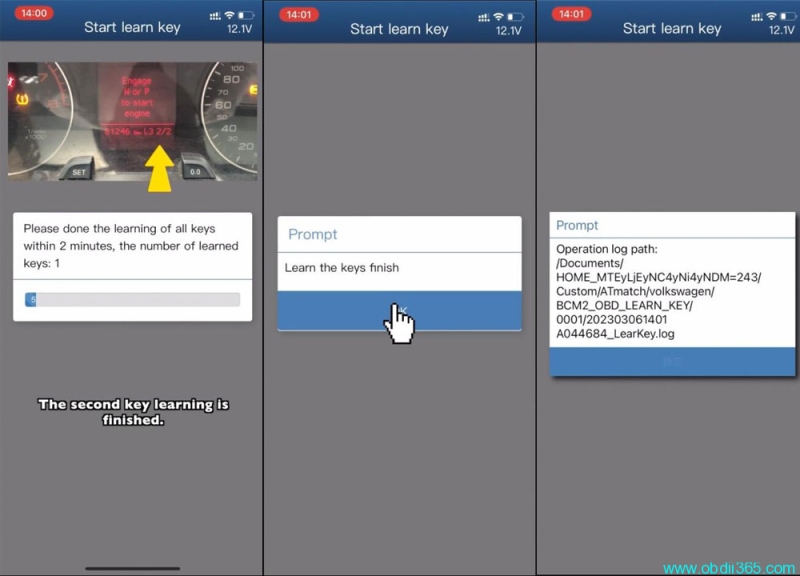
2 keys are learnt successfully.