Skip to content
Key Programmer

    Read BMW E90 MSD80.2 DME ISN with Autel IM508 Gbox
    info
    (0)

    How to bench reading ISN code from BMW E90 DME MSD80.2 using Autel IM508 and Gbox3.

    Vehicle Information:

    Siemens VDO

    Make – Bmw

    Model – E90 3 Series

    Drive side – RHD

    Gearbox – Manual

    Engine – 2.0

    Year – 2008

    OEM no: 5WK93643

    Siemens no: DME MSD80.2

    Tools used:

    using Bench power supply – Manson ep-925

    Autel IM508

    Autel GBox-2

    Autel DB15 Cable

    Procedure:

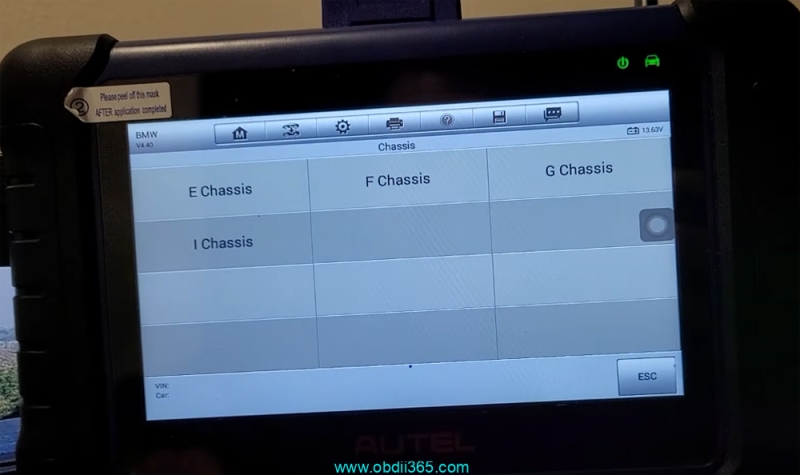
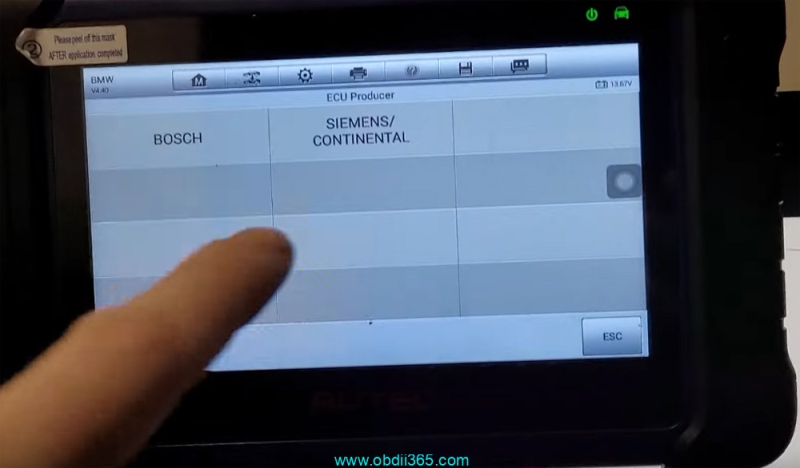
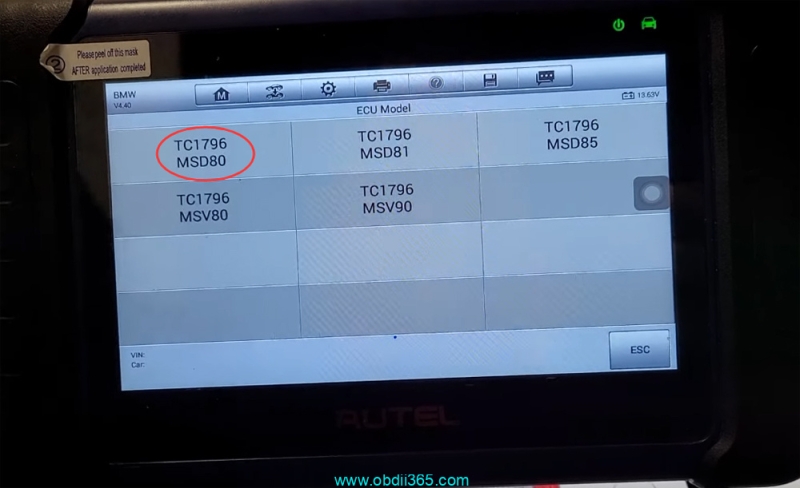
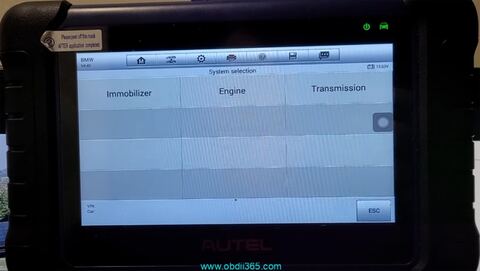
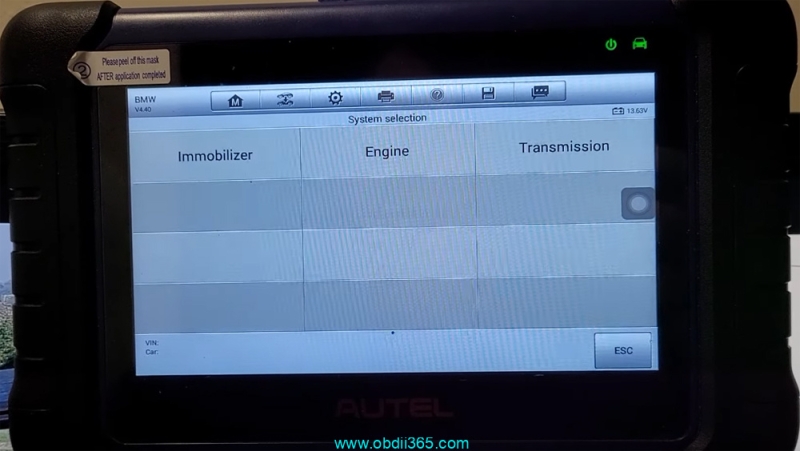
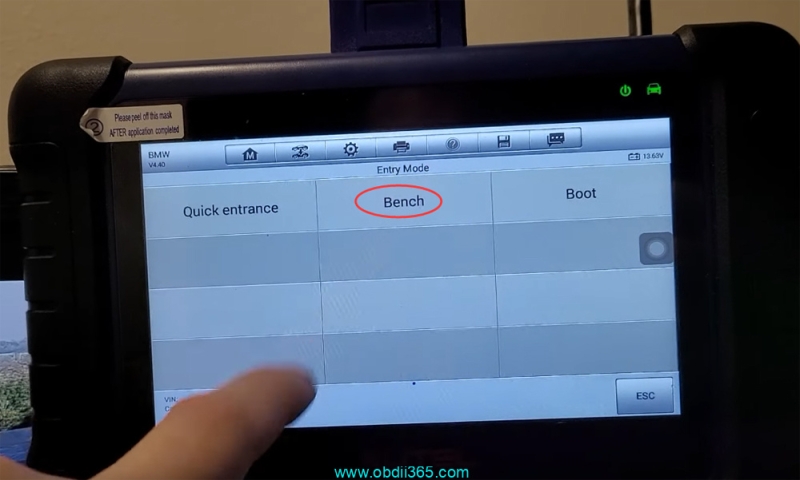
    Go to BMW->System Selection->Engine->Direct->Bench Mode->E chassis->Siemens/Continental->TC1796 MSD80
    Read BMW E90 MSD80.2 DME ISN with Autel IM508 Gbox

    Read BMW E90 MSD80.2 DME ISN with Autel IM508 Gbox

    Read BMW E90 MSD80.2 DME ISN with Autel IM508 Gbox

    Read BMW E90 MSD80.2 DME ISN with Autel IM508 Gbox

    Read BMW E90 MSD80.2 DME ISN with Autel IM508 Gbox

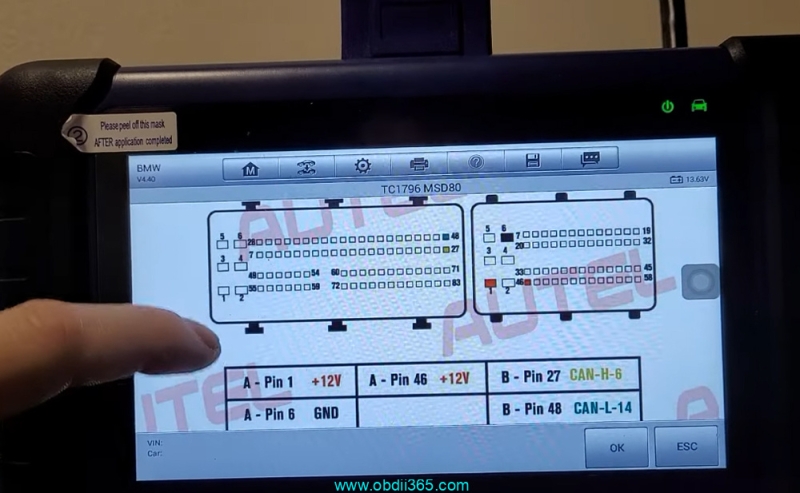
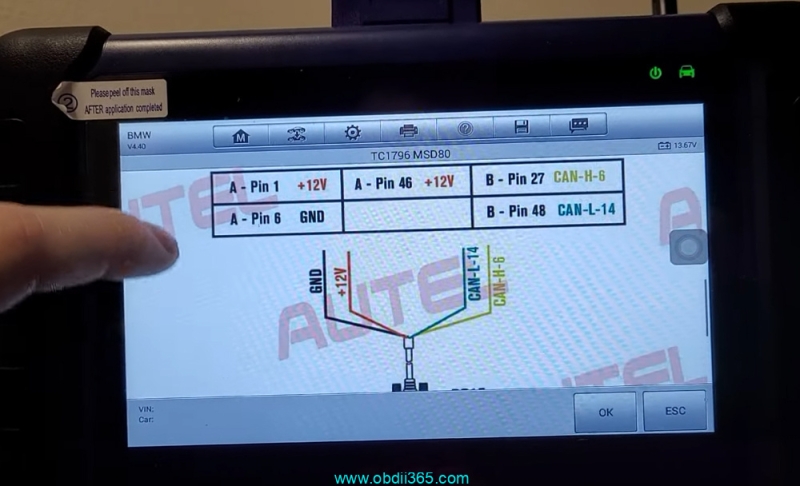
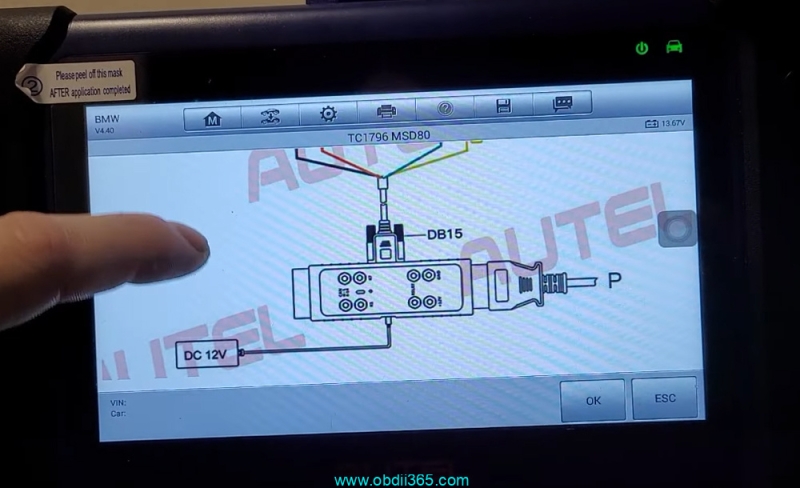
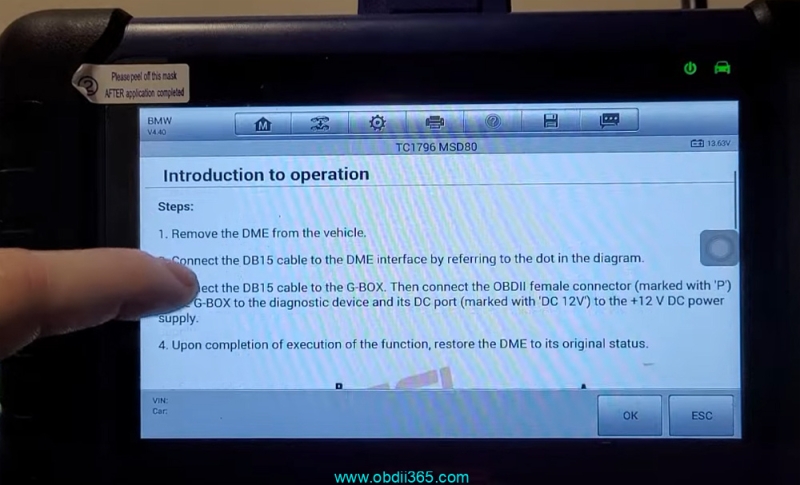
    Check operation instructions and connection diagram.
    Read BMW E90 MSD80.2 DME ISN with Autel IM508 Gbox

    Read BMW E90 MSD80.2 DME ISN with Autel IM508 Gbox

    Read BMW E90 MSD80.2 DME ISN with Autel IM508 Gbox

    Read BMW E90 MSD80.2 DME ISN with Autel IM508 Gbox

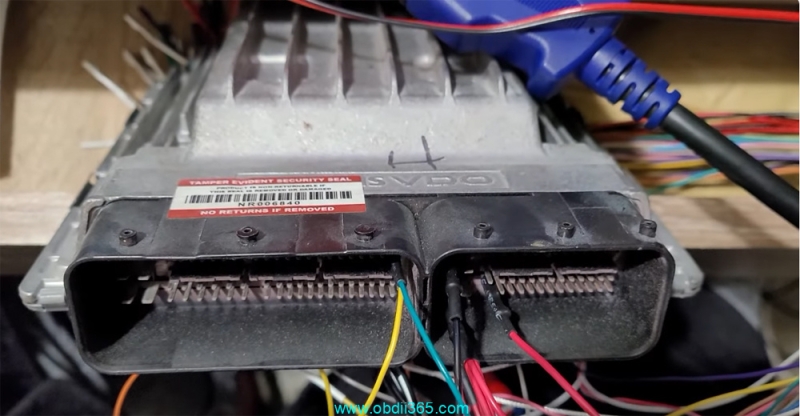
    Remove the DME from vehicle.
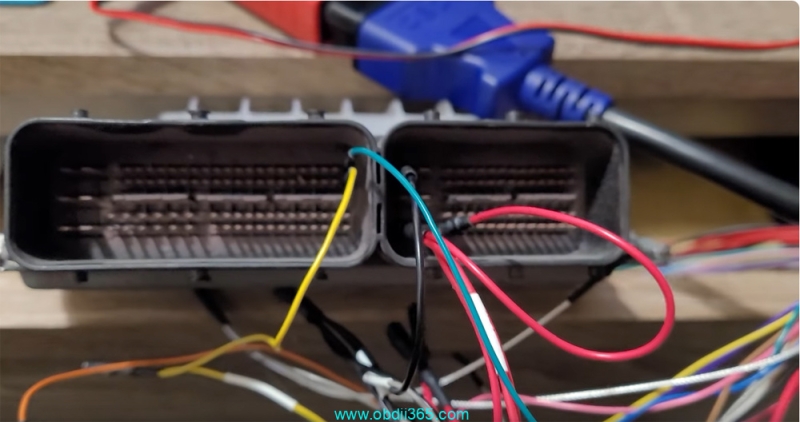
    Connect the DB15 cable to the DME interface by following the diagram
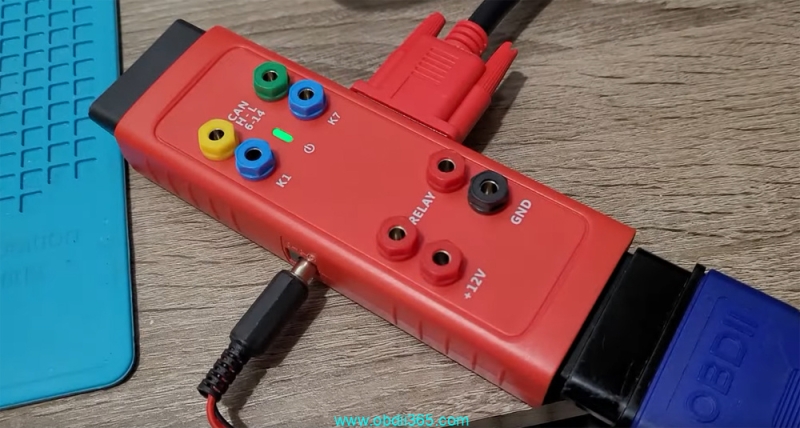
    Connect the DB15 cable to the G-box. Then connect the OBDII female connector (marked with “P”)
    Connect Gbox with IM508 and its DC port to the +12V DC power supply.
    Read BMW E90 MSD80.2 DME ISN with Autel IM508 Gbox

    Read BMW E90 MSD80.2 DME ISN with Autel IM508 Gbox

    Read BMW E90 MSD80.2 DME ISN with Autel IM508 Gbox

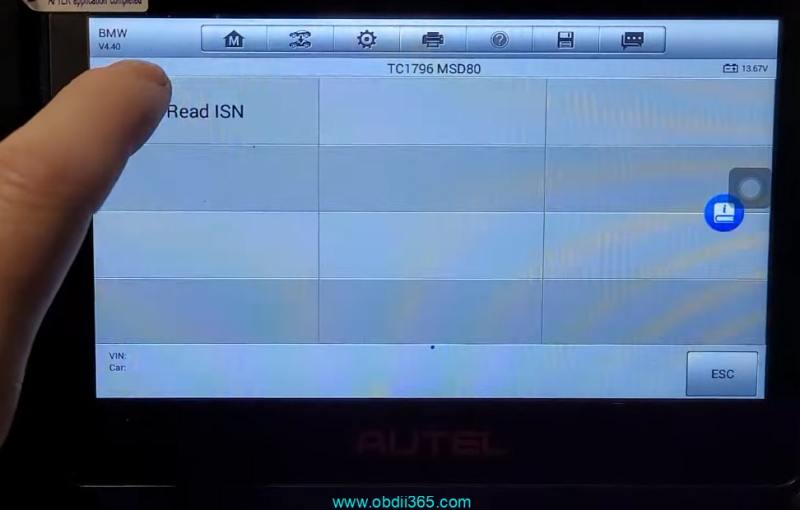
    After setting up connection, hit Read ISN.
    Read BMW E90 MSD80.2 DME ISN with Autel IM508 Gbox

    Read BMW E90 MSD80.2 DME ISN with Autel IM508 Gbox

    Reading ISN in progress.

    Read BMW E90 MSD80.2 DME ISN with Autel IM508 Gbox

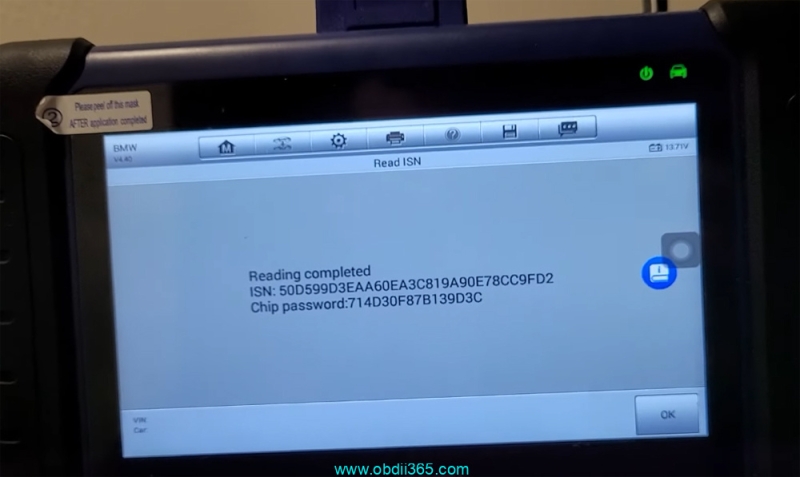
    Read ISN from MSD80.2 DME successfully.

    www.obdii365.com

    Rate this article (0)