Autel IM508 VW IMMO4 Service Mode All Keys Lost with Godiag GT110
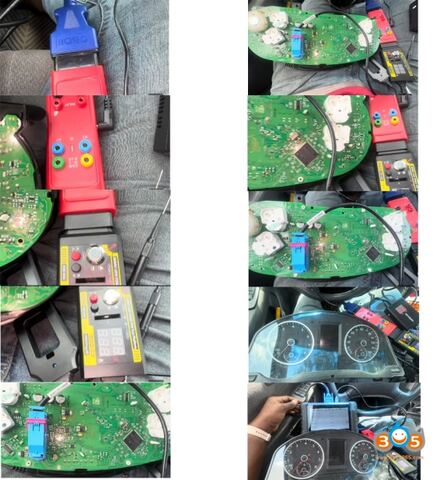
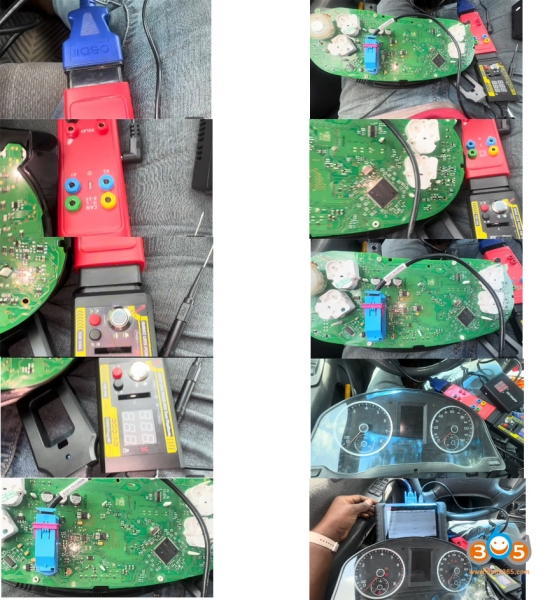
Tutorial: VAG IMMO4 UDS eeprom NEC24C32 or NEC24C64 service mode all keys lost programming with Autel IM508/IM608 and Godiag GT110 pogo pin cable on bench mode.
Tools used:
Autel IM508/IM608
Godiag GT110/or GT115 with pogo pin (GT115 is the update version of GT110)
Autel XP400 Pro
Autel Gbox3/2
New blank key (here use KD B remote)
Main steps:
1. Read immo data (service mode with gbox)
2. Make dealer key
3. Learn key
Procedure:
Preparation:
Save ABS data first. It is a must on the vehicle by obd before removing the cluster. Going into service mode doesn’t require but always good to back up.
Then remove the cluster from vehicle and disassemble the cluster.
Step 1: Read Immo data service mode
Connect Autel IM508, XP400 Pro, Gbox, Godiag GT110 with cluster as picture below. Also requires connecting a 12V DC power supply to Gbox.
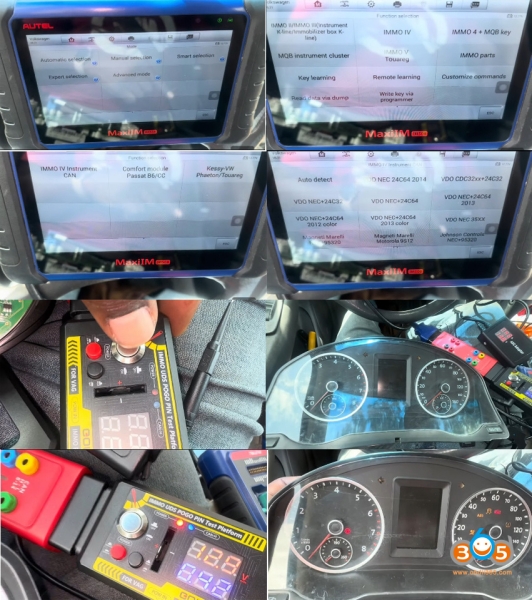
In IM508, choose Expert selection-IMMO IV- IMMO IV instrument CAN- Auto detect.
NOTE: Need to turn on ignition switch on GT100; otherwise device may not auto detect cluster type.
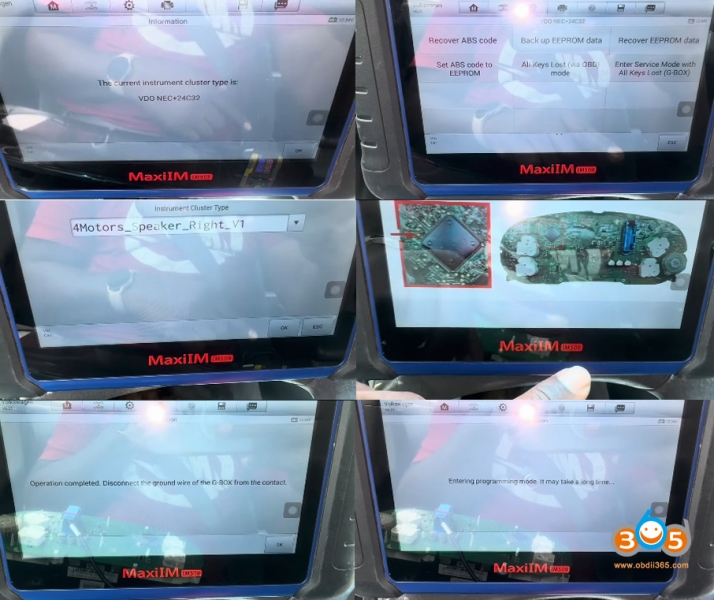
IM508 detects cluster as VDO NEC+24C32.
Select Enter Service Mode with All Keys Lost (G-box).
IMMO data can be directly read after this function is performed when all keys lost.
Choose instrument cluster type.
IM508 will show you wiring diagram.
We already set up with godiag gt100.
Click OK to communicate with vehicle.
Start Enter programming mode.
Before entering programming mode, you need to set the pogo pin needle on the appropriate pad BEFORE you switch the ignition on; otherwise may fail to enter programming mode.
In order to successfully enter service mode, you must connect the pogo pin needle on the cluster pad. Check: Pogo PIN positions.
Reading immo data.
Reading immo data successfully. Autel will give you CS, PIN and key information.
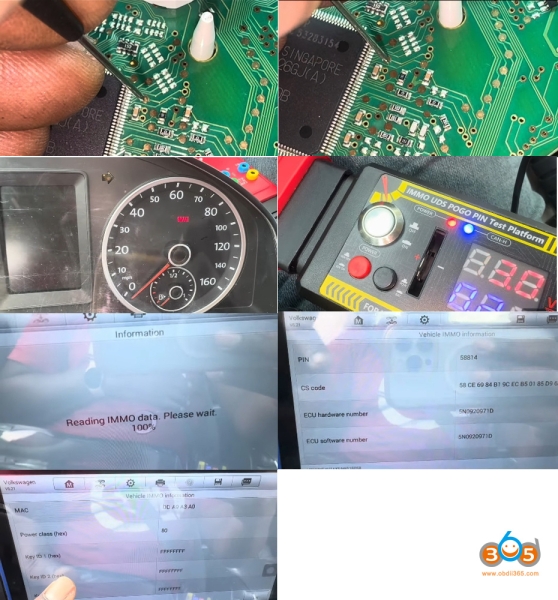
Step 2: Make Dealer Key
Go back to VDO 24C42 menu
Select Make dealer key.
Place a blank key into the key slot of xp400 pro.
Generate dealer key successfully.
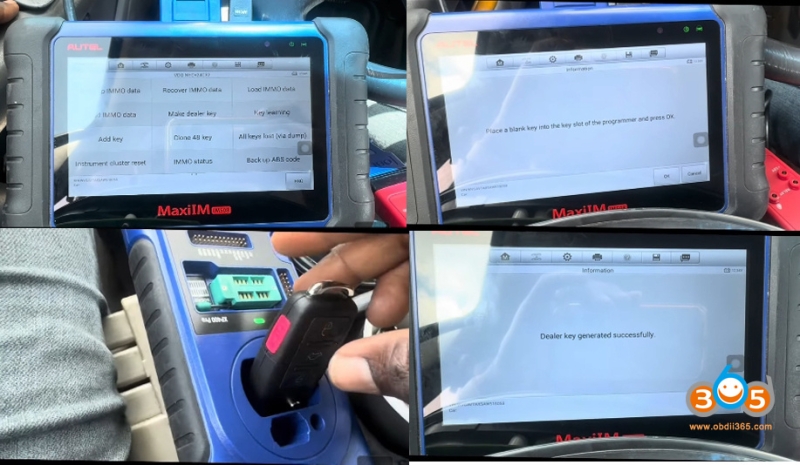
Step 3: Learn key
Select Key learning function.
IM508 will ask if the vehicle with smart key.
Here select No.
Input the number of keys to be learned: 1.
Insert each key to be learned into the ignition and turn the ignition ON within 30s.
If learn key fails, you need to switch ignition OFF and back ON (of GT110)!!!
Learn key completed.
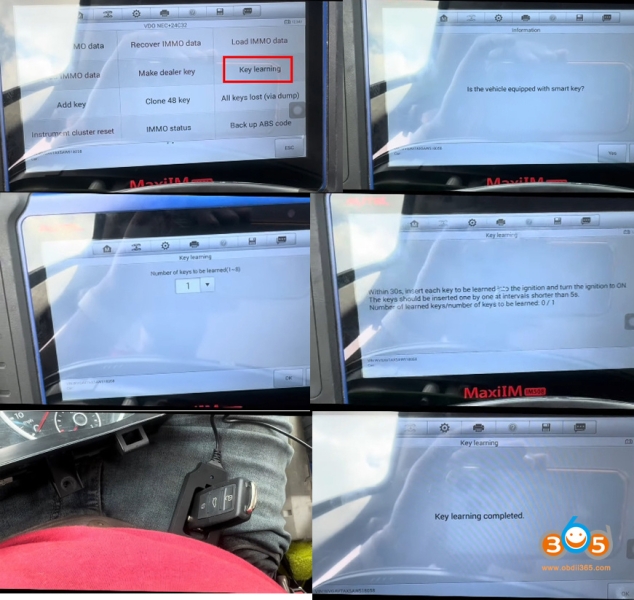
Turn off the ignition and wait for 5s, then turn the ignition to ON position.
Assemble the instrument cluster and put back to vehicle.
Test the new keys.
Read also:
Service Mode with Gbox without Godiag