Yanhua ACDP2 Copy BMW G Series BDC2 Key via ICP
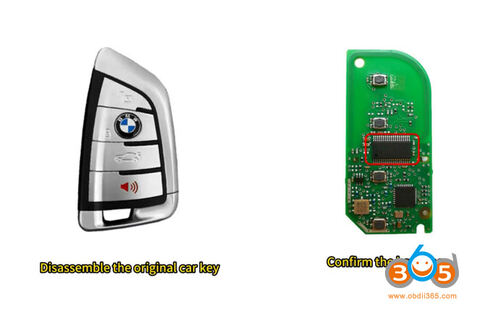
Tutorial: how to copy BMW G series BDC02 key with Yanhua ACDP programmer.
Tools used:
- Yanhua Mini ACDP2/ACDP1 hardware
- Module 38 BDC2/BDC3 license activation
- Yanhua ACDP BMW BDC2 BDC3 solder free adapter
- Original key
- New key to be copied (original key or second-hand locked keys)
Requirement:
- Update ACDP PC software to 1.0.64 or newer
- Update ACDP2 PC software to 2.0.58 or newer
- Update Android App to 3.0.141 or newer
- Update iOS app to 3.6.4 or higher
Procedure:
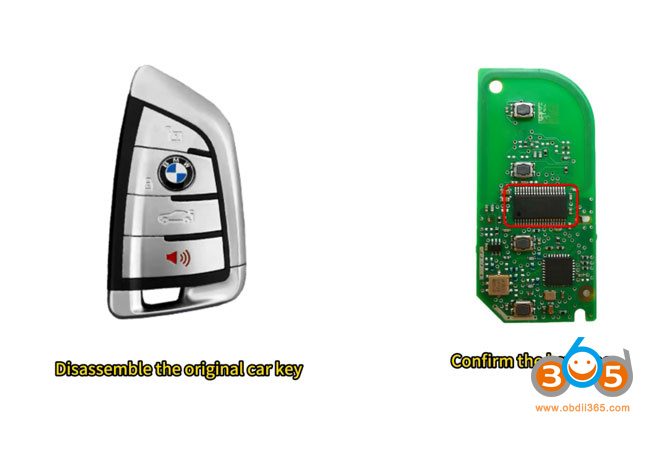
Disassemble the original BDC2 key. The BDC2 encrypted key has a long main chip on the board.
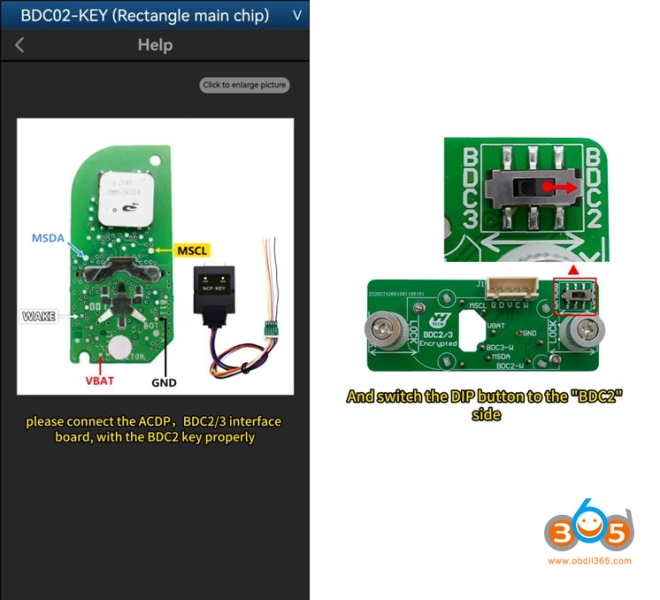
Connect ACDP, ICP interface board and BMW original key as following:
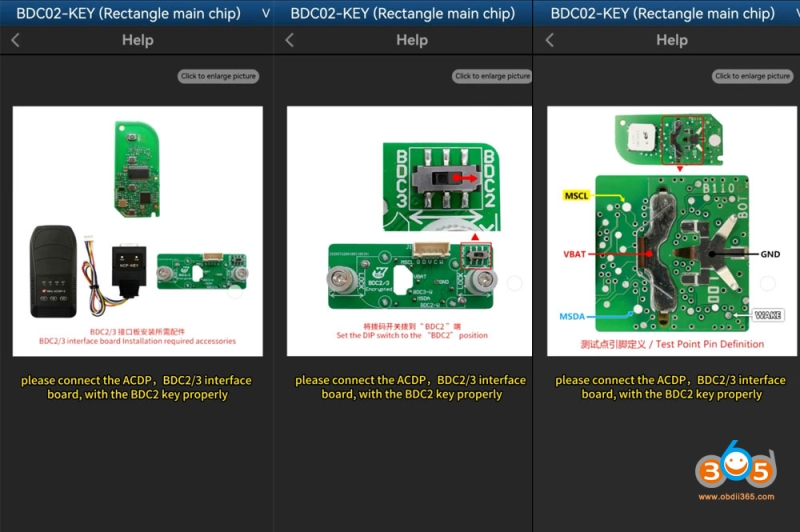
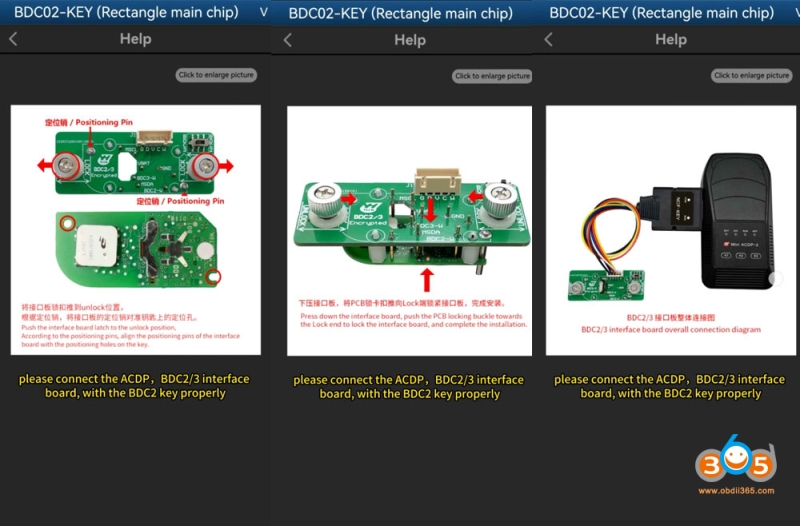
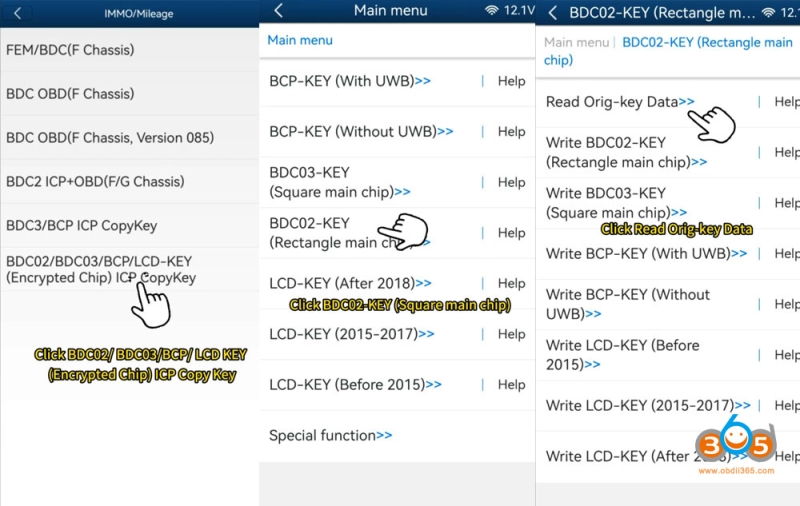
In ACDP App, go to BMW- FEM/BDC- IMMO/Mileage- BDC02/BDC03/BCP/LCD key (encrypted chip) ICP copy key- BDC02 Key (rectangle main chip).
Read original key data.
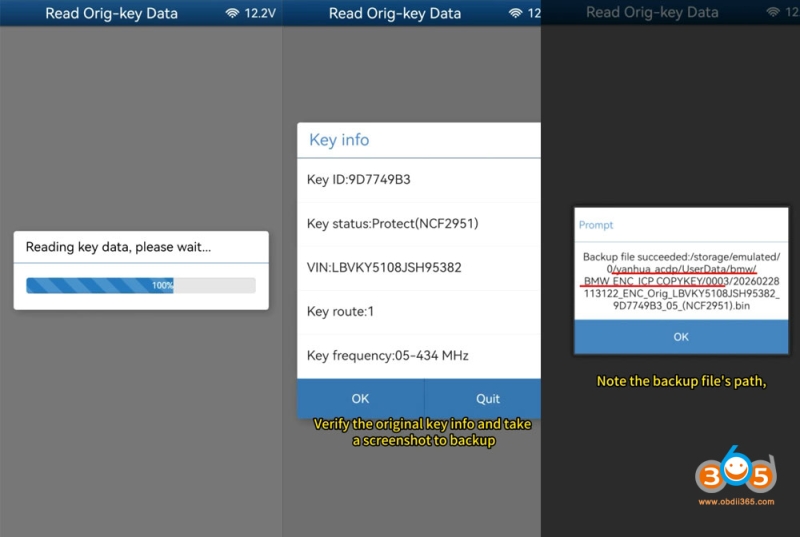
Verify the original key info and take a screenshot.
Note the backup file’s path, date, time, VIN and key ID.
The file name must end with the “.bin” extension.
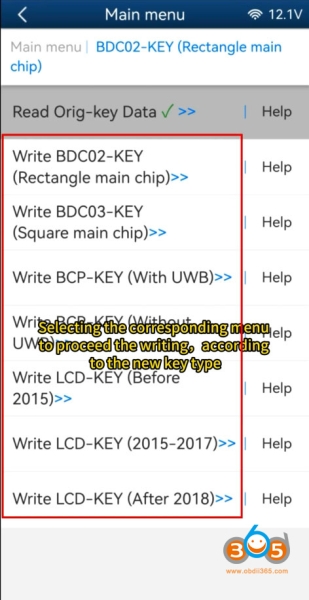
Select the corresponding menu to proceed the key writing according to the new key type.
You can write into BDC03/BCP/LCD display keys.
The new key is compatible with both brand new original keys and 2nd hand locked keys.
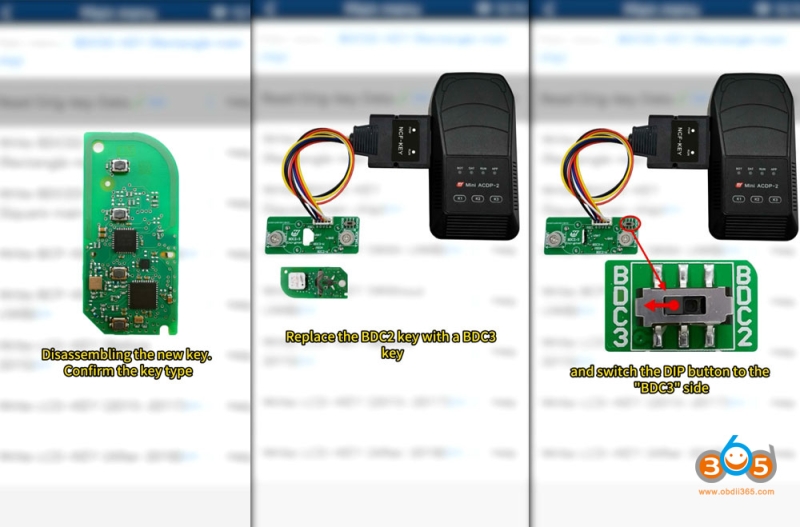
Disassemble the new key, and confirm the key type.
Connect ACDP, ICP interface board and new BMW key.
Replace the BDC2 key with a BDC3 key.
Switch the DIP button to the BDC3 side.
Write BDC03 key Square main chip.
Do not connect the original working key to avoid erasing the data of the original working key and causing the key to become invalid.
Verify the new key info and take a screenshot.
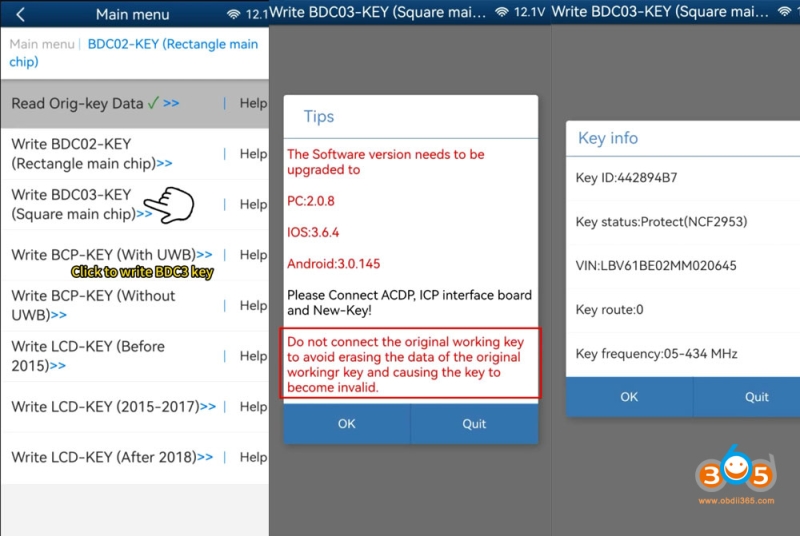
Read new key data successfully.
Note the backup file’s path, date, time, VIN and key ID.
The file name must end with the “.bin” extension.
Click OK, select the correct original BDC2 key data.
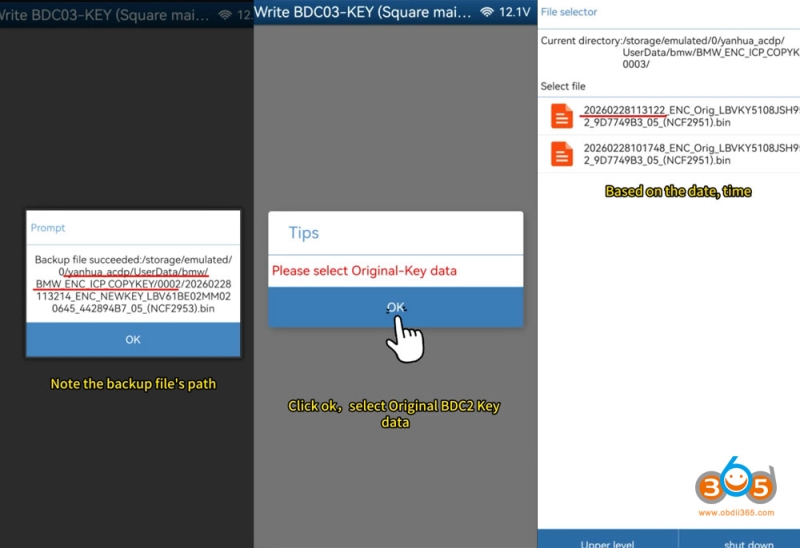
Check whether it is the original key info.
Write key data finish.
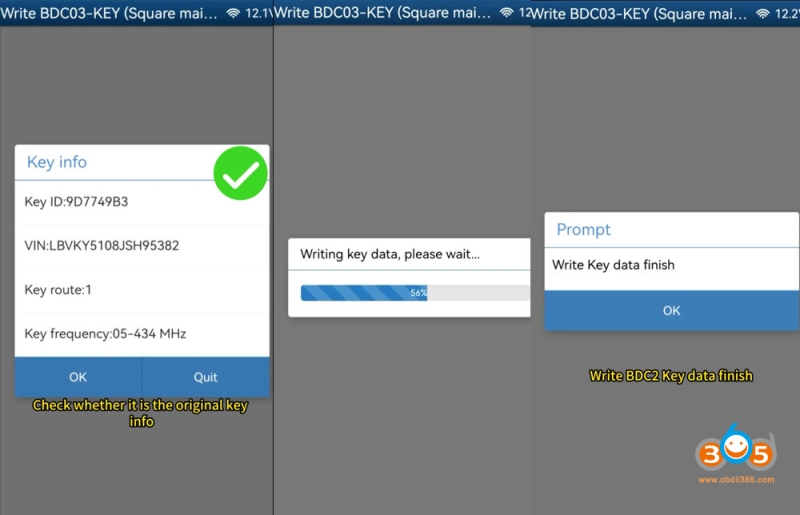
Reassemble both keys and test them.