Diagnostic Scan Tool: What It Does and How to Choose One
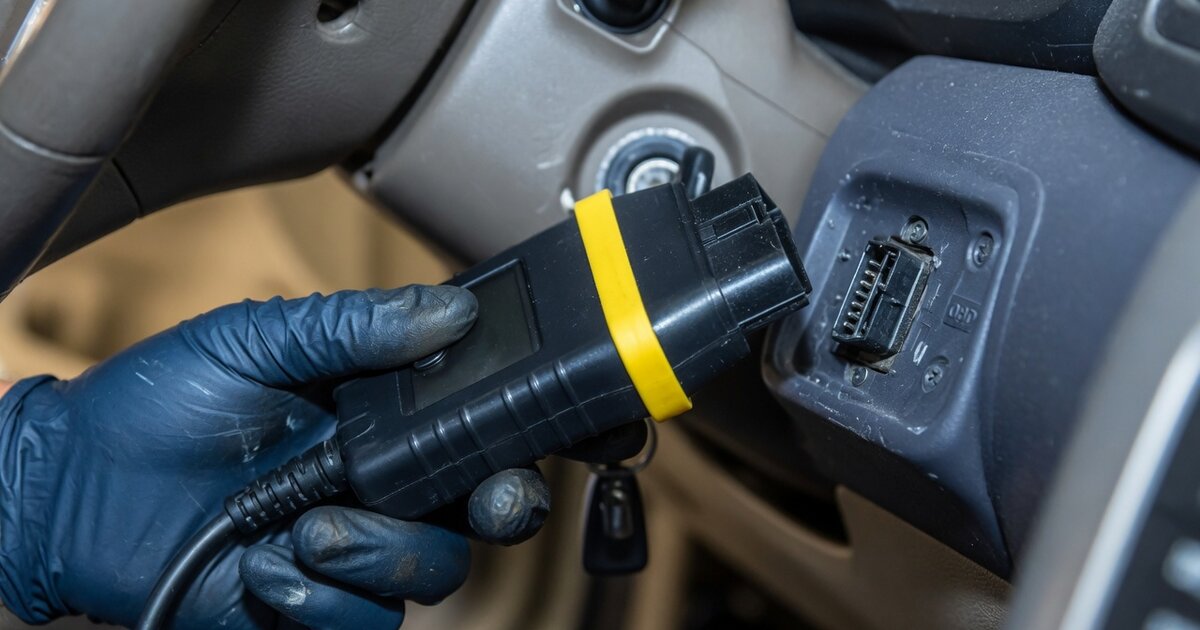
A diagnostic scan tool is the device a technician or serious DIYer plugs into a vehicle's data link connector to communicate directly with its onboard computers. It's easy to lump every plug-in gadget into the same category, but there's a real gap between a basic code reader that pulls a generic check-engine code and a true diagnostic scan tool that reaches into dozens of onboard modules, runs guided test routines, and commands components to act. That gap matters because modern vehicles aren't run by a single engine computer anymore — they're networks of ten, twenty, sometimes forty-plus electronic control units handling everything from transmission shift logic to airbag deployment to power steering assist.
A code reader tells you that something is wrong. A capable diagnostic scan tool tells you where, why, and often lets you verify the fix by watching live sensor data or actively commanding a component while it's still on the car. For anyone doing real repair work — rather than just clearing a warning light — that depth of access is the entire point of owning one. The rest of this article looks at how these tools actually communicate with a vehicle, what separates a genuinely useful unit from a toy, and where people commonly go wrong when shopping for or using one.
How it works
Every diagnostic scan tool talks to a vehicle through a communication protocol running over the OBD-II port (mandated on gasoline vehicles sold in the US since 1996). Underneath that port, most vehicles built since the mid-2000s use the CAN (Controller Area Network) protocol, and newer platforms are increasingly moving to CAN FD (Flexible Data-rate), which carries more data per message. This shift matters practically: many GM vehicles from roughly 2020 onward, and a growing number of Ford and other manufacturer platforms, require CAN FD support to communicate at all — a scan tool built on an older protocol stack simply won't connect to those modules.
Once connected, a capable tool doesn't stop at the powertrain computer. It can address individual modules across the vehicle's network — ABS/traction control, supplemental restraint (airbag) systems, body control modules, climate control, and immobilizer or key-related systems — each with its own fault memory and manufacturer-specific diagnostic trouble codes layered on top of the generic ones. Reaching those modules with any depth generally means the tool needs vehicle- and system-specific coverage, not just a generic OBD-II pass-through.
The more advanced tier of these tools also offers guided diagnostics — step-by-step routines, similar in spirit to VAG Guided Functions on VW/Audi/Skoda platforms, that walk a technician through a structured test sequence for a specific complaint rather than leaving them to interpret a fault code alone. Paired with bidirectional control — the ability to send a command back to a module, such as cycling a fuel pump, triggering a radiator fan, actuating a window motor, or running an EVAP smoke test — this turns the tool from a passive reader into an active diagnostic instrument. That same module-level access is also what underlies key and immobilizer work; the VVDI MB tool wiring diagram for older Mercedes W202/W208/W210 platforms is a good illustration of how deep a dedicated diagnostic and programming interface has to go to reach an immobilizer module directly.
What to consider
Not every scan tool marketed as "professional" actually delivers professional-depth access, and the difference usually shows up only after you've bought it. Before choosing one, it helps to weigh what your actual diagnostic needs are — occasional home use, general shop work, or dealer-level system coverage — against what a specific tool genuinely supports.
- Whether the tool supports CAN FD, required for many newer GM, Ford, and other manufacturer platforms to communicate at all
- How many vehicle makes and systems it covers beyond the generic engine/emissions modules — ABS, SRS, transmission, body control, and so on
- Whether it offers real bidirectional control (active tests) or only reads and clears codes
- Whether guided diagnostic routines are included for common complaints, rather than leaving code interpretation entirely to the user
- How often the manufacturer pushes software and vehicle-coverage updates, and whether updates are free or subscription-based
- Connectivity type — wired, Bluetooth, or Wi-Fi — and how that affects reliability during active tests
- Build quality and battery life if the tool needs to survive daily shop use rather than occasional garage use
- Whether it supports live data graphing and logging for intermittent-fault diagnosis
- Whether it overlaps with related tasks like key programming, where selecting the right tool depends heavily on the specific vehicle — the process of choosing a tool to program a Nissan Versa smart key is a good example of how model-specific that decision can get
Common mistakes to avoid
Most frustration with diagnostic scan tools traces back to a handful of predictable mistakes rather than the tool itself being defective. Knowing them ahead of time saves both money and wasted diagnostic time.
- Buying a basic code reader expecting it to perform bidirectional tests or reach non-powertrain modules
- Assuming a tool covers a vehicle just because it lists the manufacturer, without checking model-year and system-specific coverage
- Skipping firmware and vehicle-database updates, which can silently limit protocol support on newer vehicles
- Treating a stored fault code as the final answer instead of using guided diagnostics or live data to confirm root cause
- Running bidirectional commands (fan, fuel pump, actuator tests) without understanding what the component is expected to do first
- Relying solely on the scan tool's generic code description instead of consulting a manufacturer-specific reference for the exact code
Frequently asked questions
What's the difference between a code reader and a diagnostic scan tool?
A code reader typically only pulls and clears generic OBD-II engine and emissions codes. A diagnostic scan tool goes further, accessing manufacturer-specific codes across multiple modules — ABS, airbag, transmission, body systems — and often adding live data, guided test routines, and bidirectional control to actively command components rather than just report their state.
Do I need CAN FD support in a scan tool?
If you work on newer vehicles, likely yes. Many GM models from around 2020 onward, and a growing share of Ford and other manufacturer platforms, use CAN FD instead of standard CAN. A scan tool without CAN FD support may fail to establish communication at all on those vehicles, even though it works fine on older models.
What does bidirectional control actually let me do?
Bidirectional control lets the scan tool send a command to a module instead of only reading data from it. Common examples include cycling a fuel pump, triggering a radiator fan, actuating window or door lock motors, or running an EVAP system smoke test — all useful for confirming a component actually responds correctly during diagnosis.
Are guided diagnostics the same on every tool?
No. Guided diagnostic routines are manufacturer- and tool-specific; a strong implementation for one brand's platform doesn't guarantee equally deep routines for another. Some tools offer detailed step-by-step guidance similar to factory-level functions, while others provide only a fault code list with no structured troubleshooting path.
Can a diagnostic scan tool also handle key programming?
Some scan tools include key and immobilizer functions, but coverage varies enormously by vehicle and module type. It's generally safer to confirm a tool explicitly supports the specific make, model, and year before relying on it for key work, since programming access depends on reaching the correct immobilizer or body control module.
How often should scan tool software be updated?
As often as the manufacturer releases updates, ideally checked before working on an unfamiliar or newer vehicle. Updates typically add coverage for new models, refine protocol support such as CAN FD, and can fix bugs in existing test routines — skipping them is one of the most common reasons a tool that "should" support a vehicle fails to connect.