OBD Scanner Explained: How It Works and What to Look For
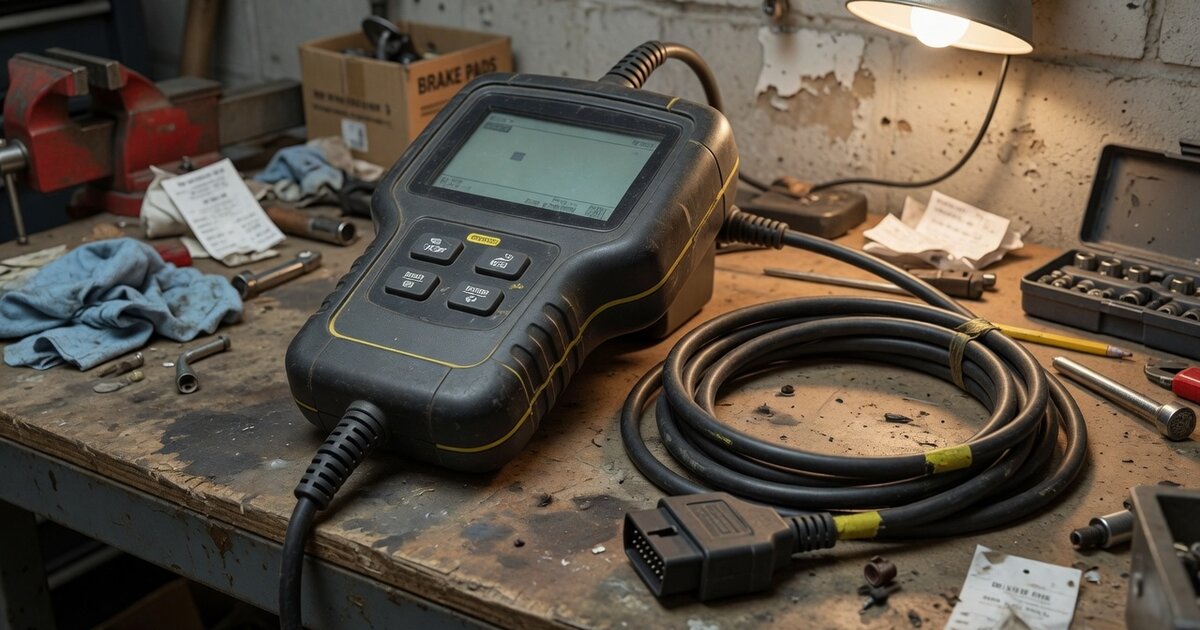
An OBD scanner is a diagnostic device that plugs into a vehicle's onboard computer system to read fault codes, monitor live sensor data, and in some cases perform basic control commands. Since 1996, when OBD-II became mandatory for all cars sold in the United States, this standardized interface has turned what used to be a dealership-only diagnostic process into something any driver, home mechanic, or professional technician can do with an affordable handheld tool or a small Bluetooth dongle paired with a smartphone app.
The appeal is straightforward: when a warning light appears on the dashboard, an OBD scanner tells you why. Instead of guessing whether a check engine light means a loose gas cap or a failing catalytic converter, the scanner retrieves a specific trouble code that points toward the actual problem. This saves time, avoids unnecessary parts replacement, and gives owners a starting point before deciding whether a repair needs a shop visit. Beyond fault codes, many scanners also display real-time data such as engine RPM, coolant temperature, fuel trim, and oxygen sensor readings, which is useful for troubleshooting performance issues that don't trigger a stored code at all.
OBD scanners range from very simple code readers that only clear and display codes, up through professional-grade tools capable of bi-directional tests, module programming, and key-related functions used by locksmiths and dealership technicians. Understanding the underlying standard helps explain why scanner capability varies so much between a budget tool and a professional unit.
How it works
Modern vehicles rely on an Electronic Control Unit (ECU), along with a network of sensors and actuators, to manage the engine, transmission, and other systems. Those sensors continuously report readings to the ECU, which stores a diagnostic trouble code (DTC) whenever a reading falls outside expected parameters. An OBD scanner connects to this system through a standardized connector and requests that stored information directly from the vehicle's computer.
Before 1996, this process was inconsistent. OBD-I systems varied by manufacturer, using proprietary connectors and communication methods, so a scanner built for one brand often couldn't read another. OBD-II changed that by mandating a common 16-pin connector (SAE J1962), typically located under the dashboard near the driver's seat, along with standardized rules for how codes are formatted and requested. This is also why professional key programming tasks, such as the process shown for Lonsdor Toyota all-keys-lost programming, are performed through the same OBD port rather than a manufacturer-specific interface.
Underneath that shared connector, vehicles still use different electrical communication protocols depending on the manufacturer and model year, including variants of SAE J1850, ISO 9141-2, KWP2000, and, on virtually all vehicles built since the mid-2000s, the CAN (Controller Area Network) protocol. A scanner has to support the correct protocol to actually communicate with a given vehicle, even though the physical connector looks identical across cars. Once communication is established, the scanner can read stored and pending trouble codes, view live sensor streams, check monitor readiness status ahead of an emissions test, and, on more advanced tools, send commands back to specific modules.
What to consider
Not every OBD scanner is built for the same job, and picking the wrong one usually means paying for features you won't use or, worse, buying a tool that can't actually talk to your vehicle. A little research before purchasing saves both money and frustration.
- Confirm the tool explicitly supports the protocol and communication standard used by your vehicle's year, make, and model, not just a generic OBD-II claim.
- Basic code readers are the most affordable option and are enough for simply reading and clearing check-engine codes.
- Mid-range scan tools add live data streaming, freeze-frame data, and often manufacturer-specific enhanced codes beyond the generic set.
- Professional-grade tools sit at the top of the price range and add bi-directional controls, module programming, and coding functions used for deeper repair work.
- Check whether the scanner needs a subscription for firmware or software updates, since vehicle coverage can go stale over time.
- Look at the display and interface: a built-in screen is self-contained, while Bluetooth or Wi-Fi dongles rely on a paired smartphone app.
- Consider how often the software is updated, since new trouble codes and vehicle systems are added regularly.
- For anyone working on locksmith or key-related tasks, verify the tool's specific compatibility with immobilizer and key programming functions rather than assuming general OBD support covers it, as seen with dedicated hardware like the Autel KM100.
- Battery and power draw matter for handheld units used away from a vehicle, particularly for logging data over longer sessions.
Common mistakes to avoid
Even a capable OBD scanner won't help much if it's used incorrectly or expectations don't match what the tool is actually designed to do. A few recurring mistakes account for most of the frustration people report with these devices.
- Assuming any OBD-II scanner will work on any car without checking protocol and system coverage first.
- Clearing a trouble code without first noting or understanding what it meant, which can hide a developing problem.
- Expecting a basic code reader to perform functions that require a bi-directional or manufacturer-specific tool.
- Ignoring software updates, which can leave newer vehicles unreadable or misdiagnosed.
- Treating a single trouble code as the full diagnosis rather than a starting point for further inspection.
- Using a generic scanner for specialized tasks like key or module programming, which typically require dedicated hardware such as a Yanhua BMW FEM/BDC key programmer rather than a standard diagnostic tool.
Frequently asked questions
Do all cars built after 1996 use the same OBD connector?
In the United States, OBD-II with its standardized 16-pin connector became mandatory for cars sold from 1996 onward, so the physical port is consistent across manufacturers from that point. However, the connector being the same does not guarantee full compatibility, since the underlying communication protocol and the range of supported systems can still vary by vehicle.
Can an OBD scanner turn off the check engine light permanently?
A scanner can clear a stored trouble code and turn off the light, but if the underlying issue that triggered the code hasn't been repaired, the light will typically return once the ECU detects the fault again. Clearing the code without addressing the cause is a temporary fix rather than a real repair.
Is a cheap code reader enough for a home mechanic?
For basic tasks like reading and clearing generic trouble codes or checking why a check engine light came on, an affordable code reader is usually sufficient. More involved diagnostic work, live data analysis, or manufacturer-specific codes generally requires a more capable mid-range or professional scan tool.
Why does my scanner say a vehicle system isn't supported?
This usually means the scanner doesn't support the specific communication protocol or manufacturer-enhanced codes used by that vehicle or system, even though the physical connector fits. It can also happen when scanner firmware hasn't been updated to include coverage for a newer model year.
What's the difference between generic and manufacturer-specific codes?
Generic OBD-II codes are standardized across all manufacturers and cover common emissions and powertrain issues that any compliant scanner can read. Manufacturer-specific codes go deeper into brand-particular systems and require a scanner with enhanced or dealer-level software to interpret correctly.
Do OBD scanners work on electric or hybrid vehicles?
Most electric and hybrid vehicles still include an OBD-II port and support standard diagnostic communication for many onboard systems, but battery management, motor control, and other EV-specific subsystems often require enhanced or manufacturer-specific software to fully access. A generic scanner may only read a portion of the available data on these vehicles.