What Is an OBD2 Reader? How It Works and What to Consider
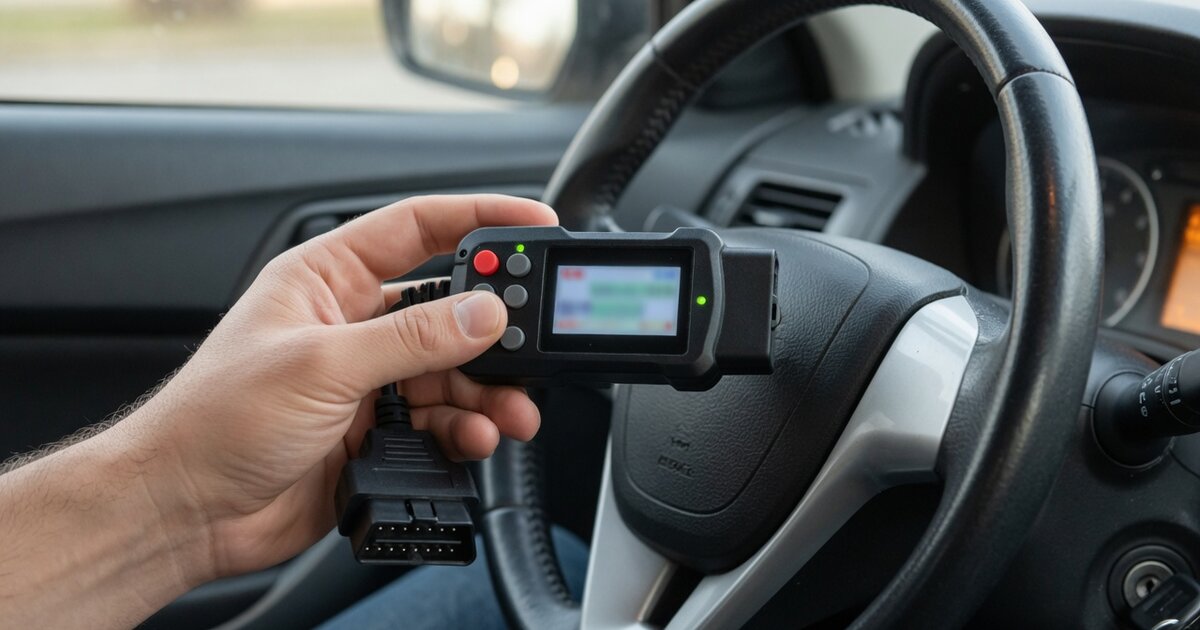
An OBD2 reader is a small handheld or Bluetooth device that plugs into a car's OBD2 (On-Board Diagnostics, second generation) port and pulls the diagnostic trouble codes stored by the vehicle's engine computer. Since 1996, nearly every car and light truck sold in the United States has carried this same 16-pin port, which makes a basic reader one of the few automotive tools that works across brands rather than being tied to one manufacturer's factory system. When the check engine light comes on, the reader is usually the fastest and cheapest way to find out why: it retrieves the code, shows a short description, and in most cases lets the code be cleared once the problem is fixed.
It matters because a lit dashboard warning light by itself says almost nothing about the actual fault - it could be a loose gas cap or a failing catalytic converter, and only the stored code narrows that down. A basic reader is not the same tool as a full diagnostic scanner, though the two are often confused, and neither should be confused with dedicated key programming tools such as the Xtool X100 PAD OBD2, which uses the same port for an entirely different job: programming replacement keys rather than reading engine codes. A reader is built around one task, reading and clearing generic powertrain codes, while a full scanner adds live sensor data, freeze-frame snapshots, readiness monitor status, and often access to ABS, airbag, and other body-control modules. For someone who just wants to know what a warning light means before a repair, the reader covers the essentials at a fraction of the cost.
How it works
Every OBD2 reader connects to the same physical interface: a trapezoidal 16-pin connector, almost always located under the dashboard near the steering column. With the ignition turned on, the reader plugs in, draws power from the port itself, and establishes communication with the engine control unit using one of the standard protocols the vehicle supports. Once connected, most readers either power on automatically or prompt for a quick vehicle selection step, then pull the stored codes within a few seconds.
The codes themselves, known as Diagnostic Trouble Codes or DTCs, follow a consistent format: a letter followed by four digits, such as P0301. The letter identifies the general system - P for powertrain, B for body, C for chassis, U for network and communication - and the first digit after it distinguishes a generic code that applies across all OBD2-compliant vehicles from a manufacturer-specific one. The remaining digits point to the specific circuit or condition involved, such as a particular cylinder misfire or a sensor reading out of range. A basic reader displays the code and a short generic description; it does not diagnose the root cause, since several different mechanical or electrical problems can trigger the same code.
Many readers also show whether a code is confirmed (currently active) or pending (detected but not yet persistent), and some display basic readiness monitor status, which indicates whether the vehicle's onboard self-tests have completed since the last reset - relevant when a car needs to pass an emissions inspection. This is also the same port used by tools built for a different purpose entirely: devices like the Nissan NSPC001 pin code reader connect through the identical OBD2 socket to retrieve immobilizer data rather than trouble codes.
What to consider
Not every OBD2 reader is built the same way, and the right choice depends more on what a person actually needs than on price alone. Before buying one, it helps to weigh a few practical points:
- Vehicle coverage - confirm the reader supports the make, model, and year in question, since some budget units only cover generic powertrain codes and skip manufacturer-specific ones.
- Connection type - wired handheld units are simple and self-contained, while Bluetooth or Wi-Fi adapters pair with a phone app and depend on that app staying supported and updated.
- Screen and interface - a built-in display works without a phone nearby, which matters in a shop bay or when a phone battery is low.
- Software updates - trouble code definitions and vehicle coverage change over time, so check whether firmware or app updates are free, paid, or time-limited.
- Live data access - some readers show basic real-time sensor values alongside codes, which can help confirm whether a fix actually resolved the issue.
- Battery and power draw - most readers pull power from the OBD2 port itself, but Bluetooth dongles left plugged in can slowly drain a parked vehicle's battery.
- Build quality and connector fit - a loose or poorly seated connector can cause dropped connections or false no-communication errors.
- Emissions readiness reporting - useful in regions where a vehicle must show completed readiness monitors to pass inspection.
- Intended use - a reader for casual home use differs from tools built for a shop that also handles related work, such as key programming through devices like the OBDSTAR F100 Ford Mazda OBD2 Key programmer.
Common mistakes to avoid
A code reader is simple to use, but a few habits lead to wasted time or, occasionally, a missed real problem. The most frequent mistakes are avoidable with a little care:
- Clearing a code before actually fixing the underlying issue - the light usually comes back once the vehicle completes its next drive cycle, and clearing it also erases freeze-frame data that could have helped diagnose the fault.
- Treating the code description as a finished diagnosis - a single code can point to several different possible causes, from a loose connector to a failing component.
- Ignoring pending codes - a code that hasn't fully confirmed yet can still signal an emerging problem worth watching.
- Using an outdated reader on a newer vehicle - manufacturers add codes and protocol variations over time, and a reader without updated software may misread or simply fail to communicate.
- Skipping basic safety steps - plugging in or unplugging a reader with the engine running, or on an uneven surface without the parking brake set, is an unnecessary risk.
- Assuming every reader reaches every module - many basic readers only access the powertrain system and won't show ABS, airbag, or other body-control codes.
Frequently asked questions
Can an OBD2 reader work on any car?
It works on any vehicle built to the OBD2 standard, which has been mandatory on cars and light trucks sold in the United States since 1996, and on most vehicles sold in Europe from the early 2000s onward. Some manufacturer-specific codes and enhanced data may not be readable on a basic generic reader, and vehicles older than the mandate typically use a different diagnostic connector, so coverage should be checked before buying.
Does an OBD2 reader turn off the check engine light?
Yes, most readers can clear the stored code and turn off the light, but this only works reliably if the underlying problem has actually been repaired. If the fault is still present, the engine computer will usually detect it again during normal driving and relight the warning within a short time, sometimes within a single drive cycle.
What's the difference between a pending code and a confirmed code?
A pending code means the computer detected an issue once but hasn't seen it enough times to confirm a fault, so the check engine light typically stays off. A confirmed code means the problem has repeated enough to meet the manufacturer's threshold, which is what triggers the dashboard warning light and stores freeze-frame data from the moment it happened.
Do I need a full scanner instead of a basic reader?
It depends on the goal. A basic reader is enough for checking why a warning light is on and clearing codes after a repair. A full scanner is worth the extra cost for live sensor graphing, access to ABS, airbag, and other body modules, service resets, and deeper troubleshooting on vehicles with intermittent or hard-to-pin-down issues.
Can a reader damage my car's computer?
A properly functioning OBD2 reader is designed to communicate through the standard port without altering the engine computer's programming, since reading and clearing codes are routine, non-invasive functions. Problems are rare and usually stem from a poorly made connector or attempting an unsupported function on an incompatible tool, rather than from normal code reading itself.
Why does my reader say "no communication" with the vehicle?
This usually points to a connection or compatibility issue rather than a vehicle fault: a loose OBD2 port, a blown fuse powering that port, an ignition that isn't turned to the on position, or a reader that doesn't support the specific protocol used by that vehicle. A firm reseat of the connector and confirming the ignition state resolves most cases.