What "Xhorse 3D" Actually Means for Key-Cutting Machines
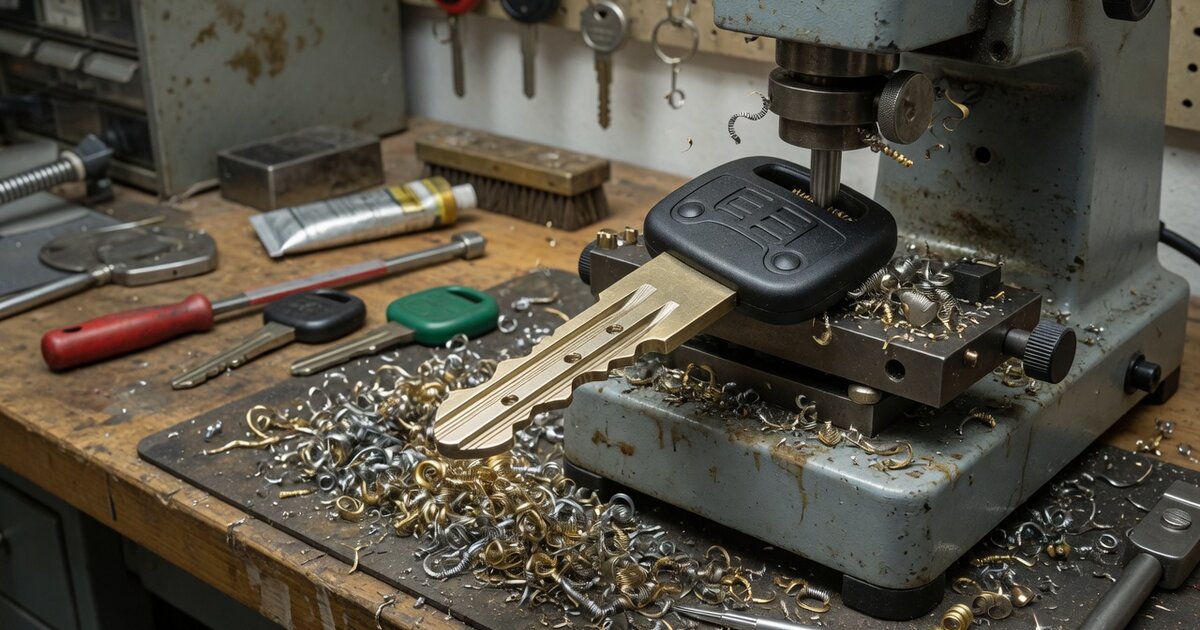
Locksmiths who type "Xhorse 3D" into a search bar are usually chasing one of two different things without realizing it. Most of the time they mean the "Key 3D Preview" feature built into the Xhorse App, which pairs with Condor-series key-cutting machines to show a rendered model of a key's bitting before the blade ever touches a blank. A smaller slice of that search traffic is actually looking for Xhorse3D, a separate consumer brand for desktop 5-axis CNC machining that shares a name but has nothing to do with automotive key programming. This article sorts out which is which, explains what the 3D preview feature actually does on the machines locksmiths use every day, and covers what to check before you rely on it in the field.
What It Is and What It Does
Xhorse builds its key-cutting hardware around the Condor line, including machines like the XC-Mini Plus II and the newer XC-Twins, alongside the Dolphin portable cutters. These machines pair over Bluetooth or WiFi with the Xhorse App on a phone or tablet, and that app is where the "3D" functionality actually lives — it is not a separate product with its own model number. Inside the app, Key 3D Preview renders the target key's bitting as a three-dimensional shape before the machine cuts anything, so a technician can visually confirm the cut pattern matches what was pulled from the vehicle's database entry, decoded from a photo, or read optically from an existing key.
The stated purpose of this step is straightforward: catching an obviously wrong bitting pattern on screen costs nothing, while catching it after a blank has already been cut costs a blank and a few minutes of technician time. The 3D preview sits alongside other app-based functions on these machines, such as photo-to-bitting recognition for all-keys-lost jobs, "find bitting" lookups against the built-in database, and manual bitting entry, all of which feed into the same visualization before cutting begins.
It's worth being direct about the confusion this keyword creates. Xhorse — the company behind the VVDI key programmers, Dolphin and Condor cutting machines, and Key Tool line covered in more detail in Xhorse: An Overview of the Brand and Its Key Programming Tools — also has an affiliated venture called Xhorse3D. That brand sells the Xmachine desktop 5-axis CNC mill and an Xscanner 3D laser scanner, marketed to makers and hobbyists for machining parts and figurines, not for cutting automotive keys or programming immobilizer chips. If a search result mentions Kickstarter, 5-axis CNC, or figurine machining, it belongs to that unrelated product line, not to the locksmith tool being discussed here.
What to Consider Before Buying
Because "3D preview" is a software feature riding on top of specific hardware, the real purchasing decision is which cutting machine to buy, not whether to buy "the 3D one." A few practical points matter here:
- It depends on the app, not just the machine. The 3D preview only works when the cutter is actively paired with the Xhorse App over Bluetooth or WiFi. A shop with unreliable WiFi coverage or a technician working out of a van with a spotty connection should confirm pairing is stable before counting on this workflow for every job.
- Clamp compatibility still governs what you can cut. Preview or no preview, the machine still needs the right clamp for the key in front of you — the M3, M4, and M5 clamps that ship with or are optional on current Condor models cover different categories such as household keys or the Ford FO21/Citroen SX9 profiles. Confirm the clamp set matches the vehicle mix you actually service before assuming a given key type is supported.
- Database currency matters more than the preview itself. A rendered 3D shape is only as good as the bitting data feeding it. Machines with lifelong free database updates are worth prioritizing over older units where the update policy or database size is unclear, since a stale database produces a confident-looking preview of an incorrect cut.
- Check which model generation you're actually being quoted. Xhorse has iterated this hardware repeatedly — plain XC-Mini, XC-Mini Plus, XC-Mini Plus II, and now XC-Twins, plus the Dolphin XP-005 and XP-005L. Listings from resellers don't always make the generation obvious, and older units may lack the app features newer ones ship with by default.
Common Mistakes to Avoid
The most common mistake is treating "Xhorse 3D" as a product to search for and buy directly, then landing on unrelated CNC hobbyist hardware or a random listing that happens to match the search term. If a listing doesn't clearly name a Condor or Dolphin model, it's not the automotive tool being searched for.
A second mistake is skipping the preview step under time pressure and cutting straight from a photo-recognition guess or a database match without glancing at the rendered shape first. The preview exists specifically to catch mismatches before they cost a blank, and bypassing it defeats the point of having the feature at all.
A third mistake is assuming the 3D preview replaces a physical test fit. The preview shows the intended bitting shape based on the data the machine has; it does not measure the actual cut depth of the finished key or account for blank wear, so a quick physical check in the lock or ignition after cutting is still good practice, particularly on all-keys-lost jobs where there's no original to compare against.
Finally, don't assume every accessory or clamp advertised alongside a Condor or Dolphin machine is included in the base price — optional clamps like the M4 are frequently sold separately, and a listing that doesn't specify clamp inclusions should be confirmed with the seller before ordering.
Frequently Asked Questions
Is "Xhorse 3D" a specific product I can buy?
No. There is no standalone Xhorse product called "Xhorse 3D" in the automotive key-cutting lineup. The term most commonly refers to the Key 3D Preview feature inside the Xhorse App, which works with Condor-series key-cutting machines. Separately, "Xhorse3D" is the name of an affiliated but distinct consumer CNC brand that has nothing to do with key cutting.
Which machines support the Key 3D Preview feature?
It's confirmed on current Condor-series machines such as the XC-Mini Plus II and the newer XC-Twins, accessed through the Xhorse App once the machine is paired over Bluetooth or WiFi. Coverage on older or lower-tier models varies, so check the specific model's feature list before assuming it's included.
Do I need the Xhorse App for this to work at all?
Yes. The 3D preview is an app-side visualization, not something displayed on the machine's own screen independent of the phone or tablet connection. If the app can't pair with the machine, the preview step isn't available.
Is Xhorse3D (the Xmachine CNC brand) related to my key-cutting machine?
It's incubated by the same parent company but is a separate product line aimed at desktop 5-axis CNC machining and 3D scanning for makers, not at automotive locksmithing. Buying an Xmachine or Xscanner will not help with car key cutting or programming.
Does the 3D preview replace cutting a test key or checking bitting depth manually?
No. It previews the intended shape based on the data the machine already has, which helps catch an obviously wrong bitting before a blank is wasted, but it doesn't substitute for physically test-fitting the finished key, especially on jobs where there's no original key to verify against.
Why does this feature matter for a working locksmith?
Key blanks and shop time both cost money, and catching a mismatched bitting on screen before cutting is cheaper than discovering it after the blank is ruined. On higher-security or harder-to-source blanks, that check is worth the few extra seconds it takes.