Xhorse King Card
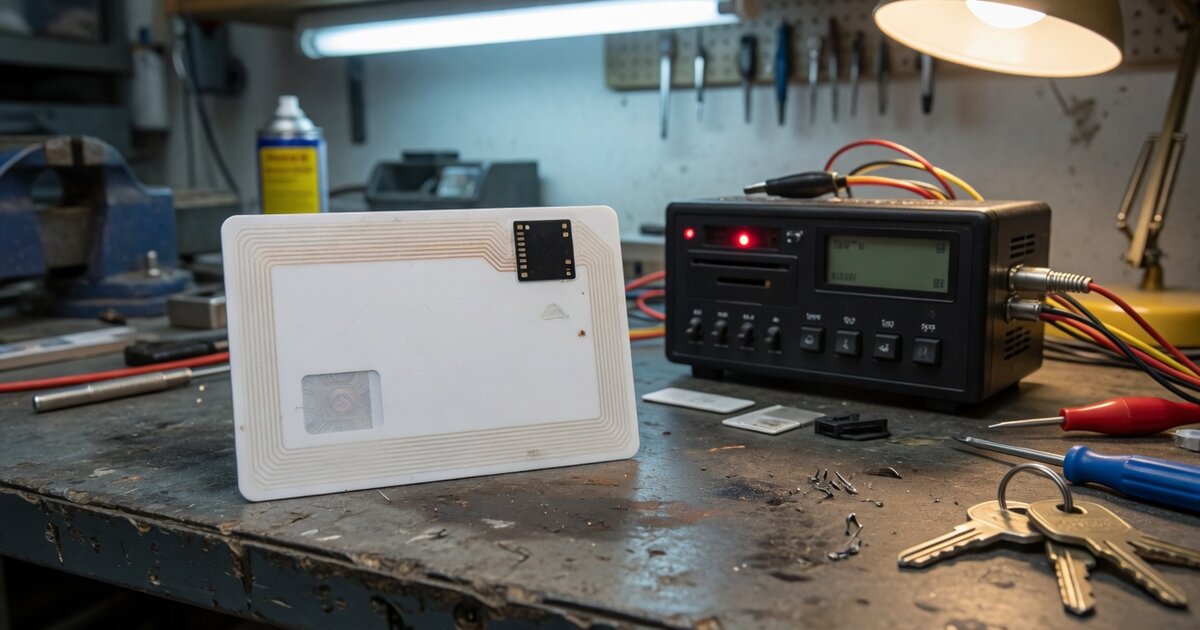
Search "Xhorse King Card" and you will not find a keyword invented for SEO padding — it is the actual retail name Xhorse uses for a specific product in its universal remote lineup, sold under the model codes XSKC04EN and XSKC05EN. If you work a locksmith bench stocked with Xhorse gear and you keep seeing this name pop up in supplier catalogs next to the more familiar fob-shaped universal remotes, this article explains what it is, what it is not, and what to check before you add it to your stock.
What It Is and What It Does
The King Card is Xhorse's card-format entry in its universal (aftermarket, non-OEM) smart remote family. Where most Xhorse universal remotes take the shape of a small fob, a flip key, or a "knife style" body, the King Card is built flat and thin — closer to the size and profile of a credit card than a traditional key fob. It carries a 4-button layout and, in listings from Xhorse's authorized resellers, is described as one of the slimmest smart remotes the brand offers, with built-in batteries sealed inside the card body rather than a swappable coin-cell compartment. Cosmetic finish options such as sky blue and diamond blue show up in reseller listings, which tells you the card is offered in more than one color/trim variant — useful to know if a customer wants something visually distinct from a stock OEM card key.
Functionally, the King Card belongs to the same ecosystem as Xhorse's other blank universal remotes, including fob-style models. That matters because it tells you exactly how the product is meant to be used: it ships as a generic, unprogrammed remote. It is not pre-paired to any make or model. A technician generates it — meaning the remote's data, rolling-code behavior, and frequency profile are written to the card — using a Xhorse Key Tool device (the Key Tool Max, Key Tool Plus, or a comparable Xhorse programmer in that family). Only after generation does the card become a working remote for a specific supported vehicle profile, and it typically still needs to be synchronized to the target car through the normal remote-learning procedure for that model, exactly like any other Xhorse universal key.
In short: the King Card is a hardware shell, not a plug-and-play replacement key. Its selling point is form factor — a slim, card-style body that fits a wallet or the flat card slots increasingly common in newer vehicles — combined with Xhorse's usual "generate it to whatever profile you need" flexibility, rather than any single fixed vehicle application.
What to Consider Before Buying
Before ordering King Cards for your bench, confirm a few practical points with whichever authorized Xhorse reseller you buy from, since manufacturer-level detail on this specific SKU is thinner in English-language documentation than it is for Xhorse's more established fob-style remotes:
- Programming requirement. Make sure you already own, or are budgeting for, a Xhorse Key Tool device capable of generating universal remotes. The King Card is not useful on its own — it needs the same generation step as other Xhorse universal keys.
- Vehicle profile support. Ask the seller which specific vehicle profiles the current firmware/software supports for this card, and get that in writing or from the tool's own profile list rather than assuming it matches every profile the fob-style remotes support. Xhorse periodically expands universal remote coverage through software updates, so what is supported today may differ from what was supported at initial release.
- Battery life and replaceability. Because the batteries are described as built in rather than a standard user-replaceable coin cell, ask directly whether the card can be reopened for a battery swap or whether it is meant to be treated as disposable once the battery is exhausted. This affects how you price it for a customer and whether you'd recommend it for daily-driver use versus a spare/valet key.
- Fit for the customer's use case. The slim card format is a genuine differentiator for customers who want something that lives flat in a wallet, but it is still an aftermarket universal remote, not an OEM key. Set expectations with the vehicle owner accordingly, especially around button layout matching (or not matching) their factory key.
- Where it fits your existing Xhorse toolkit. If you're already running a Xhorse bench with a duplication machine such as the Xhorse Panda (XA006), the King Card is a stock addition rather than a new tool purchase — it rides on programming hardware you likely already own, which is worth factoring into the cost-per-job math versus stocking OEM-shaped blanks.
Common Mistakes to Avoid
The most common error is treating "King Card" as a fixed, single-vehicle product rather than what it actually is: a blank shell that needs generation. Technicians new to the Xhorse universal remote line sometimes order a batch expecting each card to already "be" a particular manufacturer's key, then get confused when the card does nothing out of the box.
A second mistake is skipping the reseller compatibility check because the card looks similar to other Xhorse universal remotes you've used before. Form factor and internal generation profile are two different things — a card-shaped remote and a fob-shaped remote from the same brand do not automatically support an identical vehicle list, so confirm coverage for this specific SKU rather than assuming it inherits the coverage of Xhorse's better-documented models.
A third mistake is quoting a customer a price based on marketplace listings without accounting for the fact that reseller pricing for this item fluctuates and varies by region and current promotions — always confirm current cost with your own authorized supplier rather than relying on a number you saw once online.
Finally, don't assume the sealed-battery design means the card is maintenance-free forever. If a customer reports a dead remote months after purchase, check with your supplier on the accepted process (replacement versus repair) before promising a fix you can't actually deliver in-house.
Frequently Asked Questions
Is the Xhorse King Card a specific car brand's key, or a universal remote?
It's a universal remote. The King Card ships blank and gets generated to a chosen vehicle profile using a Xhorse Key Tool device, the same way other Xhorse universal remotes work. It is not manufactured for one specific make out of the box.
What tool do I need to program a King Card?
You need a Xhorse Key Tool capable of generating universal remotes — the Key Tool Max, Key Tool Plus, or a comparable device in that product family. The card itself has no standalone programming function; the Key Tool writes the vehicle profile and rolling-code data to it.
Can the King Card replace an OEM smart card key?
It can serve as an aftermarket functional replacement for supported vehicle profiles once generated and synchronized to the car, but it is not an OEM part and won't be a perfect cosmetic or feature match to a factory card key. Set that expectation with the customer up front.
Why does it look different from other Xhorse universal remotes like the XKKF02EN?
Xhorse sells its universal remote line in several body styles — fobs, flip keys, knife-style remotes, and card-format models like the King Card. The XKKF02EN is a fob-shaped example from the same broader family; the King Card covers the same generation-based approach in a slim card body instead.
Can the battery be replaced when it runs out?
Reseller listings describe the King Card as having built-in batteries rather than a standard swappable coin cell, which suggests it isn't designed for a simple user battery swap the way a typical fob is. Confirm the exact replacement or repair process with your Xhorse supplier before promising a customer either outcome.
Where does the King Card fit if I'm just getting started with Xhorse tools?
It's an accessory-level remote you generate with hardware you likely already need for other Xhorse work, not a starting point on its own. If you're building out a bench from scratch, get familiar with Xhorse's broader lineup of key programming tools first, then add specific universal remotes like the King Card to your stock once your Key Tool and generation workflow are already in place.