Xhorse VVDI2 Get ISN code from BMW CAS3+ by OBD

Here is little tutorial on getting ISN from BMW CAS3+ encrypted file with Xhorse VVDI2 BMW key programmer for all keys lost.
Tool required:
VVDI Prog or R270 programmer (Read CAS3+ encrypted file)
VVDI2 BMW with latest software version (read ISN)
Tango key programmer (program key)
Guide:
Open VVDI2 software, select Auto Detect
Select Key Learn tab-> File Make Key
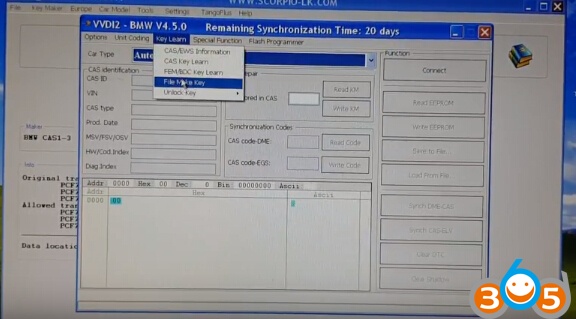
Select CAS3+ (0L15Y,0M23S)
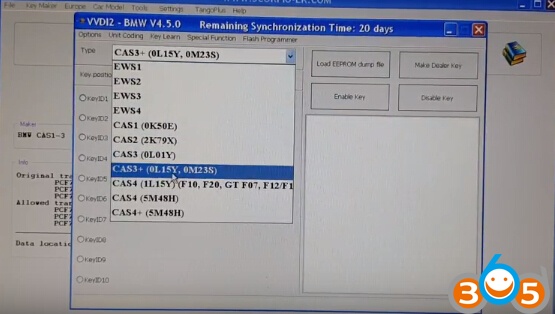
Click Load EEPROM dump file
upload dump read by VVDI programmer
VVDI2 will display vehicle information, VIN, KM, key cutting code etc
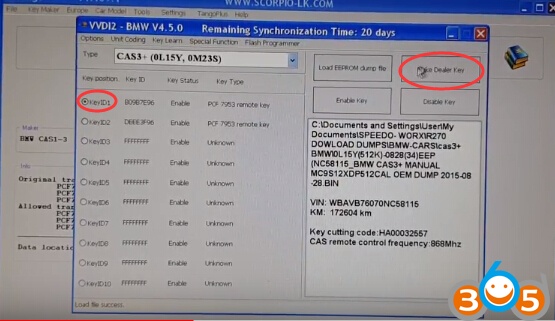
Select Key position: KeyID1
Click on Make Dealer Key
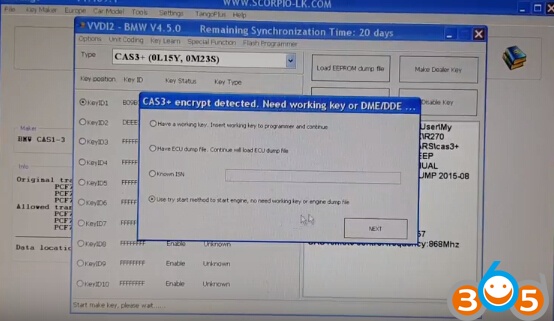
Select “Use try start method to start engine, no need working key or original dump file”, click on Next
Xhorse VVDI2 prompts lost all working key you will gave 64 attempts, do you want to continue, click on YES
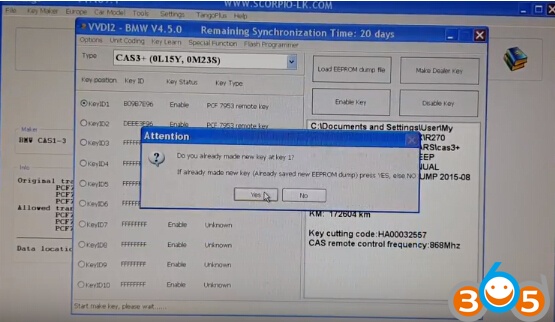
Do you already make new key at key 1?
If already made new key (Already saved new EEPROM dump), press YES
Please use current key to start the engine, if start success press YES, else No
If cannot start engine, please take out the key and insert to programmer before press NO
Is the engine start now?
Click Yes to continue
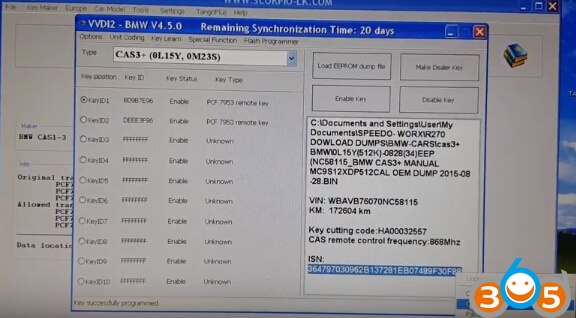
Then VVDI2 BMW will display CAS3+ ISN, copy the ISN code
Open Tango transponder key programmer software
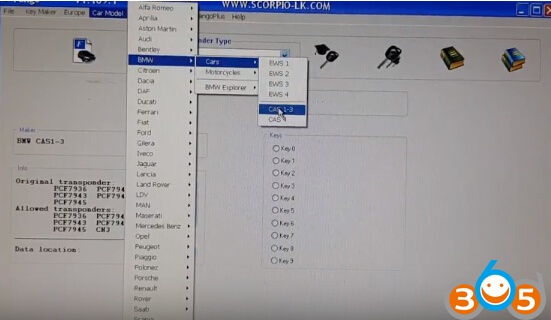
Select Car Model->BMW->Cars->CAS 1-3
Click on upload dump icon to load the eeprom dump
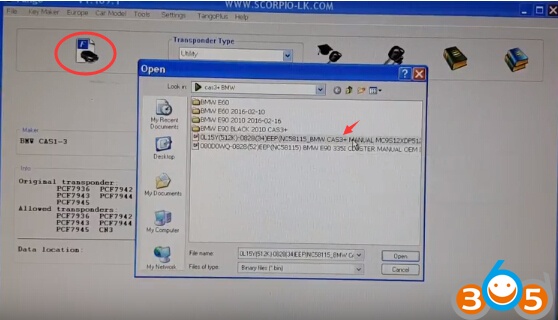
CAS3+ Detected
To decrypt data the valid key is necessary or ECU dump
Press OK
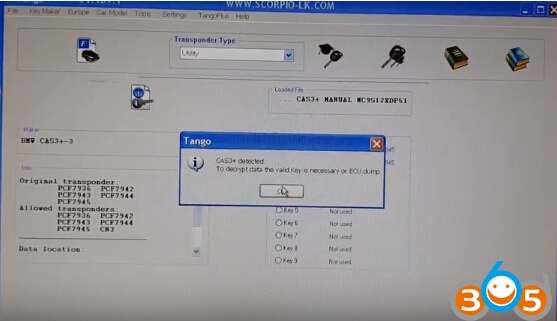
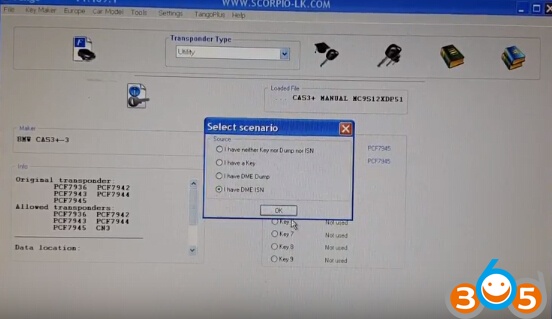
Select having a key, DME dump or DME ISN. In this situation, we select “I have DME ISN”
Tick OK
Paste the ISN got by VVDI2 here
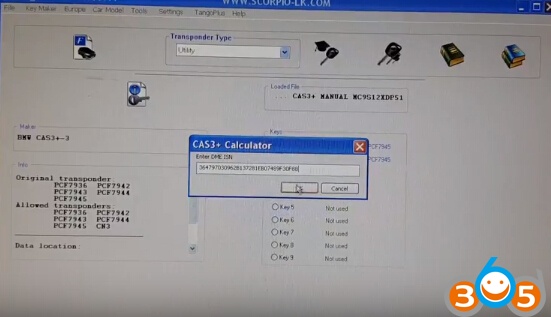
Press OK
Program transponder with tango.
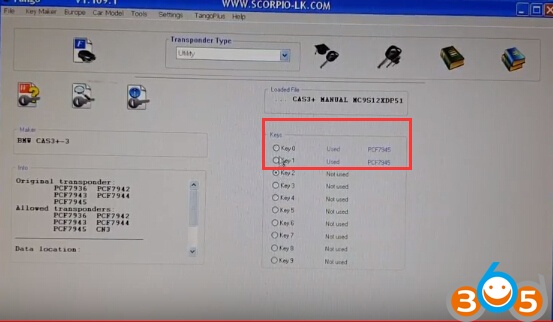
Done!