Here’s the factory guide on programming smart key card to Porsche Cayenne from year 2011 to year 2015 by using Lonsdor K518ISE car key programmer (K518 English version.)
Function
1. Program smart key: to program smart card (please make dealer key first);
2. Make dealer key: use the backed up BIN data to make the non-dedicated key to be dealer key.
Reference
Chip type: Dedicated smart card
Frequency: 315/433/434 frequency (please check the logo in the lower right of the lid of the BCM box)
Key embryo no.: 31
Code requirement: Dismantle & read BCM to make dealer key
Key generation: Program smart key complete, remote will automatically generated
Under the steering wheel (BCM position):
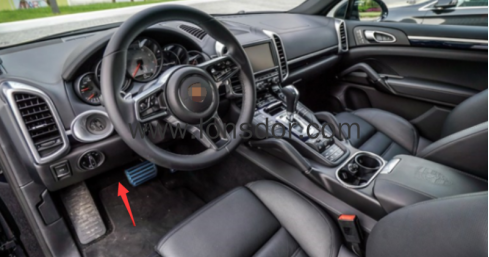
BCM is located at the bottom left of the steering wheel, please note the frequency type, basically there will be 315/433/434,
The following picture is for 434 frequency:
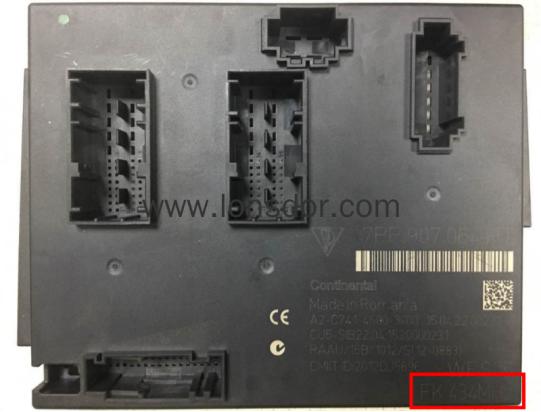
2011-2015 Cayenne Car Model

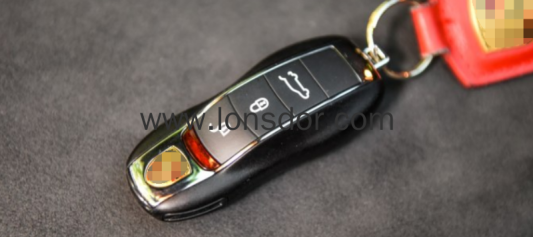
The car key
The induction keyhole
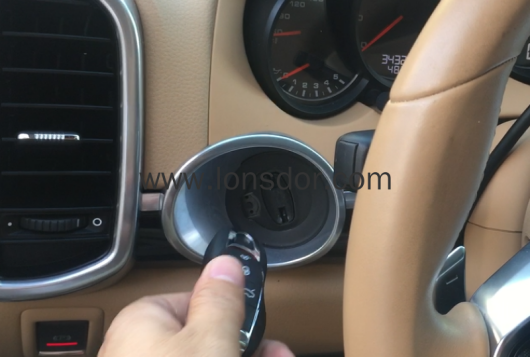
The mechanical knob key inserted into the induction keyhole
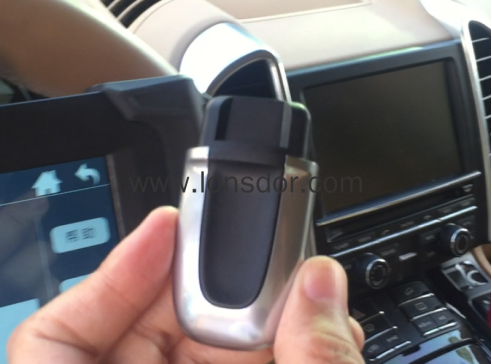
Attention
1. All the keys need to learn, or it will not be able to start the vehicle, it is recommended to learn the original car keys first,and then learn the new key, battery must be well installed.
2. The newly added key must be either the dealer key made via the car BCM data, or the key ordered back through the VIN code.
3. When learning key, it is required to insert the key into the induction keyhole, to learn a smart key, remove the machanical rotate key from the induction keyhole if any and then insert the smart key to program.
Operation
Step 1: Use the programmer to read and write BCM data and save it as bin file;
1. BCM is located in the lower left of the steering wheel, please pay attention to view the frequency type, usually there will be 315,433,434 frequency (below picture is for 434):
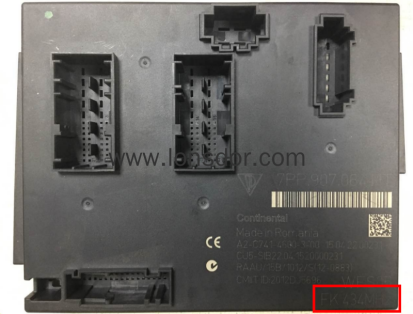
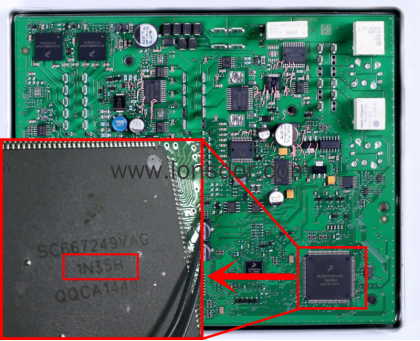
2. Read the BIN (D-FLASH / EEPROM) file with the VVDI Prog programmer specifically for reading BCM. Please pay attention to the type here: namely 1L15Y 2M25J metal crystal, or 5M48H 1N35H ceramic crystal (red mark):
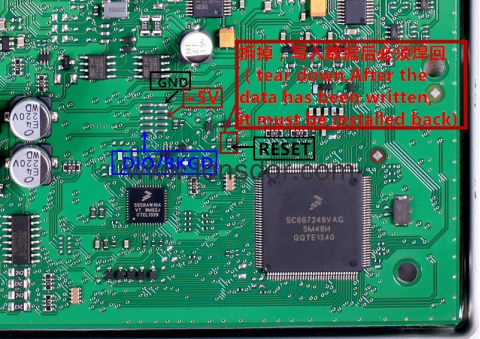
3. Please refer to the following picture to wire:
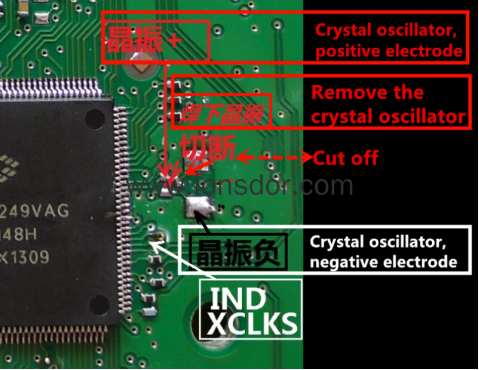
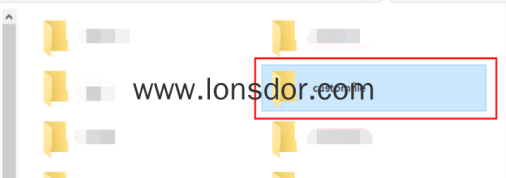
Step 2: Copy the bin file into Lonsdor K518ISE key programmer: please use the USB cable to connect the K518ISE to the computer, open the device internal memory, find the folder “customfile” and copy the bin file into it (as shows below).
Note: bin file suffix “bin” must be lower case letters, directly put the file into the folder rather than create a new folder:
Step 3: Make dealer key
Step 4: Program smart key