Free Download V2018.12 BMW E/F Scanner (BMW-Explorer) Driver Software
The latest and most stable software version of BMW E/F Scanner goes to V2018.12. Here obdii365.com provides software download for free.
Free Download 2018.12 BMW E/F Scanner driver, software and manual
File including
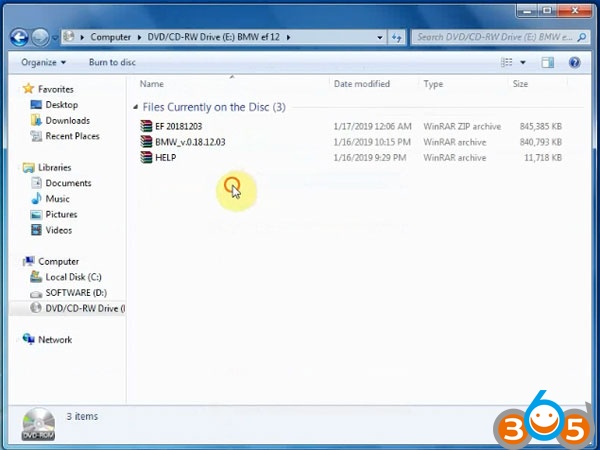
Software version: BMW-Explorer v18.12.03
Added new versions of SWFL for FEM/BDC and DME/DDE
Fixed programming FEM/BDC/EGS/DME/DDE
Operating system: Windows 7 – Windows 10
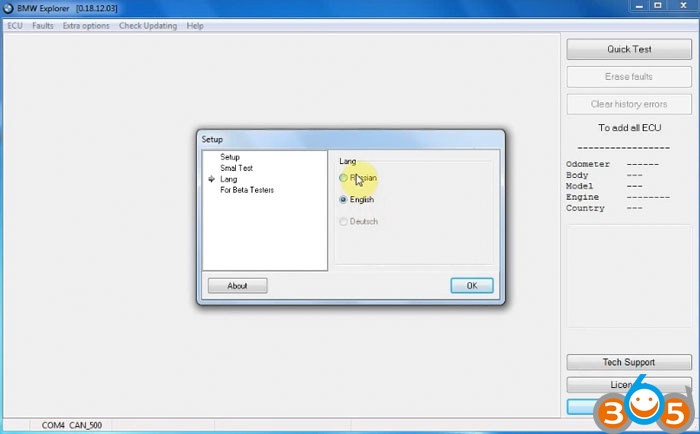
Language: Russian /English
Function: Full version supports BMW Diagnosis + IMMO key programming + Mileage Correction + Coding
Full Version Feature:
1.Basic features module
3. E-series Coding module
3.E-series CAS1, CAS2, CAS3, CAS3+ mileage Reset
4.E-series keyprog module
5.FEM/BDC mileage module
6.F-series mileage correction module
7. FLASH calibration READ/WRITE calibrations for F and G series models
8. ISN reset for F-series HP8 gearbox
9. FEM/BDC keyprog module
10. ISN MSx8x (SIEMENS) for BMW
11. F-Coding module
12. Tricore module for BMW
13. CAS4 CAS4+ F-series keyprog module with F-ISN
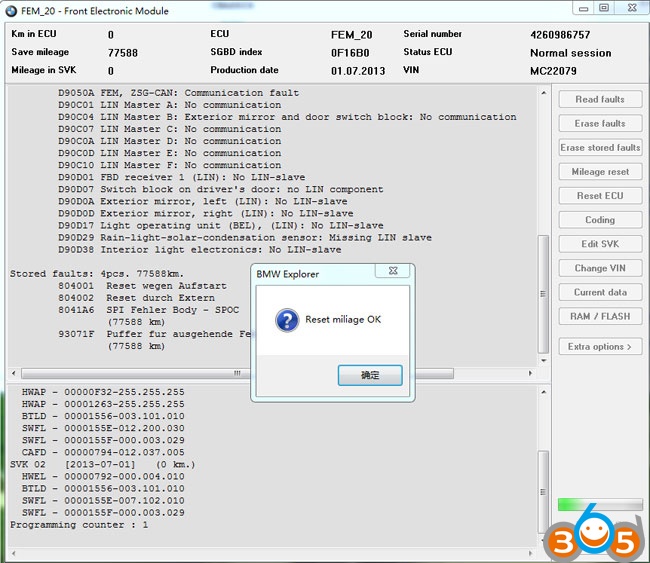
How to install BMW E/F Scanner V2018.12 driver software?
Paste all zip files and extract them all on desktop
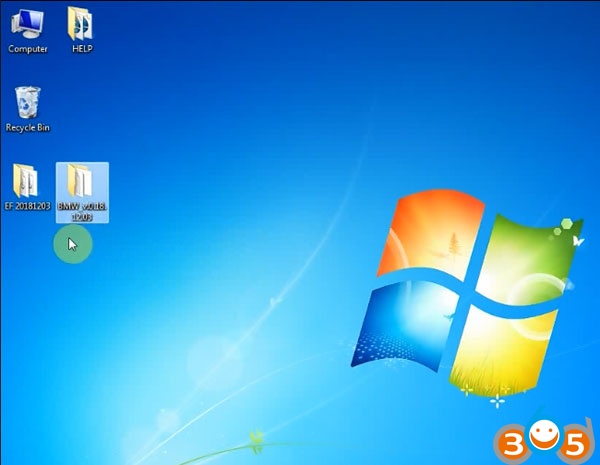
Note: Both EF 20181203 and BMW_v018.12.03 folder contains BMW explorer software. In BMW_v018.12.03 folder, you need to install driver and software before use. In EF 20181203 folder, software is ready to use, no need installation. MUST RUN BMW-EXPLORER AS ADMINISTRATOR!!!
Open BMW_v018.12.03 folder
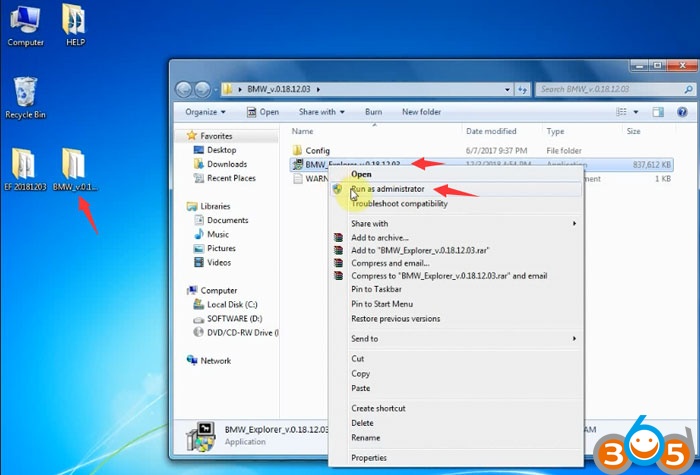
Run BMW_Explorer_v0.18.12.03 sofwtware as Administrator
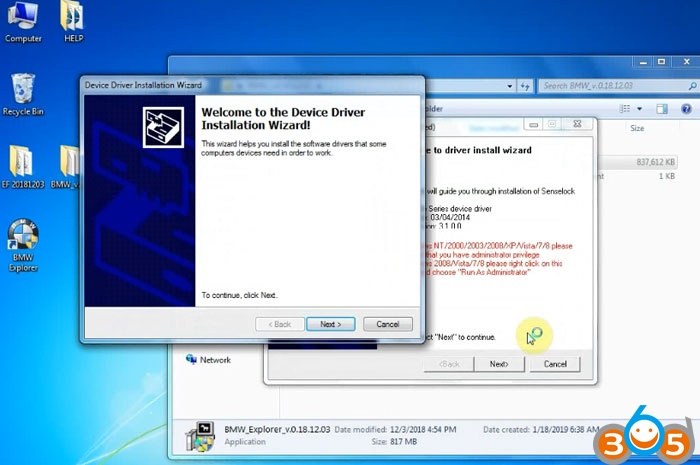
Press Next to install device driver
Accept license agreement
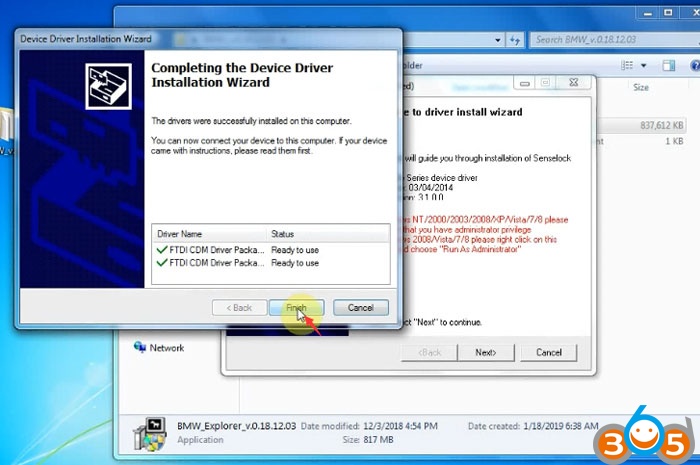
FTDI driver installation finished
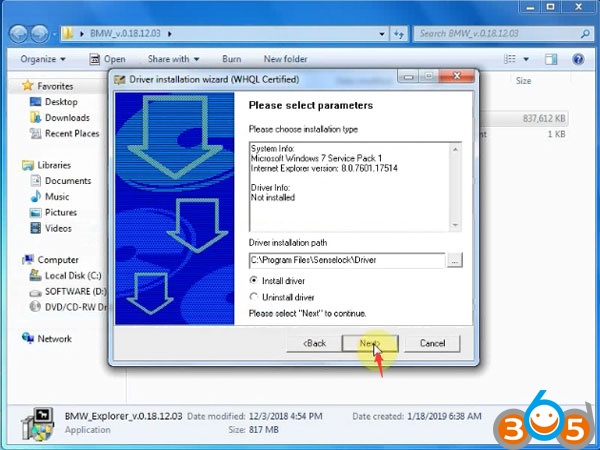

Install WHQL Certified driver until success
Connect BMW E/F scanner with laptop
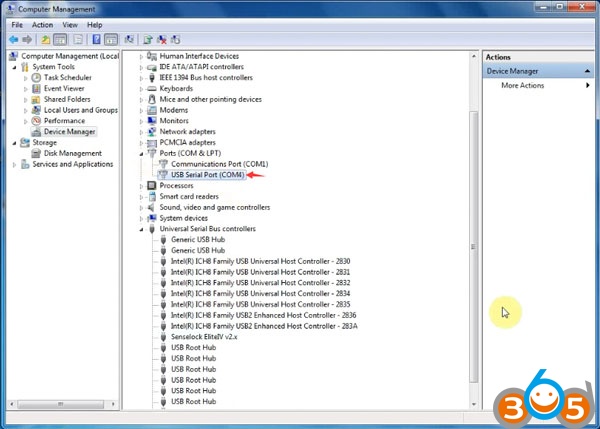
Open Device Manager to check interface is well connected and current COM Port
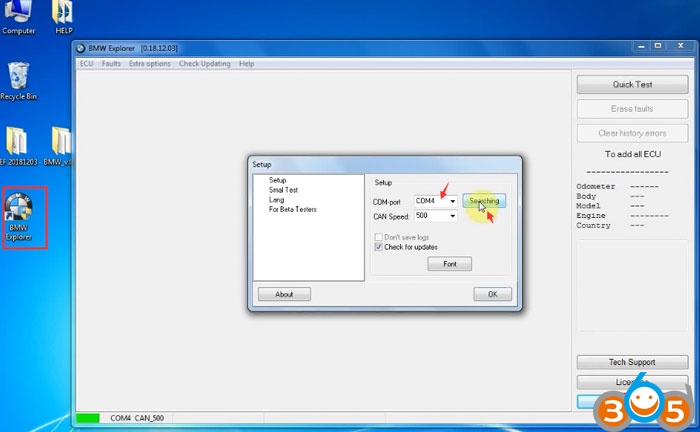
Run BMW Explorer software on desktop as Administrator
Press Setup and search COM port
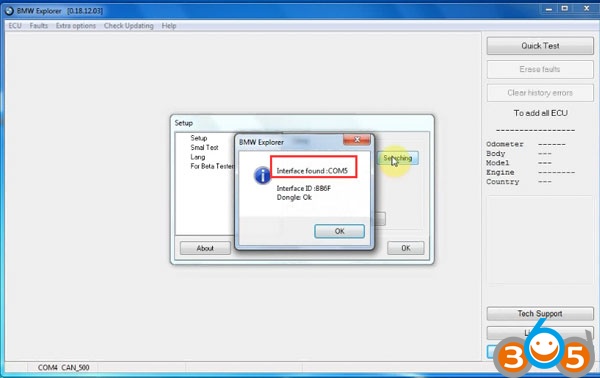
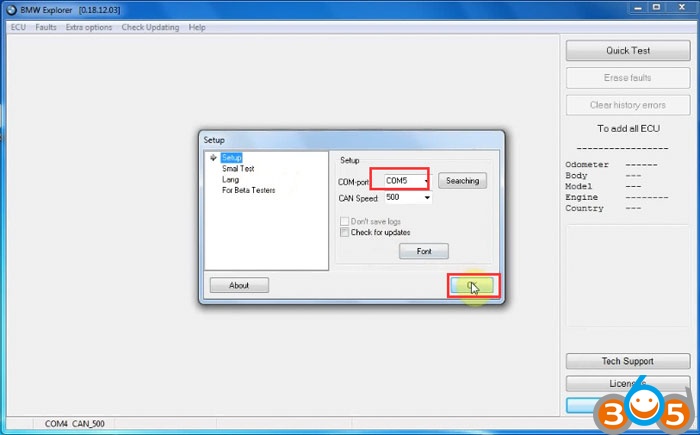
Detect COM Port 5 and confirm
Software is installed and ready to use
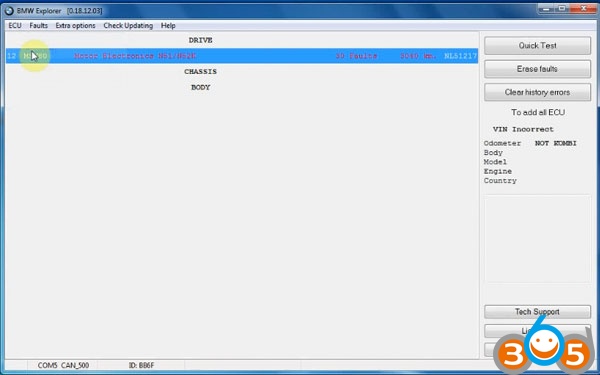
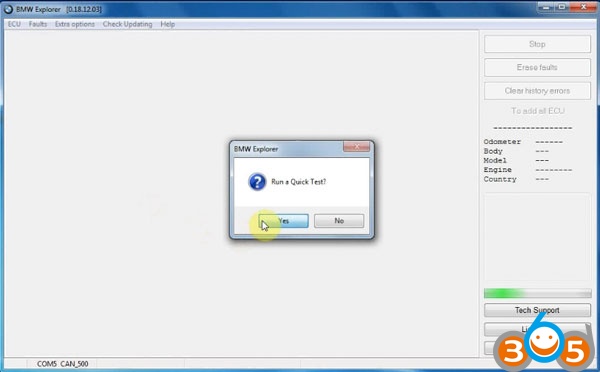
You can run a qucik self-test first
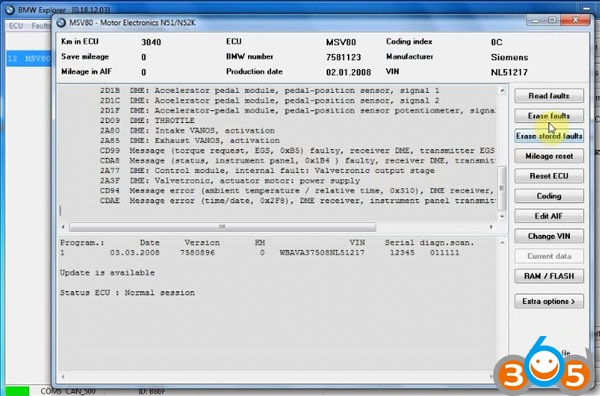
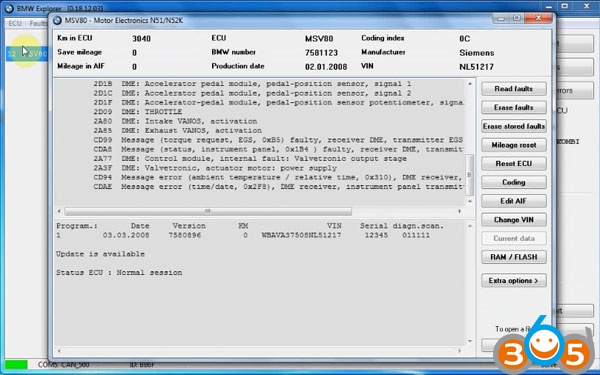
Open ECU
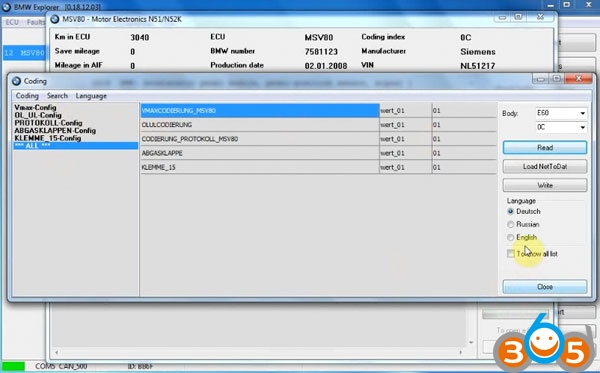
Coding
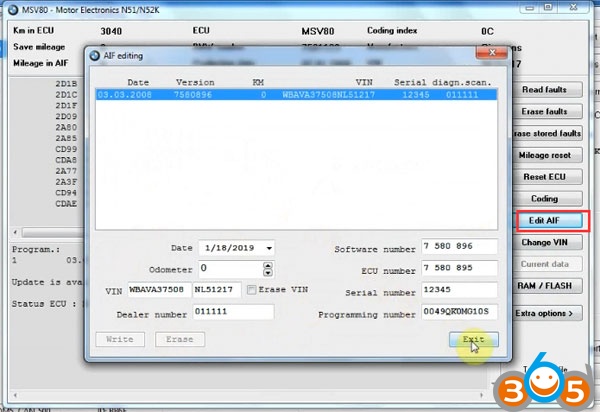
Edit AIF
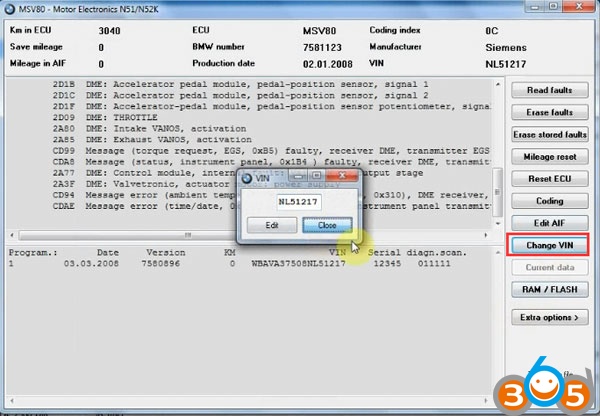
Change VIN
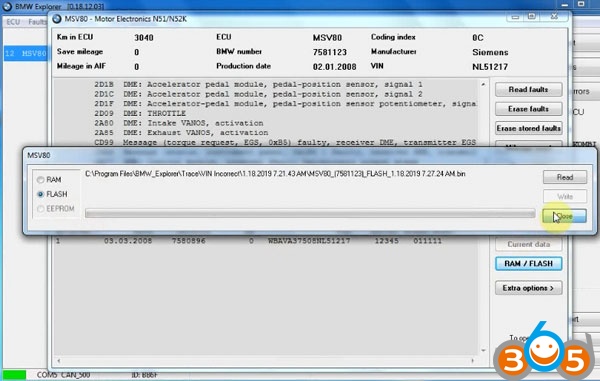
RAM/FLASH
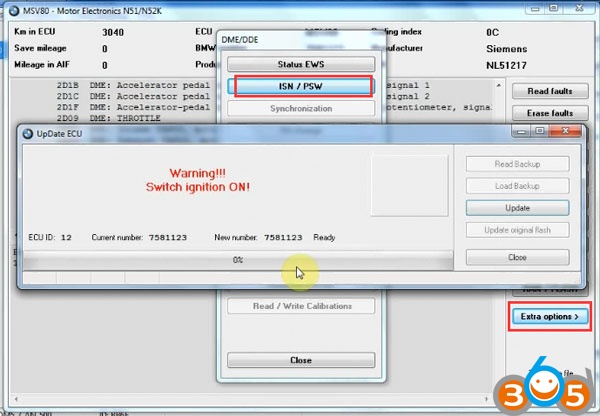
In Extra options, you can read ISN, reset adaptation, register battery, update ECU etc
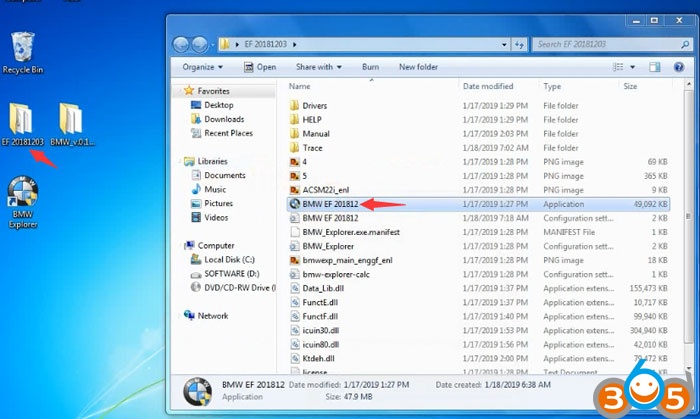
In EF 20181203 folder, you can directly run BMW EF 201812 software as Administrator
and do qucik test and perform other functions.
Done.
Free Download and Install V2018.12 BMW E/F Scanner BMW-Explorer