How to use Tango Key Programmer to sync Volvo CEM?
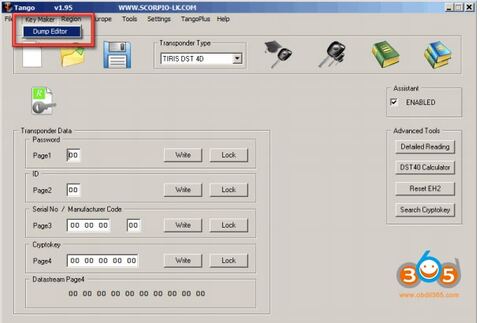
Purpose: This document here is aimed to show how to use original Tango key programmer to synchronize Volvo ECU and CEM
Tango hardware: original Tango from scorpio-lk
Tango software: version 1.95 or newer
Function to test: synchronize ECU and CEM modules in VOLVO vehicles
Preparation: in order to use the software, you will need to load a dump file from both ECU and CEM modules in Tango software. in case that one of the modules is broken or the chip contents are replaced, a file from a replacement (donor) module can be used.
ECU and CEM types covered:
CEM: 93C86, 28F400
ECU: 93C56, 24C04, 95P08
Any combination of the above mentioned can be synchronized.
Steps:
run Tango software and select key maker – dump editor

select europe – volvo – cem+ecu
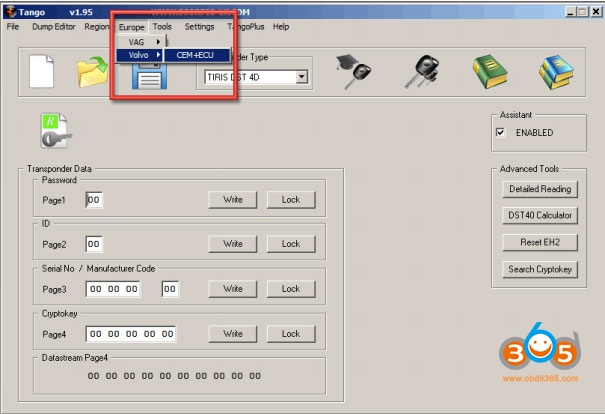
software is loading…
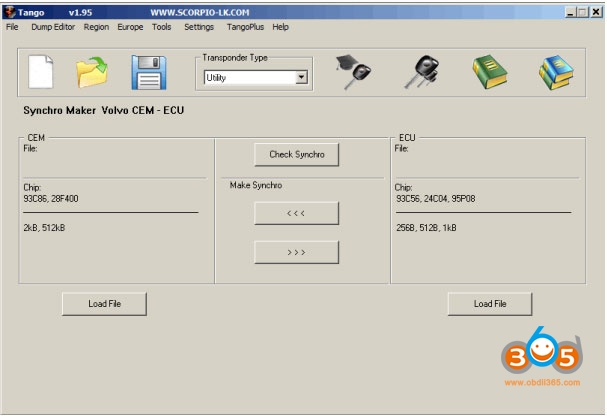
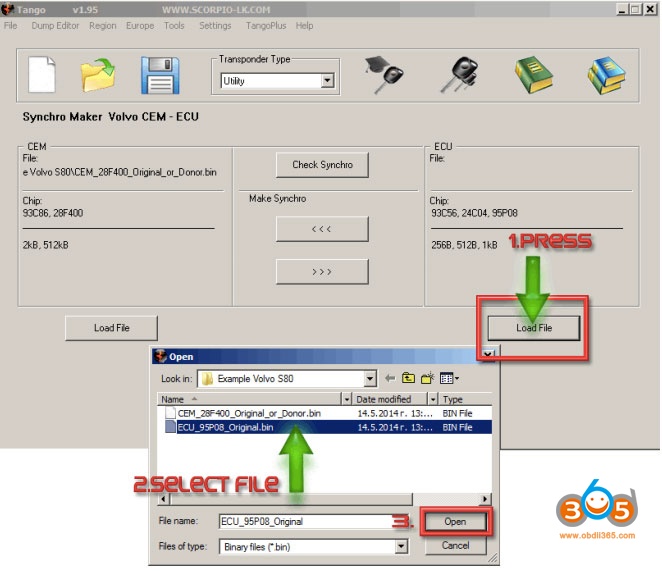
the synchronization of modules begins with loading dump files in Tango software. Here, the sync between CEM with 28F400 and ECU with 95P08 will be displayed
NOTE: It doesn’t matter which file is loaded first
will show how to synchronize the CEM module with the ECU
as a result of the whole procedure a new file for the CEM will be generated by Tango and this file is synchronized and compatible with the originally loaded ECU file. The reverse operation – creating a new ECU file compatible with the original CEM file can be used instead. the procedure is basically the same.
synchronization starts with loading a dump file from CEM
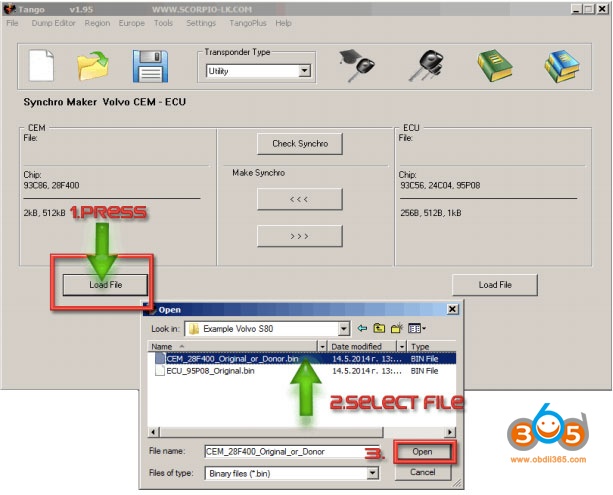
using the similar procedure load then ECU file
if you press the “check synchro” button now, it will display the following error because at this point files of the ECU and CEM are not synchronized
NB: if the files are taken from a working car, the error will not appear and will write “success” instead

to actually synchronize files press the arrows beneath “make sychro”.
the upper arrow that points left will prompt saving new CEM dump file that is synchronized with the ECU
the second button which points right may be used to create a new ECU dump file instead
choosing which function to use (create a new CEM file or create a new ECU file) is up to users’ personal preferences and basically there is no difference.
it may be a good idea to base your decision, which module to synchronize, on the unit where it is easier for you to reprogram.
here, rewriting flash 28F400 is more difficult than 95P08
therefore, it may be a good choice to generate a file for ECU and write it back
click the bottom button “make synchro” and save the new ECU file
in any case the newly generated file has to be written back in its corresponding module, which will allow both modules to work together once again.

after the new file is generated, it is advised to check the synchronization before applying it to the module. here, press “load file” under CEM selection within the software and select the newly generated by Tango file, which was created in the step above:

check synchro
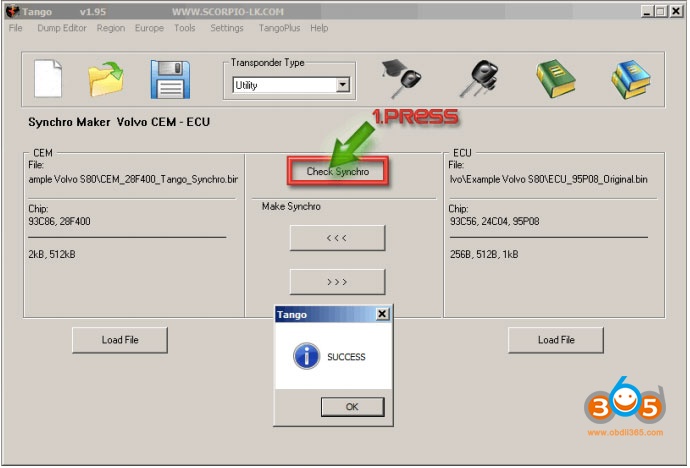
then write back the new file in the corresponding module.
job’s done!