MVCI Xhorse: What the XHORSE MVCI PRO+ Interface Actually Is
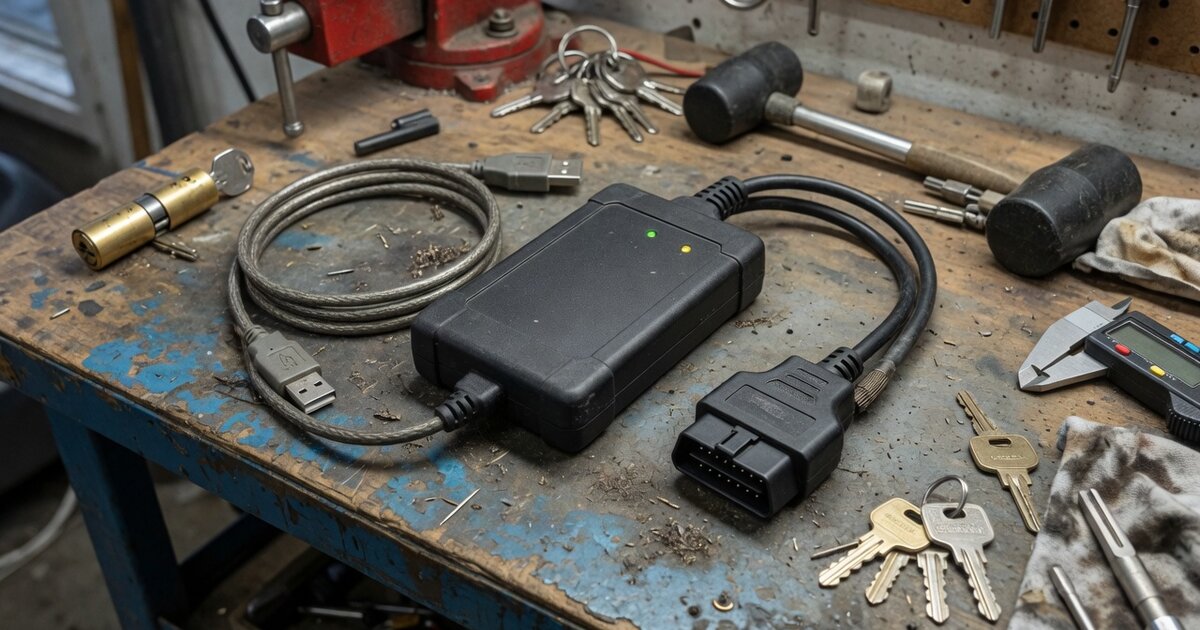
Anyone researching "MVCI Xhorse" is usually trying to answer one of two questions: what MVCI actually is, and whether Xhorse makes something that qualifies. The short version is that MVCI (Multiple Vehicle Communication Interface) is not an Xhorse invention — it is a Toyota/Denso diagnostic interface standard, built around the same class of pass-thru communication protocols used across the wider aftermarket. Xhorse, in turn, sells a device that carries "MVCI" directly in its product name and implements the underlying protocol layers that the MVCI ecosystem is built on. Those are two related but different things, and mixing them up is the easiest way to buy the wrong tool.
What MVCI Is and What Xhorse's Version Does
MVCI was developed by Denso as the hardware interface that connects a diagnostic laptop to a vehicle's OBD-II port for Toyota's official Techstream software, along with related Lexus and Scion diagnostic applications. In practical terms, an MVCI box is the middleman: Techstream runs on the PC, and the MVCI unit handles the actual electrical communication with the car's ECUs, which is what makes ECU reflashing, system diagnostics, and various programming routines possible in the first place. Because genuine Denso-branded MVCI hardware has historically been expensive and tightly tied to Toyota's own licensing, a whole category of third-party "MVCI-compatible" interfaces grew up around it — boxes and cables that speak the same protocol layers without being Denso originals.
Those protocol layers matter, because they explain why MVCI-style devices are not always Toyota-only. Interfaces in this class typically support two open pass-thru standards: J2534, the SAE standard most aftermarket diagnostic tools rely on, and D-PDU (built on ISO 22900), a broader API that a number of manufacturers' diagnostic software packages can talk to. A device that supports both isn't limited to Techstream by design — it can, in principle, work with any manufacturer's software that was written against the same API, which is why some MVCI-branded and MVCI-compatible boxes get marketed as multi-brand tools rather than Toyota-only ones.
Xhorse's entry in this space is the XHORSE XDMVJPGL, sold as the "MVCI PRO+" (model SP455-B). It's a USB-connected interface — built more like a compact adapter/cable than a boxed VCI unit — and the manufacturer's own listing describes it as supporting both D-PDU and J2534 protocols, marketed to "perfectly replace the original inspection devices" for diagnosis and programming work. The listing names Mercedes-Benz, Volkswagen, Toyota, Honda, and Ford as covered brands, with pricing generally sitting in the low hundred-dollar range from Xhorse-affiliated resellers. Notably, the product description does not explicitly name Toyota Techstream, ODIS, IDS, or any other specific OEM software package by title — it speaks in general terms about supporting "multiple automotive manufacturers" and "original diagnostic software." That's an important gap to flag rather than paper over: a device sharing the MVCI name and the right protocol stack is a strong signal of compatibility, but it is not the same as a manufacturer publishing a confirmed software compatibility list.
This MVCI PRO+ sits alongside the rest of Xhorse's broader lineup of key programming tools, most of which are aimed squarely at immobilizer and remote-key work rather than general OEM-level diagnostics. It's worth keeping that context in mind, because MVCI-style interfaces occupy a different corner of the shop than Xhorse's more familiar handheld programmers.
What to Consider Before Buying
Before ordering an MVCI-branded or MVCI-compatible interface from any seller, a few things are worth nailing down rather than assuming. First, confirm in writing which specific diagnostic software the unit has actually been tested against for your use case — a device that supports the J2534 and D-PDU protocol layers in general is not automatically validated against every version of Techstream or any other OEM package, since manufacturers frequently gate device compatibility through their own driver registration and validation checks. Second, ask directly whether the unit is a licensed product or an independent third-party interface; this niche has a long history of clones and rebadged hardware, and a seller who can't answer that question plainly is a warning sign.
Third, check protocol coverage against the actual vehicles you work on. Newer models increasingly rely on DoIP (Diagnostics over Internet Protocol) rather than legacy CAN-based communication, and not every J2534/D-PDU interface — MVCI-branded or otherwise — has been updated to handle that transition. Fourth, factor in software costs separately from the hardware price: OEM diagnostic software like Techstream is typically licensed on its own terms, so the interface itself being affordable doesn't mean the total cost of getting it running is small. Finally, check the reseller's return and support policy specifically for this category, since driver installation and Windows compatibility issues are common enough with pass-thru hardware that you want a real path to support if something doesn't connect out of the box.
Common Mistakes to Avoid
The most common mistake is assuming any device labeled "MVCI" automatically unlocks the full range of Techstream functions, including ECU reprogramming and key/immobilizer routines, when in practice some interfaces are restricted to basic diagnostics only. Read the actual feature list rather than the product name. A second mistake is confusing this entire hardware category with Xhorse's mechanical side of the business — MVCI PRO+ is a communication interface, not a cutting tool, and has nothing to do with products like Xhorse's 3D key-cutting machines; if you landed here looking for cutting hardware instead, what "Xhorse 3D" actually means for key-cutting machines is the more relevant read. A third mistake is buying the interface without checking whether your actual job even needs this level of tool — for straightforward remote-key and transponder work on supported models, a simpler handheld unit such as the Xhorse Key Tool Lite may cover the job at a fraction of the cost and complexity. And a fourth, easy-to-miss mistake is skipping firmware/software version checks against your target vehicle's model year before a job — pass-thru interfaces that haven't been updated for a given model year can fail mid-diagnosis rather than simply refusing to connect.
Frequently asked questions
What does MVCI stand for?
MVCI stands for Multiple Vehicle Communication Interface. It's the hardware interface standard developed by Denso for use with Toyota's Techstream diagnostic software and related Lexus/Scion applications, connecting a diagnostic PC to the vehicle over OBD-II.
Is Xhorse's MVCI PRO+ the same as a genuine Denso MVCI unit?
No. Xhorse's XDMVJPGL "MVCI PRO+" is an independently produced interface that implements the J2534 and D-PDU protocol layers underlying the MVCI ecosystem; it is not a Denso-branded or Denso-licensed product. Treat it as an MVCI-compatible third-party device rather than an original.
What vehicle brands does the Xhorse MVCI PRO+ support?
Per the manufacturer's own product listing, it's marketed for use with Mercedes-Benz, Volkswagen, Toyota, Honda, and Ford. Confirm current, model-year-specific coverage with the seller before buying, since supported vehicle lists on pass-thru interfaces change with firmware and software updates.
Will it work with Toyota Techstream software specifically?
The device supports the D-PDU and J2534 protocol standards that Techstream-class software is built around, but the manufacturer's listing does not explicitly name Techstream by title. Verify direct Techstream compatibility with the seller before purchase rather than assuming it from the protocol support alone.
How much does the Xhorse MVCI PRO+ cost?
Xhorse-affiliated retail listings have shown it priced in the low hundred-dollar range (roughly $100-$120 depending on the seller and currency), which is well below what genuine OEM diagnostic interfaces typically cost. Remember that OEM software licensing, where required, is usually a separate cost from the hardware itself.
Is this the right tool for basic key programming jobs?
Not necessarily. MVCI-class interfaces are built for broader diagnostic and ECU programming work, which is more hardware and software than many key/remote programming jobs require. If your work is mostly transponder and remote-key programming rather than full OEM-level diagnostics, a dedicated handheld key programmer is often the simpler and cheaper choice.