Xhorse App: What It Actually Does and How to Use It Right
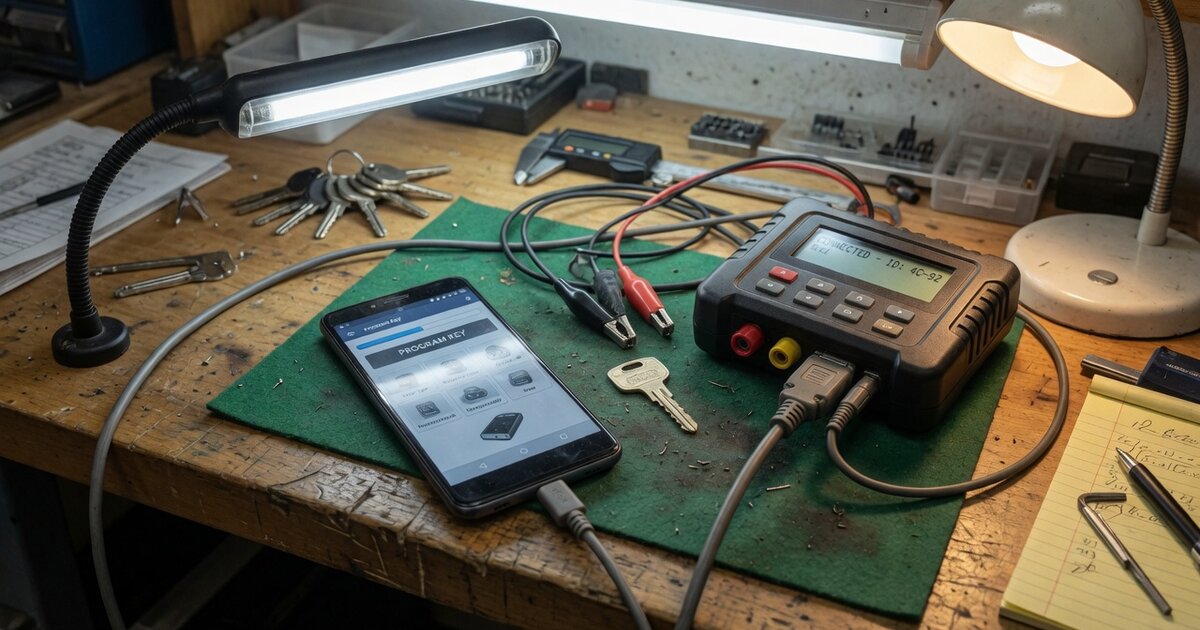
Search for "Xhorse app" and you will find a tangle of related but distinct results: a free companion app on Google Play and the App Store, PC-side driver packages, and device-specific software running on tools that have their own screens. This is not bad naming — as covered in our overview of the Xhorse brand and its key programming tools, Xhorse sells several distinct product lines, and each one talks to your phone or PC differently. Before installing anything, it helps to know which "Xhorse app" you actually need.
What the Xhorse app actually does
The app most people mean when they search "Xhorse app" is the official mobile companion app, published under the package name com.xhorse.assembly and listed simply as "Xhorse" on Google Play and the Apple App Store. It exists mainly to give a screen and a control interface to Xhorse hardware that does not have one built in. The clearest example is the Xhorse Key Tool Lite and its sibling, the VVDI Mini Key Tool: both are small pucks with no keypad and no real display, only a status light and a basic frequency-test readout. Every operation on those devices — reading a transponder, cloning a chip, generating a remote, checking firmware bulletins — happens through the phone app over Bluetooth, with the phone acting as storage, screen, and input method.
The same app also pairs with Xhorse's Dolphin key-cutting machines (Dolphin XP-005 and Condor XC-MINI, among others), where it decodes a key from a photo or code lookup, drives the cutting process, runs universal key duplication, and queries bitting data — closer to a control panel for the cutter than a simple accessory.
Larger Xhorse devices behave differently. The VVDI Key Tool Plus and Key Tool Max are tablets with their own Android-based operating system and touchscreen, so they do not depend on the phone app for day-to-day key programming — the interface is on the device itself. What they still share with the smaller tools is the underlying Xhorse account system: first-time use typically requires registering an account, binding the device's serial number, and pulling a firmware and IMMO-data update over Wi-Fi. Some of that registration can be handled from the same mobile app, even though the programming work itself runs on the tool's own screen.
VVDI2 sits in a third category entirely. It is a USB dongle meant to run from a Windows PC through dedicated desktop software (commonly called VVDI2 Commander), not through the mobile app at all. The same logic applies to pass-through diagnostic hardware such as the Xhorse J2534 cable, which relies on PC-side diagnostic software rather than a phone pairing. When people search "xhorse driver," this is usually what they are after: the USB/serial driver package that lets Windows recognize a connected VVDI2, Key Tool Plus, or J2534 device — a separate download from the mobile app, built for communication with a PC rather than control from a phone.
What to consider before installing/using it
A few practical points come up repeatedly from real installs and support pages, and are worth knowing before you rely on the app for a job:
- An account is mandatory, not optional. First use almost always requires creating an Xhorse account, verifying it with a text or email code, and binding the tool's serial number before any function unlocks.
- Registration errors happen. Some users report a "contact your dealer for registration" message on first login, which points to an authorization step resolved through the seller rather than the app itself.
- Internet access is required at setup, even for a Bluetooth tool. Binding a device and pulling firmware updates needs live Wi-Fi, so a signal-free workshop can block first-time setup even though daily key work runs over Bluetooth.
- Firmware updates should be done in sequence. Xhorse's own guidance for devices like the Key Tool Max is to step through versions in order rather than jumping straight to the newest release; skipping steps is a reported cause of failed upgrades.
- Antivirus can interfere with PC-side installs. This applies to the desktop driver and update-kit installers rather than the mobile app; installer executables sometimes get flagged and quarantined.
- Running the mobile app on a PC via an Android emulator is possible but limited. It lets you view account and firmware info, but its core job is Bluetooth pairing with real hardware, which most emulators cannot bridge — it is not a substitute for real desktop software.
Common mistakes to avoid
Most of the frustration around "the Xhorse app not working" traces back to a handful of avoidable mix-ups rather than a defective download:
- Trying to control the wrong device with the wrong software. A VVDI2 dongle will not respond to the mobile app at all; it needs the PC-side VVDI2 software and driver. Confirm which product line your hardware belongs to first.
- Skipping account registration and blaming the hardware. A tool that looks "dead" on first power-up is frequently just unregistered — bind it to an account and update it before troubleshooting further.
- Jumping firmware versions instead of updating step by step. Installing the latest firmware directly on an older base version is a documented way to end up with an update that will not complete or a loss of functions afterward.
- Leaving antivirus disabled permanently to get an installer through. Turning off protection temporarily for a known installer is one thing; leaving it off as a habit is not — allow-list the specific installer instead.
- Assuming identical behavior on Android and iOS. The app is listed on both stores, but some sellers document certain screenless hardware, like the Mini Key Tool and Key Tool Lite family, as primarily an Android experience; check current compatibility for your device before assuming parity.
Frequently asked questions
Is there one official Xhorse app, or several different ones?
Functionally there is one main mobile companion app (listed as "Xhorse," package com.xhorse.assembly) that pairs over Bluetooth with screenless tools like the Mini Key Tool, Key Tool Lite, and Dolphin cutters. Larger tablet-style devices such as the Key Tool Plus and Key Tool Max run their own onboard software and mainly touch the app for registration, while VVDI2 and J2534-type hardware use separate PC desktop software instead. Treat "Xhorse app" as a family of related programs tied to specific hardware, not one universal download.
Where should I download the Xhorse app from?
The official listings are on Google Play and the Apple App Store under the developer name Xhorse. For PC-side software, drivers, and firmware packages tied to specific tools, Xhorse and its authorized resellers publish downloads through their own support and software pages rather than app stores — those are worth checking directly rather than trusting a random third-party mirror.
Do I have to create an account just to use the app?
Yes. Both the mobile app and the larger standalone tools require registering an Xhorse account, verifying it by phone or email, and binding the specific device's serial number before its functions unlock. This is standard across the product line, not a bug or a one-off requirement.
Why does the app tell me to "contact your dealer for registration"?
This message is generally an activation or authorization check rather than an app fault. It has been reported by users during first login and typically needs to be resolved with the seller or authorized dealer the device was purchased from, since dealer-level activation is part of how some Xhorse hardware is provisioned.
Can I run the Xhorse app on a Windows PC?
You can install it inside an Android emulator, and doing so will let you view account details and check for updates, but the app's central purpose is Bluetooth pairing with a physical device, which most emulators cannot bridge properly. For devices that are genuinely meant to run from a PC — VVDI2 and J2534-style hardware — use the dedicated Windows software and driver package instead of trying to force the mobile app to work on a desktop.
What's the difference between the "Xhorse app" and the "Xhorse driver"?
The app is the mobile companion program used for Bluetooth-connected tools. The driver is a separate Windows USB/serial driver package that lets a PC recognize hardware like VVDI2 or a Key Tool Plus when it is plugged in by cable, so the desktop software can talk to it. They solve different connection problems and installing one does not substitute for the other.