DiaLink J2534: What It Is and What to Know Before You Buy
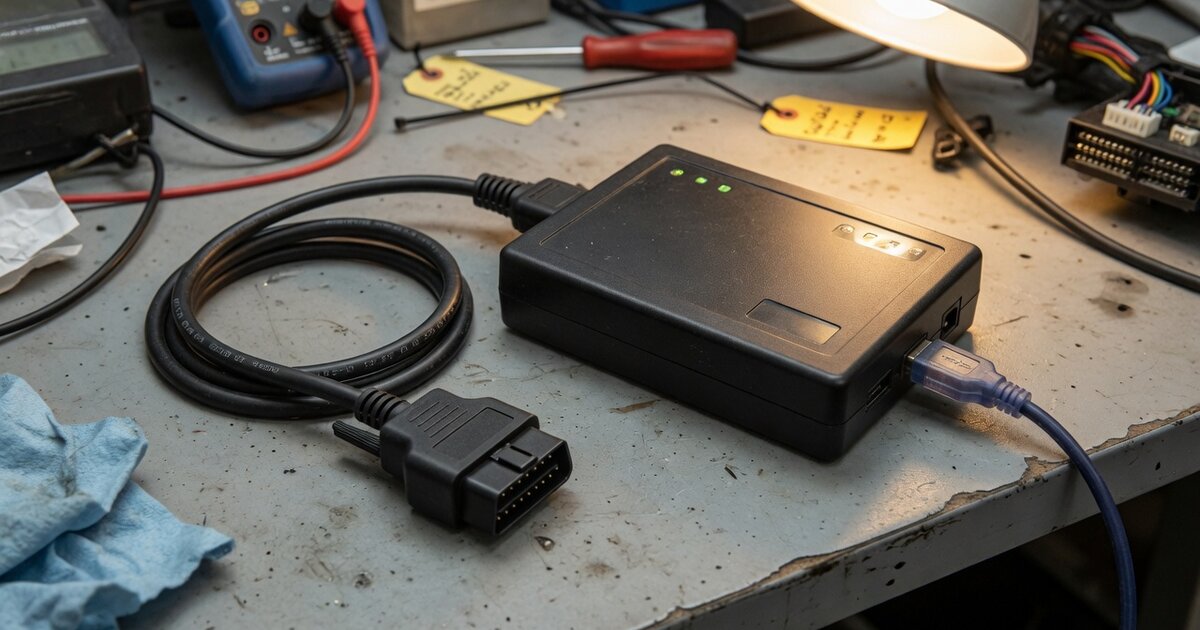
If you searched "DiaLink J2534" expecting an Autel product page, you're not alone — and you're also not quite where the name suggests. DiaLink is a real, widely sold J2534 pass-thru interface, but it isn't manufactured or branded by Autel. It's built by SMS-Software (also marketed as SMS Tools), a company known in the independent diagnostic and reflashing world for J2534 adapters and the CombiLoader software suite. The name overlap with Autel is easy to trip over for two reasons: Autel sells an unrelated basic code reader called DiagLink (different spelling, no pass-thru function at all), and Autel also has its own genuine J2534 hardware line, sold under the MaxiFlash name. If you're weighing DiaLink against a bundled option like Launch's own J2534 interface, it helps to know exactly what you're comparing before you spend money on either one.
What DiaLink Is and What It Does
DiaLink is a compact interface box that sits between a Windows PC and a vehicle's OBD-II port, connecting over USB (some listings also describe a Bluetooth option). Its job is to implement the SAE J2534 pass-thru API, the standard that lets OEM diagnostic and reprogramming software — running on a regular laptop rather than a proprietary tablet — talk to a vehicle's modules over their native communication protocols. Based on manufacturer and reseller listings, it covers the core protocol set most J2534 tools need: ISO 9141/ISO 14230 (K-Line), SAE J1850 VPW/PWM, and ISO 11898/ISO 15765 (CAN). It's marketed as a modern alternative to older interfaces like the Drew Tech OpenPort 2.0, and sellers describe it as compatible with both 12V passenger cars and 24V commercial vehicles.
On the software side, DiaLink is designed to work with SMS-Software's own CombiLoader reflashing tool as well as third-party J2534-compliant OEM applications, with reseller pages citing compatibility with programs such as Mercedes-Benz Xentry Passthru, Toyota Techstream, and Volkswagen Group's ODIS, plus BMW tools that run in K+DCAN/D-CAN pass-thru mode. What DiaLink is not is a standalone diagnostic tablet: it has no screen of its own and does nothing without a host PC and licensed OEM software running on it. That's a meaningful difference from an all-in-one system where the VCI ships bundled with a tablet and its own app, and it's worth reading up on ECU reprogramming tools and how they differ if you're not already clear on the distinction between a pass-thru adapter and a full diagnostic platform. For locksmiths specifically, a device like this earns its keep only when a vehicle's key or immobilizer procedure is actually run through the OEM's own software rather than through a dedicated aftermarket key programmer.
What to Consider Before Buying
Start with certification, not price. Vehicle manufacturers publish lists of J2534 devices their software has been validated against, and an adapter can physically connect and still not be on that list for a given brand. Before you count on DiaLink for a critical module write, check whether the specific OEM application you plan to run — Techstream, ODIS, Xentry Passthru, or whatever else — has actually validated it, rather than assuming general protocol support is enough.
Support and firmware channels matter more than they seem to. DiaLink comes from a specialist manufacturer rather than a major diagnostic-tool brand with a dedicated US support line, so driver updates, firmware, and troubleshooting are more likely to route through a reseller than through a large in-house team. That's not automatically a problem, but it's worth confirming response times and update cadence before you're mid-job on a customer's car.
Remember that the interface is only half the cost. Buying DiaLink gets you the hardware, not the OEM software licenses — Xentry, ODIS, Techstream, and similar packages are sold and subscribed to separately, often per manufacturer and sometimes per session or per year, and those fees can add up faster than the adapter itself. Factor that into whether a generic pass-thru box actually saves money over a bundled tablet-and-VCI system for the makes you service most.
Finally, confirm the basics: you'll need a Windows PC with the right drivers and any required runtime components installed, since DiaLink has no standalone mode. And because coverage depends entirely on which OEM software you pair it with rather than on the adapter itself, "what vehicles does DiaLink support" doesn't really have one answer — it depends on what you install alongside it.
Common Mistakes to Avoid
The most common mistake is assuming Autel branding or support applies because the names sound alike — it doesn't, and going to Autel for help with a DiaLink unit will lead nowhere. A second mistake is buying it specifically for key or immobilizer programming without first confirming that the target vehicle's key-learning procedure actually runs through OEM software that DiaLink is validated for; general CAN/K-Line support doesn't guarantee a specific security-related routine will complete. A third is skipping the OEM validated-device check altogether and using an unlisted interface for a live module flash, which carries real risk of an incomplete or failed write. A fourth is treating any single listing's price or spec sheet as gospel — hardware revisions and included accessories vary by reseller, so verify current details with the seller directly rather than relying on outdated listings. And don't forget the adapter alone does nothing: budget for the OEM software licenses before you commit to the hardware.
Frequently Asked Questions
Is DiaLink made by Autel?
No. DiaLink is produced by SMS-Software, not Autel. The confusion is understandable: Autel sells a similarly named but unrelated basic code reader called DiagLink, and separately sells its own genuine J2534 pass-thru hardware under the MaxiFlash name. All three are different products from different lines, so it's worth double-checking exactly which one a listing is describing before you buy.
What communication protocols does DiaLink support?
Based on manufacturer and reseller documentation, DiaLink supports ISO 9141/ISO 14230 (K-Line), SAE J1850 VPW/PWM, and ISO 11898/ISO 15765 (CAN), which covers the protocol set most J2534 reprogramming and diagnostic sessions require on both older and modern CAN-based vehicles.
Can DiaLink be used for key or immobilizer programming?
Only indirectly. DiaLink itself has no key-programming software of its own — it's a generic pass-thru interface. If a vehicle's key-learning or immobilizer procedure runs through the manufacturer's own diagnostic application (for example, a Techstream or ODIS routine), and that application has validated DiaLink, then the job can be done through it. It is not a substitute for a dedicated aftermarket key programmer for makes that don't route those procedures through OEM software.
Does DiaLink work with every OEM diagnostic application?
No single J2534 adapter works with every OEM package out of the box. Compatibility depends on whether that manufacturer's software has validated the specific device, driver version, and firmware you're running. Reseller pages list compatibility with programs such as Xentry Passthru, Techstream, and ODIS, plus BMW tools in pass-thru mode, but you should confirm current validation status for your target brand before relying on it for production work.
How does DiaLink compare to Autel's or Launch's own J2534 hardware?
The practical difference is ecosystem, not just protocol coverage. Autel's MaxiFlash devices and Launch's J2534 interface are typically sold as part of, or alongside, a branded diagnostic tablet with dedicated software and manufacturer-backed support. DiaLink is a standalone, PC-tethered adapter from a smaller specialist vendor, generally cheaper up front but requiring you to source and manage OEM software separately. Which is the better fit depends on whether you already run a compatible tablet ecosystem or need a lower-cost interface for occasional PC-based reflashing — the broader landscape of options is covered in our guide to ECU reprogramming tools and how to choose one.
Do I still need to buy OEM diagnostic software separately?
Yes. DiaLink is only the communication interface. To actually run reprogramming or key-related procedures, you need the manufacturer's own diagnostic software (such as Xentry Passthru, Techstream, or ODIS), which is licensed and priced independently of the adapter. Budget for that software cost before assuming a low adapter price reflects the total cost of getting into a given manufacturer's ecosystem.