Launch Software Explained: Updates, Apps, and Subscriptions
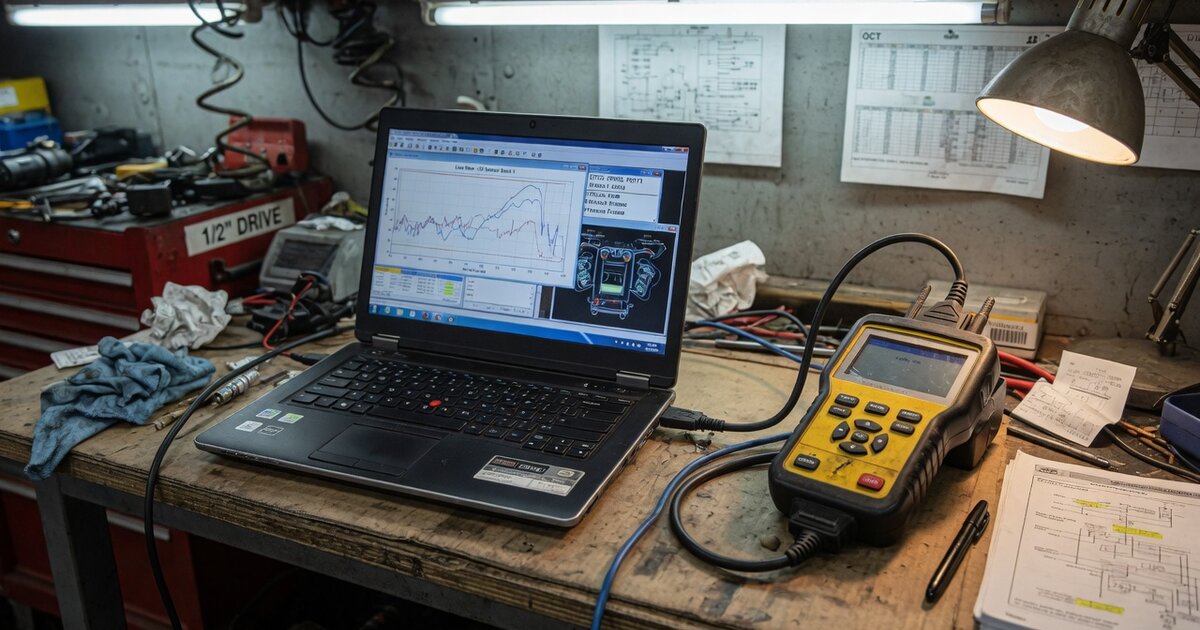
Launch Tech is one of the bigger names in automotive diagnostic and key-programming hardware, but the tablets, code readers, and interface boxes it sells are really just delivery mechanisms for the software running underneath. Vehicle coverage, bidirectional controls, ECU programming routines, and special functions all live in software that has to be registered, updated, and — in many cases — renewed on a subscription basis. For a shop comparing Launch to other brands, this is usually where the confusion starts: different device families in the lineup use different update systems, some carry ongoing subscription costs and others are sold with lifetime free updates, and the details aren't always spelled out on a product listing. This article looks at how Launch's software model actually works across its main hardware families, based on Launch's own registration and update documentation, and what to verify before you buy or renew.
How Launch's software and updates work
Every Launch tool has to be tied to an account and a physical serial number before its software will update. On X431 tablets, that means creating a Launch account and registering the device's serial number and activation code inside the on-device app — usually labeled "Launch" or "X431" — before the diagnostic software will pull down any coverage updates at all. New X431 units are typically sold with a free update period bundled in, but the length of that period varies by model and by which reseller bundle you buy; some listings advertise one year, others two, so it is not safe to assume the terms from one X431 tool apply to another.
Once that free window elapses, continuing to receive vehicle coverage and firmware updates means buying a software update subscription — often called a renewal — tied to the device's serial number rather than to your account alone. Purchasing one typically produces a renewal card: a card number and password, delivered by email or through an authorized reseller. Activation happens inside the app, under Software Update, then Renewal, where you choose to use the card and enter its code. Some renewal listings specifically reference restoring "standard software configuration," which suggests baseline coverage and extended special-function or bidirectional-control packages aren't always bundled into the same renewal — worth confirming exactly what a given renewal restores before paying for it.
Launch's CRP-series code readers, a separate and generally lower-cost line from the X431 tablets, use a different update path built around a PC rather than the device's own app. You download Launch's update-tool software onto a Windows computer, retrieve a register code by connecting the reader over USB, then stage the downloaded updates onto the tool's memory card using a card reader before reinserting it into the device. Several CRP models are marketed with lifetime free updates rather than an ongoing subscription, but that claim and the update mechanism differ by model, so it needs verifying against the specific SKU — our breakdown of what the Launch CRP919E actually covers goes through one current example in detail.
Launch's J-Box and SmartLink interfaces work differently again. These are primarily communication hardware, and the software attached to them is largely a J2534 passthrough driver downloaded from Launch's official site and installed on a Windows PC, which lets manufacturer OEM diagnostic software talk to the vehicle through the SmartLink box instead of through Launch's own app. That is a separate software system from the X431 tablet's built-in diagnostics — the SmartLink driver doesn't replace it, it connects a PC running OEM software to the vehicle for programming that goes beyond what the tablet's native software covers. If you're weighing a J-Box purchase for OEM-level programming, it's worth reading through what a Launch J2534 interface actually is and what to check before buying one, since the software licensing on that side is distinct from any X431 tablet subscription you might already have.
What to check before buying or renewing
Because Launch's software is really several separate systems wearing one brand name, a few checks up front save a lot of frustration later:
- Confirm which exact device model and serial number a subscription or renewal card applies to — these are tied to hardware, not portable between tools.
- Verify the free update period for your specific bundle rather than assuming it matches a similar-sounding model; sellers bundle different lengths with the same tablet.
- Ask what a renewal actually restores — baseline standard diagnostic software, or also special functions and bidirectional controls, sometimes licensed separately.
- If OEM-level J2534 programming is the goal, confirm whether it requires SmartLink software on a separate PC, licensed apart from any tablet subscription.
- Buy through an authorized seller. Registration runs against the serial number, and buyers report it failing on secondhand units with reused or already-bound serials.
- For CRP-tier code readers, check whether that model updates over Wi-Fi or requires the PC-and-card-reader process, since both exist in the lineup.
Common mistakes to avoid
The most common error is treating "Launch software" as one unified product across the whole catalog. In practice it is at least three distinct systems — the X431 app for tablets, the PC-based update tool for CRP code readers, and the SmartLink J2534 driver for PC-based OEM programming — and assuming familiarity with one tells you little about the others.
A close second is letting the free update window lapse without tracking it, then discovering months later that vehicle coverage is stale on a car that just came into the shop. Registering the device the day it arrives starts and anchors that clock, so putting registration off costs free-update time you already paid for. Buying a renewal card for the wrong model, or against the wrong device serial, is another recurring problem worth double-checking before payment. It's also easy to assume a SmartLink or J-Box purchase includes the full diagnostic feature set of an X431 tablet, when it may function only as a passthrough interface that needs separate diagnostic software to be useful — worth reading up on before buying rather than after. Finally, keep renewal card details and registration credentials retrievable; Launch support generally can't verify a purchase or reissue access without them.
Frequently asked questions
Does Launch software need an internet connection to update?
For X431 tablets, yes — updates are pulled through the device's own app once it's online and registered. CRP-series code readers instead route updates through a PC: the update tool downloads the files and transfers them to the device over USB or a memory card, so the reader itself doesn't need its own connection.
Can a Launch software subscription be transferred to a different device?
Renewal cards and update authorization are tied to a specific device serial number, not to your account in general. A renewal purchased for one X431 unit can't be applied to a replacement or second tool — each device needs its own.
What happens if I let the subscription lapse — does the tool stop working?
The tool doesn't stop functioning outright. It keeps whatever vehicle coverage and functions it had at the time updates stopped; you simply won't receive new coverage, bug fixes, or added functions until you renew. For a shop working on newer vehicle model years, that stale coverage is the real cost of letting a subscription lapse.
What's the difference between the X431 app and the SmartLink/J2534 software?
The X431 app is Launch's own diagnostic software running on its tablets. SmartLink's software is a J2534 passthrough driver that runs on a separate Windows PC and lets manufacturer-specific OEM software communicate with the vehicle through the SmartLink hardware. They're built for different jobs — general diagnostics versus OEM-level programming — and licensed separately.
Do all Launch CRP-series scanners really get lifetime free updates?
Many are marketed that way, but it's a per-model claim, not a blanket policy across the whole CRP line, and the update mechanism (Wi-Fi versus PC-and-card-reader) also varies by model. Check the specific SKU's documentation rather than assuming based on the product family name.
How do I know which update system my Launch tool uses?
It follows the hardware tier: X431 tablets update through the on-device Launch app after account registration; CRP-series code readers update through a PC-based tool with a memory card; J-Box and SmartLink interfaces rely on PC-installed J2534 driver software rather than an on-device app at all. If you're still deciding between tiers, a broader look at what a diagnostic scan tool does and how to choose one is a useful starting point before narrowing to a specific Launch model.