TOPDON ArtiDiag Pro: What This Bidirectional Diagnostic Scanner Actually Does
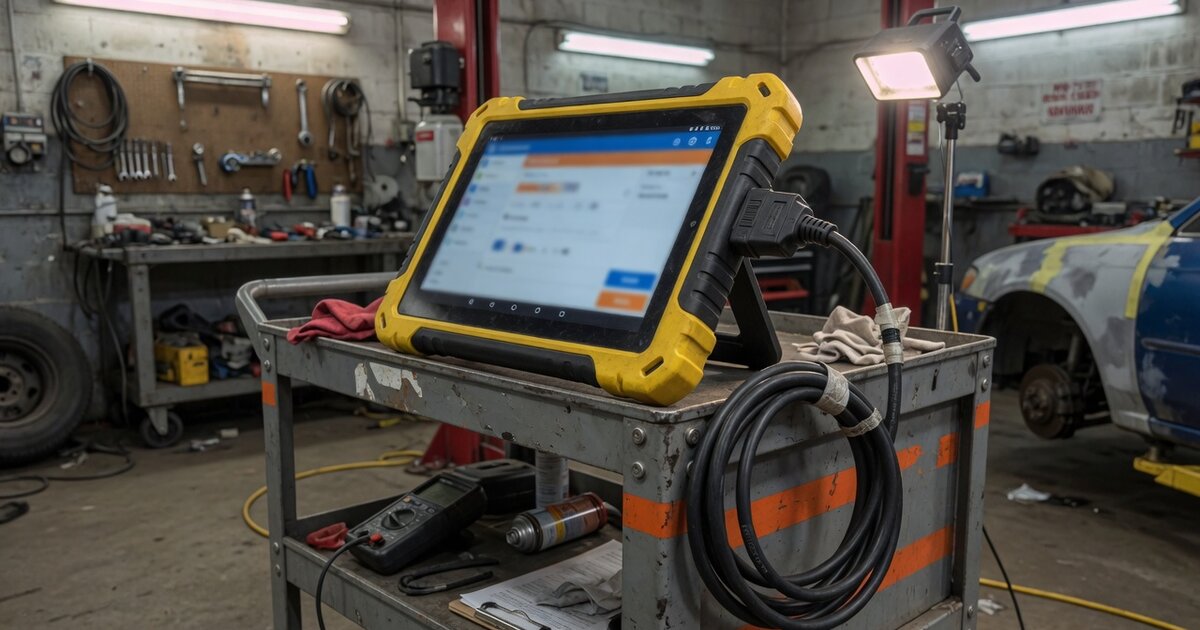
The ArtiDiag Pro is a bidirectional diagnostic scan tool made by TOPDON, a diagnostic equipment manufacturer that has built a growing lineup of OBD2 scanners and Android-based diagnostic tablets aimed at independent shops and serious DIY mechanics. TOPDON positions it as a "mid-level" tool in its own lineup — above basic entry-level code readers, below the company's flagship all-system platforms. The unit is a handheld Android device that connects to a vehicle through a wired diagnostic cable rather than over Bluetooth.
The tool has been sold in two generations: the original ArtiDiag Pro (V1.0) and the updated ArtiDiag Pro V2.0, both marketed around full-system diagnostics, bidirectional control, and a set of maintenance and reset service functions across a wide range of vehicle makes. It's aimed less at simple fault-code reading and more at users who need to actively command components — cycle a fuel injector, run a regeneration, or trigger an actuator test — as part of real diagnostic work rather than only pulling and clearing codes.
Because "ArtiDiag Pro" is a specific TOPDON product name rather than a generic term, it's worth double-checking which exact model and hardware revision a given listing refers to before buying, since coverage and functions differ between the V1.0 and V2.0 releases.
What it does
Per TOPDON's own product materials, the ArtiDiag Pro performs full-system diagnostic scans covering modules such as the engine, transmission, ABS, SRS/airbag, ESP, TPMS, immobilizer, gateway, steering and climate control, across more than 100 vehicle brands. The headline feature is bidirectional control — sending commands back to a vehicle's modules rather than only reading data — which TOPDON positions as a way to actively test components including lights, door locks, fuel injectors, fuel pumps, coolant pumps, power windows, wipers, and EVAP system parts, instead of relying on live data alone.
Alongside bidirectional control, the tool bundles roughly 35 special service and reset functions covering routine jobs such as oil resets, EPB, ABS bleeding, throttle body adaptation, and battery registration — the kind of maintenance procedures that would otherwise require a trip to the dealer or a pricier scan tool. A one-click "Health Report" style scan is also built in to quickly surface and clear fault codes across all systems in a single pass.
For VW Group vehicles specifically — VW, Audi, Skoda, SEAT — TOPDON advertises online ECU coding for tasks like matching a replacement module (light control units, ABS modules) to the vehicle, or unlocking factory-hidden functions. That places the ArtiDiag Pro's coding ability in a narrower, brand-specific category rather than a universal coding solution across every manufacturer.
On the hardware side, the unit runs Android 10 on a quad-core 2.0GHz processor with 2GB of RAM, and TOPDON cites a 6100mAh battery good for up to roughly 14 hours of screen-on use. Software updates and multilingual interface support — including English, German, French, Spanish, Italian, Russian and others — are included through TOPDON's own update system.
What to consider
Before buying an ArtiDiag Pro, it helps to be clear about what tier of tool it actually is. TOPDON markets it as a mid-level scanner: more capable than a basic OBD2 code reader, but positioned below the company's top-tier full-system platforms and well below dedicated dealer-level equipment. Whether that middle ground fits your needs depends on the vehicles you work on and how deep your diagnostic and coding requirements go.
- Confirm which generation you're buying — V1.0 or V2.0 — since coverage and functions have changed between releases.
- Check that your specific vehicle make, model and year is listed in current coverage before assuming full-system access.
- Bidirectional control and coding are typically strongest on mainstream European and Asian brands; niche or very new models may have gaps.
- ECU coding is advertised mainly for VW Group vehicles — don't expect the same coding depth on other manufacturers.
- The unit connects by cable, not Bluetooth, which some buyers may not expect from a tablet-style scanner.
- Software update terms matter for a tool like this — check how many years of free updates are included before extra fees apply.
- If you mainly need basic code reading and clearing, a cheaper entry-level OBD2 scanner may cover your needs without paying for bidirectional and coding features you won't use.
- If you need dealer-level programming or dedicated key fob programmer hardware built for that niche, it may serve you better than a mid-level generalist tool.
- Read recent user reviews rather than only manufacturer marketing — real-world reports mention inconsistent live-data refresh speed and occasional need to fall back on OEM software for certain coding jobs.
Common mistakes to avoid
A few recurring mistakes show up around tools in this category, based on how buyers and shops describe their experience with the ArtiDiag Pro and similar mid-level scanners.
- Assuming "full-system diagnostics" means every function works identically on every brand — coverage depth varies significantly by manufacturer.
- Treating bidirectional control as a substitute for proper diagnostic procedure — commanding a component without first confirming wiring and power are intact can send you down the wrong repair path.
- Expecting the VW-Group coding features to extend to unrelated manufacturers or to replace factory programming for security-related modules like immobilizers.
- Skipping firmware and software updates, then troubleshooting with an outdated database that misses newer vehicle coverage.
- Buying based on the "ArtiDiag Pro" name alone without checking whether a listing is the original V1.0 or the updated V2.0 hardware.
- Relying solely on the built-in Health Report scan for complex intermittent faults instead of following up with live data and manufacturer-specific test procedures.
Frequently asked questions
Who makes the ArtiDiag Pro?
The ArtiDiag Pro is manufactured by TOPDON, a diagnostic equipment company that produces OBD2 scan tools, diagnostic tablets, and related automotive electronics for professional shops and DIY users. TOPDON positions the ArtiDiag Pro as a mid-level model, sitting between basic code readers and its higher-end full-system diagnostic platforms. It has been released in two hardware generations, marketed as ArtiDiag Pro (V1.0) and ArtiDiag Pro V2.0.
What's the difference between the ArtiDiag Pro and a basic OBD2 code reader?
Basic code readers mainly retrieve and clear diagnostic trouble codes from the engine and a handful of other systems. The ArtiDiag Pro goes further, offering full-system scanning across dozens of modules, roughly 35 service and reset functions for routine maintenance, and bidirectional control that can actively command components rather than only reading their status — capabilities not typically found on entry-level scanners.
Does the ArtiDiag Pro support key or immobilizer programming?
TOPDON lists immobilizer systems among the modules the ArtiDiag Pro can scan and diagnose, but its advertised online ECU coding is focused mainly on VW Group vehicles for tasks like module matching. It isn't marketed as a dedicated key or immobilizer programming tool the way purpose-built key programmers are, so buyers with security-programming needs should verify exact capability before relying on it for that work.
What vehicles does the ArtiDiag Pro work with?
TOPDON advertises compatibility with more than 100 vehicle brands, including mainstream names like VW, GM, BMW, Porsche and Mercedes-Benz. Actual function-level coverage — which modules, which service resets, which bidirectional commands — varies by make, model and year, so it's worth checking TOPDON's current published coverage list for a specific vehicle rather than assuming universal support across every function.
Does the ArtiDiag Pro connect wirelessly?
No — according to product listings, the ArtiDiag Pro connects to the vehicle through a wired diagnostic cable rather than Bluetooth. That's worth noting for buyers expecting the cable-free setup common on some newer scan tools; it doesn't affect diagnostic capability, but it does mean the tablet stays tethered to the OBD port during use.
Is the ArtiDiag Pro a good choice for a locksmith or independent shop?
It depends on the work you do. For general diagnostics, maintenance resets and bidirectional testing across common brands, reviewers describe it as solid value for DIY or occasional professional use. For heavy coding work, dealer-level programming, or dedicated key and immobilizer programming as a core service, a specialized tool built for that niche is likely to serve a locksmith better than a general mid-level scanner.