ChipSoft J2534 Driver: What to Actually Know Before You Use It
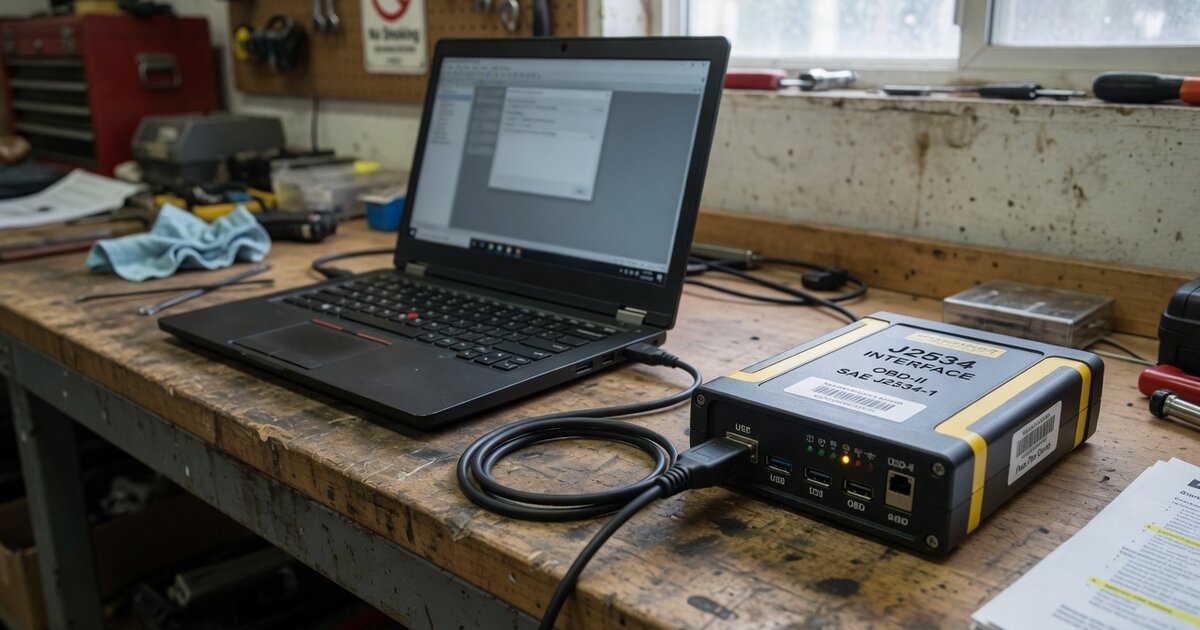
Search demand around "ChipSoft J2534 driver" is real, but the results it turns up are scattered across chip-tuning resellers, small forum threads, and a Ukrainian software vendor's own site — not the kind of polished manufacturer presence you get with Bosch or Launch. That gap between search volume and clear information is exactly why this article exists: to separate what's actually documented about ChipSoft's J2534 hardware from what's just repeated online without a source. If you're new to pass-thru programming in general, the site's J2534 VCI driver installation and troubleshooting guide covers the mechanics that apply no matter which adapter brand you're using; this piece focuses specifically on what's known about ChipSoft.
Before going further, it's worth naming the confusion directly: "ChipSoft" is also the name of a large Dutch healthcare software company (electronic medical records) and other unrelated businesses. None of that has anything to do with automotive diagnostics. The ChipSoft relevant to J2534 and ECU work is a separate, much smaller Ukrainian company whose product line includes chip-tuning software (ChipLoader, ChipExplorer) and hardware branded CHIPSOFT J2534.
What's Actually Confirmable About ChipSoft and J2534
ChipSoft's automotive hardware operates through its own site (chipsoft.com.ua / chipsoft.ua), which hosts firmware, drivers, and PDF documentation for its adapters. The J2534 line comes in several tiers: a bare board or acrylic-case version, plus Lite, Mid, and Pro models, with capability increasing up the range. The Pro is the best-documented variant. According to ChipSoft's own published specification sheet, it's built around a 32-bit ARM processor, connects over USB 2.0, and can draw power either from the USB port or the OBD2 12V/24V line, which matters if you're working on trucks or buses. It also supports a programmable output voltage from 5 to 20V in fine steps, useful for certain bench and module-power scenarios, and includes basic reverse-polarity and static protection.
On the protocol side, ChipSoft documents support for raw CAN (ISO 11898) up to 1 Mb/s, ISO 15765-4 CAN, ISO 14230-4 (KWP2000), ISO 9141-2, GM UART, and single-wire CAN. The device is described as able to operate in more than one mode — as a standard J2534 pass-thru device, as a plain K-line adapter, or as a CANHacker-style bus analyzer — and ChipSoft states it supports ISO 22900 and works with GM's Tech2Win software specifically.
Real-world usage confirms the device is genuinely used in the field, not just paper-spec'd. Owners on SaabCentral forums have discussed running Tech2Win against Saab modules with a ChipSoft dongle, with some describing successful module access after getting drivers and software aligned. Peugeot and Citroën diagnostic forums separately reference ChipSoft units in the context of PP2000 and Diagbox workflows. ChipSoft has also published versioned driver updates (for example, a v1.5.2 release) described as a rebuilt driver addressing bugs in asynchronous and multithreaded operation and issues specific to single-wire CAN — which tells you the driver has had real stability problems that needed fixing over time, not a "install once and never touch it again" history.
One documented technical limitation is worth flagging on its own: forum discussion around ChipSoft adapters notes they cannot run single-wire CAN and high-speed CAN at the same time. That matters for vehicle platforms — some GM, Saab, and Opel applications among them — where a diagnostic session needs both simultaneously to reach every module. What is not confirmable from available sources is any listing of ChipSoft on a formal, independently maintained pass-thru device registry the way some larger brands are referenced in OEM documentation. That absence doesn't prove anything is wrong with the hardware, but it does mean you're relying on the vendor's own claims and community reports rather than third-party certification when you evaluate it.
What to Consider Before Buying or Using It
Confirm exactly which tier you're getting. Lite, Mid, and Pro are not interchangeable — the Pro's dual CAN/K-line multiplexer setup and extended feature set don't carry over to the cheaper models, and some resale listings are not precise about which version is inside the box.
Match the adapter to the specific diagnostic software you plan to run. Community reports around ChipSoft cluster heavily around GM/Saab Tech2Win use and PSA-group PP2000/Diagbox use — if your target software or vehicle platform isn't represented in that community experience, treat compatibility as unverified rather than assumed. It's a similar evaluation process to sizing up other brand-specific tools covered here, such as the Launch J2534 or DiaLink J2534 adapters, where the right questions are less about the marketing copy and more about whether other users have actually run your specific software against your specific vehicles.
Ask the reseller directly whether the simultaneous SW-CAN/HS-CAN limitation affects the makes you work on, and get the driver straight from ChipSoft's own site rather than a bundled disc or a mirror link, since driver version has repeatedly mattered for stability on this hardware. Also check what operating system and hardware the target diagnostic software actually requires — forum threads note that some setups paired with these dongles failed specifically because of the host laptop (AMD/Ryzen-related conflicts came up more than once), a problem that has nothing to do with the adapter itself but will look like a ChipSoft failure if you don't isolate it first.
Common Mistakes to Avoid
Don't assume Pro-tier specifications apply to a Lite or Mid unit bought at a lower price — check the listing against ChipSoft's own documentation before buying. Don't skip a driver reinstall after a Windows update or a switch to new diagnostic software; the version history here suggests driver-software pairing is more finicky on this hardware than on more mainstream J2534 tools. Don't assume a printed "J2534" label on the case is equivalent to formal SAE certification — no independent registry listing was found during this research, so that claim rests on the vendor alone. Don't buy from an unmarked marketplace listing without checking seller reputation; forum discussion in this space specifically flags cloned or reflashed units circulating under the ChipSoft name, and a clone won't get vendor driver support. Finally, don't treat one platform's success story as proof for another — a thread showing a ChipSoft unit working well with Tech2Win on a Saab tells you nothing certain about how it will behave with an unrelated brand's software stack.
Frequently asked questions
Is ChipSoft a legitimate J2534 device, or is the name a scam?
ChipSoft is a real Ukrainian company selling chip-tuning software and hardware, including a documented CHIPSOFT J2534 adapter line with a published spec sheet and driver downloads. It is not a fraudulent listing. It is, however, a small, specialist brand rather than a mainstream one, so treat vendor claims with the same scrutiny you'd apply to any niche tool rather than assuming OEM-level backing.
Does ChipSoft J2534 work with GM's Tech2Win software?
Community reports from Saab and GM owners describe successful use of ChipSoft adapters with Tech2Win, including reaching specific vehicle modules. Results have varied by user, and some of the reported failures traced back to the host laptop rather than the adapter itself, so confirm your own hardware and software versions before relying on it.
What's the difference between the Lite, Mid, and Pro versions?
ChipSoft's documentation positions Pro as the most capable, with a dual multiplexer setup for CAN and K-line switching that the Lite and Mid tiers don't include. If a listing doesn't clearly state which tier you're purchasing, ask before buying rather than assuming Pro-level capability.
Can it run single-wire CAN and high-speed CAN at the same time?
No — this is a documented limitation raised in community discussion. Some vehicle platforms need both simultaneously to access every module, so if your target vehicles fall into that category, this is a real constraint to plan around rather than something a driver update is expected to fix.
Where should I get the ChipSoft J2534 driver from?
ChipSoft distributes drivers and firmware directly through its own site. Given the documented history of driver revisions fixing real bugs (including asynchronous-mode and single-wire CAN issues), getting the current version straight from the vendor rather than an old bundled disc or a random mirror reduces the chance of running an outdated, buggier build.
Is ChipSoft J2534 officially certified or listed on a manufacturer-recognized pass-thru registry?
No independent certification listing was found during research for this article. That's not proof of a problem, but it does mean you're relying on the vendor's own protocol-support claims and on community usage reports rather than third-party validation — worth factoring in if you need documented compliance for a specific OEM software package.