EDIABAS Toolset: What It Is and How It Fits into BMW Diagnostics
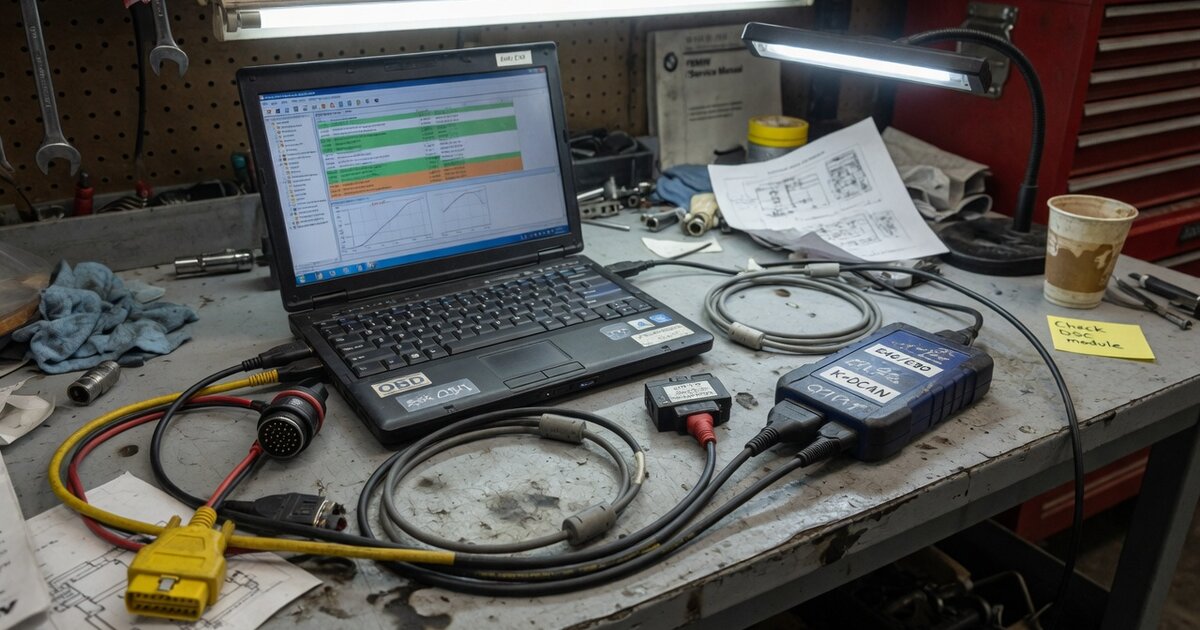
Anyone who has spent time around independent BMW diagnostic work has run into the name EDIABAS, usually mentioned in the same breath as INPA, NCS Expert, or WinKFP. What trips up a lot of shops and hobbyists is that EDIABAS is not a program you open, click through, and read fault codes from. It is the communication layer underneath all of those tools — and understanding that distinction is the difference between buying the right setup the first time and ending up with software that never quite works.
What EDIABAS Is and How It Fits into BMW Diagnostics
EDIABAS is BMW's proprietary diagnostic interface software, historically expanded from the German "Elektronische Diagnose, Betriebssystem und Auswertesystem." Functionally, it behaves as an API and communication engine rather than a standalone application with its own interface. It sits between the vehicle's control units, reached through an interface cable, and the various front-end programs that technicians actually interact with. In practice this means the EDIABAS runtime, distributed as a DLL component, handles the low-level job of opening a session with an ECU, sending requests, and returning structured data, while separate applications built on top of it decide what to do with that data.
Those front-end applications are where the real work happens. INPA is the diagnostic interface most people associate with the EDIABAS ecosystem: it lets a technician select a control unit and run predefined diagnostic jobs — reading fault memory, live values, or identification data. Tool32 is a more generic companion that can execute any job defined in a control unit's description file, useful for testing or for jobs without a dedicated INPA screen. NCS Expert is the coding tool, used to change how features and options are configured within a control unit's stored data, while WinKFP is the flash programming tool, used to write or update firmware outright. Older dealer-level systems such as DIS and GT1 were also built around the same EDIABAS core before BMW moved newer platforms toward its ISTA/ISTA-P architecture.
Underneath all of this, EDIABAS relies on description files — group and program files — that tell it which jobs exist for a given control unit and how to interpret the results. These files, along with an EDIABAS.INI configuration defining the interface type and communication settings, need to match the control unit and model year being worked on. Communication itself runs over protocols BMW used across different vehicle generations, including D-CAN, BMW-FAST, KWP2000, DS1/DS2, and older Concept variants, which is why interface hardware matters as much as the software. Because the original EDIABAS runtime is aging and Windows-specific, an open-source reimplementation known as EdiabasLib has been developed by enthusiasts to replicate its API, letting INPA-based workflows run against modern OBD interfaces without the original 32-bit binary.
EDIABAS is a good example of how BMW-specific diagnostic and coding work differs from the generic ECU tool landscape that dominates chip tuning. A shop working across multiple makes might reach for something like MPPS V21 ECU Programming Tool or an OBD flashing cable such as the one covered in the Galletto 1260 OBDII EOBD ECU Flashing Cable guide, but BMW's own coding and flashing path runs through the EDIABAS-based tool chain because its control units expect that particular protocol and file structure. It's a useful reminder that "ECU programming tool" covers a wide range of approaches, and the broader differences between piggyback, flash, and standalone ECU tuning options are worth understanding before assuming one workflow transfers to another manufacturer.
What to Consider Before Using It
Because EDIABAS is middleware rather than a finished product, a working setup means assembling several pieces correctly, not installing one thing. A few points are worth checking first.
Think of it as an ecosystem: EDIABAS itself, a front-end application appropriate to the task (INPA for diagnostics, NCS Expert for coding, WinKFP for flashing), and a compatible interface cable all need to be present and correctly configured together. Missing or mismatched pieces are the most common reason a setup "doesn't work" out of the box.
Vehicle coverage also varies by generation. The EDIABAS-based tool chain was built around BMW and Mini platforms from before the company transitioned newer chassis to the ISTA/ISTA-P diagnostic architecture, with the interface type shifting along the way — older models typically communicate over K-line or D-CAN through a USB adapter, while later platforms use an Ethernet-based ENET connection instead. Confirm which interface type and software version apply to the specific chassis and production date rather than assuming one setup covers everything BMW has produced.
Interface cable quality genuinely matters, too. Cables built around a properly implemented FTDI chipset behave predictably; cheaper clones with poorly implemented chips can drop communication mid-session — a nuisance during a diagnostic read and a real risk during coding or flashing, where an interrupted write can leave a control unit in a partially written state.
Treat coding and flashing as data-modifying actions, not read-only checks. Before running NCS Expert or WinKFP, back up the existing coding data or firmware so there's a known-good state to return to, and keep the vehicle's power supply stable — a battery support unit during any write operation is standard practice, since a voltage drop mid-flash is a well-known way to damage a module.
Finally, this is not push-button software. Reading fault codes with INPA is approachable, but coding and flashing require understanding what a given job or byte actually changes in the vehicle.
Common Mistakes to Avoid
The most frequent mistake is shopping for "EDIABAS" as if it were a single downloadable tool. Without a matching front-end application and a properly configured interface, the runtime alone won't produce a usable diagnostic session.
A second common error is using mismatched description files against a control unit's actual software version, which produces failed jobs or, worse, coding changes based on the wrong reference data.
Relying on an unstable USB or Bluetooth adapter for anything beyond basic reads is another recurring problem. An adapter that's "good enough" for pulling fault codes is not automatically good enough for a coding or flashing session, where the connection needs to hold steady from start to finish.
Skipping a backup before modifying coding data only shows its cost after the fact — once a write has gone wrong, having the original data on hand turns a bad session into a quick fix rather than a stuck vehicle.
Last, avoid assuming an EDIABAS-based setup covers every BMW on the road. Newer platforms moved to a different diagnostic architecture, so confirm coverage for the actual vehicles being serviced rather than extrapolating from older-generation experience.
Frequently Asked Questions
Is EDIABAS the same thing as INPA?
No. EDIABAS is the underlying communication interface and API that handles the actual exchange of data with a control unit. INPA is one of several front-end applications built on top of it, specifically the one used for running diagnostic jobs. NCS Expert and WinKFP are other front ends built on the same core, used for coding and flash programming respectively.
Can EDIABAS reprogram or flash a BMW control unit by itself?
Not on its own. EDIABAS handles the communication session, but the flash programming logic lives in WinKFP, which uses EDIABAS to talk to the control unit while managing the firmware write itself. Coding changes go through NCS Expert rather than a firmware flash.
What hardware do I need to use EDIABAS-based tools?
An interface cable compatible with the vehicle's communication protocol is required — typically a USB adapter for K-line or D-CAN communication on older models, or an Ethernet-based ENET connection for later platforms. The cable needs to match both the vehicle generation and the EDIABAS configuration pointing to it.
Does EDIABAS work on current-generation BMW models?
Coverage is strongest for the model generations that predate BMW's shift to the ISTA/ISTA-P diagnostic architecture. Newer platforms rely on a different backend, so confirm that a given model and production date actually fall within the EDIABAS-based tool chain's range before relying on it.
Why does an open-source alternative like EdiabasLib exist?
The original EDIABAS runtime is an aging, Windows-specific binary. EdiabasLib was developed to replicate its API so INPA-style workflows can run against modern OBD interfaces without depending on the original 32-bit component.
What's the practical difference between coding and flashing in this tool chain?
Coding, through NCS Expert, changes how features and options already present in a control unit are configured — rewriting stored settings. Flashing, through WinKFP, rewrites the control unit's actual firmware. Both rely on EDIABAS for communication, but they modify different layers of the vehicle's software and carry different risk if interrupted.