Galletto 1260 OBDII EOBD ECU Flashing Cable Explained
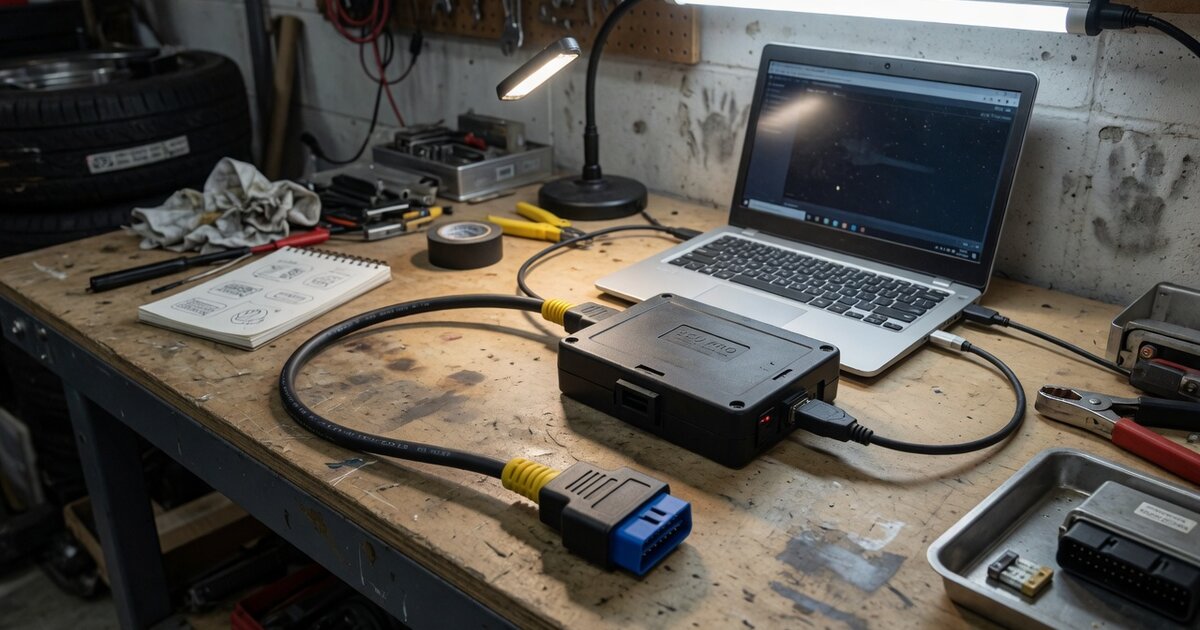
Search for "Galletto 1260" on any parts marketplace and you get dozens of near-identical USB cables from different sellers, all promising the same thing: connect to a car's OBDII/EOBD port and read or write the ECU's flash memory for chip tuning. It's one of the most talked-about budget tools in the hobbyist tuning world, and also one of the most argued-about, because no two listings seem to describe quite the same hardware. This article looks at what the Galletto 1260 actually is, how it fits into a chip-tuning workflow, and why the clone situation around it makes due diligence essential before you buy.
What it is and what it does
The Galletto 1260 is marketed as a "chip tuning cable" — a USB-to-OBDII/EOBD interface rather than a full diagnostic scan tool. Listings for it commonly cite an FTDI FT232-series USB-to-serial chip as the core component, which is the same family of chip used in a huge range of budget automotive and industrial USB adapters. Once plugged into a Windows PC, it typically shows up in Device Manager as a generic USB serial port before the vendor's own driver and tuning software take over; installation guides for it still cover Windows XP through Windows 10, which tells you something about how long this design has been circulating with essentially no updates.
Functionally, the cable's job is to give tuning software a communication path to the ECU over the K-line protocol — the older, single-wire diagnostic line used on a lot of pre-CAN and early CAN-era Bosch, Marelli, Delco, and Siemens engine control units. Through that link, the accompanying software can read the ECU's existing calibration (and sometimes EEPROM content), let a tuner edit the file in a mapping tool, and write the modified file back. It's a supporting piece of a larger workflow rather than a tuning solution on its own — the actual map editing happens in separate software, and the cable is just the pipe data travels through. If you're trying to place a tool like this against the wider field of options, from piggyback boxes to full bench programmers, ECU Tuning Tools: Piggyback, Flash, and Standalone Options Explained is a useful comparison, since the Galletto 1260 sits firmly at the low-cost, flash-cable end of that spectrum rather than among standalone or piggyback systems.
Because it's built around K-line communication, it's aimed at older vehicles rather than modern CAN/UDS-based platforms — a point worth underlining before you buy one expecting broad compatibility with anything currently on a dealer lot. Some listings bundle vehicle-specific adapters, such as a 2x2 pin adapter used for certain VAG-group (VW/Audi) applications, which reflects how varied K-line wiring can be across manufacturers and model years.
The clone problem and what to check before buying
The single biggest thing to understand about the Galletto 1260 is that it isn't a product from one identifiable manufacturer with a controlled supply chain — it's a design that has been reproduced and resold under the same name by a large number of independent sellers and wholesalers for years. That's obvious the moment you compare listings: the boards, cases, cable quality, and bundled software versions differ from seller to seller, sometimes significantly, even though the product name and stated function are identical. There's no serial number registry or authorized-dealer list to check against, so "genuine vs. fake" isn't really the right framing — it's closer to "which batch, from which factory, with which components did this particular seller ship."
One thing worth knowing regardless of which seller you buy from: FTDI-chip counterfeiting has been a well-documented, industry-wide problem since 2014, when a Windows driver update from FTDI began disabling functionality on devices using non-genuine FT232 chips, with a similar driver-based issue recurring in 2016. That history isn't specific to the Galletto 1260 — it affects any low-cost device built around FTDI-family USB-to-serial chips — but it's directly relevant here precisely because this tool relies on that chip family and is manufactured without centralized quality control. If a Windows update ever changes how it treats the chip inside your particular cable, there's no single manufacturer to issue a fix or a replacement policy.
Before buying, it's worth treating this less like a branded purchase and more like a used-parts gamble: check the seller's own feedback and return policy rather than trusting the product name, ask directly whether the software on offer is still functional on your Windows version, and don't assume any specific vehicle or ECU is supported just because it appears in a stock photo or generic compatibility list — confirm it against your actual ECU part number if you can. If a project you're planning depends on reliable, repeatable flashing rather than an occasional hobby read, it's worth reading how the broader programming process works first, covered in ECU Programming Explained: How It Works and What to Know, so you know what a clean flash session should actually look like and where a flaky cable is most likely to cause damage.
Common mistakes to avoid
The most costly mistake is writing to an ECU without first reading and safely storing the original file. A cable and software combination of unknown provenance is exactly the situation where you want a verified backup before any write operation, not after something goes wrong. Related to that: never assume the write completed cleanly just because the software reports success — verify the file, and don't disconnect, sleep the laptop, or let a USB port drop power mid-write.
Another frequent error is buying the tool for a vehicle it was never meant to support. Because it communicates over K-line, it isn't a match for the CAN/UDS-based flashing that most cars built in the last 10–15 years require; assuming it will work on a modern platform because the listing says "universal" or "multi-car" is a common and avoidable disappointment. Similarly, driver and software mismatches on modern Windows versions are a recurring complaint with this class of legacy tool — test the software's installation and basic connectivity on a bench or known-good vehicle before relying on it for a paying job.
Finally, don't treat a cheap flashing cable as a substitute for proper diagnostic work. It reads and writes calibration data; it doesn't diagnose why a car needs tuning in the first place, and it won't tell you whether the ECU you're about to modify is even the right target for the symptom you're chasing.
Frequently asked questions
What does the "1260" in Galletto 1260 refer to?
There's no single authoritative source explaining the number — it functions simply as the model name the tool has circulated under since it first appeared in the tuning community. The lack of an official explanation is itself consistent with how this product line is sold: no central manufacturer publishes documentation, so details like this are passed along informally between resellers and forum users rather than confirmed anywhere official.
Is the Galletto 1260 legal to use?
The legality of ECU tuning itself depends heavily on your jurisdiction and how the modified vehicle is used — emissions regulations, warranty terms, and road-legal requirements vary widely by country and even by state or region. The cable itself is just a communication tool; the legal exposure comes from what you do with the calibration changes it helps you make, so check local emissions and vehicle-modification rules before tuning a road-going car.
Will it work on a modern car?
Not reliably. It's built around the K-line protocol, which was largely phased out as manufacturers moved to CAN and UDS-based diagnostic and flashing architectures. It's best suited to older ECUs that still expose K-line communication, not to current-generation platforms.
How is chip tuning different from ECU coding?
Chip tuning, which is what a tool like this is used for, involves reading and rewriting the ECU's core calibration data — fuel, ignition, boost, and related maps — to change how the engine actually runs. ECU coding is a different, usually dealer-level process that enables or configures existing features and options within software the manufacturer already installed, without touching the underlying tune. If you're unsure which one a given job actually requires, ECU Coding Explained: What It Means and When You Need It walks through the distinction in more detail.
Can you tell a "genuine" Galletto 1260 from a clone?
In practical terms, no — because there isn't one original, centrally manufactured version to compare against. Nearly every unit sold today comes from an independent factory or reseller reproducing the same basic design, so the more useful question isn't "is this genuine" but "does this specific seller have a track record of shipping working units and standing behind them."
What software does it need to run?
It requires dedicated Windows software supplied by whichever seller you buy from, typically downloaded separately rather than provided on physical media. Because the design and its software haven't meaningfully changed in years, compatibility with current Windows versions is inconsistent — it's worth confirming with the seller, or testing on an older Windows installation, before counting on it for time-sensitive work.