MPPS V21 ECU Programming Tool
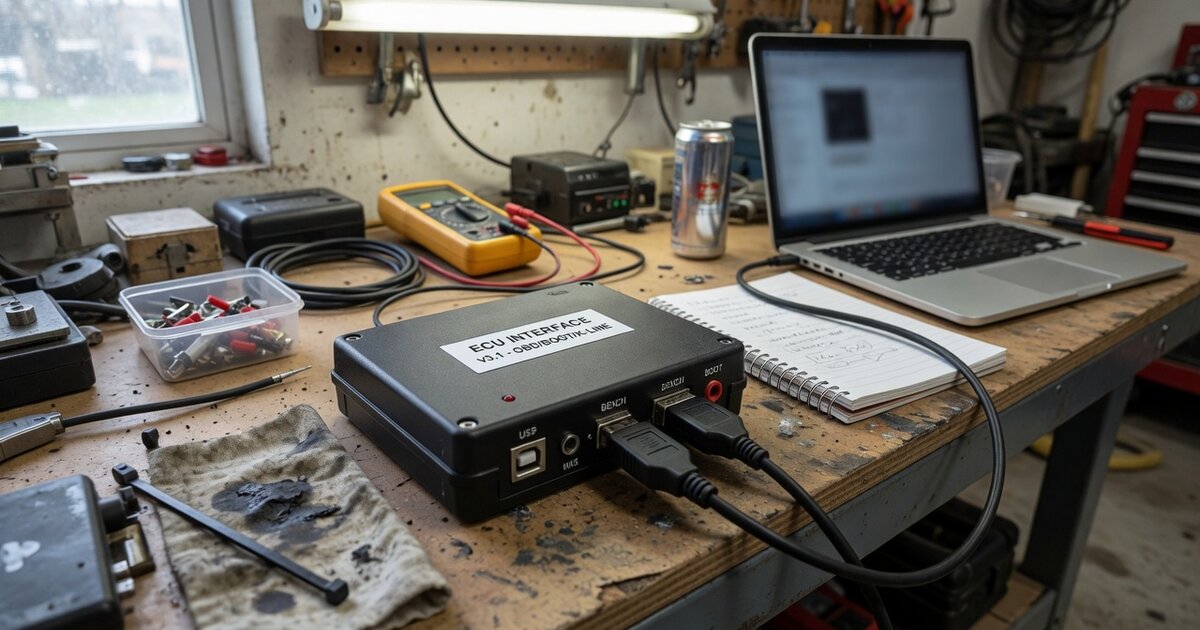
Search for an "ECU flashing tool" in any locksmith or tuning forum long enough and the name MPPS V21 comes up. It is one of the most widely sold budget interfaces for reading and writing Bosch and Siemens engine control units over K-line and CAN, and it has built a reputation that is genuinely split in two: a loyal following among independent tuners who rely on it daily, and a long, well-documented history of counterfeit copies ranging from merely disappointing to outright non-functional. This article covers what the tool actually does, why the clone problem around it is so persistent, and what to check before buying one.
What it is and what it does
MPPS is a family of aftermarket ECU programming interfaces that has gone through several hardware and software revisions, with V16, V18, and now V21 being the versions most commonly traded on the market. A typical V21 kit consists of a main interface unit, a USB cable, and a breakout "tricore" cable used for bench or boot-mode connections to certain Bosch controllers, together with installer software usually supplied on disc or download link rather than through an official vendor portal.
Functionally, MPPS V21 reads and writes the microcontroller, flash memory, and EEPROM of a defined list of ECUs over K-line and CAN. It is most associated with Bosch EDC15, EDC16, and EDC17 diesel units - including EDC17C46 and EDC17C64, common on VAG-group diesels - as well as Siemens/Continental ME7.xx and MED9.x/MED17 petrol ECUs, with partial support for other families such as Marelli M3.8/M5.9, Delphi, Delco, Sagem, and Trionic, depending on the installed software build. In practice this covers the same categories of work described in how ECU programming works: pulling a full read of the original calibration before any change, writing a modified file back for performance tuning, correcting checksums so the file is accepted by the ECU, and, sometimes, recovering a controller left non-responsive after a failed flash from another tool.
It's worth being clear about what kind of tool this is. MPPS V21 is not a manufacturer dealer tool and does not use official OEM programming servers or security algorithms; it is a reverse-engineered aftermarket interface built for the independent tuning and diagnostic market. That places it, among the different types of ECU reprogramming tools, closer to the entry-level bench/boot flasher category than to the higher-tier bidirectional platforms used by main dealers, and it is generally priced and marketed to match that position.
The clone problem and what to check before buying
MPPS V21 is one of the more heavily cloned tools in the ECU programming space, and this is not a fringe complaint - it comes up repeatedly across tuning forums and marketplace reviews. Because both the hardware design and the software have been reverse-engineered and copied many times over, the market is flooded with units sold under the same name that differ substantially in build quality, component choice, and PCB layout, even when the casing and packaging look identical.
The most consistent complaints about low-cost clones involve hardware reliability: interfaces that stop being recognized by the computer, dead USB ports, or missing or corrupted drivers after limited use. Software is the other weak point - some clones ship with cracked or reskinned software that displays a version number without actually including the functions that number is supposed to unlock, so the tool cannot perform operations it claims to support. There are also persistent, if hard-to-verify, forum accounts suggesting that at least one MPPS V21 software update was pushed specifically to stop older cloned dongles from working, which captures how adversarial the relationship between the original software authors and the clone market has become. Community opinion on V21 itself is mixed: some report dozens of clean write cycles on one ECU family without issue, while others found an older V18 build more dependable than a V21 clone for their application.
Treat this as a category where the seller matters as much as the listing. Buy from a reseller who specializes in this equipment and can speak to the software build shipped with the unit, ask directly whether the ECU family and protocol you need - K-line vs CAN, a specific EDC17 variant - is actually confirmed working rather than just present in a generic compatibility table, look for recent, specific user feedback rather than star ratings, and confirm what happens if the interface fails, since a no-questions warranty is a reasonable proxy for a seller who trusts their own stock. It also helps to weigh MPPS against the broader field of piggyback, flash, and standalone tuning tools before committing budget to any single interface.
Common mistakes to avoid
Most of the damage attributed to MPPS-type tools in forum post-mortems traces back to user process rather than the hardware itself, which is exactly why these points are worth listing plainly:
- Skipping the backup. Never write to an ECU without first taking and safely storing a full original read. If a write fails or the wrong file is loaded, the backup is the only way back to a working car.
- Unstable power during a write. A dropping or fluctuating voltage mid-write is one of the most commonly cited causes of a corrupted flash. Use a proper battery charger or maintainer on the vehicle, not just the car's own battery, for any write operation.
- Ignoring checksum errors. A file that fails checksum validation should not be forced through. A mismatch usually means the file doesn't match the ECU variant or has been altered incorrectly.
- Wrong ECU or protocol selection. Choosing the wrong EDC17 sub-variant, or K-line when the controller needs CAN, is a common source of failed communication and, in worse cases, a non-responsive ECU afterward.
- Trusting an unread clone at face value. Running a write as the very first operation attempted on a new interface, with no prior successful reads to confirm clean communication, is a frequent regret in user reports.
- Expecting OEM-level functionality. This is an aftermarket bench/boot tool, not a dealer platform - security-gated operations that require manufacturer authentication are outside its scope regardless of what a listing implies.
Frequently asked questions
What ECUs does MPPS V21 support?
Support centers on Bosch EDC15, EDC16, and EDC17 diesel ECUs, including common EDC17C46/EDC17C64 variants, plus Siemens/Continental ME7.xx and MED9.x/MED17 petrol units, with additional partial coverage for Marelli, Delphi, Delco, Sagem, and Trionic controllers depending on the installed software build. Coverage varies between software versions, so it's worth confirming support for your specific ECU part number before buying rather than relying on a general compatibility list.
Is MPPS V21 a genuine tool, or is it usually a clone?
Most MPPS V21 units sold through general marketplaces are unlicensed reproductions of varying quality, since both the hardware and software have been reverse-engineered repeatedly. A smaller number of specialist resellers sell versions they stand behind with support and updates, but the listing title alone does not guarantee build quality or software authenticity.
Can MPPS V21 brick an ECU?
Like any K-line/CAN flashing tool, yes - a failed or interrupted write can leave an ECU non-responsive, and this risk is not unique to MPPS. The documented failure points match flashing tools generally: unstable power during the write, a corrupted or mismatched file, or a communication drop mid-operation. Taking a verified backup first and keeping the vehicle on stable power during any write are the main mitigations.
What's the difference between MPPS V21 and earlier versions like V16 or V18?
Each release has expanded or adjusted the supported ECU list and refined the software, but reports are not unanimous that V21 is a strict upgrade - some technicians report better real-world reliability from a V18 build on particular ECU families than from a V21 clone. Behavior depends heavily on the specific hardware and software copy in hand, not just the version printed on the case.
Do I need special cables to use MPPS V21?
Most kits include a breakout "tricore" cable alongside the main unit and USB lead, used for bench or boot-mode connections on Bosch controllers where in-vehicle OBD access isn't sufficient. Which cable and connection method is needed depends on the specific ECU and whether the session is a standard OBD read/write or a bench-mode operation.
Is MPPS V21 suitable for a professional tuning shop?
It's positioned and priced as a budget, independent-market tool rather than a dealer-grade platform, and shops that use it typically run it alongside other equipment rather than as their sole programming solution.