Godiag GPT Boot Mode Explained
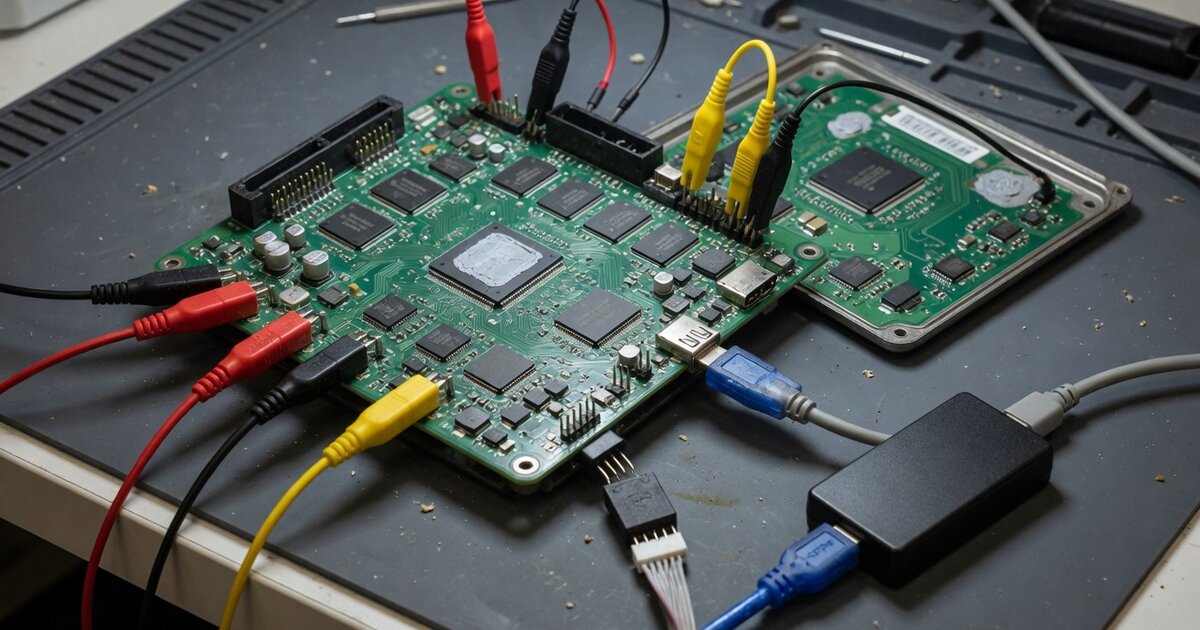
If you searched "Godiag ECU GPT boot," you are likely trying to figure out what that connector, cable, or breakout board actually does once plugged into a bench setup. The term shows up in listings for GODIAG's GT100 breakout-box family, specifically a variant marketed as the GT100 PLUS GPT, and "boot" refers to a low-level access mode that lets a technician talk to an ECU's microcontroller directly instead of going through the vehicle's normal diagnostic layer. This article covers what the GPT connection method actually is, what "boot mode" means in practical terms, what to check before adding one to your toolbox, and the mistakes that trip up people expecting a plug-and-play miracle.
What It Is and What It Does
GODIAG's GT100 line is an OBD-II breakout box: instead of plugging a programmer straight into a car's diagnostic port, it exposes the individual OBD-II pins on a bank of terminals so a technician can probe, jumper, or reroute specific signal lines. The GPT variant adds a documented "GPT connection method" on top of that base function, supplied with its own connecting cable, described by the retailer listing as allowing data to be read and written "without disassembling the ECU," through OBD2 bench modes over both CAN bus and K-Line, plus BOOT and CNF1 configuration options. In plain terms, it is a wiring and configuration aid that puts an ECU into a state where a separate programmer can access its memory at a lower level than a normal diagnostic session allows — it is not, by itself, a standalone flashing tool. It pairs with PCMFLASH and KESS V2, the actual programs and hardware that perform the read/write once the ECU is in the right mode.
It helps to be precise about what "boot mode" means, since the term gets used loosely. Many ECU microcontrollers ship with a factory bootloader alongside the application firmware that normally runs the car. Forcing specific pins to a defined state at power-up — sometimes with a particular voltage sequence — starts that bootloader instead of the application code, letting a programmer talk to the chip's native flash/EEPROM interface directly and typically bypassing the seed-key security handshake the application firmware would otherwise enforce. This is useful when OBD access is locked down by security, when firmware is corrupted and a module will not boot normally, or when a job requires full, unrestricted flash access a diagnostic session will not permit.
Keep boot mode conceptually separate from two other low-level access methods it gets lumped in with: BDM (Background Debug Mode), a dedicated debug port on certain Freescale/ST-family chips accessed with a physical probe on the board, and JTAG, a standardized debug interface also accessed at chip-pin level. Boot mode, as GODIAG documents the GPT feature, works through the OBD connector's own pins rather than a chip-level probe. If a job specifically calls for BDM or JTAG, a GPT-style breakout adapter is not automatically the right tool, even though all three get grouped together informally as "bench" methods.
On the vehicle side, the listing for this GT100 variant references DOIP-ENET support for several European brands, specific key-programming scenarios — including all-keys-lost cases handled through PIN-related jumper configurations — for a small number of makes, and support for certain airbag modules as a feature unique to this variant versus the plain GT100 or GT100+. None of that is a blanket claim of universal coverage; it is a set of named use cases from one retailer's description, and coverage can change between hardware revisions.
What to Consider Before Buying
First, this is an accessory, not a programmer. You still need a benchtop programmer or flashing solution — PCMFLASH and KESS V2 are the two named integrations — to actually perform reads and writes once the ECU is in bench or boot mode; without that hardware and software already in hand, a breakout box alone will not get a job done. Anyone weighing this against a full ECU tuning setup should first get clear on the broader landscape of piggyback, flash, and standalone tools, since the right entry point depends on which category you are actually working in; the overview in ECU Tuning Tools: Piggyback, Flash, and Standalone Options Explained is a useful starting point.
Second, confirm you are buying the right variant. The GPT connection method is documented as a feature specific to one GT100 configuration, not every GT100 unit sold under that family name — a base GT100 or GT100+ will not necessarily give the same boot and CNF1 options. Check the exact model name and feature list before assuming "GT100" alone guarantees GPT functionality.
Third, think about pin-level compatibility with the specific ECU you need to work on; bench and boot access depends on correct wiring for that particular ECU family, and getting it wrong can mean a failed session or a module that will not power up afterward. If the task is closer to writing a new configuration into an ECU that already communicates normally, rather than recovering a bricked module, confirm the job actually needs boot-level access — everyday parameter changes often fall under ECU coding rather than low-level flashing, a distinction explained in ECU Coding Explained: What It Means and When You Need It. Boot mode is the heavier, riskier tool.
Finally, compare this against simpler OBD-based flashing for the vehicles you service. Some jobs people reach for a breakout box and boot mode to solve can be done with a much simpler cable when the ECU still communicates normally through the diagnostic port — the Galletto 1260 OBDII EOBD ECU Flashing Cable is a good example of that lighter-weight category, and knowing the difference saves buying more hardware than a job requires.
Common Mistakes to Avoid
The most common mistake is treating "Godiag GPT" as a universal, self-contained solution rather than one piece of a bench setup that still needs a separate programmer, correct software, and the right cables for the target ECU. A close second is buying a generic GT100 listing expecting GPT functionality documented only on a specific variant — check the exact model name against the feature list first. Another frequent error is conflating boot mode with BDM or JTAG access; they overlap in purpose but connect differently, and assuming interchangeability leads to buying the wrong adapter for a job that needed a chip-level probe. People also skip verifying pinouts against ECU-specific documentation before forcing a module into boot mode, which is where most bricked-module stories start — a boot pin held at the wrong voltage or moment is not forgiving. Reaching for boot-level access on jobs a normal coding session or a simple flashing cable would handle just as well adds risk and cost with no benefit; match the tool to the job rather than defaulting to the most powerful option available.
Frequently Asked Questions
What does "boot mode" actually mean for an ECU?
It means forcing an ECU's microcontroller to start its factory bootloader instead of normal application firmware, usually by holding specific pins in a defined state at power-up. In that state a programmer can access the chip's flash or EEPROM directly, bypassing the security handshake the application firmware would otherwise require.
Is the Godiag GPT a standalone ECU programmer?
No. It is a breakout box and connection method that prepares an ECU for bench or boot-level access; the actual reading and writing is done by separate programming hardware and software, with PCMFLASH and KESS V2 named as compatible integrations.
Is boot mode the same as BDM or JTAG access?
No, though the three are often grouped loosely as "bench" methods. Boot mode as documented here works through OBD-connector pins, while BDM and JTAG are separate debug interfaces accessed at the chip level with a dedicated probe — related goals, different techniques.
Which vehicles does the Godiag GT100 PLUS GPT support?
Documentation names DOIP-ENET support for several European brands, specific key-programming scenarios for a small number of makes, and support for certain airbag control modules. Coverage can vary between hardware revisions, so confirm it against your ECU before buying rather than assuming broad compatibility.
Do I need boot mode access for routine key programming?
Usually not. Most day-to-day key programming works through the vehicle's normal diagnostic port without forcing an ECU into boot mode, which is generally reserved for cases where OBD access is locked out, firmware is corrupted, or a job needs unrestricted flash access.
What is the risk in using boot mode access on an ECU?
The main risk is incorrect wiring or voltage sequencing on the boot pins, which can leave a module unresponsive afterward. Because boot mode bypasses much of the handshake logic that normally protects an ECU, it punishes guesswork more than standard diagnostic-port programming does.