MaxiFlash Elite J2534 Device Driver: What Technicians Should Know
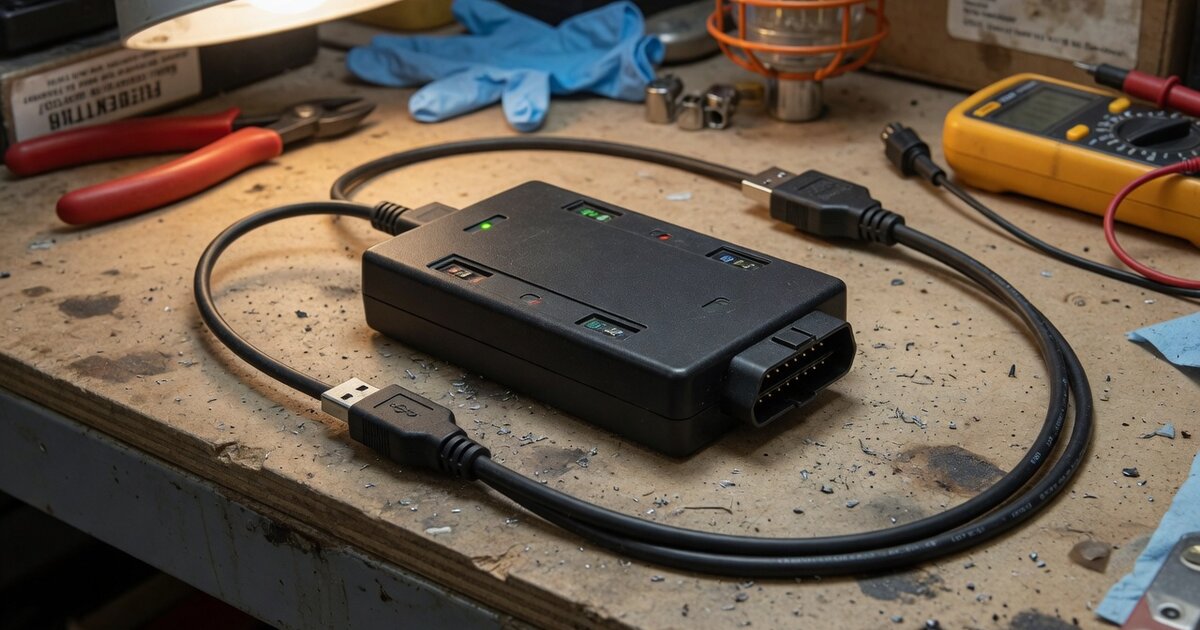
Search interest around the "MaxiFlash Elite J2534 device driver" usually comes from one of two places: a shop that just bought the Autel MaxiFlash Elite and can't get their laptop to recognize it, or a technician comparing it against other pass-thru boxes before committing to OEM reprogramming work. Autel has sold this interface for over a decade, and it still shows up in shop bays alongside newer Autel VCIs, so the driver questions aren't going away. This article covers what the device actually is, where its drivers come from, what to check before relying on it for dealer-level flashing, and the mistakes that trip up technicians most often.
What the MaxiFlash Elite Actually Is
The MaxiFlash Elite is Autel's SAE J2534-1 and J2534-2 compliant pass-thru vehicle interface, built to let a PC talk directly to a vehicle's diagnostic bus for reprogramming rather than diagnostics alone. It connects over USB or Bluetooth, and Autel lists it as internet-updateable so firmware can be refreshed without shipping the box back. On the vehicle side, Autel's own documentation lists it as compatible with OEM reprogramming applications including Toyota Techstream, Volvo VIDA, Honda HDS, Jaguar Land Rover IDS, and BMW's ICOM/3-series software, plus GM's SPS2 flashing through the acdelcotds portal — the standard pattern for any J2534 box being used for factory-level module programming rather than aftermarket diagnostics.
On the Autel side, the MaxiFlash Elite is designed to pair with specific MaxiSys scan tools rather than run as a fully standalone unit. Autel's product listings tie it to the MK908, MK908P, MS908/MS908S (and Pro variants), MS908CV, and MaxiSys Elite/Elite II tablets, where it handles ECU coding functions — Autel specifically calls out BMW and Mercedes-Benz programming — that the tablet's built-in VCI can't perform on its own. That combination matters for driver setup: the Elite doesn't ship with an isolated driver package. Its drivers are bundled inside the MaxiSys software suite, installed alongside a utility historically named MaxiFlash Pro (the shared driver framework Autel uses across several of its J2534 devices), and a companion configuration tool called MaxiFlashCFG handles firmware updates once the driver is in place.
What to Consider Before Buying or Using It
Because the driver and configuration tools live inside Autel's own software suite rather than a generic Windows installer, plan on installing the full MaxiSys PC application before you ever try to flash a module — not just a driver .exe pulled from a forum. Typical installs run the suite's autorun package, select the MaxiFlash Pro driver component from the menu, and finish by launching the MaxiFlash Pro program group once to register the device with Windows. If your shop is new to pass-thru programming in general and wants the underlying mechanics — SAE J2534 API basics, why Windows sometimes won't enumerate the device, and how OEM portals detect installed pass-thru drivers — the site's J2534 VCI driver installation and troubleshooting guide covers that ground in more depth than any single brand's documentation will.
Confirm which OEM subscriptions you actually need before buying. A J2534 interface, including the MaxiFlash Elite, is only a communication bridge — it doesn't include GM, Ford, or FCA reprogramming access on its own. Each manufacturer's flashing still runs through that manufacturer's own web-based application (SPS2 for GM, Techstream for Toyota, and so on), and each of those typically wants its own registration and, in most cases, its own paid subscription. Independent shops sometimes skip this step, buy the box, and then discover the OEM portal wants a separate account and fee before it will even list the tool.
Also weigh how the Elite fits your existing Autel hardware. It's built around a specific generation of MaxiSys tablets, so if your shop already runs a newer Autel platform, check current compatibility before assuming the Elite will slot in — Autel has since released other J2534 interfaces aimed at newer tablets, and mixing generations is a common source of "device not recognized" complaints. It's also worth comparing it against other brands' J2534 boxes on functionality and OEM coverage rather than price alone; shops evaluating options have found it useful to read up on what a competing interface like Launch's J2534 device offers before deciding, since driver stability and OEM certification lists vary more between vendors than most buyers expect going in.
Finally, budget time for firmware currency. Because OEM portals validate against a specific pass-thru driver version, an outdated MaxiFlash Elite firmware can pass every physical connection check and still get rejected by the reprogramming website. Running the MaxiFlashCFG update check before a scheduled flash — not during one — avoids losing a vehicle mid-procedure.
Common Mistakes to Avoid
The most frequent failure is installing a driver downloaded from a third-party site instead of the version bundled with the current MaxiSys suite. Pass-thru drivers are version-sensitive; OEM reprogramming portals check the installed driver against their own approved list, and a mismatched or outdated copy can connect to the vehicle bus while still failing authentication on the OEM website, which technicians often misread as a vehicle-side problem.
Second is skipping the internet connectivity check before a firmware update. The update agent inside MaxiFlash Pro needs a live connection to detect and pull new firmware; running it offline, or behind a shop firewall that blocks the update server, produces a silent failure rather than a clear error message.
Third is battery and power negligence during an actual reprogramming session. Every OEM programming guide, and Autel's own documentation, calls for a stable 12V supply — ideally a maintained battery charger, not just the vehicle battery — because a voltage drop mid-flash can brick a module regardless of how solid the J2534 driver itself is. This isn't specific to the MaxiFlash Elite, but it's the single most damaging mistake technicians make with any pass-thru box.
Fourth, don't assume USB and Bluetooth behave identically for programming. Reprogramming sessions are far more sensitive to dropped packets than routine diagnostics, and OEM software frequently recommends or requires a wired USB connection for flashing even when Bluetooth works fine for code reading. Leaving a wireless link in place for a module reflash is a common, avoidable cause of aborted procedures.
Fifth, don't treat the MaxiFlash Elite driver install as a one-time task. Windows updates, MaxiSys suite updates, and even reinstalling a diagnostic tablet's software can silently break the existing pass-thru driver registration. If the device suddenly stops appearing in an OEM application's tool list after unrelated software changes, reinstalling the MaxiFlash Pro driver component is usually the fastest fix — faster than assuming the hardware has failed.
Frequently Asked Questions
Does the MaxiFlash Elite work as a standalone J2534 device, or does it need Autel software?
It needs software to install its drivers and, in most workflows, needs to be paired with a compatible MaxiSys tablet for the coding functions Autel documents (BMW and Mercedes-Benz specific procedures, for example). For general OEM reprogramming through a manufacturer's own portal on a PC, the device functions as a standard J2534 pass-thru interface once its drivers are installed, but those drivers only come from Autel's MaxiSys software suite — there's no separate lightweight driver package.
Where do I get the MaxiFlash Elite driver?
Through the MaxiSys PC software suite from Autel. Installing the suite and choosing the MaxiFlash Pro component during setup installs the pass-thru driver and the MaxiFlashCFG configuration utility used for firmware updates. Trying to source a standalone driver from unofficial sites risks installing a version that OEM portals won't authenticate against.
Why does an OEM programming site say my MaxiFlash Elite isn't detected even though the tool shows a green connection light?
A physical connection light only confirms USB or power status, not that the OEM website's pass-thru driver check has passed. The most common cause is an outdated driver or firmware version relative to what the OEM's reprogramming application currently expects — running the MaxiFlashCFG update check, with a live internet connection, usually resolves it.
Can the MaxiFlash Elite be used with non-Autel diagnostic software?
Yes, that's the point of J2534 compliance. As a certified pass-thru device it's meant to work with any J2534-compatible OEM application, and Autel documentation specifically lists compatibility with software like Toyota Techstream, Volvo VIDA, Honda HDS, Jaguar Land Rover IDS, and GM's SPS2 flashing tool. Each of those still requires its own separate OEM subscription or account.
Does the MaxiFlash Elite support CAN FD and DoIP protocols used on newer vehicles?
Autel's published specifications for the Elite confirm SAE J2534-1 and J2534-2 compliance, but buyers reprogramming newer vehicles that rely on CAN FD or DoIP should verify current protocol support directly against Autel's latest documentation for their specific vehicle model year, since protocol coverage on pass-thru hardware evolves and older units aren't always upgraded to match newer OEM requirements.
How does the MaxiFlash Elite compare to other J2534 interfaces on the market?
Functionally, it does the same basic job as any certified J2534 box: bridge a PC to the vehicle bus for OEM reprogramming. Differences between vendors mostly come down to driver stability, how tightly the interface is tied to that vendor's own tablet ecosystem, and OEM certification currency. Shops weighing alternatives often compare it against interfaces such as Xhorse's J2534 device, since coverage and driver maturity can vary meaningfully between brands even though all of them claim the same underlying SAE standard.