ScanXL J2534: What It Actually Is and How It Works With Pass-Thru Interfaces
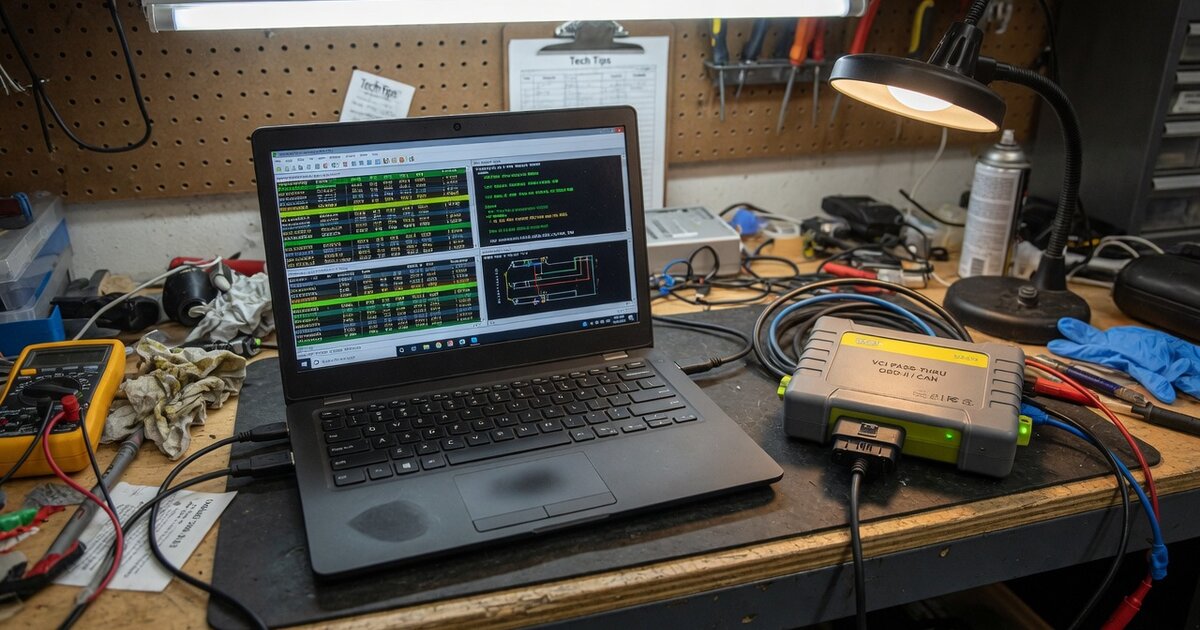
Search for "ScanXL J2534" and you will find two different things tangled together: a piece of PC-based diagnostic software called ScanXL, and the SAE J2534 pass-thru standard that lets aftermarket tools talk to a vehicle's OBD-II network the way a dealer tool does. They are not the same product, and mixing them up is where most confusion — and wasted money — starts. This article separates the two, explains what ScanXL actually does with a J2534 interface, and covers what to check before you buy or rely on the combination.
What ScanXL actually is and how it uses J2534
ScanXL is diagnostic software published by Palmer Performance Engineering, Inc. It is not a scan tool interface itself — it is the program that runs on a Windows PC and talks to your vehicle through a separate hardware adapter. A lot of buyers assume "ScanXL J2534" is a box you plug in; it is actually the software half of the pairing, and you still need a physical J2534-compliant interface (or a compatible ELM327-type adapter for the more limited generic functions) connected to the car's OBD-II port.
ScanXL comes in a few tiers. ScanXL Standard is a free, generic OBD-II tool covering the standard protocols — SAE J1850 (PWM and VPW), ISO 9141, ISO 14230 (KWP2000), and ISO 15765 (CAN) — on 1996-and-newer OBD-II compliant vehicles in the US, and later-model European and Asian vehicles once those markets adopted OBD-II equivalents. ScanXL Professional is the paid upgrade, and it is the version built around real-time data logging (Palmer Performance's material cites up to roughly 220 generic parameters), configurable virtual dashboards and gauges through its DashXL feature, drag-strip and dyno-style performance testing, a scripting interface for custom commands, and support for auxiliary wideband oxygen sensor hardware from brands like Innovate Motorsports, AEM, TechEdge, PLX Devices, and Zeitronix.
The J2534 piece comes in specifically because of a US emissions-related legislative requirement: since the 2004 model year, vehicle manufacturers have had to support J2534-compliant pass-thru programming for emissions-related ECUs, so that independent shops — not just dealers — can reflash those modules using a generic interface instead of a manufacturer-only tool. ScanXL's J2534 support is what lets the software drive that reprogramming path through any interface that meets the standard, alongside its normal generic diagnostics, code reading, freeze frame data, and bi-directional control functions. In practice this means one PC, one J2534 box, and ScanXL running the session can potentially cover a stock of makes, rather than needing a separate dedicated tool for each brand.
It is worth being precise about what that buys you. Manufacturer-enhanced diagnostics — deeper, brand-specific functions beyond generic OBD-II, covering things like ABS, airbag, and other proprietary systems — are sold as separate add-on packages on top of ScanXL Professional, with coverage historically strongest for Ford/Lincoln/Mercury, GM, and Mazda. Generic OBD-II functions work broadly across makes, but enhanced diagnostics and reflash coverage are make-specific, so check current coverage for your exact vehicle before assuming it is supported.
What to consider before buying or using it
Because ScanXL is software only, your actual capability ceiling is set by the interface you pair it with. A basic ELM327-based adapter will get you generic OBD-II data and codes, but it will not give you the bi-directional controls, module-level access, or reflash capability that require a genuine J2534-compliant device. If reprogramming or deeper access is the point of buying ScanXL J2534 in the first place, budget for a real pass-thru interface — brand-name units such as a Launch J2534 interface or a DiaLink J2534 interface are common choices in this niche — not the cheapest generic clone you can find, since compliance quality varies a lot between manufacturers even when a box is labeled "J2534."
Driver setup is a real hurdle in practice, and it is worth doing right the first time rather than fighting it mid-diagnosis. Every J2534 interface needs its own vendor driver installed and registered with Windows before ScanXL (or any J2534 application) can see it, and mismatched or missing drivers are one of the most common reasons a supported interface simply does not show up as an option. If you are setting up a pass-thru box for the first time, working through a dedicated J2534 VCI driver installation and troubleshooting guide before you ever open ScanXL will save you a lot of guesswork.
Also weigh what ScanXL is not. It suits enthusiasts, tuners, and independent shops that want one program covering multiple makes, but it is not a wholesale substitute for full OEM software on every system of every vehicle. Manufacturer tools such as Ford’s Forscan, GM’s GDS2/SPS, Toyota’s Techstream, or VW/Audi’s ODIS are built and maintained by or for the manufacturer, and for some modules, model years, or deep bi-directional procedures, they remain the only fully supported path. ScanXL’s value is breadth and cost — one license and one J2534 box instead of a shelf of brand-specific tools — not depth on every system for every brand. Before purchasing, confirm the exact add-on you need actually lists your vehicle’s make, model year, and system, since these packages are sold separately from the base license.
Common mistakes to avoid
The most common mistake is buying ScanXL expecting it to include hardware, then discovering a compatible J2534 interface is a separate purchase. A close second is buying the cheapest unbranded J2534-labeled adapter and assuming full compliance — some low-cost clones implement only a subset of the standard, which shows up as random failures during reflash procedures specifically, even though basic code reading works fine. Skipping driver installation and registration, or running a driver version newer than ScanXL has been tested against, is another frequent cause of "interface not detected" errors that has nothing to do with ScanXL itself.
Buyers also sometimes assume ScanXL Standard (the free tier) includes J2534 pass-thru and reflash functionality; that sits in ScanXL Professional plus the relevant manufacturer add-on. And running a reflash over Wi-Fi, on a laptop that can sleep mid-procedure, or on a vehicle battery without a maintainer, ruins more ECU flashes than any driver bug does — treat any J2534 reprogramming session with the same care as a dealer-level reflash, since interrupting one can brick the module.
Frequently asked questions
Is ScanXL itself a J2534 device?
No. ScanXL is PC software from Palmer Performance Engineering. It requires a separate, physical J2534-compliant pass-thru interface connected to the vehicle's OBD-II port to perform pass-thru functions like ECU reprogramming; the software cannot do this on its own or through a plain generic OBD-II cable.
Do I need ScanXL Professional, or will Standard work with a J2534 interface?
ScanXL Standard is the free, generic OBD-II tier and does not include the manufacturer-enhanced diagnostics or reflash functionality that make J2534 pass-thru interesting in the first place. Those capabilities are part of ScanXL Professional, combined with a paid enhanced-diagnostics or reflash add-on package for your specific vehicle make.
Will any J2534 interface work with ScanXL?
In principle, any interface that meets the SAE J2534 standard should work, since ScanXL talks to the interface through its J2534 driver DLL rather than a proprietary protocol. In practice, compliance quality varies between vendors, so pairing ScanXL with a well-supported, established interface — and keeping its drivers current — reduces the chance of compatibility issues during diagnostics or reflashing.
Can ScanXL reprogram or reflash any vehicle's ECU?
Only emissions-related ECUs on vehicles and systems covered by the specific enhanced-diagnostics or reflash add-on you have purchased. Coverage is manufacturer- and model-specific rather than universal, so it is worth verifying support for your exact vehicle before relying on ScanXL for a reflash job.
Does ScanXL replace the need for OEM diagnostic software?
Not entirely. ScanXL Professional with J2534 support covers a broad range of generic and enhanced diagnostic functions across multiple manufacturers with one license, which is its main advantage over buying separate OEM software for every brand. But for some manufacturer-specific procedures, especially deeper bi-directional tests or the newest model years, dedicated OEM software still has functions ScanXL and similar aftermarket tools do not fully replicate.
What operating system does ScanXL run on?
ScanXL is Windows-based PC software. If you plan to run it on a shop laptop, keep that machine dedicated to diagnostic work where practical, disable automatic updates and sleep during reflash sessions, and make sure the J2534 interface's Windows drivers are installed before launching ScanXL, since the software depends on those drivers to detect the connected hardware.